How to Recharge Ooredoo Kuwait 2026
I’m Saleh Muhammad, a Kuwaiti citizen and an expat who has been living outside Kuwait for more than 10 years. Because I’m often outside the country, I’ve had to recharge Kuwaiti numbers remotely for myself, family members, and friends more times than I can count. In this guide, I’m going to walk you through every reliable way to recharge (top up) an Ooredoo prepaid line in Kuwait, with clear steps and real-world tips so you don’t waste time or lose money.
Kuwait is one of the most mobile-connected countries in the region. Public telecom reporting over the years consistently shows Kuwait’s SIM penetration is well above 100 percent, which basically means many people carry more than one SIM. So if you’re an expat, a student, a visitor, or you manage a family plan, knowing the fastest and safest way to recharge matters.
Quick Answer (Best Method for Most People)
If you have KNET or a bank card, the fastest option is usually:
- Ooredoo Website Recharge
- My Ooredoo App Recharge
If you prefer cash or you’re helping someone who isn’t comfortable online:
- Scratch card top up using the USSD code
- Recharge at an Ooredoo shop or authorized outlet
Ooredoo Recharge Methods in Kuwait (All Options)
Below is a comparison so you can pick what fits your situation.
Recharge Methods Comparison Table
| Method | Works for | Payment type | Speed | Best when |
|---|---|---|---|---|
| USSD with 14-digit recharge code | Prepaid | Scratch card or voucher code | Instant | You have a physical card or code |
| Ooredoo Website | Prepaid (and sometimes bills/Quick Pay) | KNET, debit, credit | Fast | You want convenience and a receipt |
| My Ooredoo App | Prepaid | KNET, cards (varies) | Fast | You want to manage everything in one place |
| Scratch Card Purchase + USSD | Prepaid | Cash/card at shop | Fast | You don’t want online payments |
| Ooredoo Store / Authorized Dealer | Prepaid | Cash, card | Medium | You want human help |
| ATM Recharge | Prepaid | Bank card | Medium | You’re already at an ATM |
1. Recharge Using Ooredoo Recharge Number (USSD Code)
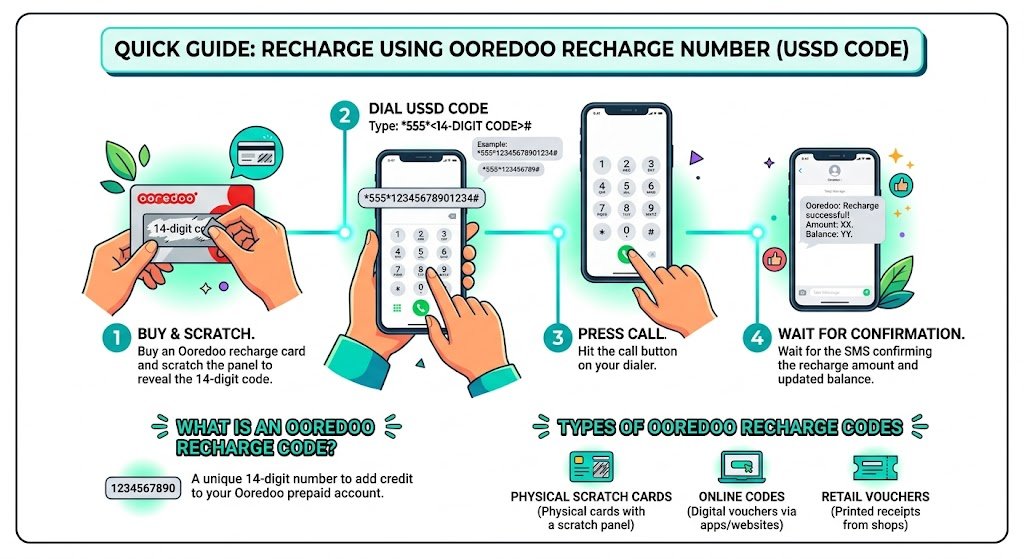
This is the classic method and it still works perfectly. You buy a recharge card, scratch it, and dial the top up code.
Step-by-step
Step 1
Buy an Ooredoo recharge card and scratch the silver panel to reveal the 14-digit code.
Step 2
Open your phone dialer and type:
555YOUR14DIGITCODE#
Example format:
55545245786424598#
Step 3
Press Call.
Step 4
Wait for the confirmation SMS from Ooredoo. It should confirm the recharge amount and your updated balance.
What is an Ooredoo recharge code?
An Ooredoo recharge code is a unique 14-digit number that adds credit to your Ooredoo prepaid account.
Types of Ooredoo recharge codes
- Scratch cards (physical)
- Online codes (digital vouchers)
- Retail vouchers (printed receipt with code in some shops)
Benefits of Recharge Codes (Simple and Reliable)
| Benefit | Why it matters for you |
|---|---|
| Convenience | Works on any phone, even without internet |
| Flexibility | Multiple denominations available |
| Instant credit | Usually posts immediately |
| Spending control | Great for budgeting, especially for students and expats |
My personal tip: when you scratch the card, take a clear photo of the code before you throw the card away. If something fails, that photo saves you time.
2. Recharge Ooredoo Kuwait Online (Website)
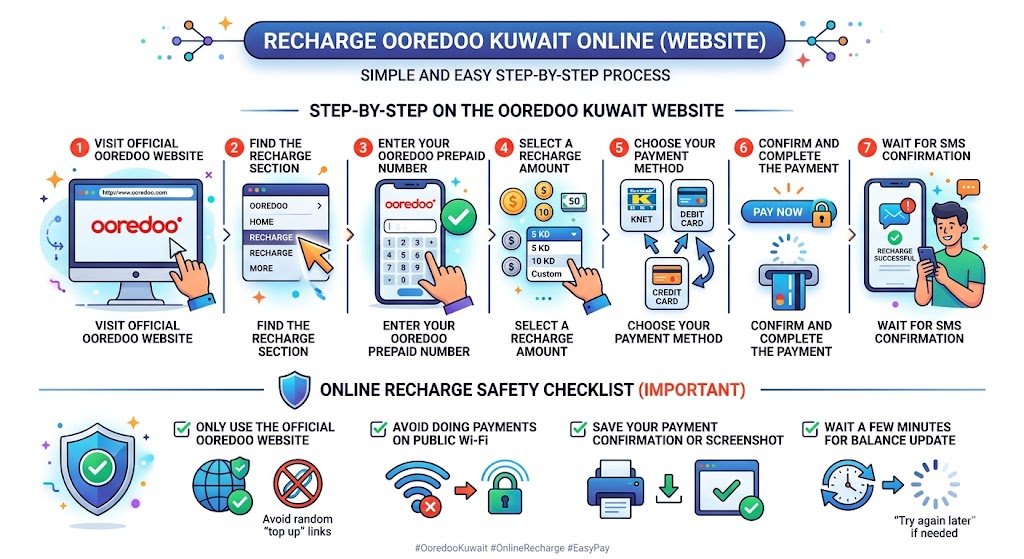
If you want the fastest experience (especially when you are outside Kuwait), online recharge is one of the best options. I use this method a lot when I’m traveling because it’s clean, quick, and you typically get confirmation immediately.
Step-by-step on the Ooredoo Kuwait website
Step 1
Go to the official Ooredoo Kuwait website.
Step 2
Find the Recharge section (usually visible in the top menu).
Step 3
Enter your Ooredoo prepaid number carefully (double-check the digits).
Step 4
Select a recharge amount (or enter a custom amount if available).
Step 5
Choose your payment method:
- KNET (most common inside Kuwait)
- Debit card
- Credit card
Step 6
Confirm and complete the payment.
Step 7
Wait for the SMS confirmation on your phone.
Online recharge safety checklist (important)
I’m careful with online payments, and you should be too:
- Only use the official Ooredoo website, not random “top up” links
- Avoid doing payments on public Wi‑Fi
- Save your payment confirmation or screenshot the success page
- If the payment succeeded but balance didn’t update, wait a few minutes before trying again
3. Recharge Using the My Ooredoo App (Quick Top Up)
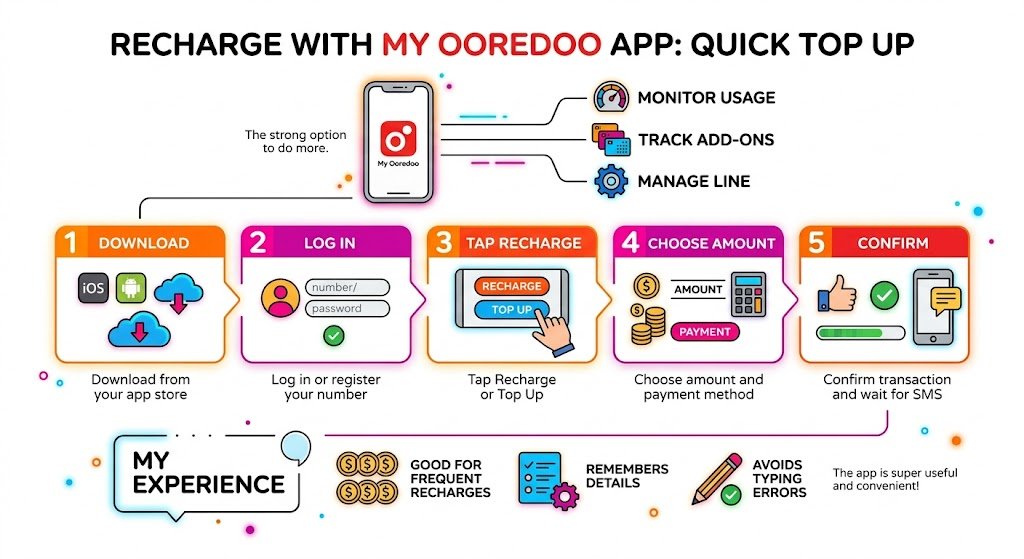
The My Ooredoo app is a strong option because it doesn’t just recharge. You can also monitor usage, track add-ons, and manage your line.
Step-by-step
Step 1
Download My Ooredoo from your app store (iPhone or Android).
Step 2
Log in (or register your number).
Step 3
Tap Recharge or Top Up.
Step 4
Choose the amount and payment method.
Step 5
Confirm the transaction and wait for the SMS.
My experience: the app is especially useful if you recharge often, because it remembers details and helps you avoid typing errors.
4. Recharge Using Ooredoo Scratch Cards
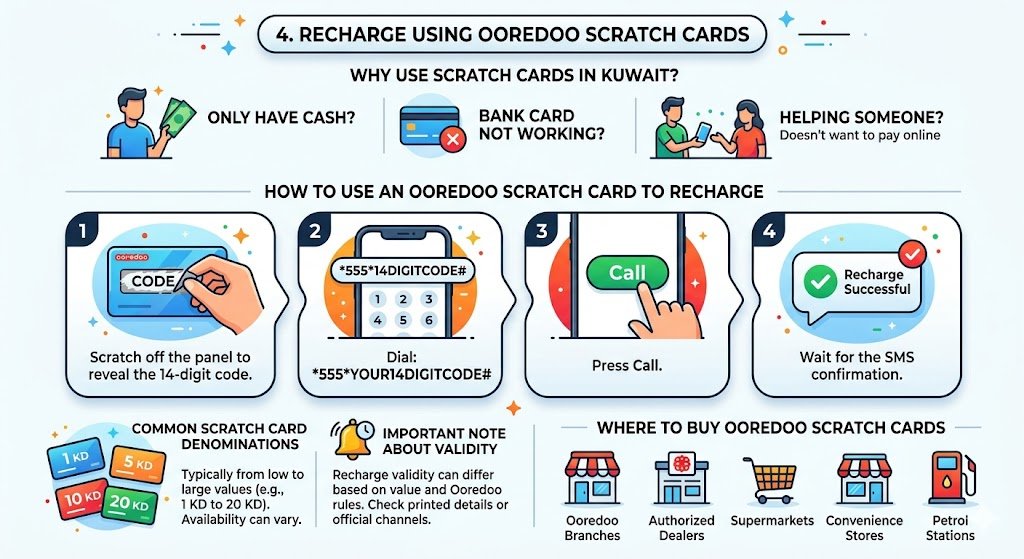
Scratch cards are still everywhere in Kuwait and they’re a lifesaver when:
- you only have cash
- your bank card is not working
- you’re helping someone who doesn’t want to pay online
How to use an Ooredoo scratch card to recharge
Step 1
Scratch off the panel to reveal the 14-digit code.
Step 2
Dial:
555YOUR14DIGITCODE#
Step 3
Press Call.
Step 4
Wait for the SMS confirmation.
Common scratch card denominations in Kuwait
You will typically find cards from low values up to larger ones (for example, 1 KD to 20 KD). Availability can vary by store and area.
Important note about validity: recharge validity can differ based on the recharge value and current Ooredoo rules. If validity is important to you, check the printed details on the card or confirm through official Ooredoo channels.
Where to buy Ooredoo scratch cards
- Ooredoo branches
- Authorized dealers
- Supermarkets
- Convenience stores
- Petrol stations
5. Recharge Ooredoo at Ooredoo Stores and Authorized Outlets
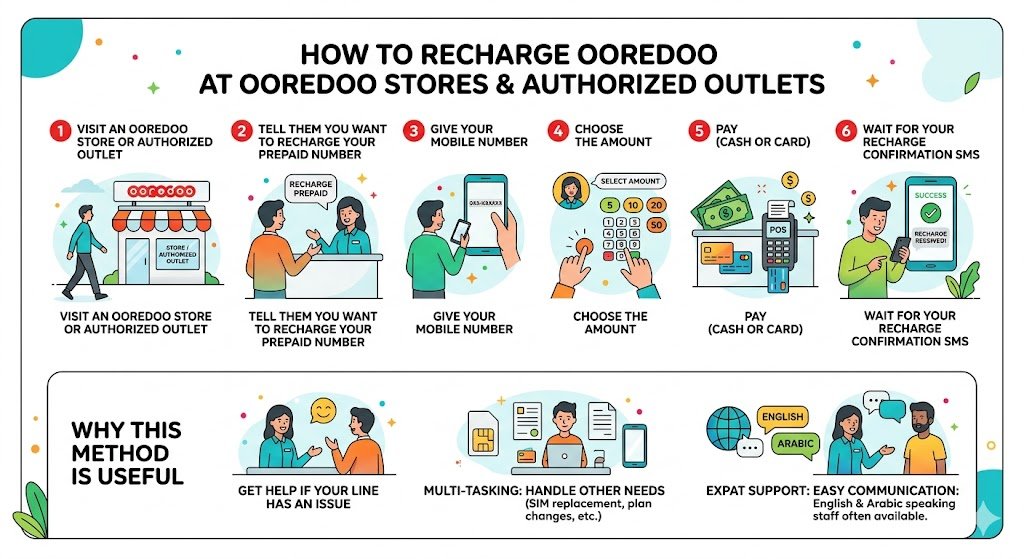
If you want someone to do it for you, or you want to avoid any mistakes, go to an official store or authorized retailer.
Recharge at store (step-by-step)
- Visit an Ooredoo store or authorized outlet
- Tell them you want to recharge your prepaid number
- Give your mobile number
- Choose the amount
- Pay (cash or card depending on the store)
- Wait for your recharge confirmation SMS
Why this method is useful
- Staff can help if your line has an issue
- You can handle other needs at the same time (SIM replacement, plan questions, number verification)
If you’re an expat and you’re unsure about Arabic/English communication, stores in many areas are used to serving expats and typically have staff who can help in English.
6. Recharge Ooredoo at an ATM
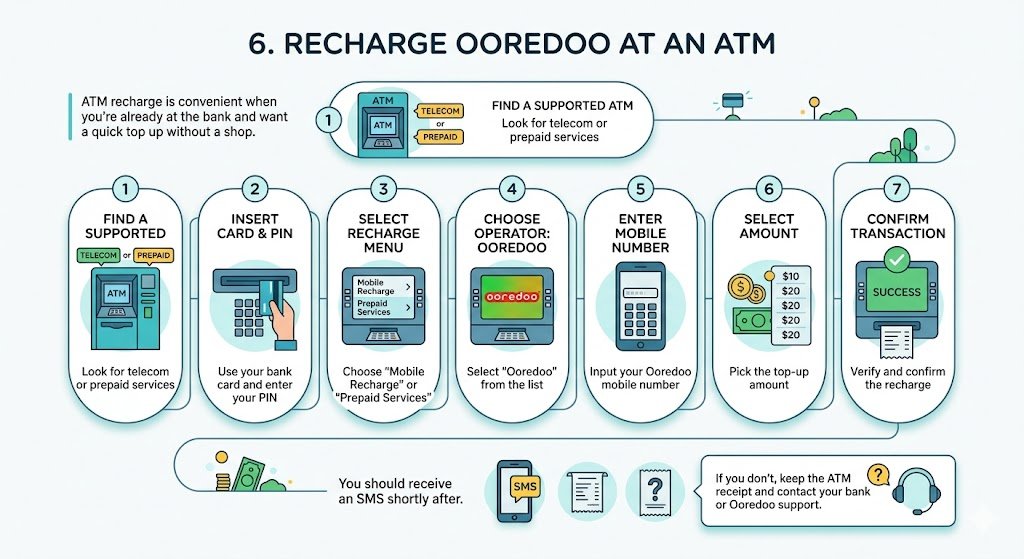
ATM recharge is convenient when you’re already at the bank and want a quick top up without a shop.
Step-by-step (general flow)
- Use an ATM that supports mobile recharge (look for telecom or prepaid services)
- Insert your bank card and enter your PIN
- Select Mobile Recharge or Prepaid Services
- Choose Ooredoo
- Enter your mobile number
- Select amount
- Confirm
You should receive an SMS shortly after. If you don’t, keep the ATM receipt and contact your bank or Ooredoo support.
Troubleshooting (Real Problems I’ve Seen)
Recharge code says invalid
Common causes:
- You typed one digit wrong
- The code was already used
- You scratched too hard and removed digits
What to do:
- Re-type slowly
- If the card is damaged, return to the shop with the card and receipt if possible
Payment succeeded online but balance didn’t update
What I do:
- Wait 5 to 10 minutes (sometimes there is a delay)
- Check SMS messages for confirmation
- Don’t pay again immediately, or you might double-charge yourself
- Contact Ooredoo support with transaction reference
Recharged the wrong number
This happens more than people admit, especially when helping friends. My rule: always read the number back to the person before confirming. Some online pages show a confirmation screen, use it.
Useful Tips for Expats (Based on My Experience Abroad)
- Save your Ooredoo number in your phone with a clear label like “Kuwait Ooredoo SIM”.
- If you manage family lines, keep a small note with each number and who it belongs to.
- When traveling, online recharge is usually easier than searching for scratch cards.
- Keep proof of payment (SMS, email receipt, or screenshot). This helps if you need support later.
Summary
Recharging your Ooredoo prepaid line in Kuwait is straightforward once you know your options. If you want the fastest route, use the Ooredoo website or the My Ooredoo app. If you prefer cash or want maximum simplicity, scratch cards and the USSD recharge code are still the most reliable.
If you want, tell me which option you prefer (online, scratch card, ATM, or store) and whether you are inside Kuwait or abroad. I’ll point you to the best method for your exact situation and the common mistakes to avoid.