

We built KuwaitExpat.com for people who need clear answers about Kuwait’s everyday services without the confusion, mixed advice, and outdated steps that you usually find online.
My name is Saleh Muhammad. I’m a Kuwaiti citizen, but I’ve been living outside Kuwait for over 10 years. During that time, I still had to handle Kuwait-related tasks constantly, sometimes remotely, sometimes through family, and sometimes under tight deadlines. That “expat distance” teaches you quickly: if you miss one step, choose the wrong appointment type, or follow an old guide, you waste days.
So our mission is simple: step-by-step help for residents, workers, and visitors navigating daily life in Kuwait.
Latest Posts
 USA Visa Kuwait (2026): Requirements, Fees, Documents and How to Apply Step by StepApril 8, 2026I’m Saleh Muhammad, a Kuwaiti citizen, and I’ve been living outside Kuwait for more than 10 years. During that time, I’ve dealt with different visa systems, embassy appointments, document checklists, and the small mistakes that can delay an application. In this guide, I’m going to walk you through the U.S. visa process from Kuwait the way I would explain it to a friend: clearly, practically, and with the details you actually need in 2026.
If you are in Kuwait (Kuwaiti citizen or a legal resident) and you want to visit the United States for tourism, business, study, work, or immigration, you will usually need a visa in your passport before you travel.
Which U.S. Visa Do You Need From Kuwait?
The first reason people get refused is simple: they apply under the wrong category or they can’t explain their purpose confidently. Here’s a clean breakdown.
Nonimmigrant (Temporary) Visas (Most Common)
These are for people who will return to Kuwait after the trip.
Visa TypeBest ForTypical ExamplesB-1Business visitMeetings, conferences, short business activities (no U.S. salary)B-2Tourism and family visitVacation, visiting family, medical treatmentB-1/B-2CombinedMost applicants from Kuwait apply under thisF-1Academic studyUniversity, college, language programsM-1Vocational studyTechnical or vocational institutesH (various)Temporary workSpecialized jobs, depends on petitionLIntra-company transferCompany transfer to U.S. branch
For all nonimmigrant visas, you normally complete DS-160 first.
Immigrant (Permanent) Visas
Immigrant visas are for people moving to the U.S. permanently, usually through family sponsorship or employment sponsorship (and other categories depending on eligibility).
Important note from my side: U.S. immigration policies and screening rules can change quickly. You may see news about additional screening, pauses, or changing requirements. Do not rely on social media summaries. Always confirm directly with official U.S. government sources or the U.S. Embassy in Kuwait before you invest money into medicals, translations, or travel.
Where To Apply in Kuwait (U.S. Embassy Location)
Visa interviews for the United States are handled by the U.S. Embassy in Kuwait City (Bayan area) and are typically appointment-only.
U.S. Embassy in Kuwait (Bayan)Bayan, Block 13, Masjed Al-Aqsa Street, Kuwait City(Always confirm directions and entry rules on the embassy website before you go.)
You’ll usually schedule through the official U.S. visa appointment system after completing DS-160 and paying the fee.
USA Visa Kuwait Requirements (Document Checklist You Actually Need)
Here’s what I recommend: build your file like you’re telling one clear story. Your story should match your DS-160, your verbal answers, and your documents.
Core Documents (Most Applicants)
DocumentWhy It MattersMy Practical TipPassportMust be valid for travelKeep old passports too if they show travel historyDS-160 confirmation pageProves you submitted the formPrint it and keep a digital copyVisa photoMust meet U.S. specificationsDon’t guess. Use a studio that knows U.S. visa sizingAppointment confirmationEntry to the embassy processPrint itFee payment receiptProof of paymentKeep it with DS-160 page
Supporting Documents (This Is Where Most People Win or Lose)
For visitor visas, the officer is usually assessing one big idea: Will you return to Kuwait after your trip? This is where “ties to Kuwait” becomes everything.
Examples of strong ties:
Employment letter, salary certificate, work ID
Business license and company documents (if self-employed)
Family ties (spouse, children in Kuwait)
Property ownership or rental contract
University enrollment (if you’re a student in Kuwait)
Clear travel history (UK, Schengen, etc. helps but is not mandatory)
Financial proof:
Bank statements (recent, consistent, not just a last-minute deposit)
Salary transfers
If sponsored: sponsor’s bank statement + relationship proof + sponsor letter
Additional Documents By Visa Type
VisaExtra DocumentsF-1 / M-1I-20, SEVIS fee payment receipt, admissions letter, academic recordsH / L work visasPetition approval documents (your employer normally manages this)ImmigrantDS-260, civil documents, medical exam instructions (case-specific)
U.S. Visa Fees in Kuwait (2026)
Visa fees can change, but these are the common baseline amounts most applicants see.
CategoryTypical Fee (USD)NotesB-1/B-2 and many nonimmigrant visas185Paid before scheduling in most casesSome work visas (certain H/L/O/P categories)higher than 185Depends on categoryImmigrant visasvariesUsually includes multiple fees across stages
Fees in Kuwaiti Dinar (KD)
The KD amount depends on the exchange rate on the day you pay. As a quick way to estimate, many people convert using a rough range (example: 185 USD is often around 55–60 KD, but the exact KD amount can differ). Always rely on the payment portal’s displayed amount.
Very important: U.S. visa fees are generally non-refundable, even if you get refused.
How To Apply for a U.S. Visa From Kuwait (Step by Step)
Step 1: Pick the correct visa category
Be honest with yourself here. If your real goal is long-term stay but you apply as a tourist, your interview answers usually fall apart fast.
Step 2: Complete Form DS-160 (Nonimmigrant)
Fill DS-160 carefully (names, passport number, travel history, work history)
Upload a photo (if required by the system) and still bring a printed photo to be safe
Print the DS-160 confirmation page (barcode)
My personal advice: Do not rush DS-160. Most “inconsistencies” that cause refusals come from rushed forms.
Step 3: Pay the visa fee
Pay through the official U.S. visa appointment/payment portal. Save the receipt.
Step 4: Schedule your embassy appointment
After payment, you will choose:
Appointment date and time
Delivery method (depends on system options)
Timing note: Appointment availability can vary a lot depending on season. In my experience with embassies in general, holidays and summer periods fill up faster. Plan early.
Step 5: Prepare your interview file (keep it simple)
I suggest using a clean folder with sections:
Core documents
Employment and salary
Bank statements
Travel plan (hotel bookings optional, do not overdo it)
Invitation letter (if you have one)
Step 6: Attend the visa interview at the U.S. Embassy in Kuwait
The interview is usually short. Sometimes it feels like 2 minutes, sometimes longer.
They typically want to know:
Why are you going?
How long will you stay?
Who is paying?
What do you do in Kuwait?
Why will you return?
Answer directly. Don’t give speeches. If you don’t know something, don’t invent.
Step 7: Passport return and final decision
If approved, your passport is kept for visa printing, then returned through the chosen method. If refused, they usually return your passport immediately and provide a refusal reason.
Common Reasons for U.S. Visa Refusal From Kuwait (And How to Avoid Them)
Most tourist visa refusals fall under 214(b) which basically means the officer is not convinced you will return.
Here are the patterns I’ve seen again and again:
Weak ties to Kuwait
No stable job, no clear studies, no family responsibilities, no long-term commitments
Inconsistent information
DS-160 says one thing, documents say another, interview answers change
Financial documents don’t make sense
Sudden large deposits, unclear sponsor relationship, unrealistic budget
Unclear purpose
“I just want to go and see” is not strong. Have a real plan and timeline.
Over-documenting with confusion
A huge pile of random papers can backfire if it creates contradictions.
My pro tip (simple but effective)
Prepare a one-page trip summary for yourself (not necessarily to hand over) with:
Purpose
Exact travel dates (estimated is fine)
Where you will stay
Who pays and how
Why you will return to Kuwait
When you’re calm and consistent, your interview goes better.
Useful 2026 Travel Notes (What People Forget)
Visa validity vs length of stay
Even if you receive a multiple-entry visa valid for years, the length of stay is decided at the U.S. entry point by U.S. Customs and Border Protection. So don’t confuse “visa validity” with “how long I can stay.”
DS-160 time estimate
Most people take 60 to 90 minutes to complete DS-160 properly if they have their details ready (work history, travel history, addresses).
FAQs: USA Visa Kuwait
Do Kuwaitis need a visa to enter the U.S.?
Yes. Kuwaiti citizens generally must obtain a visa before traveling to the United States (for example, B-1/B-2 for visits). There is no visa on arrival.
Can I renew my U.S. visa in Kuwait?
Often yes. Many renewals follow the same DS-160 process, and some applicants may qualify for an interview waiver depending on current rules and personal eligibility.
What form do I use for a U.S. visit visa from Kuwait?
For most temporary visas like B-1/B-2, you use DS-160.
How long does the process take?
It depends on appointment availability and administrative processing (if any). The best strategy is to apply well ahead of your planned travel date, especially for summer travel.
Final Advice From Me (Saleh)
If you want your U.S. visa application from Kuwait to go smoothly in 2026, focus on three things:
Choose the correct visa category
Keep your DS-160 perfectly consistent with your real life
Prove your ties to Kuwait in a clean, believable way
If you want, tell me your situation (Kuwaiti or resident, employed or student, pu
Related posts:
Kuwait Driving License in 2026: Rules, Steps, Categories, Renewal, and Expat Exceptions [...]
USA Visa Kuwait (2026): Requirements, Fees, Documents and How to Apply Step by StepApril 8, 2026I’m Saleh Muhammad, a Kuwaiti citizen, and I’ve been living outside Kuwait for more than 10 years. During that time, I’ve dealt with different visa systems, embassy appointments, document checklists, and the small mistakes that can delay an application. In this guide, I’m going to walk you through the U.S. visa process from Kuwait the way I would explain it to a friend: clearly, practically, and with the details you actually need in 2026.
If you are in Kuwait (Kuwaiti citizen or a legal resident) and you want to visit the United States for tourism, business, study, work, or immigration, you will usually need a visa in your passport before you travel.
Which U.S. Visa Do You Need From Kuwait?
The first reason people get refused is simple: they apply under the wrong category or they can’t explain their purpose confidently. Here’s a clean breakdown.
Nonimmigrant (Temporary) Visas (Most Common)
These are for people who will return to Kuwait after the trip.
Visa TypeBest ForTypical ExamplesB-1Business visitMeetings, conferences, short business activities (no U.S. salary)B-2Tourism and family visitVacation, visiting family, medical treatmentB-1/B-2CombinedMost applicants from Kuwait apply under thisF-1Academic studyUniversity, college, language programsM-1Vocational studyTechnical or vocational institutesH (various)Temporary workSpecialized jobs, depends on petitionLIntra-company transferCompany transfer to U.S. branch
For all nonimmigrant visas, you normally complete DS-160 first.
Immigrant (Permanent) Visas
Immigrant visas are for people moving to the U.S. permanently, usually through family sponsorship or employment sponsorship (and other categories depending on eligibility).
Important note from my side: U.S. immigration policies and screening rules can change quickly. You may see news about additional screening, pauses, or changing requirements. Do not rely on social media summaries. Always confirm directly with official U.S. government sources or the U.S. Embassy in Kuwait before you invest money into medicals, translations, or travel.
Where To Apply in Kuwait (U.S. Embassy Location)
Visa interviews for the United States are handled by the U.S. Embassy in Kuwait City (Bayan area) and are typically appointment-only.
U.S. Embassy in Kuwait (Bayan)Bayan, Block 13, Masjed Al-Aqsa Street, Kuwait City(Always confirm directions and entry rules on the embassy website before you go.)
You’ll usually schedule through the official U.S. visa appointment system after completing DS-160 and paying the fee.
USA Visa Kuwait Requirements (Document Checklist You Actually Need)
Here’s what I recommend: build your file like you’re telling one clear story. Your story should match your DS-160, your verbal answers, and your documents.
Core Documents (Most Applicants)
DocumentWhy It MattersMy Practical TipPassportMust be valid for travelKeep old passports too if they show travel historyDS-160 confirmation pageProves you submitted the formPrint it and keep a digital copyVisa photoMust meet U.S. specificationsDon’t guess. Use a studio that knows U.S. visa sizingAppointment confirmationEntry to the embassy processPrint itFee payment receiptProof of paymentKeep it with DS-160 page
Supporting Documents (This Is Where Most People Win or Lose)
For visitor visas, the officer is usually assessing one big idea: Will you return to Kuwait after your trip? This is where “ties to Kuwait” becomes everything.
Examples of strong ties:
Employment letter, salary certificate, work ID
Business license and company documents (if self-employed)
Family ties (spouse, children in Kuwait)
Property ownership or rental contract
University enrollment (if you’re a student in Kuwait)
Clear travel history (UK, Schengen, etc. helps but is not mandatory)
Financial proof:
Bank statements (recent, consistent, not just a last-minute deposit)
Salary transfers
If sponsored: sponsor’s bank statement + relationship proof + sponsor letter
Additional Documents By Visa Type
VisaExtra DocumentsF-1 / M-1I-20, SEVIS fee payment receipt, admissions letter, academic recordsH / L work visasPetition approval documents (your employer normally manages this)ImmigrantDS-260, civil documents, medical exam instructions (case-specific)
U.S. Visa Fees in Kuwait (2026)
Visa fees can change, but these are the common baseline amounts most applicants see.
CategoryTypical Fee (USD)NotesB-1/B-2 and many nonimmigrant visas185Paid before scheduling in most casesSome work visas (certain H/L/O/P categories)higher than 185Depends on categoryImmigrant visasvariesUsually includes multiple fees across stages
Fees in Kuwaiti Dinar (KD)
The KD amount depends on the exchange rate on the day you pay. As a quick way to estimate, many people convert using a rough range (example: 185 USD is often around 55–60 KD, but the exact KD amount can differ). Always rely on the payment portal’s displayed amount.
Very important: U.S. visa fees are generally non-refundable, even if you get refused.
How To Apply for a U.S. Visa From Kuwait (Step by Step)
Step 1: Pick the correct visa category
Be honest with yourself here. If your real goal is long-term stay but you apply as a tourist, your interview answers usually fall apart fast.
Step 2: Complete Form DS-160 (Nonimmigrant)
Fill DS-160 carefully (names, passport number, travel history, work history)
Upload a photo (if required by the system) and still bring a printed photo to be safe
Print the DS-160 confirmation page (barcode)
My personal advice: Do not rush DS-160. Most “inconsistencies” that cause refusals come from rushed forms.
Step 3: Pay the visa fee
Pay through the official U.S. visa appointment/payment portal. Save the receipt.
Step 4: Schedule your embassy appointment
After payment, you will choose:
Appointment date and time
Delivery method (depends on system options)
Timing note: Appointment availability can vary a lot depending on season. In my experience with embassies in general, holidays and summer periods fill up faster. Plan early.
Step 5: Prepare your interview file (keep it simple)
I suggest using a clean folder with sections:
Core documents
Employment and salary
Bank statements
Travel plan (hotel bookings optional, do not overdo it)
Invitation letter (if you have one)
Step 6: Attend the visa interview at the U.S. Embassy in Kuwait
The interview is usually short. Sometimes it feels like 2 minutes, sometimes longer.
They typically want to know:
Why are you going?
How long will you stay?
Who is paying?
What do you do in Kuwait?
Why will you return?
Answer directly. Don’t give speeches. If you don’t know something, don’t invent.
Step 7: Passport return and final decision
If approved, your passport is kept for visa printing, then returned through the chosen method. If refused, they usually return your passport immediately and provide a refusal reason.
Common Reasons for U.S. Visa Refusal From Kuwait (And How to Avoid Them)
Most tourist visa refusals fall under 214(b) which basically means the officer is not convinced you will return.
Here are the patterns I’ve seen again and again:
Weak ties to Kuwait
No stable job, no clear studies, no family responsibilities, no long-term commitments
Inconsistent information
DS-160 says one thing, documents say another, interview answers change
Financial documents don’t make sense
Sudden large deposits, unclear sponsor relationship, unrealistic budget
Unclear purpose
“I just want to go and see” is not strong. Have a real plan and timeline.
Over-documenting with confusion
A huge pile of random papers can backfire if it creates contradictions.
My pro tip (simple but effective)
Prepare a one-page trip summary for yourself (not necessarily to hand over) with:
Purpose
Exact travel dates (estimated is fine)
Where you will stay
Who pays and how
Why you will return to Kuwait
When you’re calm and consistent, your interview goes better.
Useful 2026 Travel Notes (What People Forget)
Visa validity vs length of stay
Even if you receive a multiple-entry visa valid for years, the length of stay is decided at the U.S. entry point by U.S. Customs and Border Protection. So don’t confuse “visa validity” with “how long I can stay.”
DS-160 time estimate
Most people take 60 to 90 minutes to complete DS-160 properly if they have their details ready (work history, travel history, addresses).
FAQs: USA Visa Kuwait
Do Kuwaitis need a visa to enter the U.S.?
Yes. Kuwaiti citizens generally must obtain a visa before traveling to the United States (for example, B-1/B-2 for visits). There is no visa on arrival.
Can I renew my U.S. visa in Kuwait?
Often yes. Many renewals follow the same DS-160 process, and some applicants may qualify for an interview waiver depending on current rules and personal eligibility.
What form do I use for a U.S. visit visa from Kuwait?
For most temporary visas like B-1/B-2, you use DS-160.
How long does the process take?
It depends on appointment availability and administrative processing (if any). The best strategy is to apply well ahead of your planned travel date, especially for summer travel.
Final Advice From Me (Saleh)
If you want your U.S. visa application from Kuwait to go smoothly in 2026, focus on three things:
Choose the correct visa category
Keep your DS-160 perfectly consistent with your real life
Prove your ties to Kuwait in a clean, believable way
If you want, tell me your situation (Kuwaiti or resident, employed or student, pu
Related posts:
Kuwait Driving License in 2026: Rules, Steps, Categories, Renewal, and Expat Exceptions [...]
 Germany Visa from Kuwait 2026: Requirements, Fees, Where to Apply, and My Step by Step GuideApril 8, 2026I have been living outside of Kuwait for more than ten years because I am a Kuwaiti citizen named Saleh Muhammad. I have handled multiple aspects of my travel needs during this period which included visa applications and residency regulations and travel insurance requirements and bank statement verification procedures and the specific elements that determine whether an application will progress without issues or face delays.
I will guide you through the complete Germany visa process from Kuwait in this guide using a practical approach that I would share with a friend. I will explain which visa you must obtain and which Kuwait application center you should use and I will provide the complete list of required documents and all associated costs and processing times and the most common reasons for application rejection so you will know what to avoid.
Note: This article follows Schengen regulations and describes the process that the German Embassy and VFS Global their service partner normally use. Your category requirements will change, so you should verify them two times, before you complete your application.
Do Kuwaitis need a visa for Germany?
In most cases, yes.
If you hold a regular Kuwaiti passport, you typically need a Schengen short stay visa (Type C) to enter Germany.
There is an important exception:Holders of biometric diplomatic or special passports can enter without a visa for stays up to 90 days during a 180 day period under the visa waiver program. This restriction does not extend to individuals who possess a regular passport.
Which Germany visa you need from Kuwait
1) Short stay Schengen visa (Type C) up to 90 days
This is the visa most people mean when they say “Germany visit visa”.
Use it for:
Tourism and sightseeing
Visiting family or friends
Business meetings, exhibitions, conferences
Short training or short events
Key rule you must understand:You can stay a maximum of 90 days within any 180 day period in the Schengen Area.
When to apply:
Standard Schengen rules allow applying up to 6 months in advance
You should apply at least 15 calendar days before your tripFrom experience, I recommend 4 to 6 weeks ahead in Kuwait, especially before summer and holiday seasons.
2) National visa (Long stay) more than 90 days
If you plan to:
Study
Work
Join family for residence
Long term relocation
Then you need a national long stay visa, and the process is different. You usually apply directly through the German Embassy for long stay categories, not the Schengen desk.
Where to apply for Germany visa in Kuwait
For Schengen short stay visas
You typically submit your application through:
VFS Global Germany Visa Application CentreArraya Tower, Level 25, Kuwait City
VFS collects your file, biometrics, and fees, and forwards it to the Embassy for a decision.
For national long stay visas
You generally apply through the Visa and Consular Section of the German Embassy in Kuwait.
Germany visa requirements from Kuwait (2026)
Below is the real core of your application: proving identity, purpose, money, and intent to return.
Schengen visa document checklist (Germany from Kuwait)
Here’s a clean checklist table you can use while preparing your file.
CategoryDocuments you typically needMy notes from experienceIdentityPassport valid at least 3 months after leaving Schengen, with at least 2 blank pagesIf your passport is close to expiring, renew first. It avoids delays.ApplicationSchengen application form (often completed via VIDEX), signedMake sure your dates match your flight and hotel bookings exactly.PhotoRecent biometric photo meeting Schengen standardsDon’t reuse old photos. Fresh is safer.Kuwait residency (non Kuwaiti)Valid Kuwait residence permit (iqama) covering travel periodIf your residency expires soon, renew before applying.Travel planFlight reservation (return), hotel booking or invitationAvoid “fake” bookings. Officers can detect inconsistent itineraries.Purpose proofTourism plan, invitation letter, business invitation, event registrationFor business: invitation letter should include who pays and why you’re going.FinanceRecent bank statements, salary slips, sponsor letter if neededYour statement should show stable activity, not a last minute large deposit.EmploymentNo objection letter, job certificate, leave approvalStrong tie to Kuwait helps. If self employed, add company license.InsuranceSchengen travel medical insurance, minimum EUR 30,000 coverageMust cover all Schengen countries and full dates.Previous travelCopies of previous Schengen visas (if any)If you have a good travel history, include it. It helps.
About travel insurance (this is non negotiable)
Your Schengen travel medical insurance must:
Cover at least EUR 30,000
Include emergency medical care and repatriation
Be valid for the entire trip and across the Schengen Area
If the policy dates start after your travel date or don’t cover all Schengen states, your file can get delayed or refused.
Germany visa fees in Kuwait (Schengen)
Schengen fees are standardized under Schengen rules. You pay in Kuwaiti Dinar based on the exchange rate used by the centre on the day, plus VFS service charges.
Applicant typeSchengen visa fee (EUR)Adults (12 years and above)90Children 6 to 1145Children under 60
Important:
Fees are generally non refundable even if refused
VFS service fees are separate from the visa fee
Processing time for Germany Schengen visa from Kuwait
In many straightforward cases, you may see a decision in about 10 to 15 working days after submission.
However, timing varies based on:
Peak travel seasons
Missing documents or verification calls
Complex travel histories
Additional checks
My honest advice:If your travel dates are fixed, submit early. Do not gamble with last minute appointments.
Step by step: How to apply for Germany visa from Kuwait
Step 1: Confirm Germany is the correct embassy to apply through
Apply through Germany if:
Germany is where you will spend the most nights, or
Germany is your first entry and you are spending equal time in multiple Schengen countries
If your main stay is France or Italy but you apply through Germany, that can raise red flags.
Step 2: Fill out the application properly
Complete the Schengen form (commonly via VIDEX) and print it.
Before printing, check:
Your name spelling matches your passport
Your entry and exit dates match your reservations
Your hotel city matches your itinerary
Your employer info matches your NOC letter
Tiny mismatches cause big delays.
Step 3: Book your VFS appointment in Kuwait
Book an appointment with VFS Global Germany in Kuwait City.
During high demand periods, appointments can be limited, so do this early.
Step 4: Prepare your file like an officer will read it
This is one thing I learned after years abroad: you’re not just submitting documents, you’re telling a story.
I recommend adding a one page cover letter that clearly states:
Who you are and what you do in Kuwait
Why you are visiting Germany
Your exact travel dates
Who is paying for the trip
Your itinerary summary
Proof you will return (job, family, residency, commitments)
This makes your application easier to review.
Step 5: Submit, pay, and provide biometrics
On appointment day:
Submit documents
Pay the visa fee and VFS service fee
Give fingerprints and photo (biometrics)
Step 6: Track your application and collect your passport
Use the VFS tracking page with your reference number. Once ready, you collect your passport or use courier options if available.
Common reasons Germany visa applications get refused (and how you avoid them)
Here are the refusal patterns I see most often:
1) Weak financial proof
Officers want to see you can afford the trip.Avoid:
Very low balance
No salary history
A sudden big deposit right before applying with no explanation
If you must add money, explain the source with evidence.
2) Unclear purpose of travel
If your plan is vague, it looks risky.Fix:
Provide a day by day itinerary (simple is fine)
Match it with your hotel locations
3) Weak ties to Kuwait
If you cannot show strong reasons to return, you may be refused.Add:
Employment letter and approved leave
Kuwait residency validity
Family ties, responsibilities, ongoing work
4) Insurance not meeting Schengen rules
Many people buy the wrong coverage or wrong dates.Make sure it is:EUR 30,000 minimum, all Schengen, full trip dates.
5) Inconsistent documents
Even small date mismatches between flight, hotel, and leave letter can create doubts.
Useful stats and rules you should know (Schengen basics)
TopicWhat it means for you90 180 ruleYou cannot stay more than 90 days in any rolling 180 day period across all Schengen countriesEarliest application timeUp to 6 months before travel for most applicantsLatest recommended timeAt least 15 days before travel, but I recommend 4 to 6 weeksMinimum insurance coverageEUR 30,000 emergency medical and repatriation
FAQs: Germany visa from Kuwait
Final advice from me (as a Kuwaiti expat)
The Germany Schengen visa process is very doable if you treat it like a professional file, not a casual travel plan. When your documents tell one clear story, you make the officer’s job easy, and your chances improve.
Related posts:
Residency renewal Kuwait 2026 guide for individuals and companies
Visa 18 Kuwait and Visa 20 Kuwait 2026
Kuwait Visa Check Online in 2026: How to Track Your Visa Status (Step by Step)
Italy Visa from Kuwait 2026: Requirements, Fees, Documents, and Step by Step Guide [...]
Germany Visa from Kuwait 2026: Requirements, Fees, Where to Apply, and My Step by Step GuideApril 8, 2026I have been living outside of Kuwait for more than ten years because I am a Kuwaiti citizen named Saleh Muhammad. I have handled multiple aspects of my travel needs during this period which included visa applications and residency regulations and travel insurance requirements and bank statement verification procedures and the specific elements that determine whether an application will progress without issues or face delays.
I will guide you through the complete Germany visa process from Kuwait in this guide using a practical approach that I would share with a friend. I will explain which visa you must obtain and which Kuwait application center you should use and I will provide the complete list of required documents and all associated costs and processing times and the most common reasons for application rejection so you will know what to avoid.
Note: This article follows Schengen regulations and describes the process that the German Embassy and VFS Global their service partner normally use. Your category requirements will change, so you should verify them two times, before you complete your application.
Do Kuwaitis need a visa for Germany?
In most cases, yes.
If you hold a regular Kuwaiti passport, you typically need a Schengen short stay visa (Type C) to enter Germany.
There is an important exception:Holders of biometric diplomatic or special passports can enter without a visa for stays up to 90 days during a 180 day period under the visa waiver program. This restriction does not extend to individuals who possess a regular passport.
Which Germany visa you need from Kuwait
1) Short stay Schengen visa (Type C) up to 90 days
This is the visa most people mean when they say “Germany visit visa”.
Use it for:
Tourism and sightseeing
Visiting family or friends
Business meetings, exhibitions, conferences
Short training or short events
Key rule you must understand:You can stay a maximum of 90 days within any 180 day period in the Schengen Area.
When to apply:
Standard Schengen rules allow applying up to 6 months in advance
You should apply at least 15 calendar days before your tripFrom experience, I recommend 4 to 6 weeks ahead in Kuwait, especially before summer and holiday seasons.
2) National visa (Long stay) more than 90 days
If you plan to:
Study
Work
Join family for residence
Long term relocation
Then you need a national long stay visa, and the process is different. You usually apply directly through the German Embassy for long stay categories, not the Schengen desk.
Where to apply for Germany visa in Kuwait
For Schengen short stay visas
You typically submit your application through:
VFS Global Germany Visa Application CentreArraya Tower, Level 25, Kuwait City
VFS collects your file, biometrics, and fees, and forwards it to the Embassy for a decision.
For national long stay visas
You generally apply through the Visa and Consular Section of the German Embassy in Kuwait.
Germany visa requirements from Kuwait (2026)
Below is the real core of your application: proving identity, purpose, money, and intent to return.
Schengen visa document checklist (Germany from Kuwait)
Here’s a clean checklist table you can use while preparing your file.
CategoryDocuments you typically needMy notes from experienceIdentityPassport valid at least 3 months after leaving Schengen, with at least 2 blank pagesIf your passport is close to expiring, renew first. It avoids delays.ApplicationSchengen application form (often completed via VIDEX), signedMake sure your dates match your flight and hotel bookings exactly.PhotoRecent biometric photo meeting Schengen standardsDon’t reuse old photos. Fresh is safer.Kuwait residency (non Kuwaiti)Valid Kuwait residence permit (iqama) covering travel periodIf your residency expires soon, renew before applying.Travel planFlight reservation (return), hotel booking or invitationAvoid “fake” bookings. Officers can detect inconsistent itineraries.Purpose proofTourism plan, invitation letter, business invitation, event registrationFor business: invitation letter should include who pays and why you’re going.FinanceRecent bank statements, salary slips, sponsor letter if neededYour statement should show stable activity, not a last minute large deposit.EmploymentNo objection letter, job certificate, leave approvalStrong tie to Kuwait helps. If self employed, add company license.InsuranceSchengen travel medical insurance, minimum EUR 30,000 coverageMust cover all Schengen countries and full dates.Previous travelCopies of previous Schengen visas (if any)If you have a good travel history, include it. It helps.
About travel insurance (this is non negotiable)
Your Schengen travel medical insurance must:
Cover at least EUR 30,000
Include emergency medical care and repatriation
Be valid for the entire trip and across the Schengen Area
If the policy dates start after your travel date or don’t cover all Schengen states, your file can get delayed or refused.
Germany visa fees in Kuwait (Schengen)
Schengen fees are standardized under Schengen rules. You pay in Kuwaiti Dinar based on the exchange rate used by the centre on the day, plus VFS service charges.
Applicant typeSchengen visa fee (EUR)Adults (12 years and above)90Children 6 to 1145Children under 60
Important:
Fees are generally non refundable even if refused
VFS service fees are separate from the visa fee
Processing time for Germany Schengen visa from Kuwait
In many straightforward cases, you may see a decision in about 10 to 15 working days after submission.
However, timing varies based on:
Peak travel seasons
Missing documents or verification calls
Complex travel histories
Additional checks
My honest advice:If your travel dates are fixed, submit early. Do not gamble with last minute appointments.
Step by step: How to apply for Germany visa from Kuwait
Step 1: Confirm Germany is the correct embassy to apply through
Apply through Germany if:
Germany is where you will spend the most nights, or
Germany is your first entry and you are spending equal time in multiple Schengen countries
If your main stay is France or Italy but you apply through Germany, that can raise red flags.
Step 2: Fill out the application properly
Complete the Schengen form (commonly via VIDEX) and print it.
Before printing, check:
Your name spelling matches your passport
Your entry and exit dates match your reservations
Your hotel city matches your itinerary
Your employer info matches your NOC letter
Tiny mismatches cause big delays.
Step 3: Book your VFS appointment in Kuwait
Book an appointment with VFS Global Germany in Kuwait City.
During high demand periods, appointments can be limited, so do this early.
Step 4: Prepare your file like an officer will read it
This is one thing I learned after years abroad: you’re not just submitting documents, you’re telling a story.
I recommend adding a one page cover letter that clearly states:
Who you are and what you do in Kuwait
Why you are visiting Germany
Your exact travel dates
Who is paying for the trip
Your itinerary summary
Proof you will return (job, family, residency, commitments)
This makes your application easier to review.
Step 5: Submit, pay, and provide biometrics
On appointment day:
Submit documents
Pay the visa fee and VFS service fee
Give fingerprints and photo (biometrics)
Step 6: Track your application and collect your passport
Use the VFS tracking page with your reference number. Once ready, you collect your passport or use courier options if available.
Common reasons Germany visa applications get refused (and how you avoid them)
Here are the refusal patterns I see most often:
1) Weak financial proof
Officers want to see you can afford the trip.Avoid:
Very low balance
No salary history
A sudden big deposit right before applying with no explanation
If you must add money, explain the source with evidence.
2) Unclear purpose of travel
If your plan is vague, it looks risky.Fix:
Provide a day by day itinerary (simple is fine)
Match it with your hotel locations
3) Weak ties to Kuwait
If you cannot show strong reasons to return, you may be refused.Add:
Employment letter and approved leave
Kuwait residency validity
Family ties, responsibilities, ongoing work
4) Insurance not meeting Schengen rules
Many people buy the wrong coverage or wrong dates.Make sure it is:EUR 30,000 minimum, all Schengen, full trip dates.
5) Inconsistent documents
Even small date mismatches between flight, hotel, and leave letter can create doubts.
Useful stats and rules you should know (Schengen basics)
TopicWhat it means for you90 180 ruleYou cannot stay more than 90 days in any rolling 180 day period across all Schengen countriesEarliest application timeUp to 6 months before travel for most applicantsLatest recommended timeAt least 15 days before travel, but I recommend 4 to 6 weeksMinimum insurance coverageEUR 30,000 emergency medical and repatriation
FAQs: Germany visa from Kuwait
Final advice from me (as a Kuwaiti expat)
The Germany Schengen visa process is very doable if you treat it like a professional file, not a casual travel plan. When your documents tell one clear story, you make the officer’s job easy, and your chances improve.
Related posts:
Residency renewal Kuwait 2026 guide for individuals and companies
Visa 18 Kuwait and Visa 20 Kuwait 2026
Kuwait Visa Check Online in 2026: How to Track Your Visa Status (Step by Step)
Italy Visa from Kuwait 2026: Requirements, Fees, Documents, and Step by Step Guide [...]
 Why Online Privacy Matters More Than Ever for Internet Users in KuwaitApril 7, 2026I am Saleh Muhammad, a Kuwaiti citizen, and I have lived outside Kuwait for over 10 years. I have handled everything remotely from abroad, banking, residency paperwork, job applications, family documents, and daily communication across time zones. That experience taught me one thing very clearly: online privacy is not a “tech person” topic anymore. In Kuwait, it is now a daily life skill.
When you renew services, access Civil ID related platforms, use banking apps, sign into work portals, or even connect to Wi-Fi at a mall, you are constantly sharing pieces of your identity. If you protect those pieces, your life stays smooth. If you don’t, problems can become expensive, stressful, and time consuming.
Digital life in Kuwait: convenience with responsibility
Kuwait is highly connected. Public reports like ITU and DataReportal consistently rank Kuwait among countries with very high internet access and smartphone usage. In plain words, almost everyone is online, and most people do everything through a phone.
That convenience is great. But it also means your personal data is moving all the time between:
Your phone and apps
Wi-Fi routers and telecom networks
Company servers and cloud services
Third party trackers and ad platforms
Most people only think about privacy after something goes wrong. I want you to think about it before. Because prevention is always cheaper than recovery.
What “privacy” really means in real life
Privacy is not about hiding. It is about control:
Who can access your data
What apps can collect
What you can recover if your account is hacked
What damage is possible if your phone is lost
The Kuwait reality: what data you share every day
Here is a simple table to show how normal actions can expose important information.
Everyday activity in KuwaitWhat you shareWhat could go wrong if exposedSafer habitLogging into bank app or online bankingIdentity, login credentials, transaction historyAccount takeover, fraud attemptsUse mobile data, enable 2FA, never save password on shared devicesUsing government related portals or ID servicesCivil ID details, address, personal recordsIdentity misuse, document leaksUse trusted networks, verify official URLs, log out after useApplying for jobs onlinePassport, CV, phone number, emailScams, fake offers, data resoldShare documents only with verified employers, watermark sensitive filesUsing public Wi-Fi in malls or cafésBrowsing activity, logins if not protectedCredential theft, session hijackingAvoid sensitive logins, use encrypted connections, disconnect after useSending documents over chat appsPassport, visa page, salary infoForwarded files, cloud backups, leaksUse secure sharing links with expiry, remove metadata, limit who can view
If you are an expat, you usually manage even more systems across borders, which increases exposure. I’ll explain that in a dedicated section below.
Public Wi-Fi in Kuwait: useful, but often not secured the way you think
Public Wi-Fi is everywhere in Kuwait: airports, malls, cafés, even some residential buildings. I use it too sometimes. But I treat it like a public place, because it is.
What can happen on open or poorly secured Wi-Fi
Your traffic may be intercepted if the network is misconfigured or compromised
Fake hotspots can imitate real names (example: “CoffeeShop Free WiFi”)
Some attackers target “session cookies” to access accounts without your password
When you should be extra cautious
If you are doing any of the following, do not use public Wi-Fi:
Online banking or salary related portals
Uploading Civil ID, passport, or residency documents
Accessing HR systems, company email, or cloud drives
Resetting passwords or receiving OTP codes
If you must use public Wi-Fi, at minimum do this:
Avoid sensitive logins
Use websites that show HTTPS in the browser
Disconnect the moment you finish
Turn off auto-connect so your phone does not join random networks later
Everyday data collection you rarely notice (and why it matters)
Even when nobody is “hacking” you, many apps and websites collect data constantly:
IP address and approximate location
Device type, language, and unique identifiers
Browsing behavior and time spent
Purchase intent signals (what you search, what you click)
Over time, this creates a detailed digital profile. For most people, the immediate risk is not dramatic, but it does lead to:
More targeted scams (because criminals buy data too)
More convincing phishing attempts
More exposure if one account leaks and gets matched to another
A simple privacy mindset I use
I ask myself: “If this app or website got breached tomorrow, what would be exposed?”If the answer includes my identity documents, financial info, or private communication, I reduce what I share and increase security.
Cybercrime is more convincing now (especially in Kuwait)
Scams today are not the old “you won a prize” emails. They are localized, cleanly written, and timed well. You may receive:
SMS claiming to be delivery updates
Messages pretending to be from a bank
Emails that look like government or telecom notifications
Fake job offers targeting expats
Common signs of phishing (quick checklist)
A message pressures you to act fast
The link domain looks slightly off (extra letters, weird endings)
You are asked to “confirm” credentials or OTP codes
The sender avoids your real name and uses generic wording
The message redirects you to a login page that feels almost right
My advice is simple: never login from a link inside a random message. Open the official app or type the official website yourself.
Why expats often face extra exposure in Kuwait
If you are an expat, you usually manage:
International bank accounts
Employer systems in another country
Family documents and dependents’ paperwork
Cloud storage and remote work tools
Multiple SIMs, numbers, and emails
Every additional platform is another possible entry point.
Also, many expats live in shared housing, use shared printers, shared Wi-Fi, or borrowed laptops. That is not “wrong,” it is just reality. But it increases risk, especially when personal documents are involved.
My expat rule for documents
I never leave passport scans or residency files sitting in:
WhatsApp media folders
shared desktops
unprotected email inboxes
Instead, I use secure cloud storage with two-factor authentication, and I share time-limited links when possible.
Practical steps to improve your online privacy (without being technical)
You do not need advanced skills. You need consistency.
1) Passwords: stop reusing them
Reusing passwords is still one of the biggest reasons people lose accounts.
Use:
A password manager (so you can create unique passwords)
Long passwords (12 to 16 characters minimum)
Different passwords for email, banking, and government related services
Tip from experience: protect your email account like it is your master key, because it is what attackers use to reset everything else.
2) Turn on two-factor authentication everywhere
Two-factor authentication (2FA) blocks many common attacks even when your password leaks.
Prioritize 2FA for:
Email
Banking apps
Apple ID or Google account
Social media (yes, because it can be used to scam your contacts)
If an app offers an authenticator option, it is usually stronger than SMS, but SMS is still better than nothing.
3) Keep devices updated (this matters more than people think)
Updates are not only new features. They fix security holes that attackers already know about.
Update your phone OS
Update browsers
Update banking and government related apps
Remove apps you do not use
4) Fix your phone privacy settings in 10 minutes
Go through:
Location access: set to “While using” for most apps
Photos access: avoid “All photos” unless needed
Contacts access: deny unless necessary
Microphone access: deny unless needed
You will be surprised how many apps ask for permissions they do not truly require.
5) Use encryption tools when you need them (especially on public Wi-Fi)
If you regularly work from cafés or travel often, adding encrypted browsing protection can reduce risk on unsecured networks.
Many people in Kuwait use reputable VPN services as an extra security layer on shared Wi-Fi. A VPN can encrypt your traffic between your device and the VPN server, which helps reduce exposure on untrusted networks.
Important note: Always use privacy tools responsibly and follow Kuwait laws and the terms of the services you use. My focus here is security and privacy, not bypassing rules.
How to choose a VPN for privacy (quick criteria)
What to look forWhy it mattersClear privacy policy and reputationReduces chance your data is sold or mishandledNo-log claims with transparencyLess stored activity linked to youStrong encryption protocolsBetter protection on public networksKill switch optionHelps prevent accidental exposure if connection drops
A simple 7 day privacy upgrade plan (easy and realistic)
If you want a structured approach, follow this:
Day 1: Change your email password and enable 2FADay 2: Update your phone and delete unused appsDay 3: Enable 2FA for banking and key servicesDay 4: Review app permissions and limit location accessDay 5: Check your saved passwords in browser and clean them upDay 6: Secure your cloud storage and document sharing habitsDay 7: Audit public Wi-Fi settings and disable auto-connect
This is the type of routine I personally follow whenever I change phones or travel.
Privacy is about control, not avoidance
Online privacy in Kuwait is not about being paranoid or avoiding digital services. Kuwait is moving fast into digital-first life, and that is good. But it means you and I have to take ownership of basic digital safety.
If you take small steps today, you protect:
Your identity
Your salary and bank accounts
Your residency related documents
Your peace of mind
Related posts:
Meta Kuwait Portal (meta.e.gov.kw): Registration, Login, and Online Appointments
Kuwait Towers 2026
Farwaniya Postal Code 2026
How to Get a Salary Certificate in Kuwait (Online, Sahel, and Private Sector Steps) [...]
Why Online Privacy Matters More Than Ever for Internet Users in KuwaitApril 7, 2026I am Saleh Muhammad, a Kuwaiti citizen, and I have lived outside Kuwait for over 10 years. I have handled everything remotely from abroad, banking, residency paperwork, job applications, family documents, and daily communication across time zones. That experience taught me one thing very clearly: online privacy is not a “tech person” topic anymore. In Kuwait, it is now a daily life skill.
When you renew services, access Civil ID related platforms, use banking apps, sign into work portals, or even connect to Wi-Fi at a mall, you are constantly sharing pieces of your identity. If you protect those pieces, your life stays smooth. If you don’t, problems can become expensive, stressful, and time consuming.
Digital life in Kuwait: convenience with responsibility
Kuwait is highly connected. Public reports like ITU and DataReportal consistently rank Kuwait among countries with very high internet access and smartphone usage. In plain words, almost everyone is online, and most people do everything through a phone.
That convenience is great. But it also means your personal data is moving all the time between:
Your phone and apps
Wi-Fi routers and telecom networks
Company servers and cloud services
Third party trackers and ad platforms
Most people only think about privacy after something goes wrong. I want you to think about it before. Because prevention is always cheaper than recovery.
What “privacy” really means in real life
Privacy is not about hiding. It is about control:
Who can access your data
What apps can collect
What you can recover if your account is hacked
What damage is possible if your phone is lost
The Kuwait reality: what data you share every day
Here is a simple table to show how normal actions can expose important information.
Everyday activity in KuwaitWhat you shareWhat could go wrong if exposedSafer habitLogging into bank app or online bankingIdentity, login credentials, transaction historyAccount takeover, fraud attemptsUse mobile data, enable 2FA, never save password on shared devicesUsing government related portals or ID servicesCivil ID details, address, personal recordsIdentity misuse, document leaksUse trusted networks, verify official URLs, log out after useApplying for jobs onlinePassport, CV, phone number, emailScams, fake offers, data resoldShare documents only with verified employers, watermark sensitive filesUsing public Wi-Fi in malls or cafésBrowsing activity, logins if not protectedCredential theft, session hijackingAvoid sensitive logins, use encrypted connections, disconnect after useSending documents over chat appsPassport, visa page, salary infoForwarded files, cloud backups, leaksUse secure sharing links with expiry, remove metadata, limit who can view
If you are an expat, you usually manage even more systems across borders, which increases exposure. I’ll explain that in a dedicated section below.
Public Wi-Fi in Kuwait: useful, but often not secured the way you think
Public Wi-Fi is everywhere in Kuwait: airports, malls, cafés, even some residential buildings. I use it too sometimes. But I treat it like a public place, because it is.
What can happen on open or poorly secured Wi-Fi
Your traffic may be intercepted if the network is misconfigured or compromised
Fake hotspots can imitate real names (example: “CoffeeShop Free WiFi”)
Some attackers target “session cookies” to access accounts without your password
When you should be extra cautious
If you are doing any of the following, do not use public Wi-Fi:
Online banking or salary related portals
Uploading Civil ID, passport, or residency documents
Accessing HR systems, company email, or cloud drives
Resetting passwords or receiving OTP codes
If you must use public Wi-Fi, at minimum do this:
Avoid sensitive logins
Use websites that show HTTPS in the browser
Disconnect the moment you finish
Turn off auto-connect so your phone does not join random networks later
Everyday data collection you rarely notice (and why it matters)
Even when nobody is “hacking” you, many apps and websites collect data constantly:
IP address and approximate location
Device type, language, and unique identifiers
Browsing behavior and time spent
Purchase intent signals (what you search, what you click)
Over time, this creates a detailed digital profile. For most people, the immediate risk is not dramatic, but it does lead to:
More targeted scams (because criminals buy data too)
More convincing phishing attempts
More exposure if one account leaks and gets matched to another
A simple privacy mindset I use
I ask myself: “If this app or website got breached tomorrow, what would be exposed?”If the answer includes my identity documents, financial info, or private communication, I reduce what I share and increase security.
Cybercrime is more convincing now (especially in Kuwait)
Scams today are not the old “you won a prize” emails. They are localized, cleanly written, and timed well. You may receive:
SMS claiming to be delivery updates
Messages pretending to be from a bank
Emails that look like government or telecom notifications
Fake job offers targeting expats
Common signs of phishing (quick checklist)
A message pressures you to act fast
The link domain looks slightly off (extra letters, weird endings)
You are asked to “confirm” credentials or OTP codes
The sender avoids your real name and uses generic wording
The message redirects you to a login page that feels almost right
My advice is simple: never login from a link inside a random message. Open the official app or type the official website yourself.
Why expats often face extra exposure in Kuwait
If you are an expat, you usually manage:
International bank accounts
Employer systems in another country
Family documents and dependents’ paperwork
Cloud storage and remote work tools
Multiple SIMs, numbers, and emails
Every additional platform is another possible entry point.
Also, many expats live in shared housing, use shared printers, shared Wi-Fi, or borrowed laptops. That is not “wrong,” it is just reality. But it increases risk, especially when personal documents are involved.
My expat rule for documents
I never leave passport scans or residency files sitting in:
WhatsApp media folders
shared desktops
unprotected email inboxes
Instead, I use secure cloud storage with two-factor authentication, and I share time-limited links when possible.
Practical steps to improve your online privacy (without being technical)
You do not need advanced skills. You need consistency.
1) Passwords: stop reusing them
Reusing passwords is still one of the biggest reasons people lose accounts.
Use:
A password manager (so you can create unique passwords)
Long passwords (12 to 16 characters minimum)
Different passwords for email, banking, and government related services
Tip from experience: protect your email account like it is your master key, because it is what attackers use to reset everything else.
2) Turn on two-factor authentication everywhere
Two-factor authentication (2FA) blocks many common attacks even when your password leaks.
Prioritize 2FA for:
Email
Banking apps
Apple ID or Google account
Social media (yes, because it can be used to scam your contacts)
If an app offers an authenticator option, it is usually stronger than SMS, but SMS is still better than nothing.
3) Keep devices updated (this matters more than people think)
Updates are not only new features. They fix security holes that attackers already know about.
Update your phone OS
Update browsers
Update banking and government related apps
Remove apps you do not use
4) Fix your phone privacy settings in 10 minutes
Go through:
Location access: set to “While using” for most apps
Photos access: avoid “All photos” unless needed
Contacts access: deny unless necessary
Microphone access: deny unless needed
You will be surprised how many apps ask for permissions they do not truly require.
5) Use encryption tools when you need them (especially on public Wi-Fi)
If you regularly work from cafés or travel often, adding encrypted browsing protection can reduce risk on unsecured networks.
Many people in Kuwait use reputable VPN services as an extra security layer on shared Wi-Fi. A VPN can encrypt your traffic between your device and the VPN server, which helps reduce exposure on untrusted networks.
Important note: Always use privacy tools responsibly and follow Kuwait laws and the terms of the services you use. My focus here is security and privacy, not bypassing rules.
How to choose a VPN for privacy (quick criteria)
What to look forWhy it mattersClear privacy policy and reputationReduces chance your data is sold or mishandledNo-log claims with transparencyLess stored activity linked to youStrong encryption protocolsBetter protection on public networksKill switch optionHelps prevent accidental exposure if connection drops
A simple 7 day privacy upgrade plan (easy and realistic)
If you want a structured approach, follow this:
Day 1: Change your email password and enable 2FADay 2: Update your phone and delete unused appsDay 3: Enable 2FA for banking and key servicesDay 4: Review app permissions and limit location accessDay 5: Check your saved passwords in browser and clean them upDay 6: Secure your cloud storage and document sharing habitsDay 7: Audit public Wi-Fi settings and disable auto-connect
This is the type of routine I personally follow whenever I change phones or travel.
Privacy is about control, not avoidance
Online privacy in Kuwait is not about being paranoid or avoiding digital services. Kuwait is moving fast into digital-first life, and that is good. But it means you and I have to take ownership of basic digital safety.
If you take small steps today, you protect:
Your identity
Your salary and bank accounts
Your residency related documents
Your peace of mind
Related posts:
Meta Kuwait Portal (meta.e.gov.kw): Registration, Login, and Online Appointments
Kuwait Towers 2026
Farwaniya Postal Code 2026
How to Get a Salary Certificate in Kuwait (Online, Sahel, and Private Sector Steps) [...]
 Italy Visa from Kuwait 2026: Requirements, Fees, Documents, and Step by Step GuideApril 7, 2026By Saleh MuhammadKuwaiti citizen, expat for 10 plus years, and the person behind KuwaitExpat.com
I have applied for visas and handled travel paperwork while living outside Kuwait for years, and I know exactly where people get stuck. The Italy visa process is not “hard”, but it is strict. If your file is not consistent, or your proof is weak, you can lose weeks of time and a lot of money on bookings.
In this guide, I will walk you through the Italy visa Kuwait process for 2026 in a clean, practical way. I will also tell you how I personally prepare a strong Schengen file so the officer does not have to guess anything.
Which Italy visa do you need from Kuwait
1) Schengen short stay visa Type C (most common)
Use this for:
Tourism and holidays
Visiting family or friends
Business meetings, exhibitions, short trainings
Short medical visits (with supporting documents)
2) National long stay visa Type D (over 90 days)
Use this for:
Study programs longer than 90 days
Work visas (with Italian employer process)
Family reunion
Other long duration residency categories
Long stay cases usually require embassy handling and extra documentation depending on the purpose.
Where to apply for an Italy visa in Kuwait
Italy commonly accepts short stay Schengen applications in Kuwait through an official visa application centre. The centre manages appointments, biometrics, and document intake, then the embassy or consulate decides the result.
You may also see some cases where the Embassy of Italy in Kuwait handles specific categories directly, especially long stay applications, and sometimes exceptional short stay cases.
My advice: always confirm the current submission route on the official Embassy of Italy in Kuwait website and the official visa centre page before you book anything. Routes can change.
Italy visa requirements from Kuwait: the document checklist (2026)
Think of your application like a story with proof. You are proving four things:
Who you are
Why you are going
Who will pay
Why you will return to Kuwait
Below is the checklist I use as a base. Your visa centre may ask for extra items depending on your case.
A) Identity and residency documents
PassportValid passport with enough validity after your trip and at least two blank pages. Follow the specific validity rule shown on the checklist you are using.
Copy of passport pagesUsually biodata page and any previous visas and stamps.
Kuwait Civil ID copy
Kuwait residence permit (for non Kuwaiti applicants)Many checklists require it to be valid at least 3 months after your return date.
PhotoRecent Schengen compliant photo, correct size and background as per the centre instructions.
B) Visa application and travel purpose
Schengen application form (filled and signed)
Cover letter or trip letterI strongly recommend this. Keep it simple and factual.
Day by day itineraryNot a vague “Rome and Milan”. Show realistic pacing.
Proof of ties to KuwaitJob, business, family, residency, ongoing commitments.
C) Travel bookings
Flight reservation (not necessarily a paid ticket) matching your requested dates
Accommodation proof for the full stayHotel booking, or if staying with a host: official invitation or “offer of hospitality” plus host documents.
If you will visit multiple countriesMake sure Italy is the main destination if you are applying via Italy.
D) Financial proof
This part is where most weak applications fail.
Bank statementsUse official stamped statements if possible, showing your name, account number, and transaction history.
Salary proof (if employed)Salary certificate, employment letter, and leave approval letter. Pay slips help a lot.
If self employed or business ownerTrade license, company bank statements, and proof the business is active (invoices, contracts).
If sponsored by someone elseSponsor letter, sponsor bank statements, and proof of relationship.
Important: avoid last minute large deposits without explanation. If it happened (bonus, asset sale, loan repayment), explain it and attach supporting proof.
E) Mandatory Schengen travel medical insurance
Schengen travel insurance is required. Standard rule:
Minimum coverage: EUR 30,000
Valid for all Schengen countries
Covers the full trip dates
If your insurance dates do not cover your full stay, your file can be refused even if everything else is strong.
Italy visa fees from Kuwait (2025 to 2026)
The official Schengen visa fee was updated on 11 June 2024. Unless changed again, the standard fees are:
Applicant typeOfficial Schengen visa feeAdult (12 plus)EUR 90Child (6 to 11)EUR 45Child (0 to 5)EUR 0
Processing time and planning timeline
Schengen rules commonly mention:
Standard processing: about 15 calendar days after the application is admissible
Extended processing: up to 45 days if extra checks or documents are required
Here is the timeline I personally recommend for applicants in Kuwait:
StageBest practice timingStart preparing documents4 to 6 weeks before travelSecure appointmentAs early as possible (peak season fills fast)Submit application3 to 5 weeks before travelBuffer for delaysAlways keep 1 to 2 weeks extra
If you are traveling in summer, Eid, Christmas, or school holiday periods, appointment availability becomes the real bottleneck.
Step by step: how to apply for an Italy visa from Kuwait
Step 1: Confirm your correct “main destination”
A common mistake is applying to the wrong country.
Apply through Italy if:
You will spend the most nights in Italy, or
Italy is the main purpose of your trip (for example an event or business meeting in Italy)
Do not apply through Italy if another Schengen country is clearly your main destination. This is a refusal trigger.
Step 2: Book the right appointment route
For most short stay applications, book through the official visa application centre route.
For long stay Type D, follow the Embassy instructions.
Step 3: Build a consistent file (this is where you win)
Consistency means:
Your travel dates match everywhere: flight, hotel, insurance, leave letter, and itinerary
Your name and passport details match exactly
Your story makes sense with your bank transactions and employment status
I personally add a one page Trip Summary on top of my file. It saves the officer time.
Trip Summary template (copy this)
Travel dates:
Countries and cities:
Main destination: Italy, because
Accommodation: hotel names and dates
Who pays: self or sponsor
Monthly income and savings:
Job and leave dates:
Return reasons: job, residency, family, business, property
Step 4: Submit documents and biometrics
At the appointment:
Submit the application and supporting documents
Provide biometrics if required
Pay fees
Bring originals and copies exactly as required.
Step 5: Track your application and collect your passport
Use the tracking method provided by the visa centre. If courier return is offered, double check your delivery address and phone number.
Common reasons Italy visa applications from Kuwait get refused
From what I have seen over the years, refusals usually happen because of avoidable gaps.
1) Weak purpose of travel
If your plan is too generic, it can look like a placeholder trip. Fix it with:
Day by day itinerary
Confirmed accommodation that matches the plan
Proof of activities (event tickets, tours, meeting invitations)
2) Unclear finances
Red flags include:
Big unexplained deposits just before applying
No steady income trail
Bank statements that do not match your salary certificate
3) Residency issues for expats in Kuwait
If your Kuwait residence permit is close to expiry, it can create return intention concerns. Renew if possible before applying.
4) Insurance mismatch
Wrong dates, wrong coverage amount, or not valid for Schengen. This is a very common and very painful mistake.
5) Applying to the wrong Schengen country
The “first entry” idea is misunderstood. What matters is main destination or longest stay, not where you land first.
Special checklist by applicant type (quick guidance)
Applicant typeExtra documents that strengthen your caseEmployeeSalary certificate, leave approval, pay slips, work contract copy if availableBusiness ownerTrade license, company bank statements, invoices and contracts, tax filings if applicableStudentEnrollment letter, NOC from school, sponsor documents, study timetableVisiting family or friendsHost invitation, host residence status in Italy, proof of relationship, host financial proof if sponsoringSponsored tripSponsor letter, sponsor bank statements, relationship proof, sponsor ID and residency
FAQ: Italy visa Kuwait
Related posts:
Residency renewal Kuwait 2026 guide for individuals and companies
Visa 18 Kuwait and Visa 20 Kuwait 2026
Kuwait Visa Check Online in 2026: How to Track Your Visa Status (Step by Step) [...]
Italy Visa from Kuwait 2026: Requirements, Fees, Documents, and Step by Step GuideApril 7, 2026By Saleh MuhammadKuwaiti citizen, expat for 10 plus years, and the person behind KuwaitExpat.com
I have applied for visas and handled travel paperwork while living outside Kuwait for years, and I know exactly where people get stuck. The Italy visa process is not “hard”, but it is strict. If your file is not consistent, or your proof is weak, you can lose weeks of time and a lot of money on bookings.
In this guide, I will walk you through the Italy visa Kuwait process for 2026 in a clean, practical way. I will also tell you how I personally prepare a strong Schengen file so the officer does not have to guess anything.
Which Italy visa do you need from Kuwait
1) Schengen short stay visa Type C (most common)
Use this for:
Tourism and holidays
Visiting family or friends
Business meetings, exhibitions, short trainings
Short medical visits (with supporting documents)
2) National long stay visa Type D (over 90 days)
Use this for:
Study programs longer than 90 days
Work visas (with Italian employer process)
Family reunion
Other long duration residency categories
Long stay cases usually require embassy handling and extra documentation depending on the purpose.
Where to apply for an Italy visa in Kuwait
Italy commonly accepts short stay Schengen applications in Kuwait through an official visa application centre. The centre manages appointments, biometrics, and document intake, then the embassy or consulate decides the result.
You may also see some cases where the Embassy of Italy in Kuwait handles specific categories directly, especially long stay applications, and sometimes exceptional short stay cases.
My advice: always confirm the current submission route on the official Embassy of Italy in Kuwait website and the official visa centre page before you book anything. Routes can change.
Italy visa requirements from Kuwait: the document checklist (2026)
Think of your application like a story with proof. You are proving four things:
Who you are
Why you are going
Who will pay
Why you will return to Kuwait
Below is the checklist I use as a base. Your visa centre may ask for extra items depending on your case.
A) Identity and residency documents
PassportValid passport with enough validity after your trip and at least two blank pages. Follow the specific validity rule shown on the checklist you are using.
Copy of passport pagesUsually biodata page and any previous visas and stamps.
Kuwait Civil ID copy
Kuwait residence permit (for non Kuwaiti applicants)Many checklists require it to be valid at least 3 months after your return date.
PhotoRecent Schengen compliant photo, correct size and background as per the centre instructions.
B) Visa application and travel purpose
Schengen application form (filled and signed)
Cover letter or trip letterI strongly recommend this. Keep it simple and factual.
Day by day itineraryNot a vague “Rome and Milan”. Show realistic pacing.
Proof of ties to KuwaitJob, business, family, residency, ongoing commitments.
C) Travel bookings
Flight reservation (not necessarily a paid ticket) matching your requested dates
Accommodation proof for the full stayHotel booking, or if staying with a host: official invitation or “offer of hospitality” plus host documents.
If you will visit multiple countriesMake sure Italy is the main destination if you are applying via Italy.
D) Financial proof
This part is where most weak applications fail.
Bank statementsUse official stamped statements if possible, showing your name, account number, and transaction history.
Salary proof (if employed)Salary certificate, employment letter, and leave approval letter. Pay slips help a lot.
If self employed or business ownerTrade license, company bank statements, and proof the business is active (invoices, contracts).
If sponsored by someone elseSponsor letter, sponsor bank statements, and proof of relationship.
Important: avoid last minute large deposits without explanation. If it happened (bonus, asset sale, loan repayment), explain it and attach supporting proof.
E) Mandatory Schengen travel medical insurance
Schengen travel insurance is required. Standard rule:
Minimum coverage: EUR 30,000
Valid for all Schengen countries
Covers the full trip dates
If your insurance dates do not cover your full stay, your file can be refused even if everything else is strong.
Italy visa fees from Kuwait (2025 to 2026)
The official Schengen visa fee was updated on 11 June 2024. Unless changed again, the standard fees are:
Applicant typeOfficial Schengen visa feeAdult (12 plus)EUR 90Child (6 to 11)EUR 45Child (0 to 5)EUR 0
Processing time and planning timeline
Schengen rules commonly mention:
Standard processing: about 15 calendar days after the application is admissible
Extended processing: up to 45 days if extra checks or documents are required
Here is the timeline I personally recommend for applicants in Kuwait:
StageBest practice timingStart preparing documents4 to 6 weeks before travelSecure appointmentAs early as possible (peak season fills fast)Submit application3 to 5 weeks before travelBuffer for delaysAlways keep 1 to 2 weeks extra
If you are traveling in summer, Eid, Christmas, or school holiday periods, appointment availability becomes the real bottleneck.
Step by step: how to apply for an Italy visa from Kuwait
Step 1: Confirm your correct “main destination”
A common mistake is applying to the wrong country.
Apply through Italy if:
You will spend the most nights in Italy, or
Italy is the main purpose of your trip (for example an event or business meeting in Italy)
Do not apply through Italy if another Schengen country is clearly your main destination. This is a refusal trigger.
Step 2: Book the right appointment route
For most short stay applications, book through the official visa application centre route.
For long stay Type D, follow the Embassy instructions.
Step 3: Build a consistent file (this is where you win)
Consistency means:
Your travel dates match everywhere: flight, hotel, insurance, leave letter, and itinerary
Your name and passport details match exactly
Your story makes sense with your bank transactions and employment status
I personally add a one page Trip Summary on top of my file. It saves the officer time.
Trip Summary template (copy this)
Travel dates:
Countries and cities:
Main destination: Italy, because
Accommodation: hotel names and dates
Who pays: self or sponsor
Monthly income and savings:
Job and leave dates:
Return reasons: job, residency, family, business, property
Step 4: Submit documents and biometrics
At the appointment:
Submit the application and supporting documents
Provide biometrics if required
Pay fees
Bring originals and copies exactly as required.
Step 5: Track your application and collect your passport
Use the tracking method provided by the visa centre. If courier return is offered, double check your delivery address and phone number.
Common reasons Italy visa applications from Kuwait get refused
From what I have seen over the years, refusals usually happen because of avoidable gaps.
1) Weak purpose of travel
If your plan is too generic, it can look like a placeholder trip. Fix it with:
Day by day itinerary
Confirmed accommodation that matches the plan
Proof of activities (event tickets, tours, meeting invitations)
2) Unclear finances
Red flags include:
Big unexplained deposits just before applying
No steady income trail
Bank statements that do not match your salary certificate
3) Residency issues for expats in Kuwait
If your Kuwait residence permit is close to expiry, it can create return intention concerns. Renew if possible before applying.
4) Insurance mismatch
Wrong dates, wrong coverage amount, or not valid for Schengen. This is a very common and very painful mistake.
5) Applying to the wrong Schengen country
The “first entry” idea is misunderstood. What matters is main destination or longest stay, not where you land first.
Special checklist by applicant type (quick guidance)
Applicant typeExtra documents that strengthen your caseEmployeeSalary certificate, leave approval, pay slips, work contract copy if availableBusiness ownerTrade license, company bank statements, invoices and contracts, tax filings if applicableStudentEnrollment letter, NOC from school, sponsor documents, study timetableVisiting family or friendsHost invitation, host residence status in Italy, proof of relationship, host financial proof if sponsoringSponsored tripSponsor letter, sponsor bank statements, relationship proof, sponsor ID and residency
FAQ: Italy visa Kuwait
Related posts:
Residency renewal Kuwait 2026 guide for individuals and companies
Visa 18 Kuwait and Visa 20 Kuwait 2026
Kuwait Visa Check Online in 2026: How to Track Your Visa Status (Step by Step) [...]
 How to Check Kuwait Nursing License Status Online (MOH Medical Licensing System)April 6, 2026My name is Saleh Muhammad. I’m a Kuwaiti citizen, and I’ve lived outside Kuwait for more than 10 years. Even from abroad, I’ve dealt with Kuwait paperwork like renewals, transfers, government portals, and the frustrating “everything is fine until suddenly it isn’t” situation.
If you are a nurse in Kuwait and you need to confirm your nursing license status (active, pending, returned, expired, approved), the safest and most accurate method is to check it inside the Ministry of Health medical licensing system using your own login. That portal view is the same one used for renewals and follow ups, so you are not relying on rumors, screenshots from others, or outdated HR updates.
This guide is written in a practical way so you can check your status in minutes and know exactly what to do if the system shows a problem.
Quick action checklist (do this first)
Before you start, prepare these so you do not get stuck mid process.
Civil ID number
MOH medical licensing portal login (username and password)
A clear copy of your Civil ID (front and back)
A clear copy of your residency page (latest valid one)
A stable internet connection
If you are renewing or transferring, keep passport copy and qualification documents ready
If you cannot log in, do not skip ahead. Your license status is usually tied to the account that submitted the application or renewal.
What “license status” means in real life (why you should care)
A nursing license in Kuwait is not just a document to keep on file. Your status in the MOH system affects what you can do next.
Here are the most common real life moments when people suddenly need an updated status:
You are joining a new employer and HR asks for proof your license is active
Your license is close to expiry and you want to renew early to avoid delays
You submitted an application and it shows under review, and you need to know if anything is missing
Your file was returned and you need to fix the exact attachment that caused the return
In my experience, most delays happen for simple reasons: an unclear scan, an expired residency copy, or a mismatch in dates or spelling. The earlier you check, the easier it is to fix.
How to check Kuwait nursing license status online (MOH portal)
The MOH provides a medical licensing system where you can view your license record and its current status after you sign in.
Step by step: check your status inside your MOH account
Open the Ministry of Health medical licensing portal in a normal browser (Chrome works well).
Sign in using your username and password.
Go to your Dashboard.
Find the section for Licensing Services or your applications list.
Locate your nursing license record.
Read the current status label shown on the record (examples: active, pending, under review, returned, rejected, expired, approved).
If the system shows an action button like Renew, Update, Pay, or Upload, follow the prompts on that same page.
If you cannot find your license record in the dashboard
Usually, it is one of these issues:
You are logged into a different account than the one used for the original submission
You selected the wrong category or service path (some steps differ between sectors)
Your profile was not fully completed, or a required upload step was not completed, so the record does not display correctly
If you have more than one account, try to remember which email or mobile number you used when you first applied.
Nursing license statuses you may see (and what to do next)
Different portals sometimes use slightly different wording, but the logic is usually similar. This table will help you interpret what you are seeing.
Status in MOH systemWhat it usually meansWhat you should doActiveYour license is valid right nowSave a screenshot or download a copy if availableApprovedYour request is accepted, final steps may remainCheck if there is a payment step or final issuance stepPending or Under reviewYour file is in the review queueWait, then re check. Do not resubmit unless askedReturnedSomething is missing, unclear, or mismatchedOpen the notes, fix the exact attachment, resubmitRejectedThe request was refused due to a reason shown in the systemRead the rejection reason carefully and follow the correct path or appeal route if availableExpiredLicense validity endedStart renewal immediately and upload the latest residency and Civil ID
My personal rule: if it says returned, treat it as fixable. If it says rejected, treat it as “stop and read the reason line by line” before doing anything.
Issue vs renewal vs transfer (do not mix the service types)
A lot of nurses lose time because they click the wrong service option. The screens can look similar, but the requirements can change.
TaskBest time to use itWhat you usually need readyWhat happens nextCheck statusAnytimeLogin access, Civil IDYou view status and system notesNew license issuanceNew job or first time licensingCivil ID, residency, passport, qualifications, employer documents if requestedSubmit and wait for review, may include feesRenewalBefore expiry or right after expiryUpdated Civil ID, latest residency copy, any updated attachmentsRenewal review, may include feesTransfer or updateChanging employer or updating detailsPrevious license record, employer related documents if requestedReview steps depend on the selected service
If you are not sure, start with “check status” and look for what action buttons the system itself shows. That is usually the safest path.
Documents commonly requested (especially for expats)
Requirements can differ based on sector and the exact service you choose, but these are the attachments that most commonly show up in the system.
DocumentWhy it mattersMy practical tipCivil ID front and backConfirms identity and civil numberUse a clean scan, not a shadowed photoResidency copyConfirms legal status and validity datesAlways upload the newest residency page after renewalPassport copyName and passport validityMake sure the passport name matches your profile spellingQualification documentsConfirms nursing credentialsKeep clear scans of certificates and transcripts if requestedEmployer letter or facility documentLinks you to the facility for certain actionsAsk HR for the exact format they use in KuwaitMedical or other forms (if requested)Some workflows require extra validationUpload exactly what the portal asks for, nothing random
One thing I have learned the hard way from Kuwait portals: if a scan is unclear, the system might not “partially accept it”. It will simply return the request and you lose days.
Fees (what to expect)
Fees can vary by sector and service type, and they can change. The best source is always the fee screen inside your MOH portal at the time you apply.
ServiceWhere the fee is confirmedNotesLicense issuanceInside MOH portalAmount can differ by categoryLicense renewalInside MOH portalSome cases require updated documents before paymentTransfer or updatesInside MOH portalRequirements can differ based on your route
If someone tells you a fixed amount without checking the portal, treat that as unofficial.
If your status shows returned, rejected, or pending (what I recommend)
If it says Returned
Returned usually means “fix something and resubmit.” Do this:
Open the record and read the return note carefully
Re check the attachment that matches the note
Upload a clearer copy or the correct updated document
Resubmit and screenshot the confirmation
Most returns are caused by expired residency copies, unclear scans, or mismatched details.
If it says Rejected
Rejection is more serious than returned.
Read the reason in the system first
Make sure you used the correct service path
If the reason is unclear, do not guess. You can waste weeks by submitting the wrong request again
If it says Pending or Under review
Pending typically means your request is waiting.
Avoid repeated resubmissions unless the system requests changes
Re check for any hidden steps like “payment pending” or “upload missing attachment”
Processing speed can slow down around public holidays, so submit early when possible
Common problems and fixes (fast troubleshooting)
ProblemLikely reasonFast fixCannot log inWrong credentials or wrong accountUse password reset and try older email or mobile numberLicense not visibleDifferent account or wrong categoryCheck other account or confirm you selected the correct serviceStatus not changingStill in queueWait and re check later, avoid duplicate submissionsReturned for unclear attachmentPoor scan qualityUpload a clean scan or PDF with readable textReturned for mismatchResidency date or name spelling issueUpload the newest residency copy and ensure consistent spelling
A practical routine I suggest (so you do not get surprised)
If you work in Kuwait long enough, you learn that it is better to check early than to panic later. Here is a simple routine you can follow:
Check your MOH license status every time you renew residency
Check it again before job transfer discussions
Start renewal preparation weeks before expiry, not in the final days
Keep a folder on your phone with the latest Civil ID and residency scans
This is especially important because Kuwait has a large expat workforce and admin systems are strict about document validity. Small mismatches create real delays.
FAQs
Can I check my Kuwait nursing license status without logging in?
In most cases, no. The license status is tied to your user dashboard in the MOH medical licensing system. If you cannot access your account, reset your login first.
What should match before I submit a renewal?
Your Civil ID, residency copy, passport name, and employer details should match and be current. Even small spelling differences or an expired residency copy can trigger a return.
My status is pending. Should I submit again?
No, not unless the system asks you to update something. Re submitting can duplicate requests and slow your case. Instead, look for system notes, missing attachments, or a payment step.
Do private and government sector requirements differ?
Yes, they can. The selected service path can change required documents, letters, and fee steps. If you are switching sector or changing employer, confirm you chose the correct option before uploading documents.
Final note from me
I wrote this in the same way I help friends and expats when they message me from Kuwait. Always treat the MOH portal status screen as the final reference, because procedures can be updated.
If you tell me what you see in your status field (active, returned, rejected, pending) and whether you are renewing, transferring, or applying new, I can guide you on the clean next steps and what documents you should prepare before you waste time uploading the wrong thing.
Related posts:
Meta Kuwait Portal (meta.e.gov.kw): Registration, Login, and Online Appointments
Kuwait Towers 2026
Farwaniya Postal Code 2026
How to Get a Salary Certificate in Kuwait (Online, Sahel, and Private Sector Steps) [...]
How to Check Kuwait Nursing License Status Online (MOH Medical Licensing System)April 6, 2026My name is Saleh Muhammad. I’m a Kuwaiti citizen, and I’ve lived outside Kuwait for more than 10 years. Even from abroad, I’ve dealt with Kuwait paperwork like renewals, transfers, government portals, and the frustrating “everything is fine until suddenly it isn’t” situation.
If you are a nurse in Kuwait and you need to confirm your nursing license status (active, pending, returned, expired, approved), the safest and most accurate method is to check it inside the Ministry of Health medical licensing system using your own login. That portal view is the same one used for renewals and follow ups, so you are not relying on rumors, screenshots from others, or outdated HR updates.
This guide is written in a practical way so you can check your status in minutes and know exactly what to do if the system shows a problem.
Quick action checklist (do this first)
Before you start, prepare these so you do not get stuck mid process.
Civil ID number
MOH medical licensing portal login (username and password)
A clear copy of your Civil ID (front and back)
A clear copy of your residency page (latest valid one)
A stable internet connection
If you are renewing or transferring, keep passport copy and qualification documents ready
If you cannot log in, do not skip ahead. Your license status is usually tied to the account that submitted the application or renewal.
What “license status” means in real life (why you should care)
A nursing license in Kuwait is not just a document to keep on file. Your status in the MOH system affects what you can do next.
Here are the most common real life moments when people suddenly need an updated status:
You are joining a new employer and HR asks for proof your license is active
Your license is close to expiry and you want to renew early to avoid delays
You submitted an application and it shows under review, and you need to know if anything is missing
Your file was returned and you need to fix the exact attachment that caused the return
In my experience, most delays happen for simple reasons: an unclear scan, an expired residency copy, or a mismatch in dates or spelling. The earlier you check, the easier it is to fix.
How to check Kuwait nursing license status online (MOH portal)
The MOH provides a medical licensing system where you can view your license record and its current status after you sign in.
Step by step: check your status inside your MOH account
Open the Ministry of Health medical licensing portal in a normal browser (Chrome works well).
Sign in using your username and password.
Go to your Dashboard.
Find the section for Licensing Services or your applications list.
Locate your nursing license record.
Read the current status label shown on the record (examples: active, pending, under review, returned, rejected, expired, approved).
If the system shows an action button like Renew, Update, Pay, or Upload, follow the prompts on that same page.
If you cannot find your license record in the dashboard
Usually, it is one of these issues:
You are logged into a different account than the one used for the original submission
You selected the wrong category or service path (some steps differ between sectors)
Your profile was not fully completed, or a required upload step was not completed, so the record does not display correctly
If you have more than one account, try to remember which email or mobile number you used when you first applied.
Nursing license statuses you may see (and what to do next)
Different portals sometimes use slightly different wording, but the logic is usually similar. This table will help you interpret what you are seeing.
Status in MOH systemWhat it usually meansWhat you should doActiveYour license is valid right nowSave a screenshot or download a copy if availableApprovedYour request is accepted, final steps may remainCheck if there is a payment step or final issuance stepPending or Under reviewYour file is in the review queueWait, then re check. Do not resubmit unless askedReturnedSomething is missing, unclear, or mismatchedOpen the notes, fix the exact attachment, resubmitRejectedThe request was refused due to a reason shown in the systemRead the rejection reason carefully and follow the correct path or appeal route if availableExpiredLicense validity endedStart renewal immediately and upload the latest residency and Civil ID
My personal rule: if it says returned, treat it as fixable. If it says rejected, treat it as “stop and read the reason line by line” before doing anything.
Issue vs renewal vs transfer (do not mix the service types)
A lot of nurses lose time because they click the wrong service option. The screens can look similar, but the requirements can change.
TaskBest time to use itWhat you usually need readyWhat happens nextCheck statusAnytimeLogin access, Civil IDYou view status and system notesNew license issuanceNew job or first time licensingCivil ID, residency, passport, qualifications, employer documents if requestedSubmit and wait for review, may include feesRenewalBefore expiry or right after expiryUpdated Civil ID, latest residency copy, any updated attachmentsRenewal review, may include feesTransfer or updateChanging employer or updating detailsPrevious license record, employer related documents if requestedReview steps depend on the selected service
If you are not sure, start with “check status” and look for what action buttons the system itself shows. That is usually the safest path.
Documents commonly requested (especially for expats)
Requirements can differ based on sector and the exact service you choose, but these are the attachments that most commonly show up in the system.
DocumentWhy it mattersMy practical tipCivil ID front and backConfirms identity and civil numberUse a clean scan, not a shadowed photoResidency copyConfirms legal status and validity datesAlways upload the newest residency page after renewalPassport copyName and passport validityMake sure the passport name matches your profile spellingQualification documentsConfirms nursing credentialsKeep clear scans of certificates and transcripts if requestedEmployer letter or facility documentLinks you to the facility for certain actionsAsk HR for the exact format they use in KuwaitMedical or other forms (if requested)Some workflows require extra validationUpload exactly what the portal asks for, nothing random
One thing I have learned the hard way from Kuwait portals: if a scan is unclear, the system might not “partially accept it”. It will simply return the request and you lose days.
Fees (what to expect)
Fees can vary by sector and service type, and they can change. The best source is always the fee screen inside your MOH portal at the time you apply.
ServiceWhere the fee is confirmedNotesLicense issuanceInside MOH portalAmount can differ by categoryLicense renewalInside MOH portalSome cases require updated documents before paymentTransfer or updatesInside MOH portalRequirements can differ based on your route
If someone tells you a fixed amount without checking the portal, treat that as unofficial.
If your status shows returned, rejected, or pending (what I recommend)
If it says Returned
Returned usually means “fix something and resubmit.” Do this:
Open the record and read the return note carefully
Re check the attachment that matches the note
Upload a clearer copy or the correct updated document
Resubmit and screenshot the confirmation
Most returns are caused by expired residency copies, unclear scans, or mismatched details.
If it says Rejected
Rejection is more serious than returned.
Read the reason in the system first
Make sure you used the correct service path
If the reason is unclear, do not guess. You can waste weeks by submitting the wrong request again
If it says Pending or Under review
Pending typically means your request is waiting.
Avoid repeated resubmissions unless the system requests changes
Re check for any hidden steps like “payment pending” or “upload missing attachment”
Processing speed can slow down around public holidays, so submit early when possible
Common problems and fixes (fast troubleshooting)
ProblemLikely reasonFast fixCannot log inWrong credentials or wrong accountUse password reset and try older email or mobile numberLicense not visibleDifferent account or wrong categoryCheck other account or confirm you selected the correct serviceStatus not changingStill in queueWait and re check later, avoid duplicate submissionsReturned for unclear attachmentPoor scan qualityUpload a clean scan or PDF with readable textReturned for mismatchResidency date or name spelling issueUpload the newest residency copy and ensure consistent spelling
A practical routine I suggest (so you do not get surprised)
If you work in Kuwait long enough, you learn that it is better to check early than to panic later. Here is a simple routine you can follow:
Check your MOH license status every time you renew residency
Check it again before job transfer discussions
Start renewal preparation weeks before expiry, not in the final days
Keep a folder on your phone with the latest Civil ID and residency scans
This is especially important because Kuwait has a large expat workforce and admin systems are strict about document validity. Small mismatches create real delays.
FAQs
Can I check my Kuwait nursing license status without logging in?
In most cases, no. The license status is tied to your user dashboard in the MOH medical licensing system. If you cannot access your account, reset your login first.
What should match before I submit a renewal?
Your Civil ID, residency copy, passport name, and employer details should match and be current. Even small spelling differences or an expired residency copy can trigger a return.
My status is pending. Should I submit again?
No, not unless the system asks you to update something. Re submitting can duplicate requests and slow your case. Instead, look for system notes, missing attachments, or a payment step.
Do private and government sector requirements differ?
Yes, they can. The selected service path can change required documents, letters, and fee steps. If you are switching sector or changing employer, confirm you chose the correct option before uploading documents.
Final note from me
I wrote this in the same way I help friends and expats when they message me from Kuwait. Always treat the MOH portal status screen as the final reference, because procedures can be updated.
If you tell me what you see in your status field (active, returned, rejected, pending) and whether you are renewing, transferring, or applying new, I can guide you on the clean next steps and what documents you should prepare before you waste time uploading the wrong thing.
Related posts:
Meta Kuwait Portal (meta.e.gov.kw): Registration, Login, and Online Appointments
Kuwait Towers 2026
Farwaniya Postal Code 2026
How to Get a Salary Certificate in Kuwait (Online, Sahel, and Private Sector Steps) [...]
 How to Get a Salary Certificate in Kuwait (Online, Sahel, and Private Sector Steps)April 6, 2026My name is Saleh Muhammad. I’m a Kuwaiti citizen, and I’ve lived outside Kuwait for more than 10 years. During that time, I’ve handled visa files, sponsorship changes, job transitions, and the kind of paperwork issues that usually show up at the worst possible moment. One document that keeps coming up again and again is the salary certificate.
If you’re applying for a loan, opening certain bank facilities, submitting an embassy file, or sponsoring family, you’ll very likely be asked for an official salary certificate in Kuwait. The good news is that for government employees it’s often available online. For private sector employees, it’s usually a straightforward HR request if you do it the right way.
Below is the exact, practical process I recommend, plus the common mistakes that cause delays.
Quick Action Checklist (Do This First)
Before you start, prepare the following:
Your Civil ID number
Your employer type: government or private sector
If you’re a government employee and want mobile access: Sahel app and Kuwait Mobile ID activated
The purpose of the certificate (bank loan, embassy, visa, To Whom It May Concern, etc.)
Your bank’s requirement (some banks want it addressed to them by name)
If you only take one tip from me: ask the receiving party what exact format they want before you issue it, because reissuing wastes days.
What Is a Salary Certificate in Kuwait
A salary certificate is an official document that confirms:
You are employed
Your job title and employer details
Your salary (usually basic plus allowances, sometimes total)
Often your joining date and employment status
In Kuwait, this document is commonly requested because many processes depend on verified income. And since Kuwait has a large expatriate workforce (commonly cited as around two thirds of the population), salary proof requirements affect a huge number of residents, not just a small group.
Who Issues the Salary Certificate in Kuwait (Depends on Your Sector)
This is the part many people get wrong.
Issuing authority by employment type
Your job type in KuwaitWho issues the salary certificateHow you request itGovernment employee (ministries, public authorities under civil service)Civil Service Commission (Diwan Al Khidma Al Madaniya)Online portal or Sahel appPrivate sector employeeYour company HR departmentEmail or written request to HRSome semi-government entitiesVariesAsk HR if they use civil service systems or internal letters
If you’re not sure which category you fall under, look at who processes your employment records. If you’re under the civil service system, you usually have online certificate options. If not, it’s HR.
How to Get Salary Certificate Online (Government Employees)
If you work in a government entity, the fastest route is typically the Civil Service Commission portal (often referred to in English as CSC and in Arabic as Diwan Al Khidma Al Madaniya).
What you usually need
Civil ID number
Access to your government services account
Sometimes authentication via Kuwait Mobile ID (depending on the portal flow)
Step by step (online portal)
Go to the official Civil Service Commission online services portal.
Log in using your account credentials.
Navigate to Certificates or Employee Services (wording may differ).
Select Salary Certificate or Salary Details Certificate.
Confirm your details (name, civil number, employer).
Generate and download the certificate (often as a PDF).
Save it and, if needed, print it.
My real-world advice (so it doesn’t get rejected)
Check your name spelling exactly as on your Civil ID (English and Arabic if both appear).
Make sure the issue date is visible.
If your bank requires a stamp or addressing, confirm whether the portal version is accepted or if they need an addressed letter.
Some banks accept the electronically issued certificate, and some still ask for a stamped version depending on internal policy. Always confirm first.
How to Get Salary Certificate via Sahel App (Government Employees)
If you prefer mobile, Sahel is usually the smoothest option, especially when websites are slow.
What you need
Sahel app installed
Kuwait Mobile ID activated (for authentication)
Your Civil ID number
Step by step (Sahel)
Open the Sahel app.
Log in using your Civil ID.
Approve the login/authentication request through Kuwait Mobile ID.
Go to Services.
Choose Civil Service Commission (Diwan Al Khidma Al Madaniya).
Open Certificates or Salary Services.
Select Salary Certificate (or Salary Details).
Download the certificate and save it as PDF.
When I recommend Sahel
You need it quickly and don’t want browser issues
You already use Kuwait Mobile ID for other services
You want a clean PDF you can forward to a bank or embassy
If Kuwait Mobile ID isn’t activated, handle that first. Without it, Sahel services often stop at the authentication step.
Private Sector: How to Request a Salary Certificate from HR (The Correct Way)
If you work in the private sector, you typically cannot extract a salary certificate from the Civil Service Commission systems. Your salary certificate is issued by your employer on company letterhead.
What HR usually requires from you
Civil ID copy (sometimes)
Your employee ID (if applicable)
The purpose of the certificate
Whether it should be addressed to a specific party (bank name, embassy name)
What the certificate should look like (private sector)
Company letterhead
Date of issue
Your full name and Civil ID number
Job title
Salary breakdown (basic, allowances, total)
Employment start date
HR signature and company stamp
Copy-paste email template to HR (works in most companies)
Subject: Request for Salary Certificate
Dear HR Team,I hope you are well. I would like to request a salary certificate for official use.
Employee Name: Civil ID: Employee ID (if any): Purpose: Addressing: [To Whom It May Concern OR addressed to Bank/Embassy name]Language: [English/Arabic/Both]
Please let me know if you need any additional documents from my side.Thank you.
Regards,
Processing time (private sector)
In my experience, private companies usually issue it within 1 to 3 working days, but it depends on:
HR workload
Signatory availability
Whether the bank requires a special format
If it’s urgent, ask politely for a same-day issue and explain the deadline.
What Information Is Included in a Salary Certificate (What to Verify Before You Submit)
This table is what I personally check before sending the certificate anywhere.
Item to checkWhy it mattersFull name (matches Civil ID)Any mismatch can cause rejectionCivil ID numberEssential for verificationEmployer nameMust match your official employerJob titleSome banks look at job stability and roleSalary breakdown (basic and allowances)Banks often evaluate total salaryNet salary (if included)Sometimes required for loan calculationsJoining dateShows employment durationIssue dateMany institutions require it to be recentStamp and signature (private sector)Often mandatoryAddressing (bank name or To Whom It May Concern)Prevents re-issuance requests
Common Reasons You May Need a Salary Certificate in Kuwait
Here are the most common real-life uses I see.
PurposeWho usually asks for itTypical requirementPersonal loan or car loanBanksOften issued within last 30 daysCredit card limit increaseBanksSalary + employment confirmationFamily residency sponsorshipGovernment/processing channelsProof you meet income thresholdEmbassy or visa applicationsEmbassies/VFS-type channelsEmployer letterhead, salary, job titleRenting or renewing a contractSome landlords/companiesIncome proof for long-term leaseHousing or installment plansBanks or retailersOfficial salary confirmation
Processing Time and Validity (What People Miss)
Most rejections happen because the certificate is “too old” or not formatted correctly.
Typical timing expectations
CategoryHow fast you can get itHow long it’s usually acceptedGovernment online (portal)Often same day, sometimes immediateCommonly 30 days (varies by requester)Government via SahelOften immediateCommonly 30 daysPrivate sector HROften 1 to 3 working daysCommonly 30 days, sometimes shorter for banks
During Ramadan or public holiday weeks, expect slower turnaround, especially if stamps and signatures are needed.
Common Problems and How to Fix Them (Based on What I’ve Seen)
1. The bank rejects it because it’s not addressed properly
Fix: Ask the bank if they want it addressed to their exact name, and reissue accordingly.
2. Salary breakdown is missing allowances
Fix: Request an updated certificate showing basic salary plus allowances, or “total salary.”
3. Name spelling doesn’t match Civil ID
Fix: Send HR a photo of your Civil ID and ask them to match it exactly.
4. No stamp or wrong signature
Fix: Private sector certificates typically need a company stamp and authorized signatory.
5. You need it in Arabic and English
Fix: Ask for bilingual format. Many banks and embassies prefer it.
FAQs
Final Advice From Me
If you want the fastest outcome, don’t start by asking “how do I get it.” Start by asking “what exact version will be accepted.” Then issue the certificate once, correctly.
Related posts:
Meta Kuwait Portal (meta.e.gov.kw): Registration, Login, and Online Appointments
Kuwait Towers 2026
Farwaniya Postal Code 2026
How to Apply for an Exit Permit in Kuwait [...]
How to Get a Salary Certificate in Kuwait (Online, Sahel, and Private Sector Steps)April 6, 2026My name is Saleh Muhammad. I’m a Kuwaiti citizen, and I’ve lived outside Kuwait for more than 10 years. During that time, I’ve handled visa files, sponsorship changes, job transitions, and the kind of paperwork issues that usually show up at the worst possible moment. One document that keeps coming up again and again is the salary certificate.
If you’re applying for a loan, opening certain bank facilities, submitting an embassy file, or sponsoring family, you’ll very likely be asked for an official salary certificate in Kuwait. The good news is that for government employees it’s often available online. For private sector employees, it’s usually a straightforward HR request if you do it the right way.
Below is the exact, practical process I recommend, plus the common mistakes that cause delays.
Quick Action Checklist (Do This First)
Before you start, prepare the following:
Your Civil ID number
Your employer type: government or private sector
If you’re a government employee and want mobile access: Sahel app and Kuwait Mobile ID activated
The purpose of the certificate (bank loan, embassy, visa, To Whom It May Concern, etc.)
Your bank’s requirement (some banks want it addressed to them by name)
If you only take one tip from me: ask the receiving party what exact format they want before you issue it, because reissuing wastes days.
What Is a Salary Certificate in Kuwait
A salary certificate is an official document that confirms:
You are employed
Your job title and employer details
Your salary (usually basic plus allowances, sometimes total)
Often your joining date and employment status
In Kuwait, this document is commonly requested because many processes depend on verified income. And since Kuwait has a large expatriate workforce (commonly cited as around two thirds of the population), salary proof requirements affect a huge number of residents, not just a small group.
Who Issues the Salary Certificate in Kuwait (Depends on Your Sector)
This is the part many people get wrong.
Issuing authority by employment type
Your job type in KuwaitWho issues the salary certificateHow you request itGovernment employee (ministries, public authorities under civil service)Civil Service Commission (Diwan Al Khidma Al Madaniya)Online portal or Sahel appPrivate sector employeeYour company HR departmentEmail or written request to HRSome semi-government entitiesVariesAsk HR if they use civil service systems or internal letters
If you’re not sure which category you fall under, look at who processes your employment records. If you’re under the civil service system, you usually have online certificate options. If not, it’s HR.
How to Get Salary Certificate Online (Government Employees)
If you work in a government entity, the fastest route is typically the Civil Service Commission portal (often referred to in English as CSC and in Arabic as Diwan Al Khidma Al Madaniya).
What you usually need
Civil ID number
Access to your government services account
Sometimes authentication via Kuwait Mobile ID (depending on the portal flow)
Step by step (online portal)
Go to the official Civil Service Commission online services portal.
Log in using your account credentials.
Navigate to Certificates or Employee Services (wording may differ).
Select Salary Certificate or Salary Details Certificate.
Confirm your details (name, civil number, employer).
Generate and download the certificate (often as a PDF).
Save it and, if needed, print it.
My real-world advice (so it doesn’t get rejected)
Check your name spelling exactly as on your Civil ID (English and Arabic if both appear).
Make sure the issue date is visible.
If your bank requires a stamp or addressing, confirm whether the portal version is accepted or if they need an addressed letter.
Some banks accept the electronically issued certificate, and some still ask for a stamped version depending on internal policy. Always confirm first.
How to Get Salary Certificate via Sahel App (Government Employees)
If you prefer mobile, Sahel is usually the smoothest option, especially when websites are slow.
What you need
Sahel app installed
Kuwait Mobile ID activated (for authentication)
Your Civil ID number
Step by step (Sahel)
Open the Sahel app.
Log in using your Civil ID.
Approve the login/authentication request through Kuwait Mobile ID.
Go to Services.
Choose Civil Service Commission (Diwan Al Khidma Al Madaniya).
Open Certificates or Salary Services.
Select Salary Certificate (or Salary Details).
Download the certificate and save it as PDF.
When I recommend Sahel
You need it quickly and don’t want browser issues
You already use Kuwait Mobile ID for other services
You want a clean PDF you can forward to a bank or embassy
If Kuwait Mobile ID isn’t activated, handle that first. Without it, Sahel services often stop at the authentication step.
Private Sector: How to Request a Salary Certificate from HR (The Correct Way)
If you work in the private sector, you typically cannot extract a salary certificate from the Civil Service Commission systems. Your salary certificate is issued by your employer on company letterhead.
What HR usually requires from you
Civil ID copy (sometimes)
Your employee ID (if applicable)
The purpose of the certificate
Whether it should be addressed to a specific party (bank name, embassy name)
What the certificate should look like (private sector)
Company letterhead
Date of issue
Your full name and Civil ID number
Job title
Salary breakdown (basic, allowances, total)
Employment start date
HR signature and company stamp
Copy-paste email template to HR (works in most companies)
Subject: Request for Salary Certificate
Dear HR Team,I hope you are well. I would like to request a salary certificate for official use.
Employee Name: Civil ID: Employee ID (if any): Purpose: Addressing: [To Whom It May Concern OR addressed to Bank/Embassy name]Language: [English/Arabic/Both]
Please let me know if you need any additional documents from my side.Thank you.
Regards,
Processing time (private sector)
In my experience, private companies usually issue it within 1 to 3 working days, but it depends on:
HR workload
Signatory availability
Whether the bank requires a special format
If it’s urgent, ask politely for a same-day issue and explain the deadline.
What Information Is Included in a Salary Certificate (What to Verify Before You Submit)
This table is what I personally check before sending the certificate anywhere.
Item to checkWhy it mattersFull name (matches Civil ID)Any mismatch can cause rejectionCivil ID numberEssential for verificationEmployer nameMust match your official employerJob titleSome banks look at job stability and roleSalary breakdown (basic and allowances)Banks often evaluate total salaryNet salary (if included)Sometimes required for loan calculationsJoining dateShows employment durationIssue dateMany institutions require it to be recentStamp and signature (private sector)Often mandatoryAddressing (bank name or To Whom It May Concern)Prevents re-issuance requests
Common Reasons You May Need a Salary Certificate in Kuwait
Here are the most common real-life uses I see.
PurposeWho usually asks for itTypical requirementPersonal loan or car loanBanksOften issued within last 30 daysCredit card limit increaseBanksSalary + employment confirmationFamily residency sponsorshipGovernment/processing channelsProof you meet income thresholdEmbassy or visa applicationsEmbassies/VFS-type channelsEmployer letterhead, salary, job titleRenting or renewing a contractSome landlords/companiesIncome proof for long-term leaseHousing or installment plansBanks or retailersOfficial salary confirmation
Processing Time and Validity (What People Miss)
Most rejections happen because the certificate is “too old” or not formatted correctly.
Typical timing expectations
CategoryHow fast you can get itHow long it’s usually acceptedGovernment online (portal)Often same day, sometimes immediateCommonly 30 days (varies by requester)Government via SahelOften immediateCommonly 30 daysPrivate sector HROften 1 to 3 working daysCommonly 30 days, sometimes shorter for banks
During Ramadan or public holiday weeks, expect slower turnaround, especially if stamps and signatures are needed.
Common Problems and How to Fix Them (Based on What I’ve Seen)
1. The bank rejects it because it’s not addressed properly
Fix: Ask the bank if they want it addressed to their exact name, and reissue accordingly.
2. Salary breakdown is missing allowances
Fix: Request an updated certificate showing basic salary plus allowances, or “total salary.”
3. Name spelling doesn’t match Civil ID
Fix: Send HR a photo of your Civil ID and ask them to match it exactly.
4. No stamp or wrong signature
Fix: Private sector certificates typically need a company stamp and authorized signatory.
5. You need it in Arabic and English
Fix: Ask for bilingual format. Many banks and embassies prefer it.
FAQs
Final Advice From Me
If you want the fastest outcome, don’t start by asking “how do I get it.” Start by asking “what exact version will be accepted.” Then issue the certificate once, correctly.
Related posts:
Meta Kuwait Portal (meta.e.gov.kw): Registration, Login, and Online Appointments
Kuwait Towers 2026
Farwaniya Postal Code 2026
How to Apply for an Exit Permit in Kuwait [...]
 How to Apply for an Exit Permit in KuwaitApril 6, 2026I’m Saleh Muhammad, a Kuwaiti citizen who has lived outside Kuwait for more than 10 years. Even while living abroad, I’ve dealt with Kuwait’s expat paperwork more times than I can count, residency changes, sponsorship issues, job transitions, and the small system details that can ruin your travel plans if you ignore them.
If you are a private sector expat and you are planning to travel, this guide will walk you through how to apply for an exit permit in Kuwait using the two official routes people actually use in real life: the Sahel app (employee side) and the Ashal portal (usually HR side).
I’ll also explain who needs it, what your employer must do, how long it takes, and what to do if your request gets stuck.
Quick checklist before you apply
Get these ready first. It saves time and avoids rejected requests.
What you needWhy it mattersCivil ID numberRequired to access Sahel services and submit the requestActive Sahel accountMost expats apply through SahelKuwait Mobile ID activatedUsed for authentication and approvalsTravel date and expected return dateMandatory fields in the exit permit requestYour employer HR contactIn case approval is delayed
My personal advice: do not apply on the same day as your flight. Apply a few days early so you have time to chase approval.
What is an exit permit in Kuwait?
An exit permit is an official authorization linked to your labor file that confirms your employer and the Public Authority for Manpower (PAM) are aware you are leaving Kuwait for travel.
In practice, the exit permit process is a digital workflow:
You submit the request in Sahel (or your company submits via Ashal).
Your employer approves it in the PAM system.
The permit is issued electronically once approved.
Why Kuwait uses this system: Kuwait has a very large expatriate workforce. Most estimates put expats at around 70 percent of the total population. When millions of people are under sponsorship and work permits, the government focuses heavily on keeping labor records clean during travel, transfers, and disputes.
Who needs an exit permit in Kuwait?
This guide mainly applies to private sector expatriates under company sponsorship, commonly known as Article 18.
That said, categories can differ depending on residency type and your employer’s classification.
Here’s a practical breakdown I use when people ask me.
Residency / worker typeExit permit requirement (typical)NotesPrivate sector employee (Article 18)Usually requiredMost common category affectedGovernment sectorOften different internal processNot always handled like PAM private sector workflowsDomestic workers (Article 20)Procedures can differSome processes are handled differently than Article 18Dependents (family visa)Usually not the same processTravel is generally not tied to PAM labor file
Important: rules can be updated. Always check the service inside Sahel or confirm with PAM if your category is unclear.
The fastest method: Apply through the Sahel app (step-by-step)
If you’re the employee, Sahel is usually the easiest route.
Step 1: Open Sahel and log in
Open Sahel on your phone and log in using your Civil ID.
If Sahel asks for authentication, approve it through Kuwait Mobile ID.
Step 2: Go to the correct service path
Inside Sahel, follow this path (wording may vary slightly depending on updates):
ServicesPublic Authority for ManpowerExpatriate Labor ServiceIssuing Exit Permit
Step 3: Enter your travel details
You will typically be asked for:
Exit date
Expected return date
Double check the dates. Date mistakes are one of the most common reasons people panic later.
Step 4: Submit the request
Once submitted, the request is routed to your employer for approval.
This is the key point many expats miss: submitting is not the final step. Approval is.
Step 5: Track the status
After submission, keep checking your request status inside Sahel. When your employer approves, the permit is issued digitally.
My habit: I always keep a screenshot of the final approved status on my phone. Even if the system is working, it helps if you are stressed at the airport or your mobile data is slow.
Second method: Applying through the Ashal portal (HR route)
Some companies do not want employees submitting requests themselves. They prefer HR to do everything through the Ashal portal.
If your company uses Ashal:
You still provide travel dates to HR
HR submits or processes the exit permit workflow
You wait for confirmation that it is approved
When I recommend Ashal: if your company specifically instructs you to use HR only, follow that. Fighting your company process usually delays approval.
Single-trip vs multiple-trip exit permit (what to choose)
Kuwait introduced options that may include single-trip and multiple-trip permits, depending on what your employer and the system allow.
TypeBest forWhat it meansSingle-trip exit permitMost employees taking annual leaveOne departure and return, then you apply again next timeMultiple-trip exit permitFrequent travelersMultiple exits and re-entries within a validity period shown in the system
If you travel regularly for work, ask HR whether a multiple-trip option is available for you. It reduces repeated requests and reduces last-minute approval stress.
Processing time: how long does it take?
In my experience, the system part is fast. The human part is what causes delays.
StepTypical timeSubmit request in SahelImmediateEmployer review and approvalSame day to a few daysPermit issuance after approvalInstant
My personal rule: apply 3 to 5 days before travel. If your flight is during a busy season or around public holidays, apply even earlier.
Can you leave Kuwait without employer approval?
For private sector workers under sponsorship, the process is designed around employer approval in the system. If your employer does not approve the request, you risk being stopped from completing travel procedures.
If you believe your employer is blocking your travel unfairly, do not argue only on WhatsApp. Keep it official:
Email HR
Request a written reason for rejection
Contact PAM for guidance on the correct complaint channel (if applicable to your situation)
I’m being direct here because I’ve seen people lose tickets and get trapped in last-minute chaos. Your goal is to fix it early, not at the airport.
Required information and what you should keep as proof
Usually, you do not need to upload documents for the basic request. But you should still keep proof of your leave approval internally.
ItemWhy you should keep itScreenshot of submitted requestProof you applied on timeScreenshot of approvalProof the permit was issuedLeave approval email or HR messageHelps if disputes happen laterFlight booking detailsUseful if HR asks for urgency
Common issues and how to fix them
Issue 1: Employer is not responding
What I do in this situation:
Follow up with HR formally (email if possible).
Call the HR representative who handles PAM transactions.
Ask if the request is pending in Ashal or the employer dashboard.
If you wait silently, nothing moves.
Issue 2: Your travel dates are wrong
If you notice the mistake before approval, cancel and resubmit if the option exists in the app.
If it is already approved, contact HR immediately. Do not assume you can “just travel anyway” if the dates do not match your actual plan.
Issue 3: Sahel is not showing the service
This happens sometimes due to:
App updates
Service temporarily down
Category restrictions (not everyone sees the same services)
Try:
Updating Sahel
Logging out and logging back in
Switching phone language (some services appear more clearly in Arabic)
Asking HR to process through Ashal if Sahel is not working for your account
Issue 4: Kuwait Mobile ID authentication fails
This is usually a Kuwait Mobile ID setup problem, not PAM.
Ensure Kuwait Mobile ID is active
Update the app
Check your phone number is correct in your Civil ID records
Practical tips I give expats (so you don’t get stuck)
Apply early and treat employer approval as the real deadline
Keep everything in writing, especially leave approvals
Save screenshots of the final approval
If HR delays, escalate politely but firmly with dates and urgency
If you are in a labor dispute, be extra careful because approvals can get weaponized during conflicts
FAQs
Final note from Saleh
I wrote this the same way I’d explain it to a friend who’s flying soon and doesn’t want surprises. Systems in Kuwait can change, and the exact wording inside Sahel can be updated, but the core reality stays the same: submit early, make sure your employer approves, and keep proof on your phone.
Related posts:
Meta Kuwait Portal (meta.e.gov.kw): Registration, Login, and Online Appointments
Kuwait Towers 2026
Petrol Price in Kuwait Today (2026): Latest Rates for 91, 95, 98 and Diesel
Farwaniya Postal Code 2026 [...]
How to Apply for an Exit Permit in KuwaitApril 6, 2026I’m Saleh Muhammad, a Kuwaiti citizen who has lived outside Kuwait for more than 10 years. Even while living abroad, I’ve dealt with Kuwait’s expat paperwork more times than I can count, residency changes, sponsorship issues, job transitions, and the small system details that can ruin your travel plans if you ignore them.
If you are a private sector expat and you are planning to travel, this guide will walk you through how to apply for an exit permit in Kuwait using the two official routes people actually use in real life: the Sahel app (employee side) and the Ashal portal (usually HR side).
I’ll also explain who needs it, what your employer must do, how long it takes, and what to do if your request gets stuck.
Quick checklist before you apply
Get these ready first. It saves time and avoids rejected requests.
What you needWhy it mattersCivil ID numberRequired to access Sahel services and submit the requestActive Sahel accountMost expats apply through SahelKuwait Mobile ID activatedUsed for authentication and approvalsTravel date and expected return dateMandatory fields in the exit permit requestYour employer HR contactIn case approval is delayed
My personal advice: do not apply on the same day as your flight. Apply a few days early so you have time to chase approval.
What is an exit permit in Kuwait?
An exit permit is an official authorization linked to your labor file that confirms your employer and the Public Authority for Manpower (PAM) are aware you are leaving Kuwait for travel.
In practice, the exit permit process is a digital workflow:
You submit the request in Sahel (or your company submits via Ashal).
Your employer approves it in the PAM system.
The permit is issued electronically once approved.
Why Kuwait uses this system: Kuwait has a very large expatriate workforce. Most estimates put expats at around 70 percent of the total population. When millions of people are under sponsorship and work permits, the government focuses heavily on keeping labor records clean during travel, transfers, and disputes.
Who needs an exit permit in Kuwait?
This guide mainly applies to private sector expatriates under company sponsorship, commonly known as Article 18.
That said, categories can differ depending on residency type and your employer’s classification.
Here’s a practical breakdown I use when people ask me.
Residency / worker typeExit permit requirement (typical)NotesPrivate sector employee (Article 18)Usually requiredMost common category affectedGovernment sectorOften different internal processNot always handled like PAM private sector workflowsDomestic workers (Article 20)Procedures can differSome processes are handled differently than Article 18Dependents (family visa)Usually not the same processTravel is generally not tied to PAM labor file
Important: rules can be updated. Always check the service inside Sahel or confirm with PAM if your category is unclear.
The fastest method: Apply through the Sahel app (step-by-step)
If you’re the employee, Sahel is usually the easiest route.
Step 1: Open Sahel and log in
Open Sahel on your phone and log in using your Civil ID.
If Sahel asks for authentication, approve it through Kuwait Mobile ID.
Step 2: Go to the correct service path
Inside Sahel, follow this path (wording may vary slightly depending on updates):
ServicesPublic Authority for ManpowerExpatriate Labor ServiceIssuing Exit Permit
Step 3: Enter your travel details
You will typically be asked for:
Exit date
Expected return date
Double check the dates. Date mistakes are one of the most common reasons people panic later.
Step 4: Submit the request
Once submitted, the request is routed to your employer for approval.
This is the key point many expats miss: submitting is not the final step. Approval is.
Step 5: Track the status
After submission, keep checking your request status inside Sahel. When your employer approves, the permit is issued digitally.
My habit: I always keep a screenshot of the final approved status on my phone. Even if the system is working, it helps if you are stressed at the airport or your mobile data is slow.
Second method: Applying through the Ashal portal (HR route)
Some companies do not want employees submitting requests themselves. They prefer HR to do everything through the Ashal portal.
If your company uses Ashal:
You still provide travel dates to HR
HR submits or processes the exit permit workflow
You wait for confirmation that it is approved
When I recommend Ashal: if your company specifically instructs you to use HR only, follow that. Fighting your company process usually delays approval.
Single-trip vs multiple-trip exit permit (what to choose)
Kuwait introduced options that may include single-trip and multiple-trip permits, depending on what your employer and the system allow.
TypeBest forWhat it meansSingle-trip exit permitMost employees taking annual leaveOne departure and return, then you apply again next timeMultiple-trip exit permitFrequent travelersMultiple exits and re-entries within a validity period shown in the system
If you travel regularly for work, ask HR whether a multiple-trip option is available for you. It reduces repeated requests and reduces last-minute approval stress.
Processing time: how long does it take?
In my experience, the system part is fast. The human part is what causes delays.
StepTypical timeSubmit request in SahelImmediateEmployer review and approvalSame day to a few daysPermit issuance after approvalInstant
My personal rule: apply 3 to 5 days before travel. If your flight is during a busy season or around public holidays, apply even earlier.
Can you leave Kuwait without employer approval?
For private sector workers under sponsorship, the process is designed around employer approval in the system. If your employer does not approve the request, you risk being stopped from completing travel procedures.
If you believe your employer is blocking your travel unfairly, do not argue only on WhatsApp. Keep it official:
Email HR
Request a written reason for rejection
Contact PAM for guidance on the correct complaint channel (if applicable to your situation)
I’m being direct here because I’ve seen people lose tickets and get trapped in last-minute chaos. Your goal is to fix it early, not at the airport.
Required information and what you should keep as proof
Usually, you do not need to upload documents for the basic request. But you should still keep proof of your leave approval internally.
ItemWhy you should keep itScreenshot of submitted requestProof you applied on timeScreenshot of approvalProof the permit was issuedLeave approval email or HR messageHelps if disputes happen laterFlight booking detailsUseful if HR asks for urgency
Common issues and how to fix them
Issue 1: Employer is not responding
What I do in this situation:
Follow up with HR formally (email if possible).
Call the HR representative who handles PAM transactions.
Ask if the request is pending in Ashal or the employer dashboard.
If you wait silently, nothing moves.
Issue 2: Your travel dates are wrong
If you notice the mistake before approval, cancel and resubmit if the option exists in the app.
If it is already approved, contact HR immediately. Do not assume you can “just travel anyway” if the dates do not match your actual plan.
Issue 3: Sahel is not showing the service
This happens sometimes due to:
App updates
Service temporarily down
Category restrictions (not everyone sees the same services)
Try:
Updating Sahel
Logging out and logging back in
Switching phone language (some services appear more clearly in Arabic)
Asking HR to process through Ashal if Sahel is not working for your account
Issue 4: Kuwait Mobile ID authentication fails
This is usually a Kuwait Mobile ID setup problem, not PAM.
Ensure Kuwait Mobile ID is active
Update the app
Check your phone number is correct in your Civil ID records
Practical tips I give expats (so you don’t get stuck)
Apply early and treat employer approval as the real deadline
Keep everything in writing, especially leave approvals
Save screenshots of the final approval
If HR delays, escalate politely but firmly with dates and urgency
If you are in a labor dispute, be extra careful because approvals can get weaponized during conflicts
FAQs
Final note from Saleh
I wrote this the same way I’d explain it to a friend who’s flying soon and doesn’t want surprises. Systems in Kuwait can change, and the exact wording inside Sahel can be updated, but the core reality stays the same: submit early, make sure your employer approves, and keep proof on your phone.
Related posts:
Meta Kuwait Portal (meta.e.gov.kw): Registration, Login, and Online Appointments
Kuwait Towers 2026
Petrol Price in Kuwait Today (2026): Latest Rates for 91, 95, 98 and Diesel
Farwaniya Postal Code 2026 [...]
 How to Check Absconding Case in Kuwait (Online and Mobile Guide)April 3, 2026My name is Saleh Muhammad. I’m a Kuwaiti citizen, and I’ve lived outside Kuwait for more than 10 years. During that time, I’ve handled visa processes, sponsorship issues, job transitions, and the kind of paperwork problems that most people only discover when something goes wrong.
One of the most stressful surprises for expats in Kuwait is finding out an employer filed an absconding report (also called an absenteeism report). If you’re worried about this happening, or you received an SMS and you don’t know what it means, this guide will help you check your status quickly and understand what to do next.
This article focuses mainly on private sector workers, because absconding reports for private sector employees are handled through the Public Authority for Manpower (PAM). For some other categories (like domestic workers), procedures can differ.
Quick Action Checklist (Do This First)
Before you start, get these ready:
Your Civil ID number
Your Kuwait Mobile ID activated (if you want to check via Sahel)
A stable internet connection
If you’re already in a dispute, collect any proof of attendance, messages, medical notes, or travel documents
Now let’s check your absconding status using the two fastest official methods.
What Is an Absconding Case in Kuwait?
An absconding case is a report filed by an employer stating that a worker stopped attending work without a valid reason.
In real life, I’ve seen absconding reports happen for reasons that are not always “running away.” Sometimes it’s misunderstandings, workplace conflict, or someone leaving a job without completing the transfer properly.
Common situations that trigger absconding reports
You stopped going to work after an argument and didn’t formalize resignation
You changed jobs informally but your sponsor still has you registered
You had an emergency or medical issue but didn’t notify your company correctly
Your sponsor filed it as pressure during a dispute (this does happen)
Why this matters
An active absconding status can block:
Transfer to a new employer
Work permit processing
Residency procedures
Some government services
And if it stays unresolved, it can escalate into bigger immigration consequences.
Methods to Check Absconding in Kuwait (Compare Options)
Here’s the practical comparison I give people so they don’t waste time:
MethodBest ForWhat You NeedResult SpeedPAM e-Portal (online)Anyone who wants the fastest web checkCivil ID numberImmediateSahel app with Kuwait Mobile IDPeople who prefer mobile and already use SahelSahel + Kuwait Mobile ID + Civil IDImmediate
If you’re not sure which one to use, choose PAM e-Portal first. If you already rely on Sahel for everything, use Sahel.
How to Check Absconding Case in Kuwait Online (PAM Portal)
This is the quickest online method for most private sector employees.
Step-by-step (PAM e-Portal)
Visit the official Public Authority for Manpower website (PAM).Tip from my experience: use a normal browser like Chrome, and avoid opening it inside social media apps.
Find the inquiry services related to absenteeism or absconding.
Enter your Civil ID number exactly as printed.
Click Inquiry or Search.
Review the result shown on screen.
What you might see
No absconding report: the system shows that you are clear
An existing report: the system indicates an absconding or absenteeism status exists
Errors: sometimes you’ll see a technical message due to website load or login issues
If the portal is down, don’t panic. Try again later or use Sahel, because the Sahel route often works even when websites are slow.
How to Check Absconding in Kuwait via Sahel (Mobile) + Kuwait Mobile ID
If you already use Sahel for government services, this is a very convenient option.
Step-by-step (Sahel app)
Open the Sahel application.
Log in using your Civil ID.
Approve authentication through Kuwait Mobile ID when prompted.
Go to Services.
Choose Public Authority for Manpower.
Open Inquiry Services, then select Check Absconding (wording may vary slightly).
Enter your Civil ID again if requested, and confirm.
View the result inside the app.
When I recommend Sahel
You want a phone-based process
You already have Kuwait Mobile ID fully activated
You want quicker access without browser issues
Conditions for Reporting Absence in Kuwait (What Usually Triggers It)
In Kuwait’s private sector practice, an employer can file an absenteeism report when an employee is absent for a defined period without an acceptable excuse. The commonly referenced threshold is 7 consecutive days of absence without valid justification.
Important note: rules and enforcement can be updated by authorities. Always treat PAM as the final reference.
My advice to protect yourself
If you’re going to miss work:
Inform your employer in writing (WhatsApp alone is not always enough)
Email HR if possible
Keep proof: medical certificate, ticket, hospital report, or any official documentation
Most expats only realize the importance of documentation after a dispute starts. Don’t wait for that.
How Long Does an Absconding Report Stay Active? Timelines and Consequences
One of the most important timelines people miss is that an absence report can remain active for a limited period during which it should be addressed.
Here’s a clear way to understand the typical timeline:
StageTypical Time WindowWhat It Means for YouEarly stageFirst 30 daysBest time to object or resolve; less damage if handled fastLate stageDay 31 to 60Still possible to object, but you must act quickly and formallyEscalation riskAfter 60 daysMay transfer/escalate to other authorities; consequences can become more severe
Possible consequences if it stays unresolved
Depending on your case and status, unresolved absconding can lead to:
Work permit cancellation risk
Residency complications
Difficulty transferring to a new employer
Escalation to immigration-level consequences (in serious or prolonged cases)
I want to be very direct here: if you discover an absconding report, time is not your friend. Handle it immediately.
What to Do If You Find an Absconding Case (My Practical Plan)
If your check shows you have an absconding report, don’t just keep checking the same page again and again. Do this instead:
1) Confirm the details
Take a screenshot of the status page if available
Note the date you discovered it
2) Collect your supporting documents
Here’s what usually helps when you go to PAM or when you file a complaint:
DocumentWhy It HelpsCivil ID (original + copy)Identity verificationEmployment contractProves terms and employer relationshipAttendance records (if any)Shows you were reporting to workSalary slips or bank transfersProves active employmentMedical report / sick leaveSupports valid absence reasonTravel tickets / boarding passesSupports travel-related absenceMessages to HR / supervisorShows you tried to notify them
3) Act within the first 30 days if possible
From what I’ve seen, cases handled early are easier to fix. The longer it sits, the more complicated it becomes.
4) Visit PAM or use formal complaint channels
If you’re able, go in person to the relevant office with your documents. If you need Arabic support, bring someone who can help translate accurately, because small wording mistakes can create delays.
When Can You Object to an Absconding Report?
In many cases, you can object within the active period (often referenced as up to 60 days). What matters most is acting fast and bringing proof.
Objection windows (simple breakdown)
First 30 days: strongest chance to resolve quickly
Day 31 to 60: still possible, but don’t delay even one week
After 60 days: can become significantly harder and may require stronger evidence
If your employer filed the report maliciously, your documentation becomes your power.
How Absconding Affects Your Future Work in Kuwait
This is what most people don’t realize: absconding is not just a “today problem.” It can follow you into future applications.
An unresolved absconding report may lead to:
Work permit blocks
Transfer refusal until resolved
Delays in residency renewals
Potential re-entry complications (in escalated cases)
Kuwait is a country where your administrative record matters. Clearing your status is not optional if you want a stable work future.
Kuwait Context: Why This Topic Impacts So Many Expats
Kuwait has a large expatriate population, and the private sector workforce includes a significant number of non-Kuwaiti employees. That means sponsorship and employer-employee paperwork issues are extremely common, especially during job changes or disputes.
That’s why I always tell readers: treat your Civil ID status like your credit score. Check it when things feel unstable, not after everything collapses.
FAQs About Checking Absconding Case in Kuwait
What is an absconding case in Kuwait?
It’s an absenteeism report filed by an employer claiming you were absent from work without a valid excuse for the required period.
How can I check absconding case online?
You can check through the Public Authority for Manpower (PAM) e-portal using your Civil ID number in the inquiry service.
Can I check absconding in Kuwait using my phone?
Yes. Use the Sahel app and authenticate using Kuwait Mobile ID, then open PAM inquiry services and check absconding status.
What should I do if I find an absconding report?
Act immediately. Gather your Civil ID and supporting documents (contract, proof of communication, medical notes, etc.) and contact/visit PAM to object or resolve the case.
Can I object to an absconding case?
In many situations, yes, especially if you act within the active timeframe (commonly up to 60 days). The first 30 days are usually the best window.
Final Note From Me (Important)
I’m sharing this based on real expat life experience and how these cases typically work through official channels, but procedures can change. Always confirm the latest steps directly through PAM and Sahel.
Related posts:
Meta Kuwait Portal (meta.e.gov.kw): Registration, Login, and Online Appointments
Kuwait Towers 2026
Petrol Price in Kuwait Today (2026): Latest Rates for 91, 95, 98 and Diesel
Farwaniya Postal Code 2026 [...]
How to Check Absconding Case in Kuwait (Online and Mobile Guide)April 3, 2026My name is Saleh Muhammad. I’m a Kuwaiti citizen, and I’ve lived outside Kuwait for more than 10 years. During that time, I’ve handled visa processes, sponsorship issues, job transitions, and the kind of paperwork problems that most people only discover when something goes wrong.
One of the most stressful surprises for expats in Kuwait is finding out an employer filed an absconding report (also called an absenteeism report). If you’re worried about this happening, or you received an SMS and you don’t know what it means, this guide will help you check your status quickly and understand what to do next.
This article focuses mainly on private sector workers, because absconding reports for private sector employees are handled through the Public Authority for Manpower (PAM). For some other categories (like domestic workers), procedures can differ.
Quick Action Checklist (Do This First)
Before you start, get these ready:
Your Civil ID number
Your Kuwait Mobile ID activated (if you want to check via Sahel)
A stable internet connection
If you’re already in a dispute, collect any proof of attendance, messages, medical notes, or travel documents
Now let’s check your absconding status using the two fastest official methods.
What Is an Absconding Case in Kuwait?
An absconding case is a report filed by an employer stating that a worker stopped attending work without a valid reason.
In real life, I’ve seen absconding reports happen for reasons that are not always “running away.” Sometimes it’s misunderstandings, workplace conflict, or someone leaving a job without completing the transfer properly.
Common situations that trigger absconding reports
You stopped going to work after an argument and didn’t formalize resignation
You changed jobs informally but your sponsor still has you registered
You had an emergency or medical issue but didn’t notify your company correctly
Your sponsor filed it as pressure during a dispute (this does happen)
Why this matters
An active absconding status can block:
Transfer to a new employer
Work permit processing
Residency procedures
Some government services
And if it stays unresolved, it can escalate into bigger immigration consequences.
Methods to Check Absconding in Kuwait (Compare Options)
Here’s the practical comparison I give people so they don’t waste time:
MethodBest ForWhat You NeedResult SpeedPAM e-Portal (online)Anyone who wants the fastest web checkCivil ID numberImmediateSahel app with Kuwait Mobile IDPeople who prefer mobile and already use SahelSahel + Kuwait Mobile ID + Civil IDImmediate
If you’re not sure which one to use, choose PAM e-Portal first. If you already rely on Sahel for everything, use Sahel.
How to Check Absconding Case in Kuwait Online (PAM Portal)
This is the quickest online method for most private sector employees.
Step-by-step (PAM e-Portal)
Visit the official Public Authority for Manpower website (PAM).Tip from my experience: use a normal browser like Chrome, and avoid opening it inside social media apps.
Find the inquiry services related to absenteeism or absconding.
Enter your Civil ID number exactly as printed.
Click Inquiry or Search.
Review the result shown on screen.
What you might see
No absconding report: the system shows that you are clear
An existing report: the system indicates an absconding or absenteeism status exists
Errors: sometimes you’ll see a technical message due to website load or login issues
If the portal is down, don’t panic. Try again later or use Sahel, because the Sahel route often works even when websites are slow.
How to Check Absconding in Kuwait via Sahel (Mobile) + Kuwait Mobile ID
If you already use Sahel for government services, this is a very convenient option.
Step-by-step (Sahel app)
Open the Sahel application.
Log in using your Civil ID.
Approve authentication through Kuwait Mobile ID when prompted.
Go to Services.
Choose Public Authority for Manpower.
Open Inquiry Services, then select Check Absconding (wording may vary slightly).
Enter your Civil ID again if requested, and confirm.
View the result inside the app.
When I recommend Sahel
You want a phone-based process
You already have Kuwait Mobile ID fully activated
You want quicker access without browser issues
Conditions for Reporting Absence in Kuwait (What Usually Triggers It)
In Kuwait’s private sector practice, an employer can file an absenteeism report when an employee is absent for a defined period without an acceptable excuse. The commonly referenced threshold is 7 consecutive days of absence without valid justification.
Important note: rules and enforcement can be updated by authorities. Always treat PAM as the final reference.
My advice to protect yourself
If you’re going to miss work:
Inform your employer in writing (WhatsApp alone is not always enough)
Email HR if possible
Keep proof: medical certificate, ticket, hospital report, or any official documentation
Most expats only realize the importance of documentation after a dispute starts. Don’t wait for that.
How Long Does an Absconding Report Stay Active? Timelines and Consequences
One of the most important timelines people miss is that an absence report can remain active for a limited period during which it should be addressed.
Here’s a clear way to understand the typical timeline:
StageTypical Time WindowWhat It Means for YouEarly stageFirst 30 daysBest time to object or resolve; less damage if handled fastLate stageDay 31 to 60Still possible to object, but you must act quickly and formallyEscalation riskAfter 60 daysMay transfer/escalate to other authorities; consequences can become more severe
Possible consequences if it stays unresolved
Depending on your case and status, unresolved absconding can lead to:
Work permit cancellation risk
Residency complications
Difficulty transferring to a new employer
Escalation to immigration-level consequences (in serious or prolonged cases)
I want to be very direct here: if you discover an absconding report, time is not your friend. Handle it immediately.
What to Do If You Find an Absconding Case (My Practical Plan)
If your check shows you have an absconding report, don’t just keep checking the same page again and again. Do this instead:
1) Confirm the details
Take a screenshot of the status page if available
Note the date you discovered it
2) Collect your supporting documents
Here’s what usually helps when you go to PAM or when you file a complaint:
DocumentWhy It HelpsCivil ID (original + copy)Identity verificationEmployment contractProves terms and employer relationshipAttendance records (if any)Shows you were reporting to workSalary slips or bank transfersProves active employmentMedical report / sick leaveSupports valid absence reasonTravel tickets / boarding passesSupports travel-related absenceMessages to HR / supervisorShows you tried to notify them
3) Act within the first 30 days if possible
From what I’ve seen, cases handled early are easier to fix. The longer it sits, the more complicated it becomes.
4) Visit PAM or use formal complaint channels
If you’re able, go in person to the relevant office with your documents. If you need Arabic support, bring someone who can help translate accurately, because small wording mistakes can create delays.
When Can You Object to an Absconding Report?
In many cases, you can object within the active period (often referenced as up to 60 days). What matters most is acting fast and bringing proof.
Objection windows (simple breakdown)
First 30 days: strongest chance to resolve quickly
Day 31 to 60: still possible, but don’t delay even one week
After 60 days: can become significantly harder and may require stronger evidence
If your employer filed the report maliciously, your documentation becomes your power.
How Absconding Affects Your Future Work in Kuwait
This is what most people don’t realize: absconding is not just a “today problem.” It can follow you into future applications.
An unresolved absconding report may lead to:
Work permit blocks
Transfer refusal until resolved
Delays in residency renewals
Potential re-entry complications (in escalated cases)
Kuwait is a country where your administrative record matters. Clearing your status is not optional if you want a stable work future.
Kuwait Context: Why This Topic Impacts So Many Expats
Kuwait has a large expatriate population, and the private sector workforce includes a significant number of non-Kuwaiti employees. That means sponsorship and employer-employee paperwork issues are extremely common, especially during job changes or disputes.
That’s why I always tell readers: treat your Civil ID status like your credit score. Check it when things feel unstable, not after everything collapses.
FAQs About Checking Absconding Case in Kuwait
What is an absconding case in Kuwait?
It’s an absenteeism report filed by an employer claiming you were absent from work without a valid excuse for the required period.
How can I check absconding case online?
You can check through the Public Authority for Manpower (PAM) e-portal using your Civil ID number in the inquiry service.
Can I check absconding in Kuwait using my phone?
Yes. Use the Sahel app and authenticate using Kuwait Mobile ID, then open PAM inquiry services and check absconding status.
What should I do if I find an absconding report?
Act immediately. Gather your Civil ID and supporting documents (contract, proof of communication, medical notes, etc.) and contact/visit PAM to object or resolve the case.
Can I object to an absconding case?
In many situations, yes, especially if you act within the active timeframe (commonly up to 60 days). The first 30 days are usually the best window.
Final Note From Me (Important)
I’m sharing this based on real expat life experience and how these cases typically work through official channels, but procedures can change. Always confirm the latest steps directly through PAM and Sahel.
Related posts:
Meta Kuwait Portal (meta.e.gov.kw): Registration, Login, and Online Appointments
Kuwait Towers 2026
Petrol Price in Kuwait Today (2026): Latest Rates for 91, 95, 98 and Diesel
Farwaniya Postal Code 2026 [...]
 How to Open a Bank Account in Kuwait (Step by Step for Expats)April 3, 2026I’m Saleh Muhammad, a Kuwaiti citizen, and I’ve spent more than 10 years living outside Kuwait as an expat. I know first hand how stressful “basic” admin tasks can feel when you’re new in a country or even when you’re just switching jobs. Banking is one of those things: you usually need it immediately for salary, rent, online payments, and daily life, but one missing detail can delay everything.
In Kuwait, opening a bank account is generally straightforward once your Civil ID is active and your residency is valid. The biggest change in recent years is that many banks now allow mobile account opening using PACI authentication, OTP verification, and identity checks through the bank app.
Below is the exact step by step process I recommend to expats, plus common issues I’ve seen and how to avoid them.
Quick Answer (What You Need Before You Start)
To open a bank account in Kuwait, you typically need:
A valid Civil ID
Active residency (Iqama)
A local Kuwait mobile number for OTP
An email address
In some cases, an initial deposit or salary details
Most expats can open an account either:
Digitally through the bank’s mobile app, or
In person at a branch
Who Can Open a Bank Account in Kuwait?
In practical terms, banks in Kuwait open personal accounts for individuals who have legal residency and an active Civil ID in PACI. This commonly includes:
Expats under work residency (Article 18)
Dependents with valid residency (family visa)
Government employees and private sector employees
Long term residents transferring salary to a new bank
If you’re a visitor or you do not have a Civil ID yet, your options are very limited. For almost all standard personal accounts, the Civil ID is the key because banks verify your identity through PACI linked records.
Required Documents and Information (Expats Checklist)
Even when the process is “paperless,” your information still needs to match official records.
Basic requirements table
RequirementWhy the bank needs itNotes from my experienceValid Civil IDPrimary identity verificationIf your Civil ID is newly issued, it may take time to reflect in systemsActive residency statusConfirms legal statusBanks often reject applications if residency is not activeKuwait mobile numberOTP and account securityUse a number registered in your name whenever possibleEmail addressStatements and alertsKeep it accessible for password resetsAddress (as per Civil ID)Compliance and deliveryMismatched address is a very common reason for delaysSalary info or employer details (sometimes)For salary accounts and complianceSome banks ask for a salary certificate or employer letter
Optional or sometimes requested
Depending on the bank and your profile, you may be asked for:
Employer letter or salary certificate
Passport copy
Work permit details
My practical advice: keep your Civil ID, passport, and employer details ready, even if the app says “no documents needed.” It saves time if the bank requests an extra verification step.
Before You Apply: 5 Things to Check (This Prevents Rejection)
Your Civil ID is active in PACI
If you received your Civil ID very recently, wait a short period and try again if the app cannot find you.
Your mobile number is working and can receive OTP
Banking OTPs sometimes fail if your SIM is inactive, blocked, or misregistered.
Your Civil ID address is correct
Card delivery and compliance checks often use the same address.
Your name matches official records
Spelling differences between passport, Civil ID, and app entry can cause verification failure.
You know what account you need
Salary account vs savings vs current account makes a difference, especially for salary transfer.
Step by Step: Open a Bank Account Through Mobile (Fastest Method)
Most major banks in Kuwait now support some form of digital onboarding through their mobile app. The flow is usually similar across banks.
Mobile account opening steps
Step 1: Download the official bank app
Use the official app store listing.
Double check the developer name and reviews.
Step 2: Choose “Open New Account” (or similar)
Most apps have a clear onboarding button on the home screen.
Step 3: Enter your Civil ID number
This triggers identity checks connected to official records.
Step 4: PACI authentication
The app verifies your data through PACI linked information.If your residency or Civil ID is not active, this is often where the process stops.
Step 5: Select account type
You’ll usually choose one of these:
Salary account
Savings account
Current account
I’ll explain which one to pick in a later section.
Step 6: Identity verification (selfie or video)
Many banks ask you to:
Take a selfie
Record a short video
Or complete a liveness check
Tip: do this in good lighting, with no glare, and make sure your camera lens is clean. I’ve seen perfectly valid applications fail because the selfie check couldn’t confirm the face properly.
Step 7: OTP verification
You’ll receive a one time password on your Kuwait mobile number.
Step 8: Accept terms and set your PIN
You’ll usually create:
App login credentials
A 4 digit PIN for card or app actions
Step 9: Pay any setup fees (if applicable) via K-Net
Some banks charge a small onboarding or card delivery fee.This is often collected through K-Net.
Step 10: Account created, IBAN generated
If everything matches, you’ll get:
Account number
IBAN
Ability to receive transfers (including salary, depending on bank setup)
How long does mobile approval take?
In many cases, it can be same day, sometimes within 10 to 20 minutes if your records match and the verification passes.
If it doesn’t work, don’t assume you did something wrong. In Kuwait, it’s often a system timing issue (Civil ID newly issued, PACI sync delay, mobile number mismatch).
Opening a Bank Account at a Branch (When It’s Better)
Even with mobile onboarding, I still recommend branch opening in certain situations:
You need a special account setup (joint account, extra services)
Your app verification keeps failing
Your employer requires specific salary transfer formatting
You want your debit card issued immediately (some branches can do this)
Branch process (what usually happens)
Take a queue ticket and request “new account opening”
Present your Civil ID (and sometimes passport)
Fill and sign account forms
Provide salary certificate if required for salary account
Confirm address and phone number
Receive account details and instructions for app setup
Tip: during Ramadan and public holidays, branch hours may be reduced. Check timings before you go so you don’t waste half your day.
Which Account Type Should You Choose?
Here’s a simple guide I use when advising expats:
Account typeBest forWhat to watchSalary accountEmployees receiving monthly salaryEmployer may require a specific bank or salary transfer formatSavings accountKeeping money separate, budgetingMay have limits on withdrawals or require minimum balanceCurrent accountRegular transactions, bill paymentsSome banks link it with cheque book options (if available)
If you’re new in Kuwait and you’re employed, start with a salary account because:
It’s the easiest for payroll
It creates a consistent banking history
It helps with future services (cards, loans) if you ever need them
Debit Card, Delivery, and PIN Setup
Once approved, you can request a debit card. Depending on the bank:
The card may be delivered to your registered address
Or issued at a branch
Or activated through the app
My advice: make sure your Civil ID address is accurate before ordering delivery. Delivery problems are one of the most common delays I see, especially for new arrivals living in temporary housing.
First Deposit and Account Activation (Don’t Skip This)
Some accounts remain inactive or may be closed automatically if they receive no funds within a short time.
What I personally recommend:
Add a small first deposit immediately (even if your salary arrives later)
If the bank has a funding deadline, do not wait for payroll day
This avoids the frustrating situation where you “opened an account,” but it gets frozen or closed before your first salary transfer hits.
Common Problems Expats Face (And How to Fix Them)
Civil ID not recognized in the app
Possible reasons:
Civil ID newly issued and not fully synced
Residency not active yet in systems
Fix:
Wait a short time and try again
If urgent, go to a branch with your documents
OTP not received
Possible reasons:
SIM issues, network issues, blocked promotional messages
Wrong number entered
Fix:
Restart phone, confirm number, ensure SIM is active
If it still fails, branch opening is usually faster than troubleshooting endlessly
Application rejected after selfie verification
Possible reasons:
Poor lighting or camera quality
Face mismatch due to angles, glasses glare, etc.
Fix:
Retry with better lighting and neutral background
Remove anything that blocks your face
Bank asks for extra documents
This happens sometimes depending on employment category, internal compliance, or profile checks.
Fix:
Provide employer letter or salary certificate
If you’re a dependent, ask the bank exactly what they need (it varies)
Helpful Numbers and Practical Banking Notes (What Expats Usually Ask)
These are typical ranges and expectations in Kuwait. Exact rules depend on the bank and account type.
ItemTypical expectationMobile onboarding time10 to 20 minutes if verified successfullyBranch visit time30 to 90 minutes depending on queueDebit card deliveryOften a few business days if deliveredCore requirementsCivil ID, residency, Kuwait mobile number
If you want, tell me your situation (new arrival, dependent, salary transfer, switching banks), and I can help you choose the smoothest route.
Security Tips I Give Every Expat (Because Scams Happen)
Only install banking apps from official stores
Never share OTP codes with anyone, even if they claim to be the bank
Use a strong phone lock and enable app biometrics if available
Keep your Civil ID and bank SMS secure, especially when traveling
FAQs
Can I open a bank account in Kuwait without a Civil ID?
In almost all cases, no. A valid Civil ID is the standard requirement for identity verification and PACI authentication.
Is mobile account opening safe?
Generally yes, because banks typically use multiple layers such as OTP verification, identity checks (selfie or video), and secure payment channels like K-Net where applicable. You still need to protect your phone and OTP messages.
How long does it take to get approved?
If your data matches official records, approval is often same day and can be very fast. If your Civil ID is new or details don’t match, it may take longer or require a branch visit.
My Final Checklist (Do This Before You Start)
Civil ID valid and active
Residency active
Kuwait mobile number working
Civil ID address correct
Decide account type (salary vs savings)
Try mobile onboarding first, branch if it fails
Related posts:
Meta Kuwait Portal (meta.e.gov.kw): Registration, Login, and Online Appointments
Kuwait Towers 2026
Petrol Price in Kuwait Today (2026): Latest Rates for 91, 95, 98 and Diesel
Farwaniya Postal Code 2026 [...]
How to Open a Bank Account in Kuwait (Step by Step for Expats)April 3, 2026I’m Saleh Muhammad, a Kuwaiti citizen, and I’ve spent more than 10 years living outside Kuwait as an expat. I know first hand how stressful “basic” admin tasks can feel when you’re new in a country or even when you’re just switching jobs. Banking is one of those things: you usually need it immediately for salary, rent, online payments, and daily life, but one missing detail can delay everything.
In Kuwait, opening a bank account is generally straightforward once your Civil ID is active and your residency is valid. The biggest change in recent years is that many banks now allow mobile account opening using PACI authentication, OTP verification, and identity checks through the bank app.
Below is the exact step by step process I recommend to expats, plus common issues I’ve seen and how to avoid them.
Quick Answer (What You Need Before You Start)
To open a bank account in Kuwait, you typically need:
A valid Civil ID
Active residency (Iqama)
A local Kuwait mobile number for OTP
An email address
In some cases, an initial deposit or salary details
Most expats can open an account either:
Digitally through the bank’s mobile app, or
In person at a branch
Who Can Open a Bank Account in Kuwait?
In practical terms, banks in Kuwait open personal accounts for individuals who have legal residency and an active Civil ID in PACI. This commonly includes:
Expats under work residency (Article 18)
Dependents with valid residency (family visa)
Government employees and private sector employees
Long term residents transferring salary to a new bank
If you’re a visitor or you do not have a Civil ID yet, your options are very limited. For almost all standard personal accounts, the Civil ID is the key because banks verify your identity through PACI linked records.
Required Documents and Information (Expats Checklist)
Even when the process is “paperless,” your information still needs to match official records.
Basic requirements table
RequirementWhy the bank needs itNotes from my experienceValid Civil IDPrimary identity verificationIf your Civil ID is newly issued, it may take time to reflect in systemsActive residency statusConfirms legal statusBanks often reject applications if residency is not activeKuwait mobile numberOTP and account securityUse a number registered in your name whenever possibleEmail addressStatements and alertsKeep it accessible for password resetsAddress (as per Civil ID)Compliance and deliveryMismatched address is a very common reason for delaysSalary info or employer details (sometimes)For salary accounts and complianceSome banks ask for a salary certificate or employer letter
Optional or sometimes requested
Depending on the bank and your profile, you may be asked for:
Employer letter or salary certificate
Passport copy
Work permit details
My practical advice: keep your Civil ID, passport, and employer details ready, even if the app says “no documents needed.” It saves time if the bank requests an extra verification step.
Before You Apply: 5 Things to Check (This Prevents Rejection)
Your Civil ID is active in PACI
If you received your Civil ID very recently, wait a short period and try again if the app cannot find you.
Your mobile number is working and can receive OTP
Banking OTPs sometimes fail if your SIM is inactive, blocked, or misregistered.
Your Civil ID address is correct
Card delivery and compliance checks often use the same address.
Your name matches official records
Spelling differences between passport, Civil ID, and app entry can cause verification failure.
You know what account you need
Salary account vs savings vs current account makes a difference, especially for salary transfer.
Step by Step: Open a Bank Account Through Mobile (Fastest Method)
Most major banks in Kuwait now support some form of digital onboarding through their mobile app. The flow is usually similar across banks.
Mobile account opening steps
Step 1: Download the official bank app
Use the official app store listing.
Double check the developer name and reviews.
Step 2: Choose “Open New Account” (or similar)
Most apps have a clear onboarding button on the home screen.
Step 3: Enter your Civil ID number
This triggers identity checks connected to official records.
Step 4: PACI authentication
The app verifies your data through PACI linked information.If your residency or Civil ID is not active, this is often where the process stops.
Step 5: Select account type
You’ll usually choose one of these:
Salary account
Savings account
Current account
I’ll explain which one to pick in a later section.
Step 6: Identity verification (selfie or video)
Many banks ask you to:
Take a selfie
Record a short video
Or complete a liveness check
Tip: do this in good lighting, with no glare, and make sure your camera lens is clean. I’ve seen perfectly valid applications fail because the selfie check couldn’t confirm the face properly.
Step 7: OTP verification
You’ll receive a one time password on your Kuwait mobile number.
Step 8: Accept terms and set your PIN
You’ll usually create:
App login credentials
A 4 digit PIN for card or app actions
Step 9: Pay any setup fees (if applicable) via K-Net
Some banks charge a small onboarding or card delivery fee.This is often collected through K-Net.
Step 10: Account created, IBAN generated
If everything matches, you’ll get:
Account number
IBAN
Ability to receive transfers (including salary, depending on bank setup)
How long does mobile approval take?
In many cases, it can be same day, sometimes within 10 to 20 minutes if your records match and the verification passes.
If it doesn’t work, don’t assume you did something wrong. In Kuwait, it’s often a system timing issue (Civil ID newly issued, PACI sync delay, mobile number mismatch).
Opening a Bank Account at a Branch (When It’s Better)
Even with mobile onboarding, I still recommend branch opening in certain situations:
You need a special account setup (joint account, extra services)
Your app verification keeps failing
Your employer requires specific salary transfer formatting
You want your debit card issued immediately (some branches can do this)
Branch process (what usually happens)
Take a queue ticket and request “new account opening”
Present your Civil ID (and sometimes passport)
Fill and sign account forms
Provide salary certificate if required for salary account
Confirm address and phone number
Receive account details and instructions for app setup
Tip: during Ramadan and public holidays, branch hours may be reduced. Check timings before you go so you don’t waste half your day.
Which Account Type Should You Choose?
Here’s a simple guide I use when advising expats:
Account typeBest forWhat to watchSalary accountEmployees receiving monthly salaryEmployer may require a specific bank or salary transfer formatSavings accountKeeping money separate, budgetingMay have limits on withdrawals or require minimum balanceCurrent accountRegular transactions, bill paymentsSome banks link it with cheque book options (if available)
If you’re new in Kuwait and you’re employed, start with a salary account because:
It’s the easiest for payroll
It creates a consistent banking history
It helps with future services (cards, loans) if you ever need them
Debit Card, Delivery, and PIN Setup
Once approved, you can request a debit card. Depending on the bank:
The card may be delivered to your registered address
Or issued at a branch
Or activated through the app
My advice: make sure your Civil ID address is accurate before ordering delivery. Delivery problems are one of the most common delays I see, especially for new arrivals living in temporary housing.
First Deposit and Account Activation (Don’t Skip This)
Some accounts remain inactive or may be closed automatically if they receive no funds within a short time.
What I personally recommend:
Add a small first deposit immediately (even if your salary arrives later)
If the bank has a funding deadline, do not wait for payroll day
This avoids the frustrating situation where you “opened an account,” but it gets frozen or closed before your first salary transfer hits.
Common Problems Expats Face (And How to Fix Them)
Civil ID not recognized in the app
Possible reasons:
Civil ID newly issued and not fully synced
Residency not active yet in systems
Fix:
Wait a short time and try again
If urgent, go to a branch with your documents
OTP not received
Possible reasons:
SIM issues, network issues, blocked promotional messages
Wrong number entered
Fix:
Restart phone, confirm number, ensure SIM is active
If it still fails, branch opening is usually faster than troubleshooting endlessly
Application rejected after selfie verification
Possible reasons:
Poor lighting or camera quality
Face mismatch due to angles, glasses glare, etc.
Fix:
Retry with better lighting and neutral background
Remove anything that blocks your face
Bank asks for extra documents
This happens sometimes depending on employment category, internal compliance, or profile checks.
Fix:
Provide employer letter or salary certificate
If you’re a dependent, ask the bank exactly what they need (it varies)
Helpful Numbers and Practical Banking Notes (What Expats Usually Ask)
These are typical ranges and expectations in Kuwait. Exact rules depend on the bank and account type.
ItemTypical expectationMobile onboarding time10 to 20 minutes if verified successfullyBranch visit time30 to 90 minutes depending on queueDebit card deliveryOften a few business days if deliveredCore requirementsCivil ID, residency, Kuwait mobile number
If you want, tell me your situation (new arrival, dependent, salary transfer, switching banks), and I can help you choose the smoothest route.
Security Tips I Give Every Expat (Because Scams Happen)
Only install banking apps from official stores
Never share OTP codes with anyone, even if they claim to be the bank
Use a strong phone lock and enable app biometrics if available
Keep your Civil ID and bank SMS secure, especially when traveling
FAQs
Can I open a bank account in Kuwait without a Civil ID?
In almost all cases, no. A valid Civil ID is the standard requirement for identity verification and PACI authentication.
Is mobile account opening safe?
Generally yes, because banks typically use multiple layers such as OTP verification, identity checks (selfie or video), and secure payment channels like K-Net where applicable. You still need to protect your phone and OTP messages.
How long does it take to get approved?
If your data matches official records, approval is often same day and can be very fast. If your Civil ID is new or details don’t match, it may take longer or require a branch visit.
My Final Checklist (Do This Before You Start)
Civil ID valid and active
Residency active
Kuwait mobile number working
Civil ID address correct
Decide account type (salary vs savings)
Try mobile onboarding first, branch if it fails
Related posts:
Meta Kuwait Portal (meta.e.gov.kw): Registration, Login, and Online Appointments
Kuwait Towers 2026
Petrol Price in Kuwait Today (2026): Latest Rates for 91, 95, 98 and Diesel
Farwaniya Postal Code 2026 [...]
 Telephone Bill Payment Kuwait 2026 (Online Guide)April 2, 2026If you searched for “telephone bill payment Kuwait”, you’re usually trying to do one simple thing: check your landline dues and pay them online without wasting time at a counter.
I’m Saleh Muhammad. I’m a Kuwaiti citizen, and I’ve been living outside Kuwait for over 10 years. In that time, I’ve handled countless Kuwait payments and government portal tasks remotely for family, property, and paperwork. In this guide, I’ll show you the clean, practical way to pay your Kuwait telephone bill online in 2026, the exact details people miss, and how to avoid the common payment and reconnection delays.
This guide is for you if you are:
Living in Kuwait and paying a home landline bill
An expat who left Kuwait but still maintains a line at home
Paying on behalf of parents, tenants, or a family apartment
Trying to confirm a bill before it becomes a disconnection issue
Do this next (fast plan)
Keep the landline number or service number ready.
Use the official Ministry of Communications (MOC) online payment service first.
If you prefer one portal for everything, use Kuwait Government Online (KGO).
Pay via K-Net, then save the receipt as a PDF or screenshot.
If service is suspended, wait a short window and recheck status before calling support.
Telephone bill payment in Kuwait: what it covers and what it does not
In Kuwait, “telephone bill payment” usually refers to MOC landline services and related fixed-line charges that are billed through the Ministry of Communications.
It usually does not mean mobile postpaid bills from private telecom companies (Zain, Ooredoo, stc). Those are normally paid through the provider’s app, website, or payment channels.
Why most people pay online now
Kuwait is highly digital for day-to-day services, and online payments are the norm for many residents. Publicly available digital reports in recent years commonly place Kuwait’s internet usage very high (often reported above 95 percent), which is one reason online bill payment is now the easiest option for most households.
The important part is not “where” you pay. It’s that you pay through the correct official channel and keep proof of payment.
Official ways to pay telephone bill Kuwait (2026)
You have two reliable official routes:
Option 1: Ministry of Communications (MOC) online payment
This is the primary route for landline bill inquiry and payment.
Option 2: Kuwait Government Online (KGO)
KGO often links you to the same payment infrastructure, but through the central government portal experience.
In real life, both work. If one portal is slow during peak times, try the other.
What you need before you start (checklist)
Prepare these items first. This is what prevents 90 percent of failed attempts.
Item you needWhy it mattersMy note from experienceLandline phone number or service numberPulls the correct invoiceDouble-check digits. One wrong digit can pay the wrong accountCivil ID or document numberIdentity verification in the portalUse the Civil ID of the line owner if possibleK-Net enabled bank cardPayment methodMake sure your card is active for online purchasesEmail (optional)Receipt deliveryStill save a screenshot even if you receive an email
Tip I always follow: before paying for a parent or tenant, ask them to send you a photo of the last bill or the line contract page. It reduces number mistakes.
How to pay telephone bill in Kuwait via MOC website (step by step)
If you want the most direct route, use the Ministry of Communications payment service.
Steps (MOC online payment)
Open the official Ministry of Communications website.
Go to the Online Payment section (telephone or fixed line services).
Enter your document number (often Civil ID or the required ID field).
Enter your phone number or service number.
Enter the verification code shown on screen.
Select Query or Inquiry to view outstanding invoices.
Confirm the amount and proceed to K-Net payment.
After successful payment, save the confirmation page and receipt reference.
My practical checks before clicking Pay
Make sure the displayed number is your number.
Make sure the bill period looks correct (some people accidentally pay an old line).
Save the receipt reference immediately. Do not assume you can retrieve it later.
How to pay telephone bill via Kuwait Government Online (KGO)
Some people prefer KGO because they already use it for other services.
Steps (KGO)
Visit the official Kuwait Government Online portal.
Open eServices.
Find telephone bill inquiry or MOC payment services.
Enter the requested identification details.
Check outstanding invoices.
Pay using K-Net.
Save the confirmation and transaction reference.
When I recommend KGO
You manage multiple Kuwait services in one place
MOC site is slow at the moment
You are used to KGO navigation and saved login workflows
How to pay mobile phone bills in Kuwait (quick clarification)
If you mean mobile postpaid or prepaid recharge, that is usually handled by the private telecom providers.
Typical flow is:
Open the provider app or official website (Zain, Ooredoo, stc).
Enter the mobile number.
Review the amount due.
Pay using K-Net or card options shown.
Important: mobile and landline billing systems are different. If your goal is a Ministry landline bill, use MOC or KGO.
What happens if you delay telephone bill payment in Kuwait?
Late payment can lead to service restrictions. In my experience, this is what usually happens in stages:
SituationCommon outcomeWhat you should doSmall overdue amount, early stageReminder and pending balancePay online and keep receiptLonger overdueOutgoing calls may be suspendedPay and wait for system updateExtended non-paymentFull disconnection riskPay immediately and keep proof for reconnection
Processing and reconnection timing can vary, especially around public holidays. If you pay and the line is not restored quickly, your receipt reference is the strongest proof when you contact support.
Common problems and how to fix them (real-life troubleshooting)
These are the issues I see most often when helping family and readers.
1) Payment succeeded but the bill still shows unpaid
What to do:
Wait a short period and refresh inquiry (sometimes the update is not instant).
Check your bank SMS to confirm K-Net success.
If it still shows unpaid after a reasonable time, contact the relevant support channel and provide:
Receipt reference
Date and time
Amount
Phone/service number used
2) K-Net fails or times out
What to do:
Do not attempt multiple payments back-to-back without checking your bank transactions.
If you see a deduction, stop and verify status first.
Retry using the other official channel (MOC vs KGO) once you confirm no successful deduction.
3) You do not know which Civil ID to use
Best practice: use the Civil ID of the person the line is registered under.If you are paying for a family home, ask for a copy of the last bill or contract page so you match the exact owner data.
4) You entered the wrong number by mistake
This is the painful one. Prevention is best. Before paying:
Compare the number displayed on the inquiry screen with your reference bill.
If you already paid the wrong number, you’ll need to contact the authority with full transaction details. Resolution depends on the case.
Best time to pay and how to plan it (simple advice)
I plan payments around two rules:
Pay a few days before the due date, not on the last day.
Avoid late-night payment attempts if you are troubleshooting or if you need immediate service restoration.
Here is a realistic planning view:
ScenarioRecommended timingWhyNormal monthly payment3 to 7 days before due dateAvoid last-day portal traffic and delaysYou already received a suspension warningSame dayReduces risk of disconnectionYou are abroad paying for familyEarlier than usualGives you time to handle mismatches or errors
Security tips I personally follow (especially when paying from abroad)
Only use the official MOC website or KGO portal.
Never share OTP codes with anyone.
Avoid paying through random “helper” links sent on WhatsApp.
Save a receipt screenshot and also email it to yourself.
Quick FAQ
Final checklist before you close the tab
I checked the number on the inquiry screen matches my line
I paid via K-Net and saw the success confirmation
I saved the receipt reference and screenshot
I rechecked the bill status (if needed) after a short wait
If you tell me what you are trying to pay (landline or mobile), and whether you are inside Kuwait or paying from overseas, I can help you choose the cleanest option and the exact details to prepare so you avoid failed payments or delays.
Related posts:
Zain Internet Packages 2026: All Plans, Prices, Activation
STC Quick Pay 2026
Zain Number Check 2026: 6 Easy Ways to Find Your Zain SIM Number
Ooredoo 3 KD Internet Offer 2026 [...]
Telephone Bill Payment Kuwait 2026 (Online Guide)April 2, 2026If you searched for “telephone bill payment Kuwait”, you’re usually trying to do one simple thing: check your landline dues and pay them online without wasting time at a counter.
I’m Saleh Muhammad. I’m a Kuwaiti citizen, and I’ve been living outside Kuwait for over 10 years. In that time, I’ve handled countless Kuwait payments and government portal tasks remotely for family, property, and paperwork. In this guide, I’ll show you the clean, practical way to pay your Kuwait telephone bill online in 2026, the exact details people miss, and how to avoid the common payment and reconnection delays.
This guide is for you if you are:
Living in Kuwait and paying a home landline bill
An expat who left Kuwait but still maintains a line at home
Paying on behalf of parents, tenants, or a family apartment
Trying to confirm a bill before it becomes a disconnection issue
Do this next (fast plan)
Keep the landline number or service number ready.
Use the official Ministry of Communications (MOC) online payment service first.
If you prefer one portal for everything, use Kuwait Government Online (KGO).
Pay via K-Net, then save the receipt as a PDF or screenshot.
If service is suspended, wait a short window and recheck status before calling support.
Telephone bill payment in Kuwait: what it covers and what it does not
In Kuwait, “telephone bill payment” usually refers to MOC landline services and related fixed-line charges that are billed through the Ministry of Communications.
It usually does not mean mobile postpaid bills from private telecom companies (Zain, Ooredoo, stc). Those are normally paid through the provider’s app, website, or payment channels.
Why most people pay online now
Kuwait is highly digital for day-to-day services, and online payments are the norm for many residents. Publicly available digital reports in recent years commonly place Kuwait’s internet usage very high (often reported above 95 percent), which is one reason online bill payment is now the easiest option for most households.
The important part is not “where” you pay. It’s that you pay through the correct official channel and keep proof of payment.
Official ways to pay telephone bill Kuwait (2026)
You have two reliable official routes:
Option 1: Ministry of Communications (MOC) online payment
This is the primary route for landline bill inquiry and payment.
Option 2: Kuwait Government Online (KGO)
KGO often links you to the same payment infrastructure, but through the central government portal experience.
In real life, both work. If one portal is slow during peak times, try the other.
What you need before you start (checklist)
Prepare these items first. This is what prevents 90 percent of failed attempts.
Item you needWhy it mattersMy note from experienceLandline phone number or service numberPulls the correct invoiceDouble-check digits. One wrong digit can pay the wrong accountCivil ID or document numberIdentity verification in the portalUse the Civil ID of the line owner if possibleK-Net enabled bank cardPayment methodMake sure your card is active for online purchasesEmail (optional)Receipt deliveryStill save a screenshot even if you receive an email
Tip I always follow: before paying for a parent or tenant, ask them to send you a photo of the last bill or the line contract page. It reduces number mistakes.
How to pay telephone bill in Kuwait via MOC website (step by step)
If you want the most direct route, use the Ministry of Communications payment service.
Steps (MOC online payment)
Open the official Ministry of Communications website.
Go to the Online Payment section (telephone or fixed line services).
Enter your document number (often Civil ID or the required ID field).
Enter your phone number or service number.
Enter the verification code shown on screen.
Select Query or Inquiry to view outstanding invoices.
Confirm the amount and proceed to K-Net payment.
After successful payment, save the confirmation page and receipt reference.
My practical checks before clicking Pay
Make sure the displayed number is your number.
Make sure the bill period looks correct (some people accidentally pay an old line).
Save the receipt reference immediately. Do not assume you can retrieve it later.
How to pay telephone bill via Kuwait Government Online (KGO)
Some people prefer KGO because they already use it for other services.
Steps (KGO)
Visit the official Kuwait Government Online portal.
Open eServices.
Find telephone bill inquiry or MOC payment services.
Enter the requested identification details.
Check outstanding invoices.
Pay using K-Net.
Save the confirmation and transaction reference.
When I recommend KGO
You manage multiple Kuwait services in one place
MOC site is slow at the moment
You are used to KGO navigation and saved login workflows
How to pay mobile phone bills in Kuwait (quick clarification)
If you mean mobile postpaid or prepaid recharge, that is usually handled by the private telecom providers.
Typical flow is:
Open the provider app or official website (Zain, Ooredoo, stc).
Enter the mobile number.
Review the amount due.
Pay using K-Net or card options shown.
Important: mobile and landline billing systems are different. If your goal is a Ministry landline bill, use MOC or KGO.
What happens if you delay telephone bill payment in Kuwait?
Late payment can lead to service restrictions. In my experience, this is what usually happens in stages:
SituationCommon outcomeWhat you should doSmall overdue amount, early stageReminder and pending balancePay online and keep receiptLonger overdueOutgoing calls may be suspendedPay and wait for system updateExtended non-paymentFull disconnection riskPay immediately and keep proof for reconnection
Processing and reconnection timing can vary, especially around public holidays. If you pay and the line is not restored quickly, your receipt reference is the strongest proof when you contact support.
Common problems and how to fix them (real-life troubleshooting)
These are the issues I see most often when helping family and readers.
1) Payment succeeded but the bill still shows unpaid
What to do:
Wait a short period and refresh inquiry (sometimes the update is not instant).
Check your bank SMS to confirm K-Net success.
If it still shows unpaid after a reasonable time, contact the relevant support channel and provide:
Receipt reference
Date and time
Amount
Phone/service number used
2) K-Net fails or times out
What to do:
Do not attempt multiple payments back-to-back without checking your bank transactions.
If you see a deduction, stop and verify status first.
Retry using the other official channel (MOC vs KGO) once you confirm no successful deduction.
3) You do not know which Civil ID to use
Best practice: use the Civil ID of the person the line is registered under.If you are paying for a family home, ask for a copy of the last bill or contract page so you match the exact owner data.
4) You entered the wrong number by mistake
This is the painful one. Prevention is best. Before paying:
Compare the number displayed on the inquiry screen with your reference bill.
If you already paid the wrong number, you’ll need to contact the authority with full transaction details. Resolution depends on the case.
Best time to pay and how to plan it (simple advice)
I plan payments around two rules:
Pay a few days before the due date, not on the last day.
Avoid late-night payment attempts if you are troubleshooting or if you need immediate service restoration.
Here is a realistic planning view:
ScenarioRecommended timingWhyNormal monthly payment3 to 7 days before due dateAvoid last-day portal traffic and delaysYou already received a suspension warningSame dayReduces risk of disconnectionYou are abroad paying for familyEarlier than usualGives you time to handle mismatches or errors
Security tips I personally follow (especially when paying from abroad)
Only use the official MOC website or KGO portal.
Never share OTP codes with anyone.
Avoid paying through random “helper” links sent on WhatsApp.
Save a receipt screenshot and also email it to yourself.
Quick FAQ
Final checklist before you close the tab
I checked the number on the inquiry screen matches my line
I paid via K-Net and saw the success confirmation
I saved the receipt reference and screenshot
I rechecked the bill status (if needed) after a short wait
If you tell me what you are trying to pay (landline or mobile), and whether you are inside Kuwait or paying from overseas, I can help you choose the cleanest option and the exact details to prepare so you avoid failed payments or delays.
Related posts:
Zain Internet Packages 2026: All Plans, Prices, Activation
STC Quick Pay 2026
Zain Number Check 2026: 6 Easy Ways to Find Your Zain SIM Number
Ooredoo 3 KD Internet Offer 2026 [...]
How We Help Readers
Kuwait’s official services can be time-consuming and unclear. So we simplify the process with step-by-step guides that remove the uncertainty. We publish practical walkthroughs, include screenshots whenever available, and explain requirements, forms, fees, and procedures in plain language—so you can complete tasks quickly and correctly.
Every article is researched, written, and verified by our editorial team using official Kuwait government sources. When rules or portals change, we revise our guides to keep them accurate, current, and genuinely useful.
Whether you’re booking a Meta appointment, renewing your Civil ID, checking traffic fines, or searching for postal codes, our mission is to provide dependable guidance that helps expatriates navigate Kuwait’s systems with confidence.
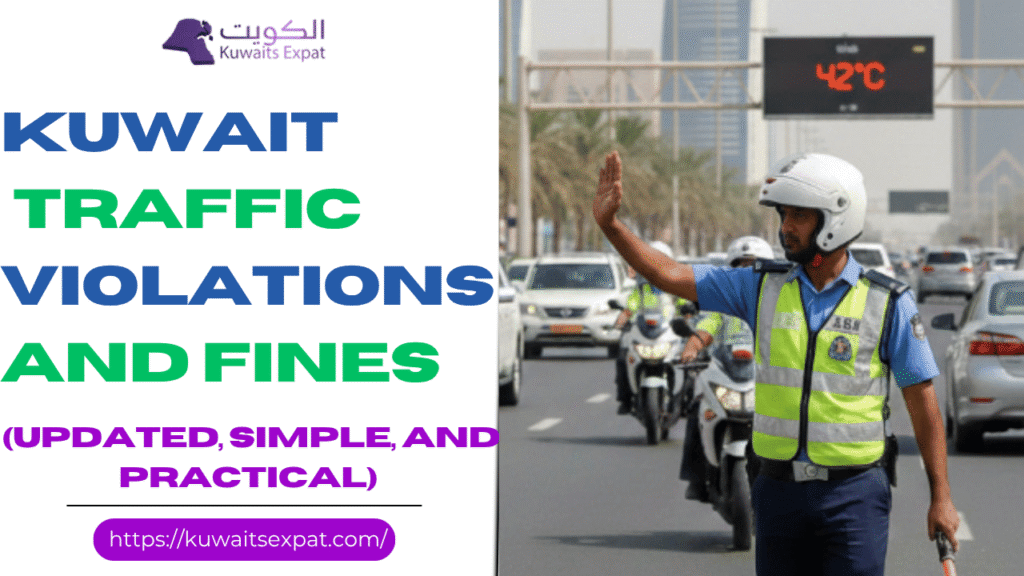 Kuwait Traffic Violations and Fines 2026 Guide (Updated, Simple, and Practical)March 27, 2026I am Saleh Muhammad, a Kuwaiti citizen, and I have lived outside Kuwait for more than 10 years. During that time I have dealt with Kuwaiti paperwork, renewals, fines, and all the small details that can confuse people, especially expats. Now I write on Kuwaitsexpat.com to help you avoid the same stress.
If you drive in Kuwait, you already know this truth: traffic rules here are enforced, cameras are active, and one small mistake can quickly turn into a fine, black points, or even license withdrawal. This page is my detailed 2026 guide to Kuwait traffic violations, fines, and the traffic points system, written in a way you can actually use in real life.
Note: Laws and penalties can be updated by the Ministry of Interior. Always confirm from MOI official channels when you need absolute certainty.
Quick snapshot: the violations that cause the biggest problems
These are the ones I see people struggle with most because they can lead to detention, big fines, and serious black points.
ViolationCommon penalty (as widely published)Crossing a red lightFine up to KD 300 and may include detention up to 3 monthsExceeding speed limitFine up to KD 100 and may include detention up to 3 monthsDriving under the influence (alcohol or drugs)Fine around KD 500, possible jail up to 1 year, license withdrawal
If you take only one thing from this article, take this: red lights, speeding, and DUI are not “small tickets” in Kuwait. They are treated as public safety violations.
Kuwait Traffic Points System (Black Points) explained clearly
Kuwait uses a black points system. Every violation can add points to your record. If you keep collecting points, the consequences get serious quickly.
I like to explain it like this: fines hurt your wallet, but points threaten your license.
License withdrawal thresholds (as commonly listed)
StagePoints thresholdConsequenceFirst time reaching threshold14 pointsLicense withdrawn for 1 monthSecond time12 pointsLicense withdrawn for 6 monthsThird time10 pointsLicense withdrawn for 9 monthsFourth time8 pointsLicense withdrawn for 1 yearFifth time6 pointsLicense withdrawn permanently
Can black points be removed?
Yes, under certain conditions. The most commonly referenced rule is:
Points can be deleted after license withdrawal if you do not commit further violations within one year from the last violation.
So if you made mistakes before, you still have a clean path forward. Drive carefully for a year and you can rebuild your record.
Common Kuwait traffic violations and fines (what people actually get fined for)
Let me speak to you like I would speak to a friend visiting Kuwait for the first time. Most fines happen for a few repeated habits:
Speeding (especially on highways where cameras are everywhere)
Red light violations at major intersections
Parking violations near hospitals, stations, and entrances
Paperwork issues like expired vehicle documents or license renewal delays
Unsafe behavior like child in front seat or distractions
Common major violations
Crossing a red light: up to KD 300 fine, and may include detention up to 3 months
Exceeding the speed limit: up to KD 100 fine, and may include detention up to 3 months
Wrong way driving, reckless driving, unlicensed vehicle use: can escalate fast depending on the case
Kuwait traffic enforcement is not only about patrols. Camera enforcement is a major reason people get surprised by fines.
Highest black point traffic violations (examples you should take seriously)
The following types of behavior are commonly listed under higher black point categories. Many are “careless driving” behaviors that drivers underestimate.
Traffic violation examples (high risk driving)Black pointsFine (KWD)Leaving something that blocks traffic on public roads1015Leaving something that dirties public roads1015Not using the right side of the road when turning right1015Not using the turning signal1015Not paying attention to traffic when turning1015Overtaking when vision is unclear1015Overtaking in dangerous conditions or with obstruction1015Overtaking when the car behind is already overtaking1015Overpassing in curves1015Not giving priority when there is an obstacle on your side1015
My advice: do not focus only on the KD 15 fine. The points are what quietly build up and then suddenly you are dealing with a suspended license.
Vehicle documentation and plate violations (easy to avoid, but very common)
If you are an expat, these are the fines I see the most, because people get busy, travel, or assume they can renew later.
ViolationFine (KWD)Not renewing vehicle documents15Not returning metal plate when giving it up15Not returning metal plate when license is expired15Not returning metal plate when the license is taken away15Not returning metal plate when permanently exported15Not informing traffic department if plate is damaged15Not informing traffic department if plate is lost15
Practical tip from experience: put renewal reminders in your phone one month before expiry. It saves you money and also saves you time if you later need paperwork for residency, insurance, or selling the car.
Vehicle operation and driver behavior violations
These are “daily driving” violations. The fines look small, but they are frequent.
ViolationFine (KWD)Child sitting in the front seat15Not renewing driving license15Not transferring vehicle ownership to new owner15Using the vehicle for a purpose other than intended15Wearing a veil while driving15Leaving items that block traffic15Leaving items that dirty public roads15
Traffic control and compliance violations
ViolationFine (KWD)Not using the signal when turning15Not paying attention to traffic when turning15Not giving priority when there is an obstacle on your side15Not giving priority to pedestrians15Buses overtaking each other in cities15Blocking traffic because of overtaking15Not giving priority to vehicles trying to pass in blocked situations15
Parking and stopping violations (this is where many expats get trapped)
Parking fines are common because Kuwait has many high-traffic areas and narrow access points.
ViolationFine (KWD)No parking15No waiting15Parking over bridges15Parking in tunnels15Parking where it blocks road users’ vision15Parking in front of entrances and exits of stations (police, fire, etc.)15Parking in front of hospital entrances and exits15
My personal habit: if I cannot clearly see a marked legal space, I do not park “for two minutes.” In Kuwait, two minutes becomes a fine very fast.
Road safety and traffic awareness violations
These are sometimes ignored, but they do get enforced.
ViolationFine (KWD)Annoyingly raising radio volume15Using the horn for no reason15Wandering in cities without reason15Causing disturbance to road users15Leaving the car door open and exposing others to danger15Entering or ascending the vehicle carelessly15
Public transport and commercial vehicle violations
ViolationFine (KWD)Public transport vehicles staying too long at bus stations15Taxis parking outside designated areas15Driving motor buggies on public roads15Refusing to use fare meter15
Driving under the influence (DUI) in Kuwait: do not gamble with this
Kuwait is extremely strict about DUI. If you are new here, understand the culture and the law: alcohol and driving is treated as a major threat to public safety.
DUI related violationFine (KWD)Driving under the influence of alcohol500Driving under the influence of drugs500Driving under the influence of narcotics500Driving under substances affecting normal driving500
Penalties can also include jail time and withdrawal of the driving license. If you plan to go out, plan your transport before you leave the house.
Overtaking and lane-related violations
ViolationFine (KWD)Violating truck passing rules15Driving below speed limit and not keeping right15Not using the right side when turning right15Overtaking with unclear vision15Overtaking with obstruction or danger15Overtaking while a car behind intends to overtake15Overtaking while the vehicle in front intends to overtake15
What I recommend you do if you receive a traffic fine
From experience, the worst thing you can do is ignore it and hope it disappears.
Check the fine details as soon as possibleLook for date, time, location, and violation type.
Verify whether points were addedPoints matter as much as money.
Pay on time if it is correctDelays can create extra complications when you renew documents.
If you believe it is wrong, prepare evidence and ask about the objection processKeep it respectful and document-based. Screenshots, location proof, and timestamps help.
If you want, tell me what violation you got and what the notice says, and I will help you understand what it means in practical terms.
kuwait-traffic-fines_list_2025_UpdatedDownload
Download the complete Kuwait traffic violations and fines list 2026
On Kuwaitsexpat.com, I recommend keeping a downloadable reference so you can quickly check the fine amounts and categories when needed.
Suggested file name: Kuwait Traffic Fines List 2026 Updated PDF
Source to cross-check: MOI official channels and government portals
If you want, I can also format this page into a clean PDF layout for your site visitors, with a quick index and searchable tables.
Conclusion: drive smart, protect your license, and avoid stress
Kuwait’s traffic system is not complicated once you understand two things: fines cost money, and points cost your driving freedom. If you respect signals, avoid speeding, keep your paperwork renewed, and park carefully, you will avoid 90 percent of the trouble people face.
I wrote this as someone who is Kuwaiti, who has lived abroad for over a decade, and who understands the expat side as well as the local side. You do not need to learn the hard way. Use this guide, drive calm, and keep your record clean.
Related posts:
Kuwait Driving test appointment 2026 How to book pay and reschedule
Kuwait Computer Test (QMC) in Kuwait: Format, Practice MCQs, Booking and How to Pass
Traffic Violation Check in Kuwait
Kuwait Driving License Renewal 2026 [...]
Kuwait Traffic Violations and Fines 2026 Guide (Updated, Simple, and Practical)March 27, 2026I am Saleh Muhammad, a Kuwaiti citizen, and I have lived outside Kuwait for more than 10 years. During that time I have dealt with Kuwaiti paperwork, renewals, fines, and all the small details that can confuse people, especially expats. Now I write on Kuwaitsexpat.com to help you avoid the same stress.
If you drive in Kuwait, you already know this truth: traffic rules here are enforced, cameras are active, and one small mistake can quickly turn into a fine, black points, or even license withdrawal. This page is my detailed 2026 guide to Kuwait traffic violations, fines, and the traffic points system, written in a way you can actually use in real life.
Note: Laws and penalties can be updated by the Ministry of Interior. Always confirm from MOI official channels when you need absolute certainty.
Quick snapshot: the violations that cause the biggest problems
These are the ones I see people struggle with most because they can lead to detention, big fines, and serious black points.
ViolationCommon penalty (as widely published)Crossing a red lightFine up to KD 300 and may include detention up to 3 monthsExceeding speed limitFine up to KD 100 and may include detention up to 3 monthsDriving under the influence (alcohol or drugs)Fine around KD 500, possible jail up to 1 year, license withdrawal
If you take only one thing from this article, take this: red lights, speeding, and DUI are not “small tickets” in Kuwait. They are treated as public safety violations.
Kuwait Traffic Points System (Black Points) explained clearly
Kuwait uses a black points system. Every violation can add points to your record. If you keep collecting points, the consequences get serious quickly.
I like to explain it like this: fines hurt your wallet, but points threaten your license.
License withdrawal thresholds (as commonly listed)
StagePoints thresholdConsequenceFirst time reaching threshold14 pointsLicense withdrawn for 1 monthSecond time12 pointsLicense withdrawn for 6 monthsThird time10 pointsLicense withdrawn for 9 monthsFourth time8 pointsLicense withdrawn for 1 yearFifth time6 pointsLicense withdrawn permanently
Can black points be removed?
Yes, under certain conditions. The most commonly referenced rule is:
Points can be deleted after license withdrawal if you do not commit further violations within one year from the last violation.
So if you made mistakes before, you still have a clean path forward. Drive carefully for a year and you can rebuild your record.
Common Kuwait traffic violations and fines (what people actually get fined for)
Let me speak to you like I would speak to a friend visiting Kuwait for the first time. Most fines happen for a few repeated habits:
Speeding (especially on highways where cameras are everywhere)
Red light violations at major intersections
Parking violations near hospitals, stations, and entrances
Paperwork issues like expired vehicle documents or license renewal delays
Unsafe behavior like child in front seat or distractions
Common major violations
Crossing a red light: up to KD 300 fine, and may include detention up to 3 months
Exceeding the speed limit: up to KD 100 fine, and may include detention up to 3 months
Wrong way driving, reckless driving, unlicensed vehicle use: can escalate fast depending on the case
Kuwait traffic enforcement is not only about patrols. Camera enforcement is a major reason people get surprised by fines.
Highest black point traffic violations (examples you should take seriously)
The following types of behavior are commonly listed under higher black point categories. Many are “careless driving” behaviors that drivers underestimate.
Traffic violation examples (high risk driving)Black pointsFine (KWD)Leaving something that blocks traffic on public roads1015Leaving something that dirties public roads1015Not using the right side of the road when turning right1015Not using the turning signal1015Not paying attention to traffic when turning1015Overtaking when vision is unclear1015Overtaking in dangerous conditions or with obstruction1015Overtaking when the car behind is already overtaking1015Overpassing in curves1015Not giving priority when there is an obstacle on your side1015
My advice: do not focus only on the KD 15 fine. The points are what quietly build up and then suddenly you are dealing with a suspended license.
Vehicle documentation and plate violations (easy to avoid, but very common)
If you are an expat, these are the fines I see the most, because people get busy, travel, or assume they can renew later.
ViolationFine (KWD)Not renewing vehicle documents15Not returning metal plate when giving it up15Not returning metal plate when license is expired15Not returning metal plate when the license is taken away15Not returning metal plate when permanently exported15Not informing traffic department if plate is damaged15Not informing traffic department if plate is lost15
Practical tip from experience: put renewal reminders in your phone one month before expiry. It saves you money and also saves you time if you later need paperwork for residency, insurance, or selling the car.
Vehicle operation and driver behavior violations
These are “daily driving” violations. The fines look small, but they are frequent.
ViolationFine (KWD)Child sitting in the front seat15Not renewing driving license15Not transferring vehicle ownership to new owner15Using the vehicle for a purpose other than intended15Wearing a veil while driving15Leaving items that block traffic15Leaving items that dirty public roads15
Traffic control and compliance violations
ViolationFine (KWD)Not using the signal when turning15Not paying attention to traffic when turning15Not giving priority when there is an obstacle on your side15Not giving priority to pedestrians15Buses overtaking each other in cities15Blocking traffic because of overtaking15Not giving priority to vehicles trying to pass in blocked situations15
Parking and stopping violations (this is where many expats get trapped)
Parking fines are common because Kuwait has many high-traffic areas and narrow access points.
ViolationFine (KWD)No parking15No waiting15Parking over bridges15Parking in tunnels15Parking where it blocks road users’ vision15Parking in front of entrances and exits of stations (police, fire, etc.)15Parking in front of hospital entrances and exits15
My personal habit: if I cannot clearly see a marked legal space, I do not park “for two minutes.” In Kuwait, two minutes becomes a fine very fast.
Road safety and traffic awareness violations
These are sometimes ignored, but they do get enforced.
ViolationFine (KWD)Annoyingly raising radio volume15Using the horn for no reason15Wandering in cities without reason15Causing disturbance to road users15Leaving the car door open and exposing others to danger15Entering or ascending the vehicle carelessly15
Public transport and commercial vehicle violations
ViolationFine (KWD)Public transport vehicles staying too long at bus stations15Taxis parking outside designated areas15Driving motor buggies on public roads15Refusing to use fare meter15
Driving under the influence (DUI) in Kuwait: do not gamble with this
Kuwait is extremely strict about DUI. If you are new here, understand the culture and the law: alcohol and driving is treated as a major threat to public safety.
DUI related violationFine (KWD)Driving under the influence of alcohol500Driving under the influence of drugs500Driving under the influence of narcotics500Driving under substances affecting normal driving500
Penalties can also include jail time and withdrawal of the driving license. If you plan to go out, plan your transport before you leave the house.
Overtaking and lane-related violations
ViolationFine (KWD)Violating truck passing rules15Driving below speed limit and not keeping right15Not using the right side when turning right15Overtaking with unclear vision15Overtaking with obstruction or danger15Overtaking while a car behind intends to overtake15Overtaking while the vehicle in front intends to overtake15
What I recommend you do if you receive a traffic fine
From experience, the worst thing you can do is ignore it and hope it disappears.
Check the fine details as soon as possibleLook for date, time, location, and violation type.
Verify whether points were addedPoints matter as much as money.
Pay on time if it is correctDelays can create extra complications when you renew documents.
If you believe it is wrong, prepare evidence and ask about the objection processKeep it respectful and document-based. Screenshots, location proof, and timestamps help.
If you want, tell me what violation you got and what the notice says, and I will help you understand what it means in practical terms.
kuwait-traffic-fines_list_2025_UpdatedDownload
Download the complete Kuwait traffic violations and fines list 2026
On Kuwaitsexpat.com, I recommend keeping a downloadable reference so you can quickly check the fine amounts and categories when needed.
Suggested file name: Kuwait Traffic Fines List 2026 Updated PDF
Source to cross-check: MOI official channels and government portals
If you want, I can also format this page into a clean PDF layout for your site visitors, with a quick index and searchable tables.
Conclusion: drive smart, protect your license, and avoid stress
Kuwait’s traffic system is not complicated once you understand two things: fines cost money, and points cost your driving freedom. If you respect signals, avoid speeding, keep your paperwork renewed, and park carefully, you will avoid 90 percent of the trouble people face.
I wrote this as someone who is Kuwaiti, who has lived abroad for over a decade, and who understands the expat side as well as the local side. You do not need to learn the hard way. Use this guide, drive calm, and keep your record clean.
Related posts:
Kuwait Driving test appointment 2026 How to book pay and reschedule
Kuwait Computer Test (QMC) in Kuwait: Format, Practice MCQs, Booking and How to Pass
Traffic Violation Check in Kuwait
Kuwait Driving License Renewal 2026 [...]
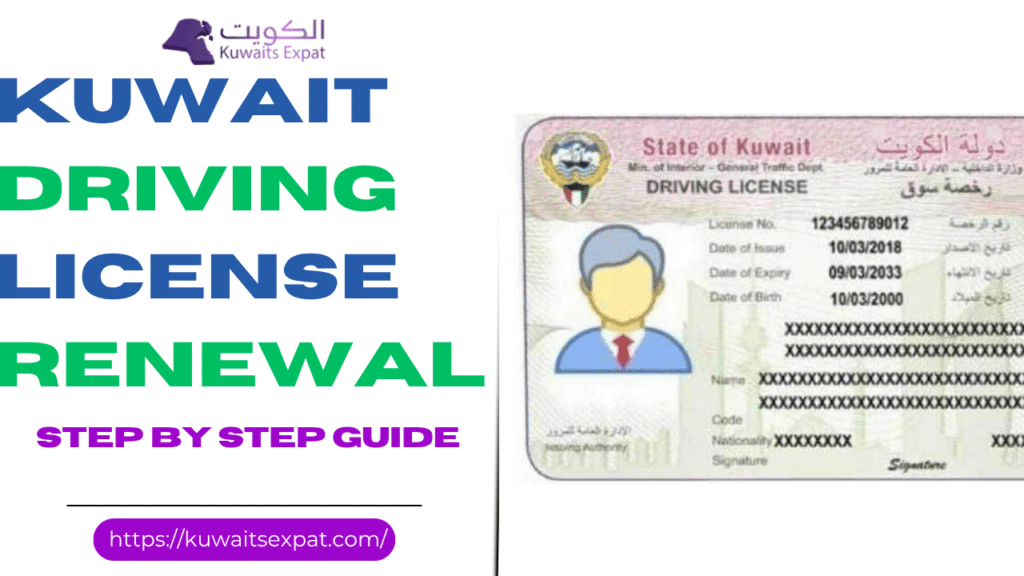 Kuwait Driving License Renewal 2026March 26, 2026I am Saleh Muhammad. I am Kuwaiti, but I have lived outside Kuwait for more than 10 years. During that time I have had to handle Kuwait paperwork remotely, plan renewals around travel dates, and help friends and family (Kuwaitis and expats) fix issues like photo rejections, unpaid fines, and “system won’t accept my application” problems. In this guide I will walk you through renewal in a very practical way, like I would explain it to you on a call.
Renewing your Kuwait driving license on time matters more than people think. If your license is expired and you get stopped, you can face fines and delays. More importantly, if you are involved in an accident, insurance and liability can become complicated. So let’s make sure you renew correctly for 2026.
Quick summary (if you are in a hurry)
You generally have two ways to renew:
Online renewal (MOI eServices)Best for most people. Faster and you avoid traffic department waiting.
In person renewal (Traffic Department)Needed for special cases like lost license, damaged license, some employer related issues, address changes, or if the online portal blocks you.
If you only read one section, read the documents checklist and the common rejection reasons. Most problems come from those two.
Kuwait driving license renewal methods (which one should you choose)
1) Online renewal (recommended for most renewals)
You should choose online renewal if:
Your details are already correct in the system
You have a valid Civil ID and residency status (for expats)
You can upload a correct photo and documents
You do not have blocking traffic fines or legal issues linked to your file
From my experience, when everything is clean, online renewal takes about 10 to 20 minutes plus the time to prepare your photo and scans.
2) In person renewal (for special situations)
Go in person if any of these apply:
Your license is lost or damaged
You need an address update or have a data mismatch
The system refuses renewal (common if there is an internal hold)
You are asked for a medical re evaluation
You need company signature authorization and it is not accepted online
In person is not “hard”, it just takes more time. My practical advice: go early in the morning, and bring extra copies of everything.
Before you start: the 2026 renewal checklist
Here is what I personally check before I even open the MOI website:
Pre renewal checklist table
ItemWhy it mattersWhat to doCivil ID validityIf it is expired, many services failRenew Civil ID firstResidency status (expats)System may block renewalConfirm residency is validOutstanding traffic finesCan block renewalPay fines before applyingPhoto requirementsMost common rejectionPrepare a blue background photoDocument scansUpload failures waste timeUse clear PDF or JPG files
Required documents for Kuwait driving license renewal (2026)
Whether you renew online or in person, these are the commonly requested documents:
Core documents
Driving license renewal request (renewal form or request print)
Recent photo (4×6) with blue background
Civil ID
Additional documents (commonly for expats)
Passport copy (Non Kuwaiti)
For employees in companies and institutions (commonly requested)
Signature authorization for those who work in companies
Employer signature on the renewal request print (often requested for non Kuwaiti employees)
My personal tip: even if you are renewing online, keep a PDF folder ready on your phone and laptop with all documents. When the portal is slow, you do not want to search for files.
Kuwait driving license renewal fees (2026)
Fees can change, and sometimes the MOI payment screen is the final authority, but these are the common fee ranges used for renewals.
Fees table
Vehicle type1 year2 years3 yearsLight vehicle (private car)10 KD20 KD30 KDHeavy vehicle (truck, bus)20 KD40 KD60 KDMotorcycles5 KD10 KD15 KDGeneral driving license renewal fee (some categories)5 KDNot shownNot shown
If you are unsure which category applies to you, check your current license type and what the MOI portal displays during renewal.
How to renew your Kuwait driving license online (MOI eServices)
This is the step by step path that works for most people.
Step 1: Go to the official MOI Kuwait website
Open the Ministry of Interior eServices portal.
Step 2: Enter eServices
Look for E services.
Step 3: Choose Traffic services
Select General Directorate of Traffic then Driving License Services.
Step 4: Select Renew Driving License
You will typically see an option similar to:
Renew Driving License (Kuwaiti or Non Kuwaiti)
Step 5: Fill in your details
Enter the required information. Most fields will auto load if your Civil ID is recognized.
Step 6: Upload required documents
Upload:
Civil ID
Passport copy (for expats, if asked)
Photo (blue background)
Renewal request or any required authorization
File format tip from my own renewals:If uploads keep failing, convert to JPG for photos and PDF for documents, and keep file sizes small and clear. A blurry scan is the easiest way to get rejected.
Step 7: Pay online
Pay using your debit or credit card.
Step 8: Review and submit
Double check names, license number, and document clarity before you submit.
Eligibility for online renewal (who can usually use it)
Online renewal is usually available if:
Your license is still valid or is within the allowed expired window (rules can change)
You have valid residency status (for expats)
There are no blocking traffic fines or cases linked to your file
The system does not require additional review (medical, address, or data mismatch)
If the system blocks you, do not waste hours repeating the same attempt. That is usually a sign you need an in person visit.
In person Kuwait driving license renewal (how it works)
If you need to go physically, here is the cleanest process:
Visit the Traffic Department serving your area
Bring all documents (and extra copies)
Fill out the renewal application form (available there)
Submit documents to the officer
Pay at the counter
In many cases you will receive the renewed license the same day
My advice: go early, dress simple, and keep your documents in the order they will request. It genuinely speeds everything up.
Kuwait driving license renewal processing time (what to expect)
Processing depends on your method and whether your file needs review:
Processing time table (practical expectation)
MethodTypical time to submitTypical completionOnline (clean file)10 to 20 minutesOften within a few working daysIn person (standard renewal)30 to 90 minutesOften same dayAny case with holds or correctionsVariesCan take longer depending on fix required
If you are traveling, do not renew at the last minute. I always tell people to leave a buffer because unexpected holds happen.
MOI driving license renewal inquiry (check your status)
To check renewal status or license information:
Go to the MOI portal
Open E services
Select Traffic
Choose Driving License Information
Enter your Civil ID number and verification code
Common issues and how to fix them
Most common problems table
ProblemWhat it usually meansFixUpload button failsFile too large or wrong formatUse JPG or PDF, reduce sizePhoto rejectedBackground or dimensions not acceptedUse correct 4×6 blue background photoPayment failsBank verification, card limits, wrong detailsTry another card, confirm OTP, check limitsPortal error or blank pageBrowser cache or compatibility issueClear cache, try another browser, try on phoneRenewal not allowedFines, legal hold, residency issue, system holdPay fines, confirm residency, visit traffic dept if needed
If you keep getting blocked and you have already paid fines and confirmed residency, go in person. The traffic department can see internal notes that you cannot see online.
Benefits of renewing online (why I still prefer it)
When you are eligible, online renewal is simply easier:
You do not waste hours in queues
You can do it any time
Your application is logged and trackable
You reduce the chance of missing work or appointments
I have renewed and helped others renew this way because it is the most predictable route when your file is clean.
Final advice from me
If you want your renewal to go smoothly in 2026, focus on three things:
Clear fines and confirm your Civil ID status
Prepare a correct blue background photo and clean scans
Use online renewal if eligible, and switch to in person quickly if you hit a system hold
If you want, tell me your situation (Kuwaiti or expat, license type, and whether it is expired). I can guide you to the fastest renewal path and what documents you should prepare first.
Related posts:
Kuwait Driving test appointment 2026 How to book pay and reschedule
Kuwait Computer Test (QMC) in Kuwait: Format, Practice MCQs, Booking and How to Pass
Kuwait Driving Licence Check Online 2026
Traffic Violation Check in Kuwait [...]
Kuwait Driving License Renewal 2026March 26, 2026I am Saleh Muhammad. I am Kuwaiti, but I have lived outside Kuwait for more than 10 years. During that time I have had to handle Kuwait paperwork remotely, plan renewals around travel dates, and help friends and family (Kuwaitis and expats) fix issues like photo rejections, unpaid fines, and “system won’t accept my application” problems. In this guide I will walk you through renewal in a very practical way, like I would explain it to you on a call.
Renewing your Kuwait driving license on time matters more than people think. If your license is expired and you get stopped, you can face fines and delays. More importantly, if you are involved in an accident, insurance and liability can become complicated. So let’s make sure you renew correctly for 2026.
Quick summary (if you are in a hurry)
You generally have two ways to renew:
Online renewal (MOI eServices)Best for most people. Faster and you avoid traffic department waiting.
In person renewal (Traffic Department)Needed for special cases like lost license, damaged license, some employer related issues, address changes, or if the online portal blocks you.
If you only read one section, read the documents checklist and the common rejection reasons. Most problems come from those two.
Kuwait driving license renewal methods (which one should you choose)
1) Online renewal (recommended for most renewals)
You should choose online renewal if:
Your details are already correct in the system
You have a valid Civil ID and residency status (for expats)
You can upload a correct photo and documents
You do not have blocking traffic fines or legal issues linked to your file
From my experience, when everything is clean, online renewal takes about 10 to 20 minutes plus the time to prepare your photo and scans.
2) In person renewal (for special situations)
Go in person if any of these apply:
Your license is lost or damaged
You need an address update or have a data mismatch
The system refuses renewal (common if there is an internal hold)
You are asked for a medical re evaluation
You need company signature authorization and it is not accepted online
In person is not “hard”, it just takes more time. My practical advice: go early in the morning, and bring extra copies of everything.
Before you start: the 2026 renewal checklist
Here is what I personally check before I even open the MOI website:
Pre renewal checklist table
ItemWhy it mattersWhat to doCivil ID validityIf it is expired, many services failRenew Civil ID firstResidency status (expats)System may block renewalConfirm residency is validOutstanding traffic finesCan block renewalPay fines before applyingPhoto requirementsMost common rejectionPrepare a blue background photoDocument scansUpload failures waste timeUse clear PDF or JPG files
Required documents for Kuwait driving license renewal (2026)
Whether you renew online or in person, these are the commonly requested documents:
Core documents
Driving license renewal request (renewal form or request print)
Recent photo (4×6) with blue background
Civil ID
Additional documents (commonly for expats)
Passport copy (Non Kuwaiti)
For employees in companies and institutions (commonly requested)
Signature authorization for those who work in companies
Employer signature on the renewal request print (often requested for non Kuwaiti employees)
My personal tip: even if you are renewing online, keep a PDF folder ready on your phone and laptop with all documents. When the portal is slow, you do not want to search for files.
Kuwait driving license renewal fees (2026)
Fees can change, and sometimes the MOI payment screen is the final authority, but these are the common fee ranges used for renewals.
Fees table
Vehicle type1 year2 years3 yearsLight vehicle (private car)10 KD20 KD30 KDHeavy vehicle (truck, bus)20 KD40 KD60 KDMotorcycles5 KD10 KD15 KDGeneral driving license renewal fee (some categories)5 KDNot shownNot shown
If you are unsure which category applies to you, check your current license type and what the MOI portal displays during renewal.
How to renew your Kuwait driving license online (MOI eServices)
This is the step by step path that works for most people.
Step 1: Go to the official MOI Kuwait website
Open the Ministry of Interior eServices portal.
Step 2: Enter eServices
Look for E services.
Step 3: Choose Traffic services
Select General Directorate of Traffic then Driving License Services.
Step 4: Select Renew Driving License
You will typically see an option similar to:
Renew Driving License (Kuwaiti or Non Kuwaiti)
Step 5: Fill in your details
Enter the required information. Most fields will auto load if your Civil ID is recognized.
Step 6: Upload required documents
Upload:
Civil ID
Passport copy (for expats, if asked)
Photo (blue background)
Renewal request or any required authorization
File format tip from my own renewals:If uploads keep failing, convert to JPG for photos and PDF for documents, and keep file sizes small and clear. A blurry scan is the easiest way to get rejected.
Step 7: Pay online
Pay using your debit or credit card.
Step 8: Review and submit
Double check names, license number, and document clarity before you submit.
Eligibility for online renewal (who can usually use it)
Online renewal is usually available if:
Your license is still valid or is within the allowed expired window (rules can change)
You have valid residency status (for expats)
There are no blocking traffic fines or cases linked to your file
The system does not require additional review (medical, address, or data mismatch)
If the system blocks you, do not waste hours repeating the same attempt. That is usually a sign you need an in person visit.
In person Kuwait driving license renewal (how it works)
If you need to go physically, here is the cleanest process:
Visit the Traffic Department serving your area
Bring all documents (and extra copies)
Fill out the renewal application form (available there)
Submit documents to the officer
Pay at the counter
In many cases you will receive the renewed license the same day
My advice: go early, dress simple, and keep your documents in the order they will request. It genuinely speeds everything up.
Kuwait driving license renewal processing time (what to expect)
Processing depends on your method and whether your file needs review:
Processing time table (practical expectation)
MethodTypical time to submitTypical completionOnline (clean file)10 to 20 minutesOften within a few working daysIn person (standard renewal)30 to 90 minutesOften same dayAny case with holds or correctionsVariesCan take longer depending on fix required
If you are traveling, do not renew at the last minute. I always tell people to leave a buffer because unexpected holds happen.
MOI driving license renewal inquiry (check your status)
To check renewal status or license information:
Go to the MOI portal
Open E services
Select Traffic
Choose Driving License Information
Enter your Civil ID number and verification code
Common issues and how to fix them
Most common problems table
ProblemWhat it usually meansFixUpload button failsFile too large or wrong formatUse JPG or PDF, reduce sizePhoto rejectedBackground or dimensions not acceptedUse correct 4×6 blue background photoPayment failsBank verification, card limits, wrong detailsTry another card, confirm OTP, check limitsPortal error or blank pageBrowser cache or compatibility issueClear cache, try another browser, try on phoneRenewal not allowedFines, legal hold, residency issue, system holdPay fines, confirm residency, visit traffic dept if needed
If you keep getting blocked and you have already paid fines and confirmed residency, go in person. The traffic department can see internal notes that you cannot see online.
Benefits of renewing online (why I still prefer it)
When you are eligible, online renewal is simply easier:
You do not waste hours in queues
You can do it any time
Your application is logged and trackable
You reduce the chance of missing work or appointments
I have renewed and helped others renew this way because it is the most predictable route when your file is clean.
Final advice from me
If you want your renewal to go smoothly in 2026, focus on three things:
Clear fines and confirm your Civil ID status
Prepare a correct blue background photo and clean scans
Use online renewal if eligible, and switch to in person quickly if you hit a system hold
If you want, tell me your situation (Kuwaiti or expat, license type, and whether it is expired). I can guide you to the fastest renewal path and what documents you should prepare first.
Related posts:
Kuwait Driving test appointment 2026 How to book pay and reschedule
Kuwait Computer Test (QMC) in Kuwait: Format, Practice MCQs, Booking and How to Pass
Kuwait Driving Licence Check Online 2026
Traffic Violation Check in Kuwait [...]
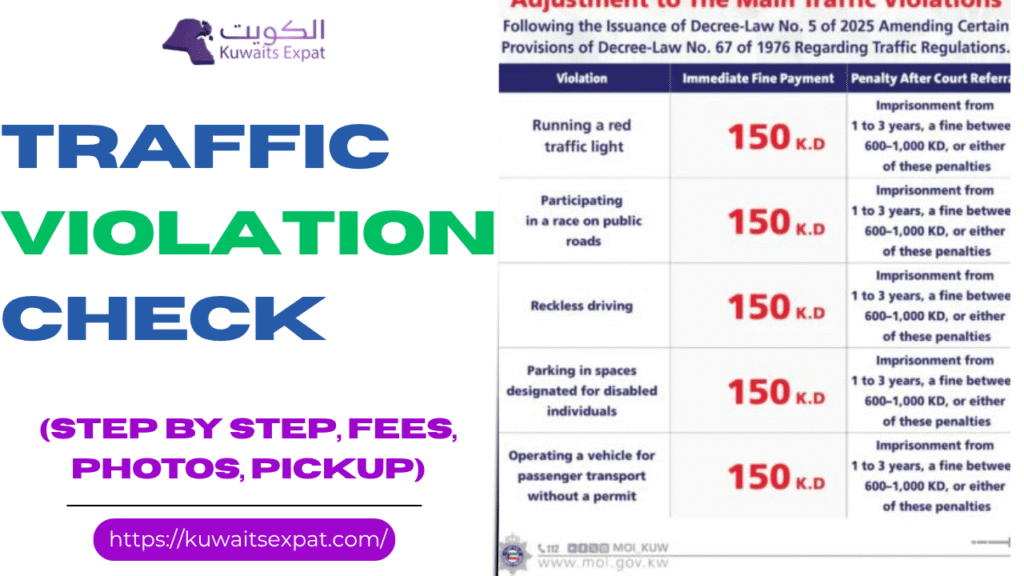 Traffic Violation Check in KuwaitMarch 23, 2026If you drive in Kuwait even occasionally, checking your traffic violations is one of those small habits that saves you a lot of stress later. I’m Saleh Muhammad, a Kuwaiti citizen, and I’ve lived outside Kuwait for over 10 years. During that time I’ve handled renewals, vehicle paperwork, and fines both for myself and for family back home. I know exactly how annoying it is when a simple service gets blocked because of an old fine you didn’t even know existed.
In this 2026 guide, I’ll walk you step by step through the official ways to check traffic violations in Kuwait, how to pay them online, what to do if a fine looks wrong, and how to avoid the most common mistakes I see expats make.
Why you should check traffic fines regularly in Kuwait
In Kuwait, traffic violations are not just “something you pay later.” Unpaid fines can block important services, including:
Vehicle registration renewal (daftar)
Driver’s license renewals or updates
Some Ministry of Interior services linked to your Civil ID
In certain cases, escalation to legal procedures if ignored too long
My honest advice: make it a monthly habit if you drive often, and always check before any renewal appointment.
Quick comparison: Best ways to check traffic violations (2026)
Here’s the reality. There are 3 main methods most people use, and each one fits a different situation.
MethodBest forWhat you needProsConsMOI Website (moi.gov.kw)Full detailed checksCivil ID or vehicle detailsOfficial, comprehensiveSometimes slow during peak hoursSahel AppFast mobile checking + notificationsKuwait Mobile IDEasy, secure, alertsRequires Mobile ID setupMOI AppChecking + quick payKuwait Mobile IDDirect payment flowApp UI can feel confusing for some users
If you ask me which one is best for most expats: Sahel is the easiest day-to-day, and MOI website is the best for detailed verification.
Method 1: Check traffic violations on the MOI website (most reliable)
The MOI portal is still the most “complete” option because it’s the main government source.
Step-by-step (MOI Website)
Go to the official MOI website: moi.gov.kw
Find E-Services
Choose General Traffic Department
Select Traffic Violations Inquiry
Choose your search type:
By Civil ID (best for individuals)
By Vehicle Plate Number (best if you manage multiple vehicles)
Enter the required details
View your violations and fine amounts
My tip from experience
If you use Civil ID, you usually get a more complete picture because some violations can be linked to the driver profile, not only the vehicle. If you’re an expat who drives company cars sometimes, this matters.
Method 2: Check traffic violations using the Sahel App (fastest on mobile)
Sahel has become the easiest option for most residents because it’s built around digital identity and quick government services. If you want notifications when new violations appear, this is the method you should use.
Step-by-step (Sahel)
Download Sahel from Google Play or the Apple App Store
Log in using your Kuwait Mobile ID
Go to:
Ministry of Interior
Traffic Services
Open Violations
Review your fines and status
Why I personally like Sahel
You don’t have to “remember to check.” If notifications are enabled, Sahel can alert you when a new violation is recorded. That single feature helps you avoid surprises before renewals.
Method 3: Check traffic violations using the MOI App (good for payments)
The MOI App is another official route. Some people prefer it because the payment flow is straightforward once you find the right section.
Step-by-step (MOI App)
Download the MOI App (Android or iOS)
Sign in using Kuwait Mobile ID
Look for Quick Pay (commonly shown in the bottom menu)
Select Traffic Violations
Enter your Civil ID
View and pay violations (if you want)
If you’re helping a family member who isn’t comfortable using websites, the MOI App can be a practical alternative.
Additional ways to check traffic violations (if you can’t go online)
Not everyone has Mobile ID set up, and sometimes apps fail or websites lag. These alternatives can help:
Self-service kiosks in certain malls or government service centers
Traffic department offices (in-person inquiry)
Assistance through service desks in some registration-related locations
I always recommend going digital first, but if you’re stuck, in-person inquiry is still possible.
What information you should prepare before checking
To make your check quick, keep these ready:
ItemWhy it mattersCivil ID numberMost complete way to see violationsVehicle plate numberHelps if you’re checking a specific vehicleKuwait Mobile IDRequired for Sahel and MOI App loginKNET cardNeeded if you plan to pay immediately
What to do if you find a traffic fine you didn’t expect
This happens a lot, especially with camera violations.
When you see a fine, don’t just look at the amount. Check:
Violation date and time
Location (road name, area, or camera point)
Violation type or code
Whether evidence is available (some violations show photo proof)
If you believe the fine is wrong
Your best options are usually:
File a complaint through the MOI channels (when available)
Visit the local traffic department to dispute
How to pay traffic violation fines online in Kuwait (2026)
In most cases, online payment is simple and updates quickly.
Payment options (common official routes)
Pay via the MOI website
Pay via the Sahel App
Pay via the MOI App
Payment typically goes through KNET
Step-by-step: Paying online
Log in to MOI/Sahel/MOI App
Open Traffic Violations
Select the violation(s) you want to pay
Click Pay
Complete payment using KNET
Save your payment confirmation (screenshot + email if available)
Important habit I recommend
Always save proof of payment. Most of the time the system updates fast, but if you ever need to prove you paid, that screenshot saves you a lot of time.
Common traffic violations in Kuwait and typical fine ranges
Fine values can change depending on updates, enforcement campaigns, and case handling. But these are common categories you’ll see often.
Violation (common)Typical fine range in KDNotesSpeeding20 to 100Depends on how far above the limitUsing mobile while drivingAround 50Often camera or patrol recordedNot wearing seatbeltAround 10Driver and sometimes passenger rules applyIllegal parking5 to 20Varies by area and signageRed light violation100 and aboveOften includes stricter consequences
If you drive daily, speeding and mobile use are the two categories I see hit people most often, especially because camera coverage keeps improving.
Traffic points and license risk (what you should understand)
Kuwait uses a traffic points system for certain offenses. The exact thresholds and consequences can vary by case, but the main idea is simple:
More serious violations add more points
Accumulating too many points can lead to serious consequences such as suspension or required procedures
If you’re already sitting on points, be extra careful with repeat offenses like speeding or red light issues because repeat patterns are treated more strictly.
Simple habits that reduce fines (what I personally follow)
I’m not going to give you vague advice like “drive safe.” Here are practical habits that actually reduce violations:
Use cruise control mindset: stay close to the speed limit, especially on roads you don’t drive daily
Mount your phone and don’t touch it while moving
Renew insurance and license early: expired documents create avoidable problems
Assume cameras are active: because in most major areas, they are
How to contact the Kuwait Traffic Department
If you need help disputing a violation or clarifying a case, use official MOI channels.
Common options include:
MOI official website support and service listings: moi.gov.kw
Sahel App support section
In-person visit to your local traffic department office
Phone numbers and direct hotlines can change, so I always recommend verifying the latest contact details directly on the MOI site or inside Sahel before you go.
Conclusion
Checking traffic violations in Kuwait is easy in 2026 if you stick to official tools. If you want the fastest method, use Sahel. If you want the most detailed verification, use the MOI website. And if you want a direct pay flow, the MOI App works well.
From my own experience as a Kuwaiti who has lived abroad for years and handled these processes repeatedly, the biggest mistake is waiting until the last minute before renewals. If you check regularly, you stay in control and avoid sudden service blocks.
Frequently Asked Questions (FAQs)
Can I check someone else’s traffic violations in Kuwait?
Generally, traffic violations are tied to the Civil ID and/or the registered vehicle. Access usually requires the right identity/login. If you’re helping a family member, do it with their permission and proper credentials.
Can I dispute a traffic fine online?
Some disputes or complaint submissions may be available through MOI channels, depending on the case type. If online dispute isn’t available, you may need to visit the traffic department in person.
Will I see photo evidence for camera violations?
Often, yes, especially for speeding and red-light violations. Availability depends on the violation type and how it was recorded.
Related posts:
Kuwait Driving test appointment 2026 How to book pay and reschedule
Kuwait Computer Test (QMC) in Kuwait: Format, Practice MCQs, Booking and How to Pass
Kuwait Driving Licence Check Online 2026 [...]
Traffic Violation Check in KuwaitMarch 23, 2026If you drive in Kuwait even occasionally, checking your traffic violations is one of those small habits that saves you a lot of stress later. I’m Saleh Muhammad, a Kuwaiti citizen, and I’ve lived outside Kuwait for over 10 years. During that time I’ve handled renewals, vehicle paperwork, and fines both for myself and for family back home. I know exactly how annoying it is when a simple service gets blocked because of an old fine you didn’t even know existed.
In this 2026 guide, I’ll walk you step by step through the official ways to check traffic violations in Kuwait, how to pay them online, what to do if a fine looks wrong, and how to avoid the most common mistakes I see expats make.
Why you should check traffic fines regularly in Kuwait
In Kuwait, traffic violations are not just “something you pay later.” Unpaid fines can block important services, including:
Vehicle registration renewal (daftar)
Driver’s license renewals or updates
Some Ministry of Interior services linked to your Civil ID
In certain cases, escalation to legal procedures if ignored too long
My honest advice: make it a monthly habit if you drive often, and always check before any renewal appointment.
Quick comparison: Best ways to check traffic violations (2026)
Here’s the reality. There are 3 main methods most people use, and each one fits a different situation.
MethodBest forWhat you needProsConsMOI Website (moi.gov.kw)Full detailed checksCivil ID or vehicle detailsOfficial, comprehensiveSometimes slow during peak hoursSahel AppFast mobile checking + notificationsKuwait Mobile IDEasy, secure, alertsRequires Mobile ID setupMOI AppChecking + quick payKuwait Mobile IDDirect payment flowApp UI can feel confusing for some users
If you ask me which one is best for most expats: Sahel is the easiest day-to-day, and MOI website is the best for detailed verification.
Method 1: Check traffic violations on the MOI website (most reliable)
The MOI portal is still the most “complete” option because it’s the main government source.
Step-by-step (MOI Website)
Go to the official MOI website: moi.gov.kw
Find E-Services
Choose General Traffic Department
Select Traffic Violations Inquiry
Choose your search type:
By Civil ID (best for individuals)
By Vehicle Plate Number (best if you manage multiple vehicles)
Enter the required details
View your violations and fine amounts
My tip from experience
If you use Civil ID, you usually get a more complete picture because some violations can be linked to the driver profile, not only the vehicle. If you’re an expat who drives company cars sometimes, this matters.
Method 2: Check traffic violations using the Sahel App (fastest on mobile)
Sahel has become the easiest option for most residents because it’s built around digital identity and quick government services. If you want notifications when new violations appear, this is the method you should use.
Step-by-step (Sahel)
Download Sahel from Google Play or the Apple App Store
Log in using your Kuwait Mobile ID
Go to:
Ministry of Interior
Traffic Services
Open Violations
Review your fines and status
Why I personally like Sahel
You don’t have to “remember to check.” If notifications are enabled, Sahel can alert you when a new violation is recorded. That single feature helps you avoid surprises before renewals.
Method 3: Check traffic violations using the MOI App (good for payments)
The MOI App is another official route. Some people prefer it because the payment flow is straightforward once you find the right section.
Step-by-step (MOI App)
Download the MOI App (Android or iOS)
Sign in using Kuwait Mobile ID
Look for Quick Pay (commonly shown in the bottom menu)
Select Traffic Violations
Enter your Civil ID
View and pay violations (if you want)
If you’re helping a family member who isn’t comfortable using websites, the MOI App can be a practical alternative.
Additional ways to check traffic violations (if you can’t go online)
Not everyone has Mobile ID set up, and sometimes apps fail or websites lag. These alternatives can help:
Self-service kiosks in certain malls or government service centers
Traffic department offices (in-person inquiry)
Assistance through service desks in some registration-related locations
I always recommend going digital first, but if you’re stuck, in-person inquiry is still possible.
What information you should prepare before checking
To make your check quick, keep these ready:
ItemWhy it mattersCivil ID numberMost complete way to see violationsVehicle plate numberHelps if you’re checking a specific vehicleKuwait Mobile IDRequired for Sahel and MOI App loginKNET cardNeeded if you plan to pay immediately
What to do if you find a traffic fine you didn’t expect
This happens a lot, especially with camera violations.
When you see a fine, don’t just look at the amount. Check:
Violation date and time
Location (road name, area, or camera point)
Violation type or code
Whether evidence is available (some violations show photo proof)
If you believe the fine is wrong
Your best options are usually:
File a complaint through the MOI channels (when available)
Visit the local traffic department to dispute
How to pay traffic violation fines online in Kuwait (2026)
In most cases, online payment is simple and updates quickly.
Payment options (common official routes)
Pay via the MOI website
Pay via the Sahel App
Pay via the MOI App
Payment typically goes through KNET
Step-by-step: Paying online
Log in to MOI/Sahel/MOI App
Open Traffic Violations
Select the violation(s) you want to pay
Click Pay
Complete payment using KNET
Save your payment confirmation (screenshot + email if available)
Important habit I recommend
Always save proof of payment. Most of the time the system updates fast, but if you ever need to prove you paid, that screenshot saves you a lot of time.
Common traffic violations in Kuwait and typical fine ranges
Fine values can change depending on updates, enforcement campaigns, and case handling. But these are common categories you’ll see often.
Violation (common)Typical fine range in KDNotesSpeeding20 to 100Depends on how far above the limitUsing mobile while drivingAround 50Often camera or patrol recordedNot wearing seatbeltAround 10Driver and sometimes passenger rules applyIllegal parking5 to 20Varies by area and signageRed light violation100 and aboveOften includes stricter consequences
If you drive daily, speeding and mobile use are the two categories I see hit people most often, especially because camera coverage keeps improving.
Traffic points and license risk (what you should understand)
Kuwait uses a traffic points system for certain offenses. The exact thresholds and consequences can vary by case, but the main idea is simple:
More serious violations add more points
Accumulating too many points can lead to serious consequences such as suspension or required procedures
If you’re already sitting on points, be extra careful with repeat offenses like speeding or red light issues because repeat patterns are treated more strictly.
Simple habits that reduce fines (what I personally follow)
I’m not going to give you vague advice like “drive safe.” Here are practical habits that actually reduce violations:
Use cruise control mindset: stay close to the speed limit, especially on roads you don’t drive daily
Mount your phone and don’t touch it while moving
Renew insurance and license early: expired documents create avoidable problems
Assume cameras are active: because in most major areas, they are
How to contact the Kuwait Traffic Department
If you need help disputing a violation or clarifying a case, use official MOI channels.
Common options include:
MOI official website support and service listings: moi.gov.kw
Sahel App support section
In-person visit to your local traffic department office
Phone numbers and direct hotlines can change, so I always recommend verifying the latest contact details directly on the MOI site or inside Sahel before you go.
Conclusion
Checking traffic violations in Kuwait is easy in 2026 if you stick to official tools. If you want the fastest method, use Sahel. If you want the most detailed verification, use the MOI website. And if you want a direct pay flow, the MOI App works well.
From my own experience as a Kuwaiti who has lived abroad for years and handled these processes repeatedly, the biggest mistake is waiting until the last minute before renewals. If you check regularly, you stay in control and avoid sudden service blocks.
Frequently Asked Questions (FAQs)
Can I check someone else’s traffic violations in Kuwait?
Generally, traffic violations are tied to the Civil ID and/or the registered vehicle. Access usually requires the right identity/login. If you’re helping a family member, do it with their permission and proper credentials.
Can I dispute a traffic fine online?
Some disputes or complaint submissions may be available through MOI channels, depending on the case type. If online dispute isn’t available, you may need to visit the traffic department in person.
Will I see photo evidence for camera violations?
Often, yes, especially for speeding and red-light violations. Availability depends on the violation type and how it was recorded.
Related posts:
Kuwait Driving test appointment 2026 How to book pay and reschedule
Kuwait Computer Test (QMC) in Kuwait: Format, Practice MCQs, Booking and How to Pass
Kuwait Driving Licence Check Online 2026 [...]
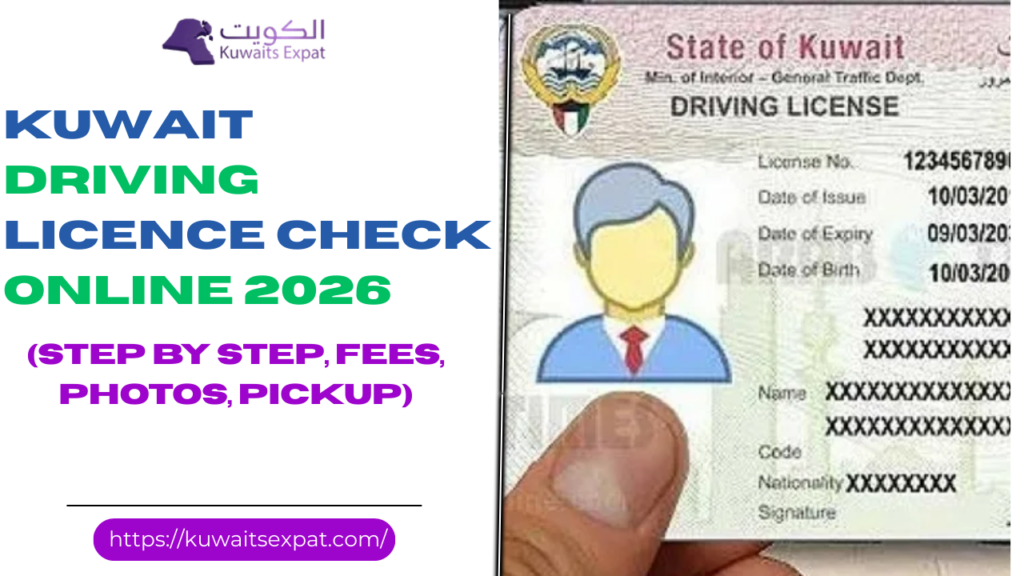 Kuwait Driving Licence Check Online 2026March 9, 2026I’m Saleh Muhammad, a Kuwaiti citizen who has been living outside Kuwait for more than 10 years. During that time, I’ve had to manage my own documents remotely more than once, including licence checks, renewals, and confirming details before travel. So in this guide I’m going to walk you through the exact, practical ways you can check your Kuwait driving licence status online in 2026, using the official Ministry of Interior (MOI) portal and the Kuwait Mobile ID app.
If you follow what I share here, you’ll be able to confirm your licence validity, expiry date, category, and renewal eligibility in just a few minutes without standing in a traffic department queue.
Why you should check your Kuwait driving licence online
If you live in Kuwait, you already know how quickly small admin issues can turn into big delays. Checking your licence online helps you avoid common problems like:
Realising your licence is expired when you need it urgently
Getting stuck because your Civil ID status or residency renewal affects services
Missing renewal windows when you travel or work shifts
Discovering category mistakes (for example, light vs heavy) too late
From my experience, the biggest benefit is simple: peace of mind. I check my documents before flights, before renewals, and any time I’m handling a job or residency process.
What information you can usually see online
When the system is working normally, you can view:
Licence issue date
Licence expiry date
Licence type and category (Light, Heavy, Motorcycle)
Renewal service options
Sometimes related requirements depending on your record
For fines, you usually check through MOI traffic services separately (more on that below).
Quick comparison: MOI website vs Mobile ID app
Here’s a practical breakdown so you choose the easiest method for you.
MethodBest forWhat you needWhat you can seeTypical timeMOI Portal (moi.gov.kw)Full services, renewals, paymentsCivil ID login credentialsFull licence details, renewal workflow5 to 10 minutesKuwait Mobile ID (PACI)Fast viewing on your phoneActivated Mobile IDDigital licence details, categories1 to 2 minutes
If you want to renew and pay online, the MOI portal is usually the main route. If you just want to check expiry quickly, Mobile ID is the fastest.
Kuwait driving licence check online via MOI portal (step by step)
This is the official method I recommend when you want the most complete view of your licence record.
Step 1: Open the MOI website
Go to the official site:
https://www.moi.gov.kw
Tip from my side: always type the address yourself or use a saved bookmark. Avoid random links, because fake pages do exist.
Step 2: Go to E-Services
On the homepage, look for:
E-Services
Step 3: Select General Traffic Department
From the services list, choose:
General Traffic Department
Step 4: Open Driving Licence services
Look for something similar to:
E-Services for Driving Licences
Step 5: Log in using your Civil ID
You will typically need:
Civil ID number
Password (and sometimes additional verification)
If you forgot your password, use the MOI password recovery option and make sure your mobile number is updated in your government records.
Step 6: Open the licence details page
Many people don’t realise this, but you can often click into “Licence Renewal” even if you don’t plan to renew right now. It commonly shows your current licence details such as validity and category before you proceed.4
Step 7: Confirm your key licence details
Double-check:
Expiration date
Category (Light, Heavy, Motorcycle)
Personal details spelling (especially if you’ve updated passport info)
My habit is to check at least 7 to 10 days before expiry. That buffer saves you if the website is down, payment fails, or you suddenly need an extra requirement.
How to check driving licence status using Kuwait Mobile ID app
If you’re already using Mobile ID, this is the quickest option.
Step 1: Install Kuwait Mobile ID
Download:
Kuwait Mobile ID (by PACI)From Google Play or the App Store.
Step 2: Log in
Sign in with your Mobile ID setup (Civil ID based). If you haven’t activated it yet, do that first because activation can take a little time.
Step 3: Add the MOI driving licence card
Inside the app, you usually:
Tap the plus icon to add documents
Choose Ministry of Interior
Select Driving Licence
Choose category (Light, Heavy, Motorcycle) if prompted
Step 4: View your licence instantly
You should see your licence details including validity. For day-to-day life, this is what I personally like because it’s fast and always on my phone.
Note: in 2026, digital documents are widely accepted in Kuwait, but keep a backup plan when traveling or dealing with a private company that still asks for a physical copy.
How to renew Kuwait driving licence online (MOI portal)
If your licence is eligible for renewal online, here’s the cleanest workflow.
Before you start: prepare these items
I recommend having:
Civil ID details ready
A working debit or credit card for KNET/online payment
Your signature image (some workflows request it)
Stable internet connection (payment pages can time out)
Online renewal steps
Visit https://www.moi.gov.kw
Go to E-Services
Open General Traffic Department
Select Driving Licence services
Log in using Civil ID and password
Choose Licence Renewal
Confirm your details carefully
Upload signature if requested
Accept terms and submit
Proceed to Pay and complete payment
Download or screenshot the confirmation receipt
My advice: save the receipt in two places (your phone and email). If anything doesn’t update immediately, the receipt is your proof that you paid and submitted.
Kuwait driving licence renewal fees (2026 reference table)
Fees can be updated by MOI, and the final amount is always confirmed on the payment screen. But in most cases, you’ll see fees based on licence type and renewal duration.
Vehicle type1 year2 years3 yearsLight vehicle10 KWD20 KWD30 KWDHeavy vehicle20 KWD40 KWD60 KWDMotorcycle5 KWD10 KWD15 KWD
Important note from experience: sometimes the system limits your renewal duration based on your residency or Civil ID validity. For example, many expats can only renew up to the expiry date of their residency or Civil ID.
Common problems and how to fix them (real-world troubleshooting)
These are the issues I see people run into most often.
ProblemWhat it usually meansWhat you can doMOI site won’t load or is slowHigh traffic or maintenanceTry off-peak hours, switch browser, use mobile dataLogin failsWrong password or account issueReset password, confirm Civil ID number, check caps lockPayment failsTimeout or bank verificationRetry with stable internet, confirm card is enabled for online paymentsRenewal option not availableNot eligible or missing requirementCheck Civil ID/residency validity, confirm category, contact traffic dept if neededMobile ID doesn’t show licenceDocument not added or app not updatedUpdate app, re-add document, log out and log in
If you’re outside Kuwait, the biggest obstacle can be verification messages or account recovery if your Kuwait mobile number isn’t active. My honest advice is to activate Mobile ID and stabilise your government logins while you are in Kuwait, then it becomes much easier to manage things from abroad.
Checking traffic fines related to your licence
People often ask me, “Can I check fines from the same place?” Yes, usually through MOI traffic services. The driving licence page itself may not show all fines, but MOI e-services typically include a traffic violations section where you can search by Civil ID or vehicle details.
If you’re renewing, it’s smart to clear any payable items early so you don’t get blocked at the final steps.
Official link for Kuwait driving licence check
Use only the official MOI website:
https://www.moi.gov.kw
And the official Mobile ID app by PACI.
Final thoughts from me
If you take one thing from this guide, let it be this: check your licence status early, not on the last day. Kuwait’s online services are genuinely useful in 2026, but any system can have downtime, and any small mismatch in records can delay you.
I’ve lived abroad for years and still had to keep my Kuwait documents organised. You can do the same. Once your MOI login and Mobile ID are set up properly, checking and renewing becomes a simple routine you can finish in minutes.
FAQs: Kuwait driving licence check online
Related posts:
Kuwait Driving test appointment 2026 How to book pay and reschedule
Kuwait Computer Test (QMC) in Kuwait: Format, Practice MCQs, Booking and How to Pass [...]
Kuwait Driving Licence Check Online 2026March 9, 2026I’m Saleh Muhammad, a Kuwaiti citizen who has been living outside Kuwait for more than 10 years. During that time, I’ve had to manage my own documents remotely more than once, including licence checks, renewals, and confirming details before travel. So in this guide I’m going to walk you through the exact, practical ways you can check your Kuwait driving licence status online in 2026, using the official Ministry of Interior (MOI) portal and the Kuwait Mobile ID app.
If you follow what I share here, you’ll be able to confirm your licence validity, expiry date, category, and renewal eligibility in just a few minutes without standing in a traffic department queue.
Why you should check your Kuwait driving licence online
If you live in Kuwait, you already know how quickly small admin issues can turn into big delays. Checking your licence online helps you avoid common problems like:
Realising your licence is expired when you need it urgently
Getting stuck because your Civil ID status or residency renewal affects services
Missing renewal windows when you travel or work shifts
Discovering category mistakes (for example, light vs heavy) too late
From my experience, the biggest benefit is simple: peace of mind. I check my documents before flights, before renewals, and any time I’m handling a job or residency process.
What information you can usually see online
When the system is working normally, you can view:
Licence issue date
Licence expiry date
Licence type and category (Light, Heavy, Motorcycle)
Renewal service options
Sometimes related requirements depending on your record
For fines, you usually check through MOI traffic services separately (more on that below).
Quick comparison: MOI website vs Mobile ID app
Here’s a practical breakdown so you choose the easiest method for you.
MethodBest forWhat you needWhat you can seeTypical timeMOI Portal (moi.gov.kw)Full services, renewals, paymentsCivil ID login credentialsFull licence details, renewal workflow5 to 10 minutesKuwait Mobile ID (PACI)Fast viewing on your phoneActivated Mobile IDDigital licence details, categories1 to 2 minutes
If you want to renew and pay online, the MOI portal is usually the main route. If you just want to check expiry quickly, Mobile ID is the fastest.
Kuwait driving licence check online via MOI portal (step by step)
This is the official method I recommend when you want the most complete view of your licence record.
Step 1: Open the MOI website
Go to the official site:
https://www.moi.gov.kw
Tip from my side: always type the address yourself or use a saved bookmark. Avoid random links, because fake pages do exist.
Step 2: Go to E-Services
On the homepage, look for:
E-Services
Step 3: Select General Traffic Department
From the services list, choose:
General Traffic Department
Step 4: Open Driving Licence services
Look for something similar to:
E-Services for Driving Licences
Step 5: Log in using your Civil ID
You will typically need:
Civil ID number
Password (and sometimes additional verification)
If you forgot your password, use the MOI password recovery option and make sure your mobile number is updated in your government records.
Step 6: Open the licence details page
Many people don’t realise this, but you can often click into “Licence Renewal” even if you don’t plan to renew right now. It commonly shows your current licence details such as validity and category before you proceed.4
Step 7: Confirm your key licence details
Double-check:
Expiration date
Category (Light, Heavy, Motorcycle)
Personal details spelling (especially if you’ve updated passport info)
My habit is to check at least 7 to 10 days before expiry. That buffer saves you if the website is down, payment fails, or you suddenly need an extra requirement.
How to check driving licence status using Kuwait Mobile ID app
If you’re already using Mobile ID, this is the quickest option.
Step 1: Install Kuwait Mobile ID
Download:
Kuwait Mobile ID (by PACI)From Google Play or the App Store.
Step 2: Log in
Sign in with your Mobile ID setup (Civil ID based). If you haven’t activated it yet, do that first because activation can take a little time.
Step 3: Add the MOI driving licence card
Inside the app, you usually:
Tap the plus icon to add documents
Choose Ministry of Interior
Select Driving Licence
Choose category (Light, Heavy, Motorcycle) if prompted
Step 4: View your licence instantly
You should see your licence details including validity. For day-to-day life, this is what I personally like because it’s fast and always on my phone.
Note: in 2026, digital documents are widely accepted in Kuwait, but keep a backup plan when traveling or dealing with a private company that still asks for a physical copy.
How to renew Kuwait driving licence online (MOI portal)
If your licence is eligible for renewal online, here’s the cleanest workflow.
Before you start: prepare these items
I recommend having:
Civil ID details ready
A working debit or credit card for KNET/online payment
Your signature image (some workflows request it)
Stable internet connection (payment pages can time out)
Online renewal steps
Visit https://www.moi.gov.kw
Go to E-Services
Open General Traffic Department
Select Driving Licence services
Log in using Civil ID and password
Choose Licence Renewal
Confirm your details carefully
Upload signature if requested
Accept terms and submit
Proceed to Pay and complete payment
Download or screenshot the confirmation receipt
My advice: save the receipt in two places (your phone and email). If anything doesn’t update immediately, the receipt is your proof that you paid and submitted.
Kuwait driving licence renewal fees (2026 reference table)
Fees can be updated by MOI, and the final amount is always confirmed on the payment screen. But in most cases, you’ll see fees based on licence type and renewal duration.
Vehicle type1 year2 years3 yearsLight vehicle10 KWD20 KWD30 KWDHeavy vehicle20 KWD40 KWD60 KWDMotorcycle5 KWD10 KWD15 KWD
Important note from experience: sometimes the system limits your renewal duration based on your residency or Civil ID validity. For example, many expats can only renew up to the expiry date of their residency or Civil ID.
Common problems and how to fix them (real-world troubleshooting)
These are the issues I see people run into most often.
ProblemWhat it usually meansWhat you can doMOI site won’t load or is slowHigh traffic or maintenanceTry off-peak hours, switch browser, use mobile dataLogin failsWrong password or account issueReset password, confirm Civil ID number, check caps lockPayment failsTimeout or bank verificationRetry with stable internet, confirm card is enabled for online paymentsRenewal option not availableNot eligible or missing requirementCheck Civil ID/residency validity, confirm category, contact traffic dept if neededMobile ID doesn’t show licenceDocument not added or app not updatedUpdate app, re-add document, log out and log in
If you’re outside Kuwait, the biggest obstacle can be verification messages or account recovery if your Kuwait mobile number isn’t active. My honest advice is to activate Mobile ID and stabilise your government logins while you are in Kuwait, then it becomes much easier to manage things from abroad.
Checking traffic fines related to your licence
People often ask me, “Can I check fines from the same place?” Yes, usually through MOI traffic services. The driving licence page itself may not show all fines, but MOI e-services typically include a traffic violations section where you can search by Civil ID or vehicle details.
If you’re renewing, it’s smart to clear any payable items early so you don’t get blocked at the final steps.
Official link for Kuwait driving licence check
Use only the official MOI website:
https://www.moi.gov.kw
And the official Mobile ID app by PACI.
Final thoughts from me
If you take one thing from this guide, let it be this: check your licence status early, not on the last day. Kuwait’s online services are genuinely useful in 2026, but any system can have downtime, and any small mismatch in records can delay you.
I’ve lived abroad for years and still had to keep my Kuwait documents organised. You can do the same. Once your MOI login and Mobile ID are set up properly, checking and renewing becomes a simple routine you can finish in minutes.
FAQs: Kuwait driving licence check online
Related posts:
Kuwait Driving test appointment 2026 How to book pay and reschedule
Kuwait Computer Test (QMC) in Kuwait: Format, Practice MCQs, Booking and How to Pass [...]
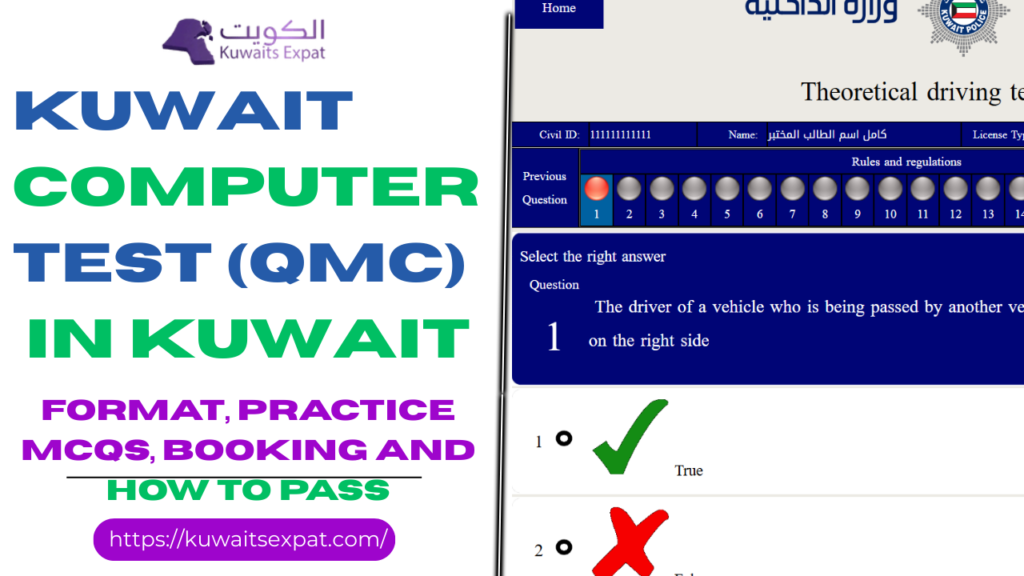 Kuwait Computer Test (QMC) in Kuwait: Format, Practice MCQs, Booking and How to PassFebruary 28, 2026I’m Saleh Muhammad, a Kuwaiti citizen, and I’ve been living outside Kuwait for more than 10 years. That experience made me very practical about paperwork and government processes because when you’re an expat, you learn quickly that small mistakes cost you time. On KuwaitExpat.com, I write the kind of guide I wish I had when I was figuring things out from abroad.
If you’re preparing for the Kuwait computer test, also known as the QMC theory test, this page will walk you through the real exam flow, what to study, how to book, what to bring, and how to practice in a way that actually improves your score.
This is the touch-screen multiple-choice test you must pass before you move to the practical driving test.
What the Kuwait Computer Test Covers (QMC Syllabus)
From what candidates consistently see at Traffic Department centers, the QMC focuses on two big areas:
1) Traffic rules and safe driving decisions
You’ll get questions on:
Right of way at intersections and roundabouts
Lane discipline and overtaking rules
Speed limits and safe following distance
Traffic signals and road markings
Basic penalties and unsafe behaviors (phone use, seatbelt, reckless driving)
2) Road signs recognition
This is where many people lose marks, especially when two signs look similar. You must know:
Warning signs (hazards ahead)
Prohibitory signs (what you must not do)
Mandatory signs (what you must do)
Directional and informational boards (exits, services, hospital, parking)
Kuwait Computer Test at a Glance
Here’s the simplest summary I give friends before they go:
ItemWhat to expectFormatTouch-screen multiple-choice (computer/kiosk)Main topicsRoad signs + traffic rulesQuestionsThe official demo commonly shows 20 numbered questions (your center may vary slightly)TimeShort timed session; many finish in under 15 minutesLanguagesArabic, English, Urdu, Hindi (selection appears at the start)Pass markOften discussed as 80% to 90% (many candidates report 18/20). Confirm at your test centerRetakeUsually possible after a short waiting window, depending on center rules
Important note: procedures and scoring can be updated. Always follow what the General Department of Traffic staff and booking system display for your appointment.
free QMC mock test (kuwait computer test mcqs)
QMC Kuwait – Computer Mock Test
🇰🇼 Qatar / Kuwait Medical Commission
QMC MOCK TEST
Computer & IT Fundamentals
Practice for the Kuwait / QMC licensing exam with real MCQs covering computer fundamentals, MS Office, networking, internet, and operating systems.
50
Questions
30
Minutes
70%
Pass Mark
Topics Covered
Computer Basics
MS Word
MS Excel
MS PowerPoint
Internet & Email
Networking
Operating Systems
Security
Hardware
Storage
START EXAM →
QMC EXAM
⏱
30:00
Question 1 of 50
0%
Computer Basics
Question 1
Loading question…
← Previous
Skip
Next →
🎉
GREAT JOB!
You passed the QMC Computer Test
0
0%
0
Correct
0
Wrong
0
Skipped
Performance by Topic
🔄 Retake Test
📋 Review Answers
Booking the QMC Theory Test in Kuwait (Where and How)
Most people book through official government channels (commonly through the Traffic Department appointment service and, in many cases, via the Sahel app depending on the current setup).
My practical booking advice
Book the earliest slot you can, even if you don’t feel ready yet. A date on the calendar makes you study properly.
If you reschedule, do it early. Last-minute changes can be limited.
Documents to bring (don’t improvise on test day)
Carry:
Civil ID (original)
Appointment/booking confirmation (on phone is usually fine, but I recommend a screenshot)
Payment method if any fee is collected at the center (commonly KNET card)
If your category or file requires extra documents, the center will tell you during verification.
What Happens on Test Day (Step by Step)
If you’re the type who gets nervous, this section is for you. The process is usually very routine:
1) Arrive early
I always recommend 20 to 30 minutes early. You want calm time for:
parking
finding the correct counter
verification
2) Verification and category check
They verify your identity and confirm your license category (private, motorcycle, etc.). Your test aligns with that track.
3) Language selection
At the kiosk, you select Arabic, English, Urdu, or Hindi at the start.
4) Take the QMC test
Read every question slowly.
For sign questions, treat the image as the main data, not the text.
If the system allows you to move back, use that to review doubtful items near the end.
5) Result and next instruction
After submission, you’ll see pass/fail and what you must do next (often moving toward the practical test scheduling, and sometimes other formal steps depending on your file).
The Smart Way to Practice MCQs (What Actually Works)
A lot of people do random questions for hours and still fail because they repeat the same mistakes. Here’s the method I recommend because it’s efficient:
Step 1: Build a “signs deck” first
Before heavy MCQs, spend one session purely on signs. Group them like this:
Sign familyWhat to memorizeCommon confusionWarninghazard ahead, road conditionscurve vs winding road, merge vs lane reductionProhibitoryforbidden actionsno entry vs no vehicles, no U-turn vs no left turnMandatoryrequired actionsturn left ahead vs keep left, straight only vs straight or rightInformationalservices and directionshospital vs first aid, parking vs bus stop
Step 2: Do timed mini-sets
Simulate the real pressure:
Do 20 questions timed
Review mistakes immediately
Repeat
Step 3: Track your weak topics (this is the game changer)
After each set, write down your mistakes in a simple log like this:
Mistake themeExampleFixRoundabout prioritywho yields to whorevise rule + do 10 roundabout MCQsSimilar signsno entry vs prohibitedcompare side-by-side imagesSpeed rulesschool zones and special roadsmemorize the rule triggers
When you stop repeating the same mistake, your score jumps fast.
A Practical 5-Day Study Plan (Realistic for Busy People)
If your test is soon, follow this:
DayWhat you doTarget resultDay 1Learn sign families + 30 sign questionsrecognize 90% of signsDay 2Right-of-way rules + 40 MCQs timed70%+ accuracyDay 3Signals, lane discipline, speed + 40 MCQs80%+ accuracyDay 4Mixed set 2 times (20+20) timed + reviewstable 85%+Day 5Final mixed set + only weak-topic drillingaim for 90%+
A useful stat you can apply: if the test is 20 questions and you rush, you make avoidable errors. Aim for about 30 to 45 seconds per question on average, and slow down on sign images.
Mini Practice MCQs (Sample Style)
These are original practice questions (not copied from any official pool), designed to train your thinking:
#QuestionOptionsAnswer1A steady red traffic light meansA Go with caution B Stop C Speed upB2At a roundabout, you usually give way toA Vehicles entering B Vehicles already inside C Pedestrians onlyB3A triangular sign generally indicatesA Mandatory B Warning C ServicesB4A circular sign with a red border usually indicatesA Prohibition B Parking C InformationA5If an emergency vehicle approaches with sirenA Maintain speed B Give way safely C Block the laneB6Solid lane line meansA Overtake anytime B No lane change C Faster laneB7Safe following distance is important mainly toA Reduce fuel use B Avoid rear-end collisions C Increase speedB8Using a phone while driving mainly increasesA Reaction time B Engine power C Tire pressureA9A “No U-turn” sign meansA U-turn allowed at night B U-turn prohibited C U-turn allowed if road is emptyB10Pedestrian crossing sign means you shouldA Speed up B Be prepared to stop C Honk continuouslyB
Use these to warm up, then move to full 20-question timed sets.
Road Sign “Look-Alike” Pairs You Must Master
In my experience helping people prepare, most sign mistakes come from visual confusion, not from “not studying.”
Create a small gallery on your phone of pairs like:
No Entry vs No Vehicles
Give Way vs Stop
Keep Left vs Turn Left Ahead
Straight Only vs Straight or Right
Lane Merge vs Lane Reduction
If you review these pairs the night before, your sign accuracy improves noticeably.
If You Fail the Kuwait Computer Test (How to Recover Fast)
Failing happens, and it’s usually fixable quickly if you do this:
Identify the patternDon’t just say “I failed.” Ask yourself: was it signs, roundabouts, speed rules, or signal logic?
Drill only the weak area for 48 hoursDo three short timed sets focused only on that topic.
Rebook as allowedRetake timing depends on center rules. Follow the instructions given at the test location.
FAQs
Related posts:
Kuwait Driving test appointment 2026 How to book pay and reschedule [...]
Kuwait Computer Test (QMC) in Kuwait: Format, Practice MCQs, Booking and How to PassFebruary 28, 2026I’m Saleh Muhammad, a Kuwaiti citizen, and I’ve been living outside Kuwait for more than 10 years. That experience made me very practical about paperwork and government processes because when you’re an expat, you learn quickly that small mistakes cost you time. On KuwaitExpat.com, I write the kind of guide I wish I had when I was figuring things out from abroad.
If you’re preparing for the Kuwait computer test, also known as the QMC theory test, this page will walk you through the real exam flow, what to study, how to book, what to bring, and how to practice in a way that actually improves your score.
This is the touch-screen multiple-choice test you must pass before you move to the practical driving test.
What the Kuwait Computer Test Covers (QMC Syllabus)
From what candidates consistently see at Traffic Department centers, the QMC focuses on two big areas:
1) Traffic rules and safe driving decisions
You’ll get questions on:
Right of way at intersections and roundabouts
Lane discipline and overtaking rules
Speed limits and safe following distance
Traffic signals and road markings
Basic penalties and unsafe behaviors (phone use, seatbelt, reckless driving)
2) Road signs recognition
This is where many people lose marks, especially when two signs look similar. You must know:
Warning signs (hazards ahead)
Prohibitory signs (what you must not do)
Mandatory signs (what you must do)
Directional and informational boards (exits, services, hospital, parking)
Kuwait Computer Test at a Glance
Here’s the simplest summary I give friends before they go:
ItemWhat to expectFormatTouch-screen multiple-choice (computer/kiosk)Main topicsRoad signs + traffic rulesQuestionsThe official demo commonly shows 20 numbered questions (your center may vary slightly)TimeShort timed session; many finish in under 15 minutesLanguagesArabic, English, Urdu, Hindi (selection appears at the start)Pass markOften discussed as 80% to 90% (many candidates report 18/20). Confirm at your test centerRetakeUsually possible after a short waiting window, depending on center rules
Important note: procedures and scoring can be updated. Always follow what the General Department of Traffic staff and booking system display for your appointment.
free QMC mock test (kuwait computer test mcqs)
QMC Kuwait – Computer Mock Test
🇰🇼 Qatar / Kuwait Medical Commission
QMC MOCK TEST
Computer & IT Fundamentals
Practice for the Kuwait / QMC licensing exam with real MCQs covering computer fundamentals, MS Office, networking, internet, and operating systems.
50
Questions
30
Minutes
70%
Pass Mark
Topics Covered
Computer Basics
MS Word
MS Excel
MS PowerPoint
Internet & Email
Networking
Operating Systems
Security
Hardware
Storage
START EXAM →
QMC EXAM
⏱
30:00
Question 1 of 50
0%
Computer Basics
Question 1
Loading question…
← Previous
Skip
Next →
🎉
GREAT JOB!
You passed the QMC Computer Test
0
0%
0
Correct
0
Wrong
0
Skipped
Performance by Topic
🔄 Retake Test
📋 Review Answers
Booking the QMC Theory Test in Kuwait (Where and How)
Most people book through official government channels (commonly through the Traffic Department appointment service and, in many cases, via the Sahel app depending on the current setup).
My practical booking advice
Book the earliest slot you can, even if you don’t feel ready yet. A date on the calendar makes you study properly.
If you reschedule, do it early. Last-minute changes can be limited.
Documents to bring (don’t improvise on test day)
Carry:
Civil ID (original)
Appointment/booking confirmation (on phone is usually fine, but I recommend a screenshot)
Payment method if any fee is collected at the center (commonly KNET card)
If your category or file requires extra documents, the center will tell you during verification.
What Happens on Test Day (Step by Step)
If you’re the type who gets nervous, this section is for you. The process is usually very routine:
1) Arrive early
I always recommend 20 to 30 minutes early. You want calm time for:
parking
finding the correct counter
verification
2) Verification and category check
They verify your identity and confirm your license category (private, motorcycle, etc.). Your test aligns with that track.
3) Language selection
At the kiosk, you select Arabic, English, Urdu, or Hindi at the start.
4) Take the QMC test
Read every question slowly.
For sign questions, treat the image as the main data, not the text.
If the system allows you to move back, use that to review doubtful items near the end.
5) Result and next instruction
After submission, you’ll see pass/fail and what you must do next (often moving toward the practical test scheduling, and sometimes other formal steps depending on your file).
The Smart Way to Practice MCQs (What Actually Works)
A lot of people do random questions for hours and still fail because they repeat the same mistakes. Here’s the method I recommend because it’s efficient:
Step 1: Build a “signs deck” first
Before heavy MCQs, spend one session purely on signs. Group them like this:
Sign familyWhat to memorizeCommon confusionWarninghazard ahead, road conditionscurve vs winding road, merge vs lane reductionProhibitoryforbidden actionsno entry vs no vehicles, no U-turn vs no left turnMandatoryrequired actionsturn left ahead vs keep left, straight only vs straight or rightInformationalservices and directionshospital vs first aid, parking vs bus stop
Step 2: Do timed mini-sets
Simulate the real pressure:
Do 20 questions timed
Review mistakes immediately
Repeat
Step 3: Track your weak topics (this is the game changer)
After each set, write down your mistakes in a simple log like this:
Mistake themeExampleFixRoundabout prioritywho yields to whorevise rule + do 10 roundabout MCQsSimilar signsno entry vs prohibitedcompare side-by-side imagesSpeed rulesschool zones and special roadsmemorize the rule triggers
When you stop repeating the same mistake, your score jumps fast.
A Practical 5-Day Study Plan (Realistic for Busy People)
If your test is soon, follow this:
DayWhat you doTarget resultDay 1Learn sign families + 30 sign questionsrecognize 90% of signsDay 2Right-of-way rules + 40 MCQs timed70%+ accuracyDay 3Signals, lane discipline, speed + 40 MCQs80%+ accuracyDay 4Mixed set 2 times (20+20) timed + reviewstable 85%+Day 5Final mixed set + only weak-topic drillingaim for 90%+
A useful stat you can apply: if the test is 20 questions and you rush, you make avoidable errors. Aim for about 30 to 45 seconds per question on average, and slow down on sign images.
Mini Practice MCQs (Sample Style)
These are original practice questions (not copied from any official pool), designed to train your thinking:
#QuestionOptionsAnswer1A steady red traffic light meansA Go with caution B Stop C Speed upB2At a roundabout, you usually give way toA Vehicles entering B Vehicles already inside C Pedestrians onlyB3A triangular sign generally indicatesA Mandatory B Warning C ServicesB4A circular sign with a red border usually indicatesA Prohibition B Parking C InformationA5If an emergency vehicle approaches with sirenA Maintain speed B Give way safely C Block the laneB6Solid lane line meansA Overtake anytime B No lane change C Faster laneB7Safe following distance is important mainly toA Reduce fuel use B Avoid rear-end collisions C Increase speedB8Using a phone while driving mainly increasesA Reaction time B Engine power C Tire pressureA9A “No U-turn” sign meansA U-turn allowed at night B U-turn prohibited C U-turn allowed if road is emptyB10Pedestrian crossing sign means you shouldA Speed up B Be prepared to stop C Honk continuouslyB
Use these to warm up, then move to full 20-question timed sets.
Road Sign “Look-Alike” Pairs You Must Master
In my experience helping people prepare, most sign mistakes come from visual confusion, not from “not studying.”
Create a small gallery on your phone of pairs like:
No Entry vs No Vehicles
Give Way vs Stop
Keep Left vs Turn Left Ahead
Straight Only vs Straight or Right
Lane Merge vs Lane Reduction
If you review these pairs the night before, your sign accuracy improves noticeably.
If You Fail the Kuwait Computer Test (How to Recover Fast)
Failing happens, and it’s usually fixable quickly if you do this:
Identify the patternDon’t just say “I failed.” Ask yourself: was it signs, roundabouts, speed rules, or signal logic?
Drill only the weak area for 48 hoursDo three short timed sets focused only on that topic.
Rebook as allowedRetake timing depends on center rules. Follow the instructions given at the test location.
FAQs
Related posts:
Kuwait Driving test appointment 2026 How to book pay and reschedule [...]
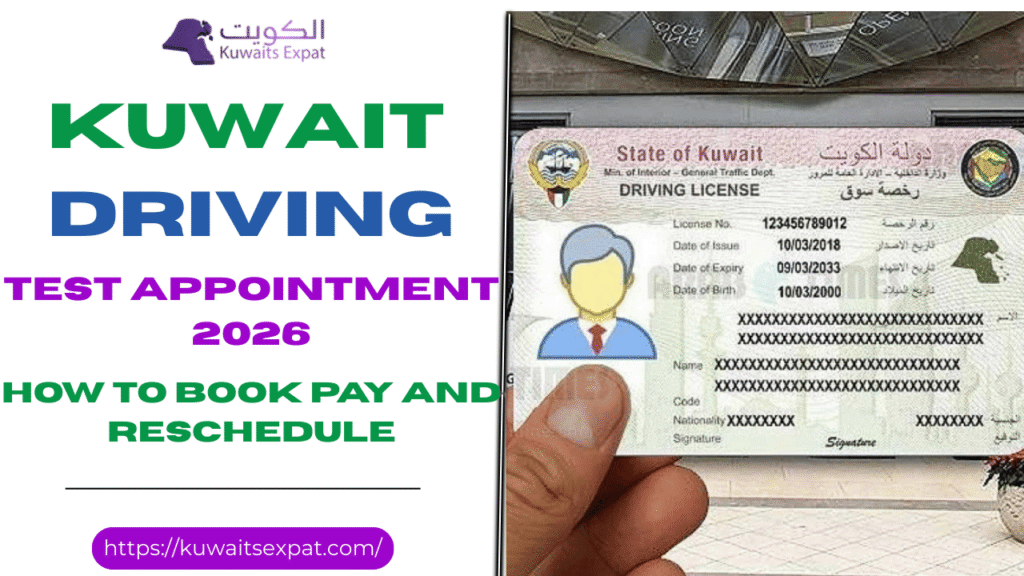 Kuwait Driving test appointment 2026 How to book pay and rescheduleFebruary 19, 2026My name is Saleh Muhammad. I am a Kuwaiti citizen, and I have lived outside Kuwait for more than ten years. During that time I have handled paperwork and online government services from abroad, helped friends and family book appointments, and learned the small details that most guides skip. I will guide you through the exact process of booking a driving test appointment in Kuwait for the year 2026 which will provide you with practical information.
This guide is written for residents and expats who want a clear path from opening the service to showing up prepared on test day. I will also tell you the common reasons people cannot see appointments, why payments fail, and how to reschedule without losing time.
What this appointment is and who needs it
A driving test appointment in Kuwait is your official booking with the Ministry of Interior General Traffic Department to sit for the driving license test. You book it online using either the Meta portal on the web or the Sahel app on your phone.
You usually need this appointment after you have done the basics like opening a training file and completing an eye test record. In real life, the biggest delays happen when one of those prerequisites is missing or not linked correctly to your Civil ID.
What you can book in 2026
When you open the appointment service, you will normally see license types like these:
Private light vehicle license
This is the standard car driving test for most residents.
Public or commercial license
This is for professional driving roles where a commercial category is required.
Motorcycle license
This is for two wheel license testing.
What you see depends on your file and eligibility. If your file is not set up for a specific license type, the system may not show it to you.
Before you book Minimum requirements that matter
I want you to check these before you spend time refreshing calendars.
1 Valid Civil ID and correct account profile
Your Meta account or Sahel account must match your Civil ID information. If your name spelling in English is inconsistent, you can run into issues where the service does not appear or the booking fails later.
2 Training file opened when required
Most applicants go through an approved driving school to open the training file. If your file is not active, the appointment system may block you.
3 Eye test record is present and linked
This is a big one. Many people do the eye test, but the result is not submitted electronically or not linked to their traffic file. You might still manage to book, but you can be rejected on test day. I always advise you to confirm the clinic or driving school has submitted the result correctly.
Do this next Quick plan that saves you time
If you want the fastest path, do this in order:
1 Create and verify your Meta or Sahel account using Civil ID2 Open the appointment service under the Ministry of Interior then General Traffic Department3 Choose license type then test center then date and time4 Pay online and save the confirmation on your phone and also as a screenshot5 Prepare your documents and arrive early on test day
Option 1 Book driving test appointment Kuwait using Meta portal web
I personally like Meta for booking because it is easier to view the calendar on a bigger screen. If you are serious about getting a slot quickly, a laptop plus Meta can be more comfortable than a phone.
Step 1 Create your Meta account or sign in
1 Go to the Meta portal2 Register using your Civil ID details3 Verify your mobile number4 Sign in and confirm your personal details are correct
If your account is old, open your profile and check that your Civil ID and name details match your latest Civil ID exactly.
Step 2 Find the correct service
Inside Meta, search for Ministry of Interior services, then open General Traffic Department, then look for the service called Driving License Test Appointment.
If you cannot find it, do not panic. Scroll slowly and use search. Sometimes people search for driving test and choose the wrong traffic service.
Step 3 Choose license type test center date and time
1 Select your license type2 Choose your preferred test center3 Open the calendar and select an available date and time4 Confirm the details carefully before you move to payment
My advice here is to be flexible with the center if your schedule allows it. Some centers fill faster than others.
Step 4 Pay the fee online
You will typically pay through KNET or supported cards. After payment, save the confirmation page. I recommend these three actions:
1 Screenshot the confirmation2 Download the receipt if Meta provides it3 Save the booking details in your phone notes
Option 2 Book driving test appointment Kuwait using Sahel app mobile
Sahel is convenient because it keeps everything on your phone and you can quickly check updates. If you are already using Sahel for other government services, booking through Sahel can feel smoother.
Step 1 Open Sahel and go to appointments
1 Launch Sahel2 Go to the Appointments section3 Select Ministry of Interior4 Select General Traffic Department5 Choose Book Driving License Test Appointment
Step 2 Confirm your details and book
1 Confirm your Civil ID and personal details2 Choose the license type3 Choose the test center4 Select a time slot5 Pay online6 Save the confirmation code or receipt inside your phone
If your phone storage is full, clear space before you start. It sounds small, but I have seen people lose the receipt and waste time at the test center.
Booking steps summary You can follow this exactly
No matter which platform you use, the workflow is basically the same:
1 Sign in using your Civil ID on Meta or Sahel2 Open Ministry of Interior services then General Traffic Department3 Choose Driving License Test Appointment4 Pick license type5 Pick center6 Pick date and time7 Pay online8 Save confirmation and receipt
Test centers timing and why you cannot see slots
Test centers you may see
The system provides availability information about Hawalli and Farwaniya and Ahmadi and Jahra and other approved locations based on its current system settings.
Why popular centers look full
Some centers are in high demand and slots get taken quickly. It does not always mean there are no appointments for the month. It can mean the next batch has not been released yet or there were fewer slots due to operations.
How far ahead can you book
The visible calendar depends on capacity. Some people can book further ahead, others only see a shorter window. This can be affected by license type, your file status, and the center load.
My practical slot finding routine
If you open the calendar and everything looks full, do this:
1 Check early morning2 Check again after the hour3 Refresh a few times during the day4 Try a different center if you are not tied to one location
Cancellations happen every day. The system often releases small batches without warning.
Reschedule cancel and no show rules
How to reschedule
Rescheduling is usually done using the same platform you booked with.
1 Open your appointments list2 Select the driving test appointment3 Choose reschedule if it is available4 Pick a new date and time5 Confirm and save the updated confirmation
Sometimes reschedule is not enabled close to the appointment date. In that case, your only option may be to cancel and rebook.
How to cancel properly
If you cannot attend, cancel as early as possible. This helps other applicants and reduces the chance you lose fees depending on current policy. Always read the notes shown on your confirmation screen because rules can vary.
What happens if you miss the appointment
A no show commonly means:
1 You may need to book again2 You may need to pay again3 You may face a waiting period before a new slot appears
Policies can differ by center and license type, so treat your appointment as important and plan to arrive early.
Fees payment methods and receipts
How payment usually works
Most people pay online using KNET or supported cards. Payment is part of the booking flow, and your appointment is not fully confirmed until payment succeeds.
What to do if payment fails
Here is what I recommend, based on what I have seen repeatedly:
1 Wait a few minutes and try again2 Confirm your card is enabled for online KNET payments3 Switch platform if the error continues, for example try Meta if Sahel fails or try Sahel if Meta fails4 Avoid repeating payment too many times in a row so you do not create pending transactions
Always keep your receipt. If there is any dispute later, the receipt is what protects you.
What to bring on test day
This is the checklist I tell my friends to follow. Bring originals, not photos, unless the center clearly accepts digital.
Required
1 Civil ID original2 Booking confirmation slip or confirmation code on your phone3 Any training file document or learner related paper from your driving school if applicable4 Eye test record confirmation if you have it
Sometimes requested
1 Passport or visa page for status verification2 Additional paperwork depending on your file category
Simple but important
You should wear appropriate footwear and arrive between 15 to 20 minutes before your scheduled time. I have seen people arrive on time, but the desk closes intake early, especially on busy days.
Practical tips that help you pass on day one
I cannot guarantee a pass, but I can tell you what usually makes the difference.
For private car test
1 Mirror checks should be clear and consistent2 Full stops must be full stops3 Lane discipline matters more than speed4 Stay calm and follow instructions exactly
Many failures happen because the driver does something small like rolling at a stop or forgetting a basic mirror check.
For motorcycle test
1 Balance at low speed is key2 Use indicators correctly3 Controlled braking shows confidence4 Do not rush the turns
If you fail the first time
If you fail, do not take it personally. Rebooking usually becomes possible after the platform updates your status. In many cases, you can check again after 24 to 48 hours.
My advice is to book the next available slot quickly, then practice specifically on the points you were marked down for.
Troubleshooting and edge cases I see all the time
You cannot find the service in Meta or Sahel
This usually comes from one of these issues:
1 You are searching in the wrong place in the menu2 Your profile details do not match your traffic file3 Your eligibility is not active because your file is incomplete
Start by confirming your account details match your Civil ID exactly.
Name mismatch in English
Even one letter difference can cause trouble. If your English name spelling changed between an old passport and a new Civil ID, you may need guidance from the traffic department or your driving school to align the record.
Eye test is missing
If your eye test is not showing, go back to the clinic or driving school and ask them to confirm electronic submission. Do this before your test date, not the day before.
Your booking confirmation is not showing after payment
First check your bank to see if payment went through. Then check your appointments list. If you see a charge but no booking, wait a short time and check again. If it still does not appear, contact support through the platform and keep your payment reference.
Frequently asked questions
How do I book a Kuwait driving test slot today
The website allows users to access Meta, while Sahel serves mobile users. The user needs to navigate through the Ministry of Interior to reach the General Traffic Department and then access Driving License Test Appointment. Users must select their center and date and time, after which they can make online payments to obtain their confirmation. Users must check the system throughout the day because cancellations will open new appointment times.
Can I change the test center after booking
Sometimes you can reschedule within the same center easily. To change centers, you may need to cancel and rebook, depending on what the system allows for your appointment. Always check the options shown inside your booking.
What if I miss my appointment
A no show often means you must book again and pay again. Some centers also enforce rules about when you can rebook. Treat the appointment as strict and plan your day around it.
Do I need an eye test before booking
In most cases yes. Even if you manage to book without it, you usually must have a valid eye test record linked to your file by test day.
Final advice from me before you book
If you want this to go smoothly, focus on two things: your file readiness and your saved proof. Make sure your Civil ID profile, training file, and eye test record are correctly linked before you fight for a slot. Then when you book, save the receipt and confirmation immediately.
I can help you identify the center availability patterns based on your license type and governorate, and your choice between Meta and Sahel.
Related posts:
Meta Kuwait Portal (meta.e.gov.kw): Registration, Login, and Online Appointments [...]
Kuwait Driving test appointment 2026 How to book pay and rescheduleFebruary 19, 2026My name is Saleh Muhammad. I am a Kuwaiti citizen, and I have lived outside Kuwait for more than ten years. During that time I have handled paperwork and online government services from abroad, helped friends and family book appointments, and learned the small details that most guides skip. I will guide you through the exact process of booking a driving test appointment in Kuwait for the year 2026 which will provide you with practical information.
This guide is written for residents and expats who want a clear path from opening the service to showing up prepared on test day. I will also tell you the common reasons people cannot see appointments, why payments fail, and how to reschedule without losing time.
What this appointment is and who needs it
A driving test appointment in Kuwait is your official booking with the Ministry of Interior General Traffic Department to sit for the driving license test. You book it online using either the Meta portal on the web or the Sahel app on your phone.
You usually need this appointment after you have done the basics like opening a training file and completing an eye test record. In real life, the biggest delays happen when one of those prerequisites is missing or not linked correctly to your Civil ID.
What you can book in 2026
When you open the appointment service, you will normally see license types like these:
Private light vehicle license
This is the standard car driving test for most residents.
Public or commercial license
This is for professional driving roles where a commercial category is required.
Motorcycle license
This is for two wheel license testing.
What you see depends on your file and eligibility. If your file is not set up for a specific license type, the system may not show it to you.
Before you book Minimum requirements that matter
I want you to check these before you spend time refreshing calendars.
1 Valid Civil ID and correct account profile
Your Meta account or Sahel account must match your Civil ID information. If your name spelling in English is inconsistent, you can run into issues where the service does not appear or the booking fails later.
2 Training file opened when required
Most applicants go through an approved driving school to open the training file. If your file is not active, the appointment system may block you.
3 Eye test record is present and linked
This is a big one. Many people do the eye test, but the result is not submitted electronically or not linked to their traffic file. You might still manage to book, but you can be rejected on test day. I always advise you to confirm the clinic or driving school has submitted the result correctly.
Do this next Quick plan that saves you time
If you want the fastest path, do this in order:
1 Create and verify your Meta or Sahel account using Civil ID2 Open the appointment service under the Ministry of Interior then General Traffic Department3 Choose license type then test center then date and time4 Pay online and save the confirmation on your phone and also as a screenshot5 Prepare your documents and arrive early on test day
Option 1 Book driving test appointment Kuwait using Meta portal web
I personally like Meta for booking because it is easier to view the calendar on a bigger screen. If you are serious about getting a slot quickly, a laptop plus Meta can be more comfortable than a phone.
Step 1 Create your Meta account or sign in
1 Go to the Meta portal2 Register using your Civil ID details3 Verify your mobile number4 Sign in and confirm your personal details are correct
If your account is old, open your profile and check that your Civil ID and name details match your latest Civil ID exactly.
Step 2 Find the correct service
Inside Meta, search for Ministry of Interior services, then open General Traffic Department, then look for the service called Driving License Test Appointment.
If you cannot find it, do not panic. Scroll slowly and use search. Sometimes people search for driving test and choose the wrong traffic service.
Step 3 Choose license type test center date and time
1 Select your license type2 Choose your preferred test center3 Open the calendar and select an available date and time4 Confirm the details carefully before you move to payment
My advice here is to be flexible with the center if your schedule allows it. Some centers fill faster than others.
Step 4 Pay the fee online
You will typically pay through KNET or supported cards. After payment, save the confirmation page. I recommend these three actions:
1 Screenshot the confirmation2 Download the receipt if Meta provides it3 Save the booking details in your phone notes
Option 2 Book driving test appointment Kuwait using Sahel app mobile
Sahel is convenient because it keeps everything on your phone and you can quickly check updates. If you are already using Sahel for other government services, booking through Sahel can feel smoother.
Step 1 Open Sahel and go to appointments
1 Launch Sahel2 Go to the Appointments section3 Select Ministry of Interior4 Select General Traffic Department5 Choose Book Driving License Test Appointment
Step 2 Confirm your details and book
1 Confirm your Civil ID and personal details2 Choose the license type3 Choose the test center4 Select a time slot5 Pay online6 Save the confirmation code or receipt inside your phone
If your phone storage is full, clear space before you start. It sounds small, but I have seen people lose the receipt and waste time at the test center.
Booking steps summary You can follow this exactly
No matter which platform you use, the workflow is basically the same:
1 Sign in using your Civil ID on Meta or Sahel2 Open Ministry of Interior services then General Traffic Department3 Choose Driving License Test Appointment4 Pick license type5 Pick center6 Pick date and time7 Pay online8 Save confirmation and receipt
Test centers timing and why you cannot see slots
Test centers you may see
The system provides availability information about Hawalli and Farwaniya and Ahmadi and Jahra and other approved locations based on its current system settings.
Why popular centers look full
Some centers are in high demand and slots get taken quickly. It does not always mean there are no appointments for the month. It can mean the next batch has not been released yet or there were fewer slots due to operations.
How far ahead can you book
The visible calendar depends on capacity. Some people can book further ahead, others only see a shorter window. This can be affected by license type, your file status, and the center load.
My practical slot finding routine
If you open the calendar and everything looks full, do this:
1 Check early morning2 Check again after the hour3 Refresh a few times during the day4 Try a different center if you are not tied to one location
Cancellations happen every day. The system often releases small batches without warning.
Reschedule cancel and no show rules
How to reschedule
Rescheduling is usually done using the same platform you booked with.
1 Open your appointments list2 Select the driving test appointment3 Choose reschedule if it is available4 Pick a new date and time5 Confirm and save the updated confirmation
Sometimes reschedule is not enabled close to the appointment date. In that case, your only option may be to cancel and rebook.
How to cancel properly
If you cannot attend, cancel as early as possible. This helps other applicants and reduces the chance you lose fees depending on current policy. Always read the notes shown on your confirmation screen because rules can vary.
What happens if you miss the appointment
A no show commonly means:
1 You may need to book again2 You may need to pay again3 You may face a waiting period before a new slot appears
Policies can differ by center and license type, so treat your appointment as important and plan to arrive early.
Fees payment methods and receipts
How payment usually works
Most people pay online using KNET or supported cards. Payment is part of the booking flow, and your appointment is not fully confirmed until payment succeeds.
What to do if payment fails
Here is what I recommend, based on what I have seen repeatedly:
1 Wait a few minutes and try again2 Confirm your card is enabled for online KNET payments3 Switch platform if the error continues, for example try Meta if Sahel fails or try Sahel if Meta fails4 Avoid repeating payment too many times in a row so you do not create pending transactions
Always keep your receipt. If there is any dispute later, the receipt is what protects you.
What to bring on test day
This is the checklist I tell my friends to follow. Bring originals, not photos, unless the center clearly accepts digital.
Required
1 Civil ID original2 Booking confirmation slip or confirmation code on your phone3 Any training file document or learner related paper from your driving school if applicable4 Eye test record confirmation if you have it
Sometimes requested
1 Passport or visa page for status verification2 Additional paperwork depending on your file category
Simple but important
You should wear appropriate footwear and arrive between 15 to 20 minutes before your scheduled time. I have seen people arrive on time, but the desk closes intake early, especially on busy days.
Practical tips that help you pass on day one
I cannot guarantee a pass, but I can tell you what usually makes the difference.
For private car test
1 Mirror checks should be clear and consistent2 Full stops must be full stops3 Lane discipline matters more than speed4 Stay calm and follow instructions exactly
Many failures happen because the driver does something small like rolling at a stop or forgetting a basic mirror check.
For motorcycle test
1 Balance at low speed is key2 Use indicators correctly3 Controlled braking shows confidence4 Do not rush the turns
If you fail the first time
If you fail, do not take it personally. Rebooking usually becomes possible after the platform updates your status. In many cases, you can check again after 24 to 48 hours.
My advice is to book the next available slot quickly, then practice specifically on the points you were marked down for.
Troubleshooting and edge cases I see all the time
You cannot find the service in Meta or Sahel
This usually comes from one of these issues:
1 You are searching in the wrong place in the menu2 Your profile details do not match your traffic file3 Your eligibility is not active because your file is incomplete
Start by confirming your account details match your Civil ID exactly.
Name mismatch in English
Even one letter difference can cause trouble. If your English name spelling changed between an old passport and a new Civil ID, you may need guidance from the traffic department or your driving school to align the record.
Eye test is missing
If your eye test is not showing, go back to the clinic or driving school and ask them to confirm electronic submission. Do this before your test date, not the day before.
Your booking confirmation is not showing after payment
First check your bank to see if payment went through. Then check your appointments list. If you see a charge but no booking, wait a short time and check again. If it still does not appear, contact support through the platform and keep your payment reference.
Frequently asked questions
How do I book a Kuwait driving test slot today
The website allows users to access Meta, while Sahel serves mobile users. The user needs to navigate through the Ministry of Interior to reach the General Traffic Department and then access Driving License Test Appointment. Users must select their center and date and time, after which they can make online payments to obtain their confirmation. Users must check the system throughout the day because cancellations will open new appointment times.
Can I change the test center after booking
Sometimes you can reschedule within the same center easily. To change centers, you may need to cancel and rebook, depending on what the system allows for your appointment. Always check the options shown inside your booking.
What if I miss my appointment
A no show often means you must book again and pay again. Some centers also enforce rules about when you can rebook. Treat the appointment as strict and plan your day around it.
Do I need an eye test before booking
In most cases yes. Even if you manage to book without it, you usually must have a valid eye test record linked to your file by test day.
Final advice from me before you book
If you want this to go smoothly, focus on two things: your file readiness and your saved proof. Make sure your Civil ID profile, training file, and eye test record are correctly linked before you fight for a slot. Then when you book, save the receipt and confirmation immediately.
I can help you identify the center availability patterns based on your license type and governorate, and your choice between Meta and Sahel.
Related posts:
Meta Kuwait Portal (meta.e.gov.kw): Registration, Login, and Online Appointments [...]
 Meta Kuwait Portal (meta.e.gov.kw): Registration, Login, and Online AppointmentsFebruary 17, 2026People who stay in Kuwait for an extended time already understand that government operations follow the traditional system, which requires visitors to arrive early and take a numbered ticket before entering a lengthy wait period which can last for several hours.
The Meta Kuwait Portal serves as the main platform through which Kuwait has transitioned its appointment-based services to digital platforms during the past three years. I am Saleh Muhammad I hold Kuwaiti citizenship and I have been living outside Kuwait for more than 10 years. I have managed various Kuwait procedures from overseas while helping my friends and family, and expatriates complete identical tasks.
In this guide, I will tell you all the information you need to know about Meta Kuwait and how to register and book an appointment.
Note: I am not affiliated with the government or CAIT, or any government agency. I provide users with effective methods to access official portal functions, leveraging my professional knowledge and firsthand experience. Users must verify all information through the official website and their confirmation message details.
What is Meta Kuwait?
Meta Kuwait (meta.e.gov.kw) is Kuwait’s official centralized portal for government appointment booking. Instead of walking into a ministry and waiting in a physical queue, you can:
Choose the ministry/authority
Select the department and service
Pick an available date/time slot
Receive a confirmation (usually via on-screen confirmation and/or SMS/email depending on your profile and settings)
This platform is widely used for services connected to:
Ministry of Interior (MOI) (including biometrics)
Civil ID-related appointment-based services
Some health and administrative services depend on the current system setup
In practice, if a counter or service requires an appointment, Meta is often the gatekeeper.
Before you start (save yourself 20 minutes)
When people tell me “Meta isn’t working,” half the time it’s because they didn’t have the right details ready. Before registering, keep these items with you:
Civil ID number
Civil ID serial number (printed on the Civil ID card)
A working mobile number (preferably the one tied to your Civil ID)
A valid email address you can access right now (you’ll likely need it for activation or password reset)
My tip: Use an email you won’t lose access to (not a temporary work email). Password resets usually go to the registered email.
Meta Kuwait registration (new user) — step by step
Go to the official Meta Portal:https://meta.e.gov.kw
Choose “Register as a New User” (wording may vary slightly depending on updates).
3. Enter your details carefully:
Civil ID number
Civil ID serial number
Mobile number
Email address
4. Accept the terms and conditions
5. Check your email for the activation link (or verification message).
If you don’t see it, check Spam/Junk.
If it still doesn’t arrive, confirm you typed the email correctly.
6. Set your password and complete registration.
After this, your account is created and you can book appointments.
Real-life advice: If you’re registering for a parent, spouse, or employee, do it while they’re with you so you can confirm the details correctly. A single wrong digit in Civil ID serial can block your registration.
Meta Kuwait portal login (and “forgot password”)
Login steps
Visit: https://meta.e.gov.kw
Go to Login
Enter:
Civil ID number
Password
Click Login to reach your dashboard
If you forgot your password
On the login page, click “Forgot Password”
Enter your Civil ID number
Follow the reset instructions sent to your registered email
Set a new password and log in again
My tip: If you’re not receiving the reset email, don’t keep retrying for an hour—check Spam first, then confirm the email you used during registration.
Meta Kuwait online appointment booking (any ministry/service)
Once logged in, appointment booking is straightforward, but the menu labels can vary slightly.
Log in to Meta
From the left-side menu (or dashboard), choose:Appointments Search (or similar)
Select the Government Agency / Ministry
Choose the Department
Choose the Service
Select the branch/location (if prompted)
Pick an available date and time
Confirm the booking
After confirming:
Take a screenshot of the appointment confirmation
Save any reference number / QR code (if shown)
Keep the confirmation accessible on appointment day
My scheduling tip (works more often than not):
Try mid-week (Tuesday–Thursday)
Try early morning slots
Meta Kuwait biometric appointment (MOI)
Biometric enrollment is one of the most common reasons people use Meta right now. It typically includes fingerprints, facial scan, and iris scan depending on the current requirements.
To book a biometric appointment:
Log in to Meta
Go to Appointments Search
Choose: Ministry of Interior
Select: General Department of Personnel Identification
Choose the service: Biometric Enrollment
Pick the date/time and confirm
What to take with you
In most cases, bring:
Original Civil ID
Passport (recommended, especially for expats)
Appointment confirmation (digital is usually fine)
Arrive early: I recommend arriving 10–20 minutes before your slot, especially at busy branches.
Booking appointments via the Sahel App (mobile option)
If you prefer doing everything on your phone, Kuwait’s official government app Sahel can route you into Meta-related appointment booking.
Sahel booking steps (common flow)
Download Sahel (iOS/Android)
Log in with your Civil ID (and the required verification method)
Go to E-Services
Look for META / Meta Portal
Select the ministry (often MOI for biometrics)
Choose the department and service
Confirm date/time
My honest view: Sahel can be easier for quick checks, but if you need to troubleshoot or navigate many service categories, the Meta website on a computer can be clearer.
How to check, reschedule, or cancel your Meta appointment
Check your appointment
Log in to Meta
Go to My Appointments
Review the appointment details (location, time, service)
Reschedule (modify)
Meta often doesn’t “edit” an appointment directly. The usual method is:
Go to My Appointments
Cancel the existing appointment
Book a new slot
Cancel an appointment
Open My Appointments
Select the appointment
Click Cancel Appointment
Confirm the cancellation
Important: Don’t cancel unless you’re confident you can find another slot soon. Some services get fully booked quickly.
Troubleshooting Meta Kuwait portal issues (quick fixes that actually help)
Here are the most common problems I see people face:
1) The site won’t load / keeps spinning
Try a different browser: Chrome or Firefox
Use incognito/private mode
Switch networks (mobile hotspot vs Wi-Fi)
Clear browser cache
2) Login fails even with correct password
Make sure you’re entering the Civil ID number (not serial)
Reset password using Forgot Password
Avoid copy/paste if it adds spaces
3) No appointments available
Try different branches/locations
Check early morning (availability sometimes refreshes)
Try mid-week
If urgent, consider Sahel + Meta website (sometimes one shows slots earlier than the other)
4) Email activation/reset not arriving
Check Spam/Junk
Confirm the registered email is correct
Try requesting once, then wait a few minutes (multiple requests can sometimes delay things)
5) Account lock or repeated errors
If the portal indicates security restrictions or lockout, the safest path is to use official support (details below) rather than repeatedly attempting logins.
Why Meta Kuwait is genuinely useful (when you use it right)
From my perspective, Meta is not just a “website”—it’s Kuwait’s way of controlling crowds and speeding up service:
No physical queue just to get a ticket
Time-slot system improves predictability
Works 24/7 for booking (even if appointment times are during office hours)
Civil ID-based access adds a layer of identity control
Covers multiple agencies/services in one place
Free to use (no appointment booking fees)
Official Meta Kuwait contact details (for real support)
If you need help beyond basic troubleshooting, use official channels:
Official Portal: https://meta.e.gov.kw
Helpline: 164 or 1800164 (as commonly listed for support)
Support Email: meta-support@cait.gov.kw
(If any of these change, the Meta portal itself is the best place to confirm updated contact info.)
Final thoughts (my advice after dealing with this system)
If you’re an expat in Kuwait—or a Kuwaiti citizen trying to get something done quickly—Meta can save you a lot of time, but only if you treat it like an “appointments first” system:
Register properly (correct Civil ID + serial + email)
Book the correct ministry/department/service
Keep proof of your appointment
Arrive early with the right documents
That’s it. No drama, no wasted mornings.
If you want, tell me which service you’re trying to book (biometric, MOI, Civil ID, etc.) and what error you’re seeing, and I’ll guide you based on the most common real cases.
FAQs about Meta Kuwait
No related posts. [...]
Meta Kuwait Portal (meta.e.gov.kw): Registration, Login, and Online AppointmentsFebruary 17, 2026People who stay in Kuwait for an extended time already understand that government operations follow the traditional system, which requires visitors to arrive early and take a numbered ticket before entering a lengthy wait period which can last for several hours.
The Meta Kuwait Portal serves as the main platform through which Kuwait has transitioned its appointment-based services to digital platforms during the past three years. I am Saleh Muhammad I hold Kuwaiti citizenship and I have been living outside Kuwait for more than 10 years. I have managed various Kuwait procedures from overseas while helping my friends and family, and expatriates complete identical tasks.
In this guide, I will tell you all the information you need to know about Meta Kuwait and how to register and book an appointment.
Note: I am not affiliated with the government or CAIT, or any government agency. I provide users with effective methods to access official portal functions, leveraging my professional knowledge and firsthand experience. Users must verify all information through the official website and their confirmation message details.
What is Meta Kuwait?
Meta Kuwait (meta.e.gov.kw) is Kuwait’s official centralized portal for government appointment booking. Instead of walking into a ministry and waiting in a physical queue, you can:
Choose the ministry/authority
Select the department and service
Pick an available date/time slot
Receive a confirmation (usually via on-screen confirmation and/or SMS/email depending on your profile and settings)
This platform is widely used for services connected to:
Ministry of Interior (MOI) (including biometrics)
Civil ID-related appointment-based services
Some health and administrative services depend on the current system setup
In practice, if a counter or service requires an appointment, Meta is often the gatekeeper.
Before you start (save yourself 20 minutes)
When people tell me “Meta isn’t working,” half the time it’s because they didn’t have the right details ready. Before registering, keep these items with you:
Civil ID number
Civil ID serial number (printed on the Civil ID card)
A working mobile number (preferably the one tied to your Civil ID)
A valid email address you can access right now (you’ll likely need it for activation or password reset)
My tip: Use an email you won’t lose access to (not a temporary work email). Password resets usually go to the registered email.
Meta Kuwait registration (new user) — step by step
Go to the official Meta Portal:https://meta.e.gov.kw
Choose “Register as a New User” (wording may vary slightly depending on updates).
3. Enter your details carefully:
Civil ID number
Civil ID serial number
Mobile number
Email address
4. Accept the terms and conditions
5. Check your email for the activation link (or verification message).
If you don’t see it, check Spam/Junk.
If it still doesn’t arrive, confirm you typed the email correctly.
6. Set your password and complete registration.
After this, your account is created and you can book appointments.
Real-life advice: If you’re registering for a parent, spouse, or employee, do it while they’re with you so you can confirm the details correctly. A single wrong digit in Civil ID serial can block your registration.
Meta Kuwait portal login (and “forgot password”)
Login steps
Visit: https://meta.e.gov.kw
Go to Login
Enter:
Civil ID number
Password
Click Login to reach your dashboard
If you forgot your password
On the login page, click “Forgot Password”
Enter your Civil ID number
Follow the reset instructions sent to your registered email
Set a new password and log in again
My tip: If you’re not receiving the reset email, don’t keep retrying for an hour—check Spam first, then confirm the email you used during registration.
Meta Kuwait online appointment booking (any ministry/service)
Once logged in, appointment booking is straightforward, but the menu labels can vary slightly.
Log in to Meta
From the left-side menu (or dashboard), choose:Appointments Search (or similar)
Select the Government Agency / Ministry
Choose the Department
Choose the Service
Select the branch/location (if prompted)
Pick an available date and time
Confirm the booking
After confirming:
Take a screenshot of the appointment confirmation
Save any reference number / QR code (if shown)
Keep the confirmation accessible on appointment day
My scheduling tip (works more often than not):
Try mid-week (Tuesday–Thursday)
Try early morning slots
Meta Kuwait biometric appointment (MOI)
Biometric enrollment is one of the most common reasons people use Meta right now. It typically includes fingerprints, facial scan, and iris scan depending on the current requirements.
To book a biometric appointment:
Log in to Meta
Go to Appointments Search
Choose: Ministry of Interior
Select: General Department of Personnel Identification
Choose the service: Biometric Enrollment
Pick the date/time and confirm
What to take with you
In most cases, bring:
Original Civil ID
Passport (recommended, especially for expats)
Appointment confirmation (digital is usually fine)
Arrive early: I recommend arriving 10–20 minutes before your slot, especially at busy branches.
Booking appointments via the Sahel App (mobile option)
If you prefer doing everything on your phone, Kuwait’s official government app Sahel can route you into Meta-related appointment booking.
Sahel booking steps (common flow)
Download Sahel (iOS/Android)
Log in with your Civil ID (and the required verification method)
Go to E-Services
Look for META / Meta Portal
Select the ministry (often MOI for biometrics)
Choose the department and service
Confirm date/time
My honest view: Sahel can be easier for quick checks, but if you need to troubleshoot or navigate many service categories, the Meta website on a computer can be clearer.
How to check, reschedule, or cancel your Meta appointment
Check your appointment
Log in to Meta
Go to My Appointments
Review the appointment details (location, time, service)
Reschedule (modify)
Meta often doesn’t “edit” an appointment directly. The usual method is:
Go to My Appointments
Cancel the existing appointment
Book a new slot
Cancel an appointment
Open My Appointments
Select the appointment
Click Cancel Appointment
Confirm the cancellation
Important: Don’t cancel unless you’re confident you can find another slot soon. Some services get fully booked quickly.
Troubleshooting Meta Kuwait portal issues (quick fixes that actually help)
Here are the most common problems I see people face:
1) The site won’t load / keeps spinning
Try a different browser: Chrome or Firefox
Use incognito/private mode
Switch networks (mobile hotspot vs Wi-Fi)
Clear browser cache
2) Login fails even with correct password
Make sure you’re entering the Civil ID number (not serial)
Reset password using Forgot Password
Avoid copy/paste if it adds spaces
3) No appointments available
Try different branches/locations
Check early morning (availability sometimes refreshes)
Try mid-week
If urgent, consider Sahel + Meta website (sometimes one shows slots earlier than the other)
4) Email activation/reset not arriving
Check Spam/Junk
Confirm the registered email is correct
Try requesting once, then wait a few minutes (multiple requests can sometimes delay things)
5) Account lock or repeated errors
If the portal indicates security restrictions or lockout, the safest path is to use official support (details below) rather than repeatedly attempting logins.
Why Meta Kuwait is genuinely useful (when you use it right)
From my perspective, Meta is not just a “website”—it’s Kuwait’s way of controlling crowds and speeding up service:
No physical queue just to get a ticket
Time-slot system improves predictability
Works 24/7 for booking (even if appointment times are during office hours)
Civil ID-based access adds a layer of identity control
Covers multiple agencies/services in one place
Free to use (no appointment booking fees)
Official Meta Kuwait contact details (for real support)
If you need help beyond basic troubleshooting, use official channels:
Official Portal: https://meta.e.gov.kw
Helpline: 164 or 1800164 (as commonly listed for support)
Support Email: meta-support@cait.gov.kw
(If any of these change, the Meta portal itself is the best place to confirm updated contact info.)
Final thoughts (my advice after dealing with this system)
If you’re an expat in Kuwait—or a Kuwaiti citizen trying to get something done quickly—Meta can save you a lot of time, but only if you treat it like an “appointments first” system:
Register properly (correct Civil ID + serial + email)
Book the correct ministry/department/service
Keep proof of your appointment
Arrive early with the right documents
That’s it. No drama, no wasted mornings.
If you want, tell me which service you’re trying to book (biometric, MOI, Civil ID, etc.) and what error you’re seeing, and I’ll guide you based on the most common real cases.
FAQs about Meta Kuwait
No related posts. [...]
- Kuwait Driving test appointment 2026 How to book pay and rescheduleFebruary 19, 2026My name is Saleh Muhammad. I am a Kuwaiti citizen, and I have lived outside Kuwait for more than ten years. During that time I have handled paperwork and online government services from abroad, helped friends and family book appointments, and learned the small details that most guides skip. I will guide you through the exact process of booking a driving test appointment in Kuwait for the year 2026 which will provide you with practical information.
This guide is written for residents and expats who want a clear path from opening the service to showing up prepared on test day. I will also tell you the common reasons people cannot see appointments, why payments fail, and how to reschedule without losing time.
What this appointment is and who needs it
A driving test appointment in Kuwait is your official booking with the Ministry of Interior General Traffic Department to sit for the driving license test. You book it online using either the Meta portal on the web or the Sahel app on your phone.
You usually need this appointment after you have done the basics like opening a training file and completing an eye test record. In real life, the biggest delays happen when one of those prerequisites is missing or not linked correctly to your Civil ID.
What you can book in 2026
When you open the appointment service, you will normally see license types like these:
Private light vehicle license
This is the standard car driving test for most residents.
Public or commercial license
This is for professional driving roles where a commercial category is required.
Motorcycle license
This is for two wheel license testing.
What you see depends on your file and eligibility. If your file is not set up for a specific license type, the system may not show it to you.
Before you book Minimum requirements that matter
I want you to check these before you spend time refreshing calendars.
1 Valid Civil ID and correct account profile
Your Meta account or Sahel account must match your Civil ID information. If your name spelling in English is inconsistent, you can run into issues where the service does not appear or the booking fails later.
2 Training file opened when required
Most applicants go through an approved driving school to open the training file. If your file is not active, the appointment system may block you.
3 Eye test record is present and linked
This is a big one. Many people do the eye test, but the result is not submitted electronically or not linked to their traffic file. You might still manage to book, but you can be rejected on test day. I always advise you to confirm the clinic or driving school has submitted the result correctly.
Do this next Quick plan that saves you time
If you want the fastest path, do this in order:
1 Create and verify your Meta or Sahel account using Civil ID2 Open the appointment service under the Ministry of Interior then General Traffic Department3 Choose license type then test center then date and time4 Pay online and save the confirmation on your phone and also as a screenshot5 Prepare your documents and arrive early on test day
Option 1 Book driving test appointment Kuwait using Meta portal web
I personally like Meta for booking because it is easier to view the calendar on a bigger screen. If you are serious about getting a slot quickly, a laptop plus Meta can be more comfortable than a phone.
Step 1 Create your Meta account or sign in
1 Go to the Meta portal2 Register using your Civil ID details3 Verify your mobile number4 Sign in and confirm your personal details are correct
If your account is old, open your profile and check that your Civil ID and name details match your latest Civil ID exactly.
Step 2 Find the correct service
Inside Meta, search for Ministry of Interior services, then open General Traffic Department, then look for the service called Driving License Test Appointment.
If you cannot find it, do not panic. Scroll slowly and use search. Sometimes people search for driving test and choose the wrong traffic service.
Step 3 Choose license type test center date and time
1 Select your license type2 Choose your preferred test center3 Open the calendar and select an available date and time4 Confirm the details carefully before you move to payment
My advice here is to be flexible with the center if your schedule allows it. Some centers fill faster than others.
Step 4 Pay the fee online
You will typically pay through KNET or supported cards. After payment, save the confirmation page. I recommend these three actions:
1 Screenshot the confirmation2 Download the receipt if Meta provides it3 Save the booking details in your phone notes
Option 2 Book driving test appointment Kuwait using Sahel app mobile
Sahel is convenient because it keeps everything on your phone and you can quickly check updates. If you are already using Sahel for other government services, booking through Sahel can feel smoother.
Step 1 Open Sahel and go to appointments
1 Launch Sahel2 Go to the Appointments section3 Select Ministry of Interior4 Select General Traffic Department5 Choose Book Driving License Test Appointment
Step 2 Confirm your details and book
1 Confirm your Civil ID and personal details2 Choose the license type3 Choose the test center4 Select a time slot5 Pay online6 Save the confirmation code or receipt inside your phone
If your phone storage is full, clear space before you start. It sounds small, but I have seen people lose the receipt and waste time at the test center.
Booking steps summary You can follow this exactly
No matter which platform you use, the workflow is basically the same:
1 Sign in using your Civil ID on Meta or Sahel2 Open Ministry of Interior services then General Traffic Department3 Choose Driving License Test Appointment4 Pick license type5 Pick center6 Pick date and time7 Pay online8 Save confirmation and receipt
Test centers timing and why you cannot see slots
Test centers you may see
The system provides availability information about Hawalli and Farwaniya and Ahmadi and Jahra and other approved locations based on its current system settings.
Why popular centers look full
Some centers are in high demand and slots get taken quickly. It does not always mean there are no appointments for the month. It can mean the next batch has not been released yet or there were fewer slots due to operations.
How far ahead can you book
The visible calendar depends on capacity. Some people can book further ahead, others only see a shorter window. This can be affected by license type, your file status, and the center load.
My practical slot finding routine
If you open the calendar and everything looks full, do this:
1 Check early morning2 Check again after the hour3 Refresh a few times during the day4 Try a different center if you are not tied to one location
Cancellations happen every day. The system often releases small batches without warning.
Reschedule cancel and no show rules
How to reschedule
Rescheduling is usually done using the same platform you booked with.
1 Open your appointments list2 Select the driving test appointment3 Choose reschedule if it is available4 Pick a new date and time5 Confirm and save the updated confirmation
Sometimes reschedule is not enabled close to the appointment date. In that case, your only option may be to cancel and rebook.
How to cancel properly
If you cannot attend, cancel as early as possible. This helps other applicants and reduces the chance you lose fees depending on current policy. Always read the notes shown on your confirmation screen because rules can vary.
What happens if you miss the appointment
A no show commonly means:
1 You may need to book again2 You may need to pay again3 You may face a waiting period before a new slot appears
Policies can differ by center and license type, so treat your appointment as important and plan to arrive early.
Fees payment methods and receipts
How payment usually works
Most people pay online using KNET or supported cards. Payment is part of the booking flow, and your appointment is not fully confirmed until payment succeeds.
What to do if payment fails
Here is what I recommend, based on what I have seen repeatedly:
1 Wait a few minutes and try again2 Confirm your card is enabled for online KNET payments3 Switch platform if the error continues, for example try Meta if Sahel fails or try Sahel if Meta fails4 Avoid repeating payment too many times in a row so you do not create pending transactions
Always keep your receipt. If there is any dispute later, the receipt is what protects you.
What to bring on test day
This is the checklist I tell my friends to follow. Bring originals, not photos, unless the center clearly accepts digital.
Required
1 Civil ID original2 Booking confirmation slip or confirmation code on your phone3 Any training file document or learner related paper from your driving school if applicable4 Eye test record confirmation if you have it
Sometimes requested
1 Passport or visa page for status verification2 Additional paperwork depending on your file category
Simple but important
You should wear appropriate footwear and arrive between 15 to 20 minutes before your scheduled time. I have seen people arrive on time, but the desk closes intake early, especially on busy days.
Practical tips that help you pass on day one
I cannot guarantee a pass, but I can tell you what usually makes the difference.
For private car test
1 Mirror checks should be clear and consistent2 Full stops must be full stops3 Lane discipline matters more than speed4 Stay calm and follow instructions exactly
Many failures happen because the driver does something small like rolling at a stop or forgetting a basic mirror check.
For motorcycle test
1 Balance at low speed is key2 Use indicators correctly3 Controlled braking shows confidence4 Do not rush the turns
If you fail the first time
If you fail, do not take it personally. Rebooking usually becomes possible after the platform updates your status. In many cases, you can check again after 24 to 48 hours.
My advice is to book the next available slot quickly, then practice specifically on the points you were marked down for.
Troubleshooting and edge cases I see all the time
You cannot find the service in Meta or Sahel
This usually comes from one of these issues:
1 You are searching in the wrong place in the menu2 Your profile details do not match your traffic file3 Your eligibility is not active because your file is incomplete
Start by confirming your account details match your Civil ID exactly.
Name mismatch in English
Even one letter difference can cause trouble. If your English name spelling changed between an old passport and a new Civil ID, you may need guidance from the traffic department or your driving school to align the record.
Eye test is missing
If your eye test is not showing, go back to the clinic or driving school and ask them to confirm electronic submission. Do this before your test date, not the day before.
Your booking confirmation is not showing after payment
First check your bank to see if payment went through. Then check your appointments list. If you see a charge but no booking, wait a short time and check again. If it still does not appear, contact support through the platform and keep your payment reference.
Frequently asked questions
How do I book a Kuwait driving test slot today
The website allows users to access Meta, while Sahel serves mobile users. The user needs to navigate through the Ministry of Interior to reach the General Traffic Department and then access Driving License Test Appointment. Users must select their center and date and time, after which they can make online payments to obtain their confirmation. Users must check the system throughout the day because cancellations will open new appointment times.
Can I change the test center after booking
Sometimes you can reschedule within the same center easily. To change centers, you may need to cancel and rebook, depending on what the system allows for your appointment. Always check the options shown inside your booking.
What if I miss my appointment
A no show often means you must book again and pay again. Some centers also enforce rules about when you can rebook. Treat the appointment as strict and plan your day around it.
Do I need an eye test before booking
In most cases yes. Even if you manage to book without it, you usually must have a valid eye test record linked to your file by test day.
Final advice from me before you book
If you want this to go smoothly, focus on two things: your file readiness and your saved proof. Make sure your Civil ID profile, training file, and eye test record are correctly linked before you fight for a slot. Then when you book, save the receipt and confirmation immediately.
I can help you identify the center availability patterns based on your license type and governorate, and your choice between Meta and Sahel.
Related posts:
Meta Kuwait Portal (meta.e.gov.kw): Registration, Login, and Online Appointments [...]
 Kuwait Biometric Appointment 2026 How to book where to go and what to bringFebruary 19, 2026My name is Saleh Muhammad. I am a Kuwaiti citizen, and I have been living outside Kuwait for more than 10 years. Because I handle life admin from abroad and I help expats and families in Kuwait all the time, I have learned something important. Most problems with biometrics are not because the process is hard. They happen because people book the wrong service, choose a center that does not serve their category, or arrive without the one document the desk actually needs.
In this guide, I am going to walk you through Kuwait biometric appointment booking step by step using Sahel and the META portal. I will also tell you where you can do biometrics, what to bring, what happens inside the center, and what to do when there are no slots.
Do this next quick steps
If you want the fastest path, do these steps in order.
1 Open Sahel or META2 Choose Ministry of Interior then Criminal Evidence or Personal Identification then Biometric or Fingerprint3 Pick your nearest center and choose an available slot4 Screenshot the booking confirmation5 Bring Civil ID and passport to the appointment
That is the simple version. Now let me explain it properly so you do not waste time.
What is Kuwait biometrics and who must enroll in 2026
Kuwait biometrics is the official fingerprint and face photo capture that links your identity to the Ministry of Interior systems. In most cases, you will do it once and then your status shows as completed.
Who must do biometrics
In general, biometrics is required for:
Kuwaiti citizens
Expatriate residents
GCC nationals in Kuwait
Age requirement
Most requirements focus on adults. Practically, if you are 18 or older and your file is active in Kuwait, you should expect to complete biometrics.
What is collected at the center
At MOI approved biometric stations, staff typically capture:
A live face photo
Ten fingerprint scans
You do not need to bring printed photos. The photo is taken on site.
Why biometrics matters for you
This is where many competitors stay vague. I will be direct.
If your biometric record is missing, certain MOI processes can be blocked or delayed. In 2026, biometrics can affect things like:
Residency renewal and some residency transactions
Driving license services and test related steps
Identity verification for some travel movements or checks
So if you are planning anything important, do biometrics early. Do not wait until the week your residency expires or the week you need a new license service.
How to book a Kuwait biometric appointment in Sahel
Sahel is the easiest method for most people because it is designed for mobile use and you can check your status after.
Step by step booking in Sahel
Open Sahel and sign in
Go to Appointments
Choose Ministry of Interior
Look for the department name that matches biometrics, usually Criminal Evidence or Personal Identification
Choose the biometric or fingerprint service
Select the center, date, and time
Confirm your Civil ID details
Save your booking confirmation and screenshot it
My personal tip for Sahel
If you see more than one biometric option, choose the one that matches your category. Some centers or services are routed differently for citizens, residents, or GCC. Sahel usually enforces the correct routing, but you still need to pick the correct service name.
How to book a Kuwait biometric appointment in META portal
META is the web option. If you prefer using a laptop or you want a bigger calendar view, META can be more comfortable.
Step by step booking in META
Sign in to the META portal
Go to Appointments
Select Ministry of Interior as the entity
Choose the biometric enrollment or fingerprint service under Criminal Evidence or Personal Identification
Select your center
Select a date and time slot
Confirm the booking and save the confirmation page
When I recommend META instead of Sahel
When Sahel is slow or not showing the appointment calendar properly
When you want to check multiple centers quickly on a larger screen
When you are helping a family member and you want a clearer view of slots
Booking methods comparison table
Here is a simple comparison so you can choose quickly.
Sahel appMost residents and citizensCivil ID login and mobile verificationEasy to check done status after captureMETA web portalPeople who prefer desktopMETA account accessSame general appointment logic as SahelWalk in capture when offeredSome travel or border casesCivil ID or passportAvailability varies and it is not guaranteed
My advice is simple. Book in Sahel or META unless you have a confirmed walk in option shown by official channels.
Where can you do biometrics in Kuwait
Biometric capture is done at approved MOI fingerprint centers. These are often connected to:
General Department of Criminal Evidence
Security directorates in each governorate
Sometimes temporary stations in major commercial locations
Sometimes travel nodes like ports when active
The center list can change. So the most accurate list is always the one displayed inside Sahel or META at the time you book.
Biometrics locations Kuwait useful list
Below is a practical list of locations that commonly appear. Treat it as guidance, then confirm availability inside your booking screen.
MOI center
Fingerprint services in Mishref
Hawalli and Capital area routing
MOI center
Farwaniya fingerprint services office
Farwaniya
MOI center
Mubarak Al Kabeer fingerprint office
Mubarak Al Kabeer
MOI center
Ali Sabah Al Salem fingerprint services
Ahmadi area
MOI center
Ahmadi fingerprint office
Ahmadi
MOI center
Jahra personal identification and fingerprint
Jahra
Security directorate
Hawalli security directorate
Hawalli
Security directorate
Farwaniya security directorate
Farwaniya
Security directorate
Ahmadi security directorate
Ahmadi
Security directorate
Jahra security directorate
Jahra
Commercial complex when active
Avenues and other large malls
Varies
Port when active
Shuwaikh Shuaiba Doha ports
Varies
Who serves whom important note
Some centers serve citizens only and some serve residents and GCC nationals. This is why I keep telling you to book what the system shows for your Civil ID category. If the system routes you to a specific list, follow it.
What to bring to your biometric appointment checklist
I want you to arrive with everything so you do not get turned away.
Main document checklist
Civil ID original
Yes
Primary identification for your file
Passport original
Strongly recommended
Helps when there is any file verification issue
Booking confirmation screenshot
Yes
Proves your slot and helps desk check you in
Phone with Sahel or META access
Recommended
Sometimes used for quick verification
Clean hands
Yes
Better fingerprint scan quality
Dress and preparation
Wear a plain top if possible because the face photo needs clear visibility
Keep your face uncovered for the photo
Avoid heavy lotion or oily products right before scanning
If you do manual work and your fingerprints are faint, lightly moisturize earlier in the day and wash hands before scanning
This small preparation can save you from repeated scans.
What happens at the biometric center step by step
People get nervous because they do not know what happens inside. It is usually very straightforward.
Step 1 Arrive early and join the queue
Arrive 10 to 15 minutes early. Some centers are strict about late arrivals.
Step 2 Reception verification
You show your Civil ID and your booking confirmation. If they ask for passport, give it.
Step 3 Fingerprint capture
They take scans of your fingerprints. If a finger does not scan well, they repeat it. Do not panic. It is normal.
Step 4 Live face photo
They take a live photo at the station.
Step 5 Submission and completion
Staff submit the record to the system. You usually do not receive a printed certificate, but your status updates in the background.
Timelines and status updates what to expect in 2026
Here are realistic timelines based on what most people experience.
Typical on site time
For many applicants, the capture itself takes about 10 to 20 minutes, not counting any queue.
Status visibility
In many cases, your biometric record shows as completed quickly. But sometimes you need to wait.
Use this timing as a practical rule:
Same dayCheck Sahel for done status24 hoursCheck again if not updated72 hoursIf still not updated, contact the center or MOI support channel
I recommend you take a screenshot of any status screen once it shows done. It is useful if a system block appears later.
Travel and residency implications why you should not delay
Here is my honest advice. If you have any of these coming up, do biometrics first:
Residency renewal
New residency issuance for a family member
Driving license services
Any major travel plans where you want smooth border movement
A lot of stress comes from people trying to do biometrics at the last minute. If your appointment is full, or the center is crowded, your whole plan gets delayed.
Troubleshooting and edge cases
This is the section that usually saves people the most time.
No slots available in Sahel or META
This happens often. Do this:
Try another center in the nearest governorate
Check early morning and again just before the hour
Recheck later in the day because cancellations open new slots
Avoid only checking one center and giving up
In Kuwait, appointment slots can appear in small batches. Persistence matters.
I booked but I cannot attend
The system permits you to reschedule or cancel your appointment when you cannot attend. The system rules determine which appointment options become inaccessible after multiple appointment cancellations.
Name or Civil ID mismatch
If your profile spelling does not match your Civil ID, update it. If you have a deeper mismatch between records, bring passport and ask the desk politely. Many issues are solved when they verify the correct identity documents on site.
Fingerprint quality problems
If you have faint fingerprints:
Wash and dry hands before scanning
Do not use oil right before scanning
Let staff repeat scans without rushing
Ask them to try a different finger angle if needed
Manual laborers often need a few extra attempts. That is normal.
How to verify biometric completion
The easiest method is through Sahel. Look for the biometric inquiry or status indicator under MOI related services. You will typically see a clear done or not done result.
If you do not see it, check again after 24 to 72 hours.
Quick answers biometric appointment Kuwait
Can I walk in without booking
Most centers require appointments. Walk in access depends on the center and daily capacity. If you want to avoid being turned away, book through Sahel or META.
Do GCC nationals need biometrics
If you are a GCC national with residency or active services in Kuwait, you should expect biometric enrollment requirements. Follow what Sahel or META shows for your Civil ID or identity category.
Do I need to bring photos
No. The photo is taken live at the station.
Can families book together
Each adult needs their own slot under their own Civil ID. If someone just turned 18, book soon after the birthday to avoid future service blocks.
Frequently asked questions
How long does the biometric appointment take
The capture process requires less time than most people expect. The average person takes about 10 to 20 minutes to complete the process, but the actual time depends on which center they visit and what time they arrive. The period between 10 AM and 11 AM on weekdays experiences less traffic than the periods of highest demand.
What if I recently entered Kuwait and biometrics is not done
Sometimes capture points operate at borders or travel nodes, but it is not something you should rely on. The safe approach is to book a proper MOI biometric appointment and then check Sahel afterward to confirm done status.
What should I do if my status does not update
You need to wait for one day before you can check the system again. The system requires 72 hours to complete the update process, so you should reach out to the center or official MOI support, while keeping your booking screenshot for verification purposes.
Final advice from me to you
The easiest way to work with biometrics requires you to treat them as important work instead of putting them off until the last moment. The process starts when you make the appointment and arrive early to the office with your Civil ID and passport, after which you need to monitor your status.
The completion of this task makes all subsequent services easier to access. I can identify which centers provide better appointment availability and which times during the day have fewer visitors when you tell me your governorate and your choice between Sahel and META for booking.
Related posts:
Meta Kuwait Portal (meta.e.gov.kw): Registration, Login, and Online Appointments
Kuwait Driving test appointment 2026 How to book pay and reschedule [...]
Kuwait Biometric Appointment 2026 How to book where to go and what to bringFebruary 19, 2026My name is Saleh Muhammad. I am a Kuwaiti citizen, and I have been living outside Kuwait for more than 10 years. Because I handle life admin from abroad and I help expats and families in Kuwait all the time, I have learned something important. Most problems with biometrics are not because the process is hard. They happen because people book the wrong service, choose a center that does not serve their category, or arrive without the one document the desk actually needs.
In this guide, I am going to walk you through Kuwait biometric appointment booking step by step using Sahel and the META portal. I will also tell you where you can do biometrics, what to bring, what happens inside the center, and what to do when there are no slots.
Do this next quick steps
If you want the fastest path, do these steps in order.
1 Open Sahel or META2 Choose Ministry of Interior then Criminal Evidence or Personal Identification then Biometric or Fingerprint3 Pick your nearest center and choose an available slot4 Screenshot the booking confirmation5 Bring Civil ID and passport to the appointment
That is the simple version. Now let me explain it properly so you do not waste time.
What is Kuwait biometrics and who must enroll in 2026
Kuwait biometrics is the official fingerprint and face photo capture that links your identity to the Ministry of Interior systems. In most cases, you will do it once and then your status shows as completed.
Who must do biometrics
In general, biometrics is required for:
Kuwaiti citizens
Expatriate residents
GCC nationals in Kuwait
Age requirement
Most requirements focus on adults. Practically, if you are 18 or older and your file is active in Kuwait, you should expect to complete biometrics.
What is collected at the center
At MOI approved biometric stations, staff typically capture:
A live face photo
Ten fingerprint scans
You do not need to bring printed photos. The photo is taken on site.
Why biometrics matters for you
This is where many competitors stay vague. I will be direct.
If your biometric record is missing, certain MOI processes can be blocked or delayed. In 2026, biometrics can affect things like:
Residency renewal and some residency transactions
Driving license services and test related steps
Identity verification for some travel movements or checks
So if you are planning anything important, do biometrics early. Do not wait until the week your residency expires or the week you need a new license service.
How to book a Kuwait biometric appointment in Sahel
Sahel is the easiest method for most people because it is designed for mobile use and you can check your status after.
Step by step booking in Sahel
Open Sahel and sign in
Go to Appointments
Choose Ministry of Interior
Look for the department name that matches biometrics, usually Criminal Evidence or Personal Identification
Choose the biometric or fingerprint service
Select the center, date, and time
Confirm your Civil ID details
Save your booking confirmation and screenshot it
My personal tip for Sahel
If you see more than one biometric option, choose the one that matches your category. Some centers or services are routed differently for citizens, residents, or GCC. Sahel usually enforces the correct routing, but you still need to pick the correct service name.
How to book a Kuwait biometric appointment in META portal
META is the web option. If you prefer using a laptop or you want a bigger calendar view, META can be more comfortable.
Step by step booking in META
Sign in to the META portal
Go to Appointments
Select Ministry of Interior as the entity
Choose the biometric enrollment or fingerprint service under Criminal Evidence or Personal Identification
Select your center
Select a date and time slot
Confirm the booking and save the confirmation page
When I recommend META instead of Sahel
When Sahel is slow or not showing the appointment calendar properly
When you want to check multiple centers quickly on a larger screen
When you are helping a family member and you want a clearer view of slots
Booking methods comparison table
Here is a simple comparison so you can choose quickly.
Sahel appMost residents and citizensCivil ID login and mobile verificationEasy to check done status after captureMETA web portalPeople who prefer desktopMETA account accessSame general appointment logic as SahelWalk in capture when offeredSome travel or border casesCivil ID or passportAvailability varies and it is not guaranteed
My advice is simple. Book in Sahel or META unless you have a confirmed walk in option shown by official channels.
Where can you do biometrics in Kuwait
Biometric capture is done at approved MOI fingerprint centers. These are often connected to:
General Department of Criminal Evidence
Security directorates in each governorate
Sometimes temporary stations in major commercial locations
Sometimes travel nodes like ports when active
The center list can change. So the most accurate list is always the one displayed inside Sahel or META at the time you book.
Biometrics locations Kuwait useful list
Below is a practical list of locations that commonly appear. Treat it as guidance, then confirm availability inside your booking screen.
MOI center
Fingerprint services in Mishref
Hawalli and Capital area routing
MOI center
Farwaniya fingerprint services office
Farwaniya
MOI center
Mubarak Al Kabeer fingerprint office
Mubarak Al Kabeer
MOI center
Ali Sabah Al Salem fingerprint services
Ahmadi area
MOI center
Ahmadi fingerprint office
Ahmadi
MOI center
Jahra personal identification and fingerprint
Jahra
Security directorate
Hawalli security directorate
Hawalli
Security directorate
Farwaniya security directorate
Farwaniya
Security directorate
Ahmadi security directorate
Ahmadi
Security directorate
Jahra security directorate
Jahra
Commercial complex when active
Avenues and other large malls
Varies
Port when active
Shuwaikh Shuaiba Doha ports
Varies
Who serves whom important note
Some centers serve citizens only and some serve residents and GCC nationals. This is why I keep telling you to book what the system shows for your Civil ID category. If the system routes you to a specific list, follow it.
What to bring to your biometric appointment checklist
I want you to arrive with everything so you do not get turned away.
Main document checklist
Civil ID original
Yes
Primary identification for your file
Passport original
Strongly recommended
Helps when there is any file verification issue
Booking confirmation screenshot
Yes
Proves your slot and helps desk check you in
Phone with Sahel or META access
Recommended
Sometimes used for quick verification
Clean hands
Yes
Better fingerprint scan quality
Dress and preparation
Wear a plain top if possible because the face photo needs clear visibility
Keep your face uncovered for the photo
Avoid heavy lotion or oily products right before scanning
If you do manual work and your fingerprints are faint, lightly moisturize earlier in the day and wash hands before scanning
This small preparation can save you from repeated scans.
What happens at the biometric center step by step
People get nervous because they do not know what happens inside. It is usually very straightforward.
Step 1 Arrive early and join the queue
Arrive 10 to 15 minutes early. Some centers are strict about late arrivals.
Step 2 Reception verification
You show your Civil ID and your booking confirmation. If they ask for passport, give it.
Step 3 Fingerprint capture
They take scans of your fingerprints. If a finger does not scan well, they repeat it. Do not panic. It is normal.
Step 4 Live face photo
They take a live photo at the station.
Step 5 Submission and completion
Staff submit the record to the system. You usually do not receive a printed certificate, but your status updates in the background.
Timelines and status updates what to expect in 2026
Here are realistic timelines based on what most people experience.
Typical on site time
For many applicants, the capture itself takes about 10 to 20 minutes, not counting any queue.
Status visibility
In many cases, your biometric record shows as completed quickly. But sometimes you need to wait.
Use this timing as a practical rule:
Same dayCheck Sahel for done status24 hoursCheck again if not updated72 hoursIf still not updated, contact the center or MOI support channel
I recommend you take a screenshot of any status screen once it shows done. It is useful if a system block appears later.
Travel and residency implications why you should not delay
Here is my honest advice. If you have any of these coming up, do biometrics first:
Residency renewal
New residency issuance for a family member
Driving license services
Any major travel plans where you want smooth border movement
A lot of stress comes from people trying to do biometrics at the last minute. If your appointment is full, or the center is crowded, your whole plan gets delayed.
Troubleshooting and edge cases
This is the section that usually saves people the most time.
No slots available in Sahel or META
This happens often. Do this:
Try another center in the nearest governorate
Check early morning and again just before the hour
Recheck later in the day because cancellations open new slots
Avoid only checking one center and giving up
In Kuwait, appointment slots can appear in small batches. Persistence matters.
I booked but I cannot attend
The system permits you to reschedule or cancel your appointment when you cannot attend. The system rules determine which appointment options become inaccessible after multiple appointment cancellations.
Name or Civil ID mismatch
If your profile spelling does not match your Civil ID, update it. If you have a deeper mismatch between records, bring passport and ask the desk politely. Many issues are solved when they verify the correct identity documents on site.
Fingerprint quality problems
If you have faint fingerprints:
Wash and dry hands before scanning
Do not use oil right before scanning
Let staff repeat scans without rushing
Ask them to try a different finger angle if needed
Manual laborers often need a few extra attempts. That is normal.
How to verify biometric completion
The easiest method is through Sahel. Look for the biometric inquiry or status indicator under MOI related services. You will typically see a clear done or not done result.
If you do not see it, check again after 24 to 72 hours.
Quick answers biometric appointment Kuwait
Can I walk in without booking
Most centers require appointments. Walk in access depends on the center and daily capacity. If you want to avoid being turned away, book through Sahel or META.
Do GCC nationals need biometrics
If you are a GCC national with residency or active services in Kuwait, you should expect biometric enrollment requirements. Follow what Sahel or META shows for your Civil ID or identity category.
Do I need to bring photos
No. The photo is taken live at the station.
Can families book together
Each adult needs their own slot under their own Civil ID. If someone just turned 18, book soon after the birthday to avoid future service blocks.
Frequently asked questions
How long does the biometric appointment take
The capture process requires less time than most people expect. The average person takes about 10 to 20 minutes to complete the process, but the actual time depends on which center they visit and what time they arrive. The period between 10 AM and 11 AM on weekdays experiences less traffic than the periods of highest demand.
What if I recently entered Kuwait and biometrics is not done
Sometimes capture points operate at borders or travel nodes, but it is not something you should rely on. The safe approach is to book a proper MOI biometric appointment and then check Sahel afterward to confirm done status.
What should I do if my status does not update
You need to wait for one day before you can check the system again. The system requires 72 hours to complete the update process, so you should reach out to the center or official MOI support, while keeping your booking screenshot for verification purposes.
Final advice from me to you
The easiest way to work with biometrics requires you to treat them as important work instead of putting them off until the last moment. The process starts when you make the appointment and arrive early to the office with your Civil ID and passport, after which you need to monitor your status.
The completion of this task makes all subsequent services easier to access. I can identify which centers provide better appointment availability and which times during the day have fewer visitors when you tell me your governorate and your choice between Sahel and META for booking.
Related posts:
Meta Kuwait Portal (meta.e.gov.kw): Registration, Login, and Online Appointments
Kuwait Driving test appointment 2026 How to book pay and reschedule [...]
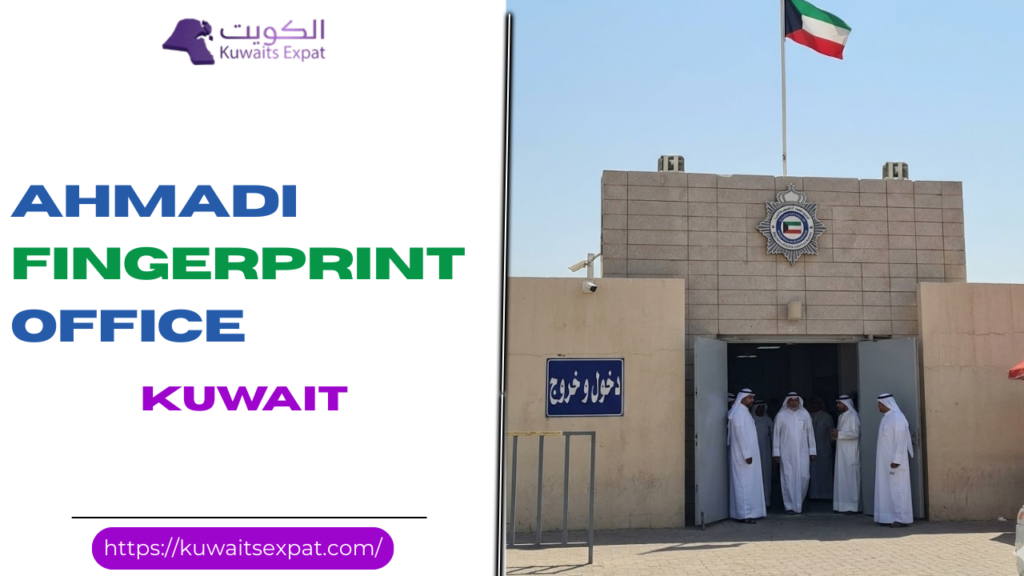 Ahmadi Fingerprint Office KuwaitFebruary 27, 2026I’m Saleh Muhammad, a Kuwaiti citizen, and I’ve spent more than 10 years living outside Kuwait as an expat. Over the years, I’ve dealt with Kuwaiti paperwork from abroad, helped family inside Kuwait, and guided other residents through the same stressful process you’re facing now. This page is written the way I would explain it to a friend: simple, practical, and based on real experience plus official processes (Sahel and MOI).
If you live in Ahmadi Governorate and your biometric fingerprint is pending, the Ahmadi Fingerprint Office is one of the main places you’ll be directed to.
What is the Ahmadi Fingerprint Office?
The Ahmadi Fingerprint Office is an official Ministry of Interior service point that collects biometric data. In Kuwait, biometric registration typically includes:
Fingerprints
A photo capture (in many cases)
Identity verification linked to your Civil ID and residency file
Why Kuwait requires biometric registration
From what I’ve seen, Kuwait’s biometric system is not just “another step”. It is now a core identity layer that helps the government:
Confirm identity for residency and legal procedures
Reduce identity fraud and duplicate files
Speed up immigration checks at airports and borders
Link your biometric profile to official databases for faster processing later
If your fingerprint status is missing, many services can get blocked or delayed, including residency renewals and some MOI transactions.
Ahmadi Fingerprint Office location (how to reach it)
Most people find the location easily using Google Maps by searching:
Ahmadi Fingerprint Office or Ahmedi Biometric Fingerprint
My practical direction tips
Go early and arrive 15 to 20 minutes before your slot.
If you drive, park and walk in calmly. Rushing is how people forget documents.
If it’s your first time, plan extra time because the “right building” inside a complex can confuse new visitors.
If you want, tell me your area and I’ll guide you on the easiest route and what to expect.
Ahmadi Fingerprint Office working hours
Hours can change during Ramadan, public holidays, or MOI reorganizations, so always confirm inside Sahel when you book. That said, the commonly published schedule is:
Working Hours Table
DayHoursSunday7:00 AM to 2:00 PMMonday7:00 AM to 2:00 PMTuesday7:00 AM to 2:00 PMWednesday7:00 AM to 2:00 PMThursday7:00 AM to 7:00 PMFridayClosedSaturdayClosed
Best time to visit
In my experience helping people plan this, the busiest times are right after opening and near closing. If you want the smoothest experience:
Time windowCrowd levelMy advice7:00 AM to 8:30 AMHighMany people arrive early and form lines fast9:30 AM to 11:30 AMMedium to lowBest balance, fewer delays12:00 PM to 2:00 PMMediumStill ok, but staff may be under pressureThursday eveningMediumGreat option for working professionals
How to book an Ahmadi fingerprint appointment (Sahel App)
Kuwait moved most biometric bookings to appointment-only. In most cases, walk-ins are not accepted.
Step-by-step booking in Sahel
Download Sahel App on iPhone or Android.
Log in using your Civil ID credentials.
Open Appointments.
Choose Ministry of Interior.
Choose the biometric or Criminal Evidence related service (naming may vary slightly).
Select Biometric Fingerprint.
Choose Ahmadi as the location (if available).
Pick date and time.
Confirm the booking and keep the appointment screen ready.
Important note about availability
Some weeks, Ahmadi slots fill up quickly. If you urgently need fingerprinting, consider checking other governorates for earlier openings, then book whichever gives you the fastest slot.
What to bring (and what makes people get rejected)
This is where most problems happen. People arrive, wait, then get told to come back.
Document checklist table
ItemWho needs itNotes from experienceOriginal Civil IDCitizens and residentsDo not rely on a photo onlyPassportResidentsBring original if possible, at least a clear copyAppointment confirmation (Sahel)EveryoneScreenshot it in case internet is slowAny MOI-related reference paperworkIf applicableFor special cases or mismatched dataA penEveryoneSometimes you’ll sign or fill a short form
If your Civil ID is expired or your residency is in a transition stage, expect questions. It does not mean you will be rejected, but you should bring any supporting papers you have.
What happens inside (so you don’t feel lost)
Here’s the flow I usually explain to expats:
Security check and entry
Show appointment (Sahel) and Civil ID
Wait for your turn (usually by token or queue system)
Biometric capture: fingerprints and sometimes photo
Confirmation and exit
How long does it take?
With a valid appointment and correct documents, many people finish quickly.
Based on reader reports and typical service flow:
Biometric capture itself often takes about 5 to 10 minutes
Total time inside is commonly 15 to 45 minutes depending on crowd level
Latest updates and deadlines
You may see old deadlines shared online (for example, deadlines that were announced for citizens and residents during earlier rollout phases). These dates can change.
My advice:
Treat any old deadline you read on social media as outdated until you confirm it.
Always check Sahel and official MOI announcements for the current requirement and enforcement timeline.
If you want, tell me your situation, and I’ll tell you what usually applies.
Common problems and how to solve them
Quick solutions table
ProblemWhat it usually meansWhat you should do
No appointments available in Ahmadi Slots fully booked Check early morning, or try another fingerprint center
You forgot Sahel login Access issue Use official recovery options connected to your Civil ID
You missed your appointment Late arrival or conflict Rebook immediately, do not wait weeks
Documents not accepted Missing original or mismatch Bring originals, ensure names match passport and Civil ID
Location confusion Similar MOI buildings nearby Use Google Maps and arrive early
My pro tips to finish in one visit
Dress simple and practical. You want quick processing, not extra questions.
Avoid peak times if you can. Mid-morning on weekdays is usually smoother.
Keep hands clean and dry. Fingerprint scanners fail more often with wet hands.
Screenshot your Sahel appointment. Internet problems happen at the worst time.
If you are bringing an elderly parent, arrive earlier and ask staff politely for guidance. Staff are often helpful when you approach calmly.
FAQ: Ahmadi Fingerprint Office Kuwait
Related posts:
Kuwait Biometric Appointment 2026 How to book where to go and what to bring
Meta Kuwait Portal (meta.e.gov.kw): Registration, Login, and Online Appointments
Kuwait Driving test appointment 2026 How to book pay and reschedule
Kuwait Civil ID Format (12 Digits) [...]
Ahmadi Fingerprint Office KuwaitFebruary 27, 2026I’m Saleh Muhammad, a Kuwaiti citizen, and I’ve spent more than 10 years living outside Kuwait as an expat. Over the years, I’ve dealt with Kuwaiti paperwork from abroad, helped family inside Kuwait, and guided other residents through the same stressful process you’re facing now. This page is written the way I would explain it to a friend: simple, practical, and based on real experience plus official processes (Sahel and MOI).
If you live in Ahmadi Governorate and your biometric fingerprint is pending, the Ahmadi Fingerprint Office is one of the main places you’ll be directed to.
What is the Ahmadi Fingerprint Office?
The Ahmadi Fingerprint Office is an official Ministry of Interior service point that collects biometric data. In Kuwait, biometric registration typically includes:
Fingerprints
A photo capture (in many cases)
Identity verification linked to your Civil ID and residency file
Why Kuwait requires biometric registration
From what I’ve seen, Kuwait’s biometric system is not just “another step”. It is now a core identity layer that helps the government:
Confirm identity for residency and legal procedures
Reduce identity fraud and duplicate files
Speed up immigration checks at airports and borders
Link your biometric profile to official databases for faster processing later
If your fingerprint status is missing, many services can get blocked or delayed, including residency renewals and some MOI transactions.
Ahmadi Fingerprint Office location (how to reach it)
Most people find the location easily using Google Maps by searching:
Ahmadi Fingerprint Office or Ahmedi Biometric Fingerprint
My practical direction tips
Go early and arrive 15 to 20 minutes before your slot.
If you drive, park and walk in calmly. Rushing is how people forget documents.
If it’s your first time, plan extra time because the “right building” inside a complex can confuse new visitors.
If you want, tell me your area and I’ll guide you on the easiest route and what to expect.
Ahmadi Fingerprint Office working hours
Hours can change during Ramadan, public holidays, or MOI reorganizations, so always confirm inside Sahel when you book. That said, the commonly published schedule is:
Working Hours Table
DayHoursSunday7:00 AM to 2:00 PMMonday7:00 AM to 2:00 PMTuesday7:00 AM to 2:00 PMWednesday7:00 AM to 2:00 PMThursday7:00 AM to 7:00 PMFridayClosedSaturdayClosed
Best time to visit
In my experience helping people plan this, the busiest times are right after opening and near closing. If you want the smoothest experience:
Time windowCrowd levelMy advice7:00 AM to 8:30 AMHighMany people arrive early and form lines fast9:30 AM to 11:30 AMMedium to lowBest balance, fewer delays12:00 PM to 2:00 PMMediumStill ok, but staff may be under pressureThursday eveningMediumGreat option for working professionals
How to book an Ahmadi fingerprint appointment (Sahel App)
Kuwait moved most biometric bookings to appointment-only. In most cases, walk-ins are not accepted.
Step-by-step booking in Sahel
Download Sahel App on iPhone or Android.
Log in using your Civil ID credentials.
Open Appointments.
Choose Ministry of Interior.
Choose the biometric or Criminal Evidence related service (naming may vary slightly).
Select Biometric Fingerprint.
Choose Ahmadi as the location (if available).
Pick date and time.
Confirm the booking and keep the appointment screen ready.
Important note about availability
Some weeks, Ahmadi slots fill up quickly. If you urgently need fingerprinting, consider checking other governorates for earlier openings, then book whichever gives you the fastest slot.
What to bring (and what makes people get rejected)
This is where most problems happen. People arrive, wait, then get told to come back.
Document checklist table
ItemWho needs itNotes from experienceOriginal Civil IDCitizens and residentsDo not rely on a photo onlyPassportResidentsBring original if possible, at least a clear copyAppointment confirmation (Sahel)EveryoneScreenshot it in case internet is slowAny MOI-related reference paperworkIf applicableFor special cases or mismatched dataA penEveryoneSometimes you’ll sign or fill a short form
If your Civil ID is expired or your residency is in a transition stage, expect questions. It does not mean you will be rejected, but you should bring any supporting papers you have.
What happens inside (so you don’t feel lost)
Here’s the flow I usually explain to expats:
Security check and entry
Show appointment (Sahel) and Civil ID
Wait for your turn (usually by token or queue system)
Biometric capture: fingerprints and sometimes photo
Confirmation and exit
How long does it take?
With a valid appointment and correct documents, many people finish quickly.
Based on reader reports and typical service flow:
Biometric capture itself often takes about 5 to 10 minutes
Total time inside is commonly 15 to 45 minutes depending on crowd level
Latest updates and deadlines
You may see old deadlines shared online (for example, deadlines that were announced for citizens and residents during earlier rollout phases). These dates can change.
My advice:
Treat any old deadline you read on social media as outdated until you confirm it.
Always check Sahel and official MOI announcements for the current requirement and enforcement timeline.
If you want, tell me your situation, and I’ll tell you what usually applies.
Common problems and how to solve them
Quick solutions table
ProblemWhat it usually meansWhat you should do
No appointments available in Ahmadi Slots fully booked Check early morning, or try another fingerprint center
You forgot Sahel login Access issue Use official recovery options connected to your Civil ID
You missed your appointment Late arrival or conflict Rebook immediately, do not wait weeks
Documents not accepted Missing original or mismatch Bring originals, ensure names match passport and Civil ID
Location confusion Similar MOI buildings nearby Use Google Maps and arrive early
My pro tips to finish in one visit
Dress simple and practical. You want quick processing, not extra questions.
Avoid peak times if you can. Mid-morning on weekdays is usually smoother.
Keep hands clean and dry. Fingerprint scanners fail more often with wet hands.
Screenshot your Sahel appointment. Internet problems happen at the worst time.
If you are bringing an elderly parent, arrive earlier and ask staff politely for guidance. Staff are often helpful when you approach calmly.
FAQ: Ahmadi Fingerprint Office Kuwait
Related posts:
Kuwait Biometric Appointment 2026 How to book where to go and what to bring
Meta Kuwait Portal (meta.e.gov.kw): Registration, Login, and Online Appointments
Kuwait Driving test appointment 2026 How to book pay and reschedule
Kuwait Civil ID Format (12 Digits) [...]
 Health Insurance Kuwait Online Payment 2026 GuideMarch 4, 2026I am Saleh Muhammad. I have maintained my Kuwaiti citizenship while I have resided outside Kuwait for more than ten years. I have managed all Kuwaiti documentation needs from international locations for myself and my family and friends. The process of Health insurance payment for residency renewal creates an impression of complexity which disappears after completing the procedure for the first time.
In this guide, I will show you the complete process which I teach to my friends by presenting every mistake people make and how to avoid those mistakes.
Quick action plan
Open the official MOH Health Insurance online system (start from the MOH website if the direct link changes).
Choose Personal or Group.
Select the correct residence category.
Enter Civil ID, choose New or Renewal, and set your coverage dates to match your residency.
Pay using KNET and download or print the receipt immediately.
If you do only one thing right, do this: save the receipt PDF to your phone and email. Most “my renewal is stuck” cases I see happen because the receipt is lost or dates are wrong.
What this insurance is (and what it is not)
It is a residency requirement
In Kuwait, expatriates must maintain MOH residency health insurance to get or renew residency. Your residency transaction references this payment.
It is not private insurance
This is not the same as having private hospital coverage. You can still buy private insurance if you want faster access or broader coverage, but MOH health insurance payment is the mandatory one tied to residency.
Who can pay MOH health insurance online
In practice, online payment is used by most residency categories, including:
Private sector employees (and many of their dependents)
Dependents under family residency (Article 22)
Students
Self sponsors (where applicable)
Domestic workers and similar categories under Article 20 (often via Express)
Before you start: what to prepare (my checklist)
Here is the exact checklist I use.
ItemWhy you need itMy tipCivil ID numberPortal verification and receiptType carefully. One wrong digit wastes time.Your mobile numberOTP or contact confirmation (varies)Use a number you can access right now.KNET enabled debit cardPayment methodCheck your bank daily limit before paying.Correct residency periodInsurance must match residencyDecide your renewal duration first (usually 1 year).Email or cloud storageSaving receiptSave PDF and also screenshot the receipt number.
Official portal: where to pay (and how to make sure it is real)
I strongly recommend you start from the Ministry of Health Kuwait official website and navigate to E Services and then Health Insurance. Links sometimes change, and scammers copy pages.
How you check it is genuine:
The page should clearly be a Kuwait government health service
The payment should redirect to the official KNET gateway
Do not pay through random links sent by WhatsApp
If you are using a typing office, that’s normal in Kuwait, but I still suggest you personally download and keep the receipt.
Health insurance Kuwait online payment step by step (2026)
Step 1: Open the MOH Health Insurance system
Once you reach the health insurance e service page, you’ll typically see options like:
Log in (regular flow)
Express (commonly used for Article 20 categories)
If you are Article 20, jump to the Article 20 section below. Otherwise continue here.
Step 2: Choose service type (Personal or Group)
Personal
Choose Personal if you are paying for yourself or a dependent as an individual. Most residency renewals for families use Personal.
Group
Choose Group if you are processing multiple employees through a company account.
If you are not sure, choose Personal. Group is usually handled by company PRO or HR.
Step 3: Pick the correct residence category
This part matters more than people think. The category controls the fee rules and sometimes the allowed period.
Common categories you might see:
Private sector work residence
Joining family (Article 22)
Student
Self sponsor (if available in your case)
Domestic worker and related roles (Article 20)
My advice: if your fee looks “strange,” do not pay yet. Go back and re check your category.
Category guide (simple)
Your situationUsually matches portal optionYou are employed in private sectorWork residence, private sectorYour spouse or child is under youJoining family, Article 22You sponsor a domestic workerArticle 20 categoryYou are studyingStudent
If your residency is a special case, your typing office or PRO can confirm the category name shown on the portal.
Step 4: Choose New or Renewal and set coverage dates
You will typically enter:
Civil ID
Status: New or Renewal
Coverage start and end dates
The most important rule
Your insurance coverage period should match the residency period you are applying for.
If you are renewing one year, your insurance should cover that year. If you set the wrong dates, you may face delays or you may need to redo payment.
Date examples (how I do it)
ScenarioWhat you setRenewal and your current insurance ends on 2026 03 31Start 2026 04 01, end 2027 03 31New residency issuance for 1 yearStart near issuance date, end one year later (as required)
If you are unsure about the exact start date the system expects, pay a few days before your residency submission and confirm with your PRO. Small timing mismatches sometimes cause system sync issues.
Step 5: Confirm details and pay via KNET
Before you click pay:
Recheck Civil ID
Recheck category
Recheck dates
Then proceed to KNET payment.
After successful payment:
A receipt is generated immediately
Download it as PDF, print it, and keep a copy in your phone
Article 20 health insurance payment (Express option)
If you sponsor or are a domestic worker under Article 20, many people use Express because it avoids the full login flow.
How Express works
You still do the same important steps:
Select New or Renewal
Enter Civil ID
Choose coverage period
Pay via KNET
Download receipt immediately
Even though it is “Express,” you must be just as careful with dates and Civil ID. Express does not mean “no verification.” It just means fewer account steps.
Fees, timing, and proof (what to expect)
Fees
The portal shows the exact amount after you choose your category and dates. Fees can change, and different categories can have different rates, so I avoid giving a single fixed number that might mislead you.
What I can tell you from experience: for many standard residency cases, the amount is displayed as an annual fee per person, and the system calculates based on the period you select.
Here is a practical reference table you can use while checking the portal:
What you controlWhat changes the feeResidence categoryMajor impactCoverage period lengthMajor impactNew vs RenewalUsually not a fee change by itself, but affects date logic
Timing
StepTypical timeKNET payment confirmationImmediateReceipt generationImmediateMOH record updateUsually immediate, sometimes delayedMOI residency processing referencing the paymentSame day in many cases, but can lag
Real world note from me
System updates in Kuwait are often fast, but occasional delays happen between MOH, MOI Residency, and PACI records. That’s why I personally recommend paying a few days before your residency appointment or submission.
Proof you need
The receipt is your proof. Keep:
Receipt number
Civil ID on receipt
Coverage dates
Amount paid
Common errors and quick fixes (the ones I see most)
Problem you seeWhy it happensFixCivil ID mismatchWrong digit, or records not syncedRe enter carefully. If you recently updated documents, retry later or check with MOI or PACI.Wrong category feeIncorrect category selectedCancel before payment and choose correct residence category.Card declined on KNETDaily limit, insufficient balance, bank blockCheck limit in your banking app, try again, or use another KNET card.Dates rejected or look wrongStart date overlaps or does not alignUse renewal logic: start after current coverage ends.Receipt not downloadedClosed page too quicklyReopen the portal and retrieve using the same Civil ID flow if available, or contact support channels.
After you pay: what happens next
1. Your receipt is issued and the payment posts
Immediately after payment, you get a receipt. The system records it against your Civil ID.
2. You proceed with residency steps
You then continue your MOI residency process (renewal or new issuance). During submission, the residency system references your insurance payment.
3. Keep the receipt for your file
Even if the system is linked, I still keep a printed copy. Kuwait paperwork is improving, but having the receipt saves you time if someone asks for it at a counter.
Useful stats and context (why online payment matters)
Kuwait is an expat heavy country, and residency processes happen at scale. Even small delays become big problems during peak renewal periods.
Here are practical, widely reported demographic patterns you should keep in mind:
Kuwait’s population is roughly 4.5 million, and expatriates make up the majority of residents in many years of PACI reporting.
Because of the volume of renewals, online payments reduce counter workload and save you multiple visits.
This is exactly why I always tell you: do online payment early, keep the receipt, and do not leave it to the last day.
My personal tips to make this painless
Pay a few days early
If your residency expires soon, do not wait until the final 24 to 48 hours. A bank limit issue or a system sync delay can cost you a full working day.
Save your receipt in three places
Download the PDF
Screenshot the receipt number
Email it to yourself or upload to Google Drive or iCloud
If you are renewing dependents, do one person at a time
If anything goes wrong, you will isolate the issue quickly instead of guessing which dependent record caused it.
Do not mix up Article 20 and Article 22
This one causes a lot of wrong payments. Article 20 is domestic workers. Article 22 is joining family. The portal fees and logic can differ.
FAQ (quick answers)
Related posts:
Meta Kuwait Portal (meta.e.gov.kw): Registration, Login, and Online Appointments
Kuwait Driving test appointment 2026 How to book pay and reschedule
Kuwait Biometric Appointment 2026 How to book where to go and what to bring
Ahmadi Fingerprint Office Kuwait [...]
Health Insurance Kuwait Online Payment 2026 GuideMarch 4, 2026I am Saleh Muhammad. I have maintained my Kuwaiti citizenship while I have resided outside Kuwait for more than ten years. I have managed all Kuwaiti documentation needs from international locations for myself and my family and friends. The process of Health insurance payment for residency renewal creates an impression of complexity which disappears after completing the procedure for the first time.
In this guide, I will show you the complete process which I teach to my friends by presenting every mistake people make and how to avoid those mistakes.
Quick action plan
Open the official MOH Health Insurance online system (start from the MOH website if the direct link changes).
Choose Personal or Group.
Select the correct residence category.
Enter Civil ID, choose New or Renewal, and set your coverage dates to match your residency.
Pay using KNET and download or print the receipt immediately.
If you do only one thing right, do this: save the receipt PDF to your phone and email. Most “my renewal is stuck” cases I see happen because the receipt is lost or dates are wrong.
What this insurance is (and what it is not)
It is a residency requirement
In Kuwait, expatriates must maintain MOH residency health insurance to get or renew residency. Your residency transaction references this payment.
It is not private insurance
This is not the same as having private hospital coverage. You can still buy private insurance if you want faster access or broader coverage, but MOH health insurance payment is the mandatory one tied to residency.
Who can pay MOH health insurance online
In practice, online payment is used by most residency categories, including:
Private sector employees (and many of their dependents)
Dependents under family residency (Article 22)
Students
Self sponsors (where applicable)
Domestic workers and similar categories under Article 20 (often via Express)
Before you start: what to prepare (my checklist)
Here is the exact checklist I use.
ItemWhy you need itMy tipCivil ID numberPortal verification and receiptType carefully. One wrong digit wastes time.Your mobile numberOTP or contact confirmation (varies)Use a number you can access right now.KNET enabled debit cardPayment methodCheck your bank daily limit before paying.Correct residency periodInsurance must match residencyDecide your renewal duration first (usually 1 year).Email or cloud storageSaving receiptSave PDF and also screenshot the receipt number.
Official portal: where to pay (and how to make sure it is real)
I strongly recommend you start from the Ministry of Health Kuwait official website and navigate to E Services and then Health Insurance. Links sometimes change, and scammers copy pages.
How you check it is genuine:
The page should clearly be a Kuwait government health service
The payment should redirect to the official KNET gateway
Do not pay through random links sent by WhatsApp
If you are using a typing office, that’s normal in Kuwait, but I still suggest you personally download and keep the receipt.
Health insurance Kuwait online payment step by step (2026)
Step 1: Open the MOH Health Insurance system
Once you reach the health insurance e service page, you’ll typically see options like:
Log in (regular flow)
Express (commonly used for Article 20 categories)
If you are Article 20, jump to the Article 20 section below. Otherwise continue here.
Step 2: Choose service type (Personal or Group)
Personal
Choose Personal if you are paying for yourself or a dependent as an individual. Most residency renewals for families use Personal.
Group
Choose Group if you are processing multiple employees through a company account.
If you are not sure, choose Personal. Group is usually handled by company PRO or HR.
Step 3: Pick the correct residence category
This part matters more than people think. The category controls the fee rules and sometimes the allowed period.
Common categories you might see:
Private sector work residence
Joining family (Article 22)
Student
Self sponsor (if available in your case)
Domestic worker and related roles (Article 20)
My advice: if your fee looks “strange,” do not pay yet. Go back and re check your category.
Category guide (simple)
Your situationUsually matches portal optionYou are employed in private sectorWork residence, private sectorYour spouse or child is under youJoining family, Article 22You sponsor a domestic workerArticle 20 categoryYou are studyingStudent
If your residency is a special case, your typing office or PRO can confirm the category name shown on the portal.
Step 4: Choose New or Renewal and set coverage dates
You will typically enter:
Civil ID
Status: New or Renewal
Coverage start and end dates
The most important rule
Your insurance coverage period should match the residency period you are applying for.
If you are renewing one year, your insurance should cover that year. If you set the wrong dates, you may face delays or you may need to redo payment.
Date examples (how I do it)
ScenarioWhat you setRenewal and your current insurance ends on 2026 03 31Start 2026 04 01, end 2027 03 31New residency issuance for 1 yearStart near issuance date, end one year later (as required)
If you are unsure about the exact start date the system expects, pay a few days before your residency submission and confirm with your PRO. Small timing mismatches sometimes cause system sync issues.
Step 5: Confirm details and pay via KNET
Before you click pay:
Recheck Civil ID
Recheck category
Recheck dates
Then proceed to KNET payment.
After successful payment:
A receipt is generated immediately
Download it as PDF, print it, and keep a copy in your phone
Article 20 health insurance payment (Express option)
If you sponsor or are a domestic worker under Article 20, many people use Express because it avoids the full login flow.
How Express works
You still do the same important steps:
Select New or Renewal
Enter Civil ID
Choose coverage period
Pay via KNET
Download receipt immediately
Even though it is “Express,” you must be just as careful with dates and Civil ID. Express does not mean “no verification.” It just means fewer account steps.
Fees, timing, and proof (what to expect)
Fees
The portal shows the exact amount after you choose your category and dates. Fees can change, and different categories can have different rates, so I avoid giving a single fixed number that might mislead you.
What I can tell you from experience: for many standard residency cases, the amount is displayed as an annual fee per person, and the system calculates based on the period you select.
Here is a practical reference table you can use while checking the portal:
What you controlWhat changes the feeResidence categoryMajor impactCoverage period lengthMajor impactNew vs RenewalUsually not a fee change by itself, but affects date logic
Timing
StepTypical timeKNET payment confirmationImmediateReceipt generationImmediateMOH record updateUsually immediate, sometimes delayedMOI residency processing referencing the paymentSame day in many cases, but can lag
Real world note from me
System updates in Kuwait are often fast, but occasional delays happen between MOH, MOI Residency, and PACI records. That’s why I personally recommend paying a few days before your residency appointment or submission.
Proof you need
The receipt is your proof. Keep:
Receipt number
Civil ID on receipt
Coverage dates
Amount paid
Common errors and quick fixes (the ones I see most)
Problem you seeWhy it happensFixCivil ID mismatchWrong digit, or records not syncedRe enter carefully. If you recently updated documents, retry later or check with MOI or PACI.Wrong category feeIncorrect category selectedCancel before payment and choose correct residence category.Card declined on KNETDaily limit, insufficient balance, bank blockCheck limit in your banking app, try again, or use another KNET card.Dates rejected or look wrongStart date overlaps or does not alignUse renewal logic: start after current coverage ends.Receipt not downloadedClosed page too quicklyReopen the portal and retrieve using the same Civil ID flow if available, or contact support channels.
After you pay: what happens next
1. Your receipt is issued and the payment posts
Immediately after payment, you get a receipt. The system records it against your Civil ID.
2. You proceed with residency steps
You then continue your MOI residency process (renewal or new issuance). During submission, the residency system references your insurance payment.
3. Keep the receipt for your file
Even if the system is linked, I still keep a printed copy. Kuwait paperwork is improving, but having the receipt saves you time if someone asks for it at a counter.
Useful stats and context (why online payment matters)
Kuwait is an expat heavy country, and residency processes happen at scale. Even small delays become big problems during peak renewal periods.
Here are practical, widely reported demographic patterns you should keep in mind:
Kuwait’s population is roughly 4.5 million, and expatriates make up the majority of residents in many years of PACI reporting.
Because of the volume of renewals, online payments reduce counter workload and save you multiple visits.
This is exactly why I always tell you: do online payment early, keep the receipt, and do not leave it to the last day.
My personal tips to make this painless
Pay a few days early
If your residency expires soon, do not wait until the final 24 to 48 hours. A bank limit issue or a system sync delay can cost you a full working day.
Save your receipt in three places
Download the PDF
Screenshot the receipt number
Email it to yourself or upload to Google Drive or iCloud
If you are renewing dependents, do one person at a time
If anything goes wrong, you will isolate the issue quickly instead of guessing which dependent record caused it.
Do not mix up Article 20 and Article 22
This one causes a lot of wrong payments. Article 20 is domestic workers. Article 22 is joining family. The portal fees and logic can differ.
FAQ (quick answers)
Related posts:
Meta Kuwait Portal (meta.e.gov.kw): Registration, Login, and Online Appointments
Kuwait Driving test appointment 2026 How to book pay and reschedule
Kuwait Biometric Appointment 2026 How to book where to go and what to bring
Ahmadi Fingerprint Office Kuwait [...]
 Petrol Price in Kuwait Today (2026): Latest Rates for 91, 95, 98 and DieselMarch 6, 2026My name is Saleh Muhammad. I am a Kuwaiti citizen, and even though I have been living outside Kuwait for more than 10 years, I stay closely connected to daily life back home. In Kuwait, I rent cars whenever I return because I need to drive, and I pay for my family and friends’ auto expenses, while I need to provide expats with straightforward information that presents practical solutions instead of complicated news articles.
This page is my simple, trustworthy reference for you: the current pump prices in Kuwait, what they mean in real life, how to choose the correct octane, and how to estimate your fuel budget fast.
Quick takeaway
Most drivers in Kuwait will use 91 or 95 and see very stable prices. If you use 98, that’s the one you must watch because it is reviewed quarterly.
Today’s Petrol and Diesel Prices in Kuwait (Per Liter)
These are the official retail pump prices for this quarter.
Last checked: 02 January 2026, 02:00 Asia KuwaitNote: Ultra 98 is set for the Jan to Mar 2026 window and is reviewed quarterly.
Price table (KWD per liter)
Fuel typePrice (KWD/L)Price (fils/L)What it means for youGasoline 91 (Premium)0.08585Most common choice for daily carsGasoline 95 (Super)0.105105For cars that require higher octane or feel better on itGasoline 98 (Ultra)0.200200Reviewed quarterly, performance or specific enginesDiesel0.115115Common for some SUVs, pickups, commercial vehicles
Helpful conversion: 1 KWD = 1000 fils.
What a Full Tank Costs (Real Examples)
When people ask me “is fuel cheap in Kuwait,” I always answer with real numbers. Here’s what a full fill typically looks like.
Full tank cost estimates
Tank size91 cost95 cost98 costDiesel cost40 liters3.400 KWD4.200 KWD8.000 KWD4.600 KWD50 liters4.250 KWD5.250 KWD10.000 KWD5.750 KWD70 liters5.950 KWD7.350 KWD14.000 KWD8.050 KWD
The fuel expenditure requirements in Kuwait make it simpler for expats to plan their budgets because driving a regular sedan requires only 91 fuel.
Why Prices in Kuwait Stay Stable (And When They Change)
Kuwait’s retail fuel prices are set under a state subsidy framework. In practical terms, this is why:
91 and 95 are stable and don’t jump around week to week like in many countries
Diesel is also typically stable
Ultra 98 is the one to monitor, because it is reviewed every three months
Ultra 98 recent trend (public adjustments)
Here is the pattern you may have seen in recent notices:
Period (recent quarters)Ultra 98 (fils/L)Ultra 98 (KWD/L)Earlier adjustment2250.225Later adjustment2050.205Jan to Mar 20262000.200
My advice if you run 98: near the end of each quarter, check again because the next quarter’s rate is usually announced shortly before the new period starts.
Which Octane Should You Use in Kuwait (91 vs 95 vs 98)
This is where I see people waste money. I’ve done it myself when I was younger: filling higher octane thinking it automatically means “better.” The truth is simpler.
Step 1: Read your owner’s manual
Your manufacturer specifies a minimum octane requirement. That is the only “correct” answer.
If the manual says 91 minimum, 91 is normally perfect.
If it says 95 required, do not drop to 91.
If it says 98 required, you already know you’re in the performance category.
Common matches (simple guide)
91 (Premium): most economy cars, family sedans, daily commuting
95 (Super): some turbo cars, higher compression engines, some SUVs
98 (Ultra): performance cars or engines that explicitly require high octane
Signs you might be using the wrong octane
If you fill 91 and you notice any of the following, try 95 on your next tank and compare:
knocking or pinging under load
weaker acceleration than usual
fuel economy getting worse instead of better
A small note from real Kuwait driving: extreme summer heat and heavy load driving can expose borderline octane needs, especially in turbo engines. That’s why some drivers prefer 95 even when 91 technically works.
How to Estimate Your Fuel Cost for Any Trip (Fast Method)
When you’re planning a road trip, or you’re an expat managing monthly costs, you don’t need a calculator app. Use this method.
Step by step
Find your consumption (example: 8 L per 100 km)
Multiply by distance: 200 km → 16 L
Multiply by fuel price:
On 91: 16 × 0.085 = 1.360 KWD
On 95: 16 × 0.105 = 1.680 KWD
On 98: 16 × 0.200 = 3.200 KWD
That’s fuel only, not including parking, tolls (not common), or maintenance.
Paying at Petrol Stations in Kuwait (K Net, Cash, Receipts)
In Kuwait, paying is usually simple and fast.
What to expect
K Net is widely accepted, either at the counter or at integrated terminals depending on the station setup
Cash is often accepted as well
Always take the receipt if you track mileage, claim expenses, or manage a company vehicle
Peak times (from my experience)
Evenings and weekends tend to be busiest
You should choose main road fuel stations with multiple pumping stations during non-busy times to reduce your waiting time.
Practical Tips to Spend Less on Fuel Without Driving Less
Even with Kuwait’s low prices, small habits matter if you drive a lot.
Keep tires properly inflated. Low pressure increases consumption.
Avoid aggressive acceleration. It burns fuel quickly, especially in city driving.
Don’t pay for 98 unless your engine needs it or you have proven benefit.
If you do long highway trips, cruise smoothly. Highway stability usually improves fuel economy.
FAQ
Is petrol subsidized in Kuwait?
Kuwait uses a government subsidy system to determine its fuel prices for retail sale. The prices of 91 (0.085 KWD/L) and 95 (0.105 KWD/L) fuel types remain constant, while 98 fuel pricing undergoes evaluation every three months.
How often does petrol price change in Kuwait?
In normal conditions:Ultra 98 is reviewed every three monthsPeople who drive 91 fuel, 95 fuel, and diesel fuel have experienced fuel prices which remain unchanged throughout the years because they present almost no difference between their refueling sessions.
What is the diesel price in Kuwait today?
0.115 KWD per liter for standard automotive diesel.
Related posts:
Meta Kuwait Portal (meta.e.gov.kw): Registration, Login, and Online Appointments
Kuwait Driving test appointment 2026 How to book pay and reschedule
Kuwait Biometric Appointment 2026 How to book where to go and what to bring
Kuwait Towers 2026 [...]
Petrol Price in Kuwait Today (2026): Latest Rates for 91, 95, 98 and DieselMarch 6, 2026My name is Saleh Muhammad. I am a Kuwaiti citizen, and even though I have been living outside Kuwait for more than 10 years, I stay closely connected to daily life back home. In Kuwait, I rent cars whenever I return because I need to drive, and I pay for my family and friends’ auto expenses, while I need to provide expats with straightforward information that presents practical solutions instead of complicated news articles.
This page is my simple, trustworthy reference for you: the current pump prices in Kuwait, what they mean in real life, how to choose the correct octane, and how to estimate your fuel budget fast.
Quick takeaway
Most drivers in Kuwait will use 91 or 95 and see very stable prices. If you use 98, that’s the one you must watch because it is reviewed quarterly.
Today’s Petrol and Diesel Prices in Kuwait (Per Liter)
These are the official retail pump prices for this quarter.
Last checked: 02 January 2026, 02:00 Asia KuwaitNote: Ultra 98 is set for the Jan to Mar 2026 window and is reviewed quarterly.
Price table (KWD per liter)
Fuel typePrice (KWD/L)Price (fils/L)What it means for youGasoline 91 (Premium)0.08585Most common choice for daily carsGasoline 95 (Super)0.105105For cars that require higher octane or feel better on itGasoline 98 (Ultra)0.200200Reviewed quarterly, performance or specific enginesDiesel0.115115Common for some SUVs, pickups, commercial vehicles
Helpful conversion: 1 KWD = 1000 fils.
What a Full Tank Costs (Real Examples)
When people ask me “is fuel cheap in Kuwait,” I always answer with real numbers. Here’s what a full fill typically looks like.
Full tank cost estimates
Tank size91 cost95 cost98 costDiesel cost40 liters3.400 KWD4.200 KWD8.000 KWD4.600 KWD50 liters4.250 KWD5.250 KWD10.000 KWD5.750 KWD70 liters5.950 KWD7.350 KWD14.000 KWD8.050 KWD
The fuel expenditure requirements in Kuwait make it simpler for expats to plan their budgets because driving a regular sedan requires only 91 fuel.
Why Prices in Kuwait Stay Stable (And When They Change)
Kuwait’s retail fuel prices are set under a state subsidy framework. In practical terms, this is why:
91 and 95 are stable and don’t jump around week to week like in many countries
Diesel is also typically stable
Ultra 98 is the one to monitor, because it is reviewed every three months
Ultra 98 recent trend (public adjustments)
Here is the pattern you may have seen in recent notices:
Period (recent quarters)Ultra 98 (fils/L)Ultra 98 (KWD/L)Earlier adjustment2250.225Later adjustment2050.205Jan to Mar 20262000.200
My advice if you run 98: near the end of each quarter, check again because the next quarter’s rate is usually announced shortly before the new period starts.
Which Octane Should You Use in Kuwait (91 vs 95 vs 98)
This is where I see people waste money. I’ve done it myself when I was younger: filling higher octane thinking it automatically means “better.” The truth is simpler.
Step 1: Read your owner’s manual
Your manufacturer specifies a minimum octane requirement. That is the only “correct” answer.
If the manual says 91 minimum, 91 is normally perfect.
If it says 95 required, do not drop to 91.
If it says 98 required, you already know you’re in the performance category.
Common matches (simple guide)
91 (Premium): most economy cars, family sedans, daily commuting
95 (Super): some turbo cars, higher compression engines, some SUVs
98 (Ultra): performance cars or engines that explicitly require high octane
Signs you might be using the wrong octane
If you fill 91 and you notice any of the following, try 95 on your next tank and compare:
knocking or pinging under load
weaker acceleration than usual
fuel economy getting worse instead of better
A small note from real Kuwait driving: extreme summer heat and heavy load driving can expose borderline octane needs, especially in turbo engines. That’s why some drivers prefer 95 even when 91 technically works.
How to Estimate Your Fuel Cost for Any Trip (Fast Method)
When you’re planning a road trip, or you’re an expat managing monthly costs, you don’t need a calculator app. Use this method.
Step by step
Find your consumption (example: 8 L per 100 km)
Multiply by distance: 200 km → 16 L
Multiply by fuel price:
On 91: 16 × 0.085 = 1.360 KWD
On 95: 16 × 0.105 = 1.680 KWD
On 98: 16 × 0.200 = 3.200 KWD
That’s fuel only, not including parking, tolls (not common), or maintenance.
Paying at Petrol Stations in Kuwait (K Net, Cash, Receipts)
In Kuwait, paying is usually simple and fast.
What to expect
K Net is widely accepted, either at the counter or at integrated terminals depending on the station setup
Cash is often accepted as well
Always take the receipt if you track mileage, claim expenses, or manage a company vehicle
Peak times (from my experience)
Evenings and weekends tend to be busiest
You should choose main road fuel stations with multiple pumping stations during non-busy times to reduce your waiting time.
Practical Tips to Spend Less on Fuel Without Driving Less
Even with Kuwait’s low prices, small habits matter if you drive a lot.
Keep tires properly inflated. Low pressure increases consumption.
Avoid aggressive acceleration. It burns fuel quickly, especially in city driving.
Don’t pay for 98 unless your engine needs it or you have proven benefit.
If you do long highway trips, cruise smoothly. Highway stability usually improves fuel economy.
FAQ
Is petrol subsidized in Kuwait?
Kuwait uses a government subsidy system to determine its fuel prices for retail sale. The prices of 91 (0.085 KWD/L) and 95 (0.105 KWD/L) fuel types remain constant, while 98 fuel pricing undergoes evaluation every three months.
How often does petrol price change in Kuwait?
In normal conditions:Ultra 98 is reviewed every three monthsPeople who drive 91 fuel, 95 fuel, and diesel fuel have experienced fuel prices which remain unchanged throughout the years because they present almost no difference between their refueling sessions.
What is the diesel price in Kuwait today?
0.115 KWD per liter for standard automotive diesel.
Related posts:
Meta Kuwait Portal (meta.e.gov.kw): Registration, Login, and Online Appointments
Kuwait Driving test appointment 2026 How to book pay and reschedule
Kuwait Biometric Appointment 2026 How to book where to go and what to bring
Kuwait Towers 2026 [...]
 BEC Exchange Rate Kuwait to Bangladesh Today 2026February 19, 2026If you are in Kuwait and you send money back to Bangladesh, you already know this is not just a simple transfer. The exchange rate decides how much your family actually receives in BDT. A small difference in rate can mean a noticeable difference at the end of the month, especially if you send money regularly.
My name is Saleh Muhammad. I have helped personal finances across countries, supported family transactions, and helped many expats understand what really matters when they exchange and remit money. In this guide, I will explain the BEC exchange rate Kuwait to Bangladesh today, what impacts the KWD to BDT rate, and how you can make sure you get a fair deal when you transfer through BEC.
Important note: Exchange rates change many times during the day. So I will show you how to check the live BEC rate and how to judge whether it is good or not before you confirm any transfer.
Why the BEC exchange rate matters when you send money to Bangladesh
When you send money from Kuwait to Bangladesh, you are doing two things:
You are transferring a value in KWD
You are converting it into BDT for the receiver
Even if the transfer fee is low, a weaker exchange rate can cost you more than the fee itself. This is the part many people miss.
Here is how it affects you in real life:
If you send 100 KWD every month, and the exchange rate is lower by only 0.50 BDT per KWD compared to another provider, your family receives 50 BDT less each month. Over 12 months that adds up.
That is why I always tell you to look at the final BDT amount your recipient will receive, not just the fee and not just the headline rate.
BEC Exchange Rate Kuwait to Bangladesh Today
BEC Exchange Rate Kuwait to Bangladesh Today
BEC Exchange – KWD to BDT Converter
🇰🇼 🇧🇩
BEC
Bahrain Exchange Company – Kuwait
KWD ↔ BDT Currency Converter · Rates from bec.com.kw
Credit toAccount
400.00
CashPick-Up
395.50
Sell CashRate
360.23
Buy CashRate
455.79
Money Transfer – Credit to Account
Bank deposit to Bangladesh
1 KWD = ৳400.00
Kuwaiti Dinar (KWD)
🇰🇼
KWD
⇅
Bangladeshi Taka (BDT)
🇧🇩
BDT
Convert Now
Quick Convert (KWD)
1 KD
5 KD
10 KD
25 KD
50 KD
100 KD
All BEC Rates – 1 KWD to BDT
Rate Type
Category
BDT
🔗 View on bec.com.kw
Rates as of Feb 2026
On kuwaitsexpat.com you can display the current rate and a rate table using your live widgets. The reason I keep it visible like this is simple. People want to check quickly, but they also want context. A number alone does not tell the whole story. The service type, transfer method, and timing can change what you actually get.
Why KWD to BDT rates change during the day
Many expats ask me why the rate they saw in the morning is different in the evening. This is normal. The KWD to BDT exchange rate can move due to:
Global currency movements
Even if you are converting KWD to BDT, the broader currency market affects pricing, liquidity, and hedging. You will see rate updates when the market moves.
Demand and supply in the remittance market
After salary days in Kuwait, demand for remittance increases. Some providers adjust margins based on volume and risk.
Payment route and settlement partner in Bangladesh
The partner bank or payout network in Bangladesh can influence the final rate offered for account credit versus cash pickup.
Time of day and branch updates
Some rates refresh more frequently during business hours. Online channels can show slightly different pricing than branch counters.
My advice is to check the rate right before you send, not earlier in the day. If you are comparing providers, compare at the same time.
Understanding BEC rate types so you do not get confused
This is where many competitors write one paragraph and move on. I want you to understand it properly because it protects your money.
When you deal with an exchange company, you may see different rates such as:
Remittance rate
This is the rate applied when you send money to Bangladesh through a transfer service. This is the rate most expats care about.
Cash exchange rate
This applies when you physically exchange currency notes at a branch. In many cases this rate is different from remittance.
Buy and sell rates
Buy rate means the exchange is buying foreign currency from youSell rate means the exchange is selling foreign currency to you
For KWD to BDT, you are effectively converting from KWD into BDT for payout. Always ask for the exact rate that applies to your transfer method, not the general board rate.
BEC money transfer services for Bangladesh
BEC typically offers a few common remittance options. The exact availability can differ by branch, system updates, and partner coverage, but these are the common categories you should understand.
Credit to bank account in Bangladesh
This is the most straightforward option if your recipient has a bank account. It is usually secure and traceable. It can also be faster than people expect, especially when details are correct.
What you should confirm before sending:
Recipient full name as per bank account
Bank name and branch where required
Account number
Mobile number of the recipient
Cash pickup in Bangladesh
Cash pickup is useful when the receiver does not have a bank account or prefers to collect cash. It can be fast, but you must ensure the recipient name spelling matches their official ID in Bangladesh.
What I tell you to check:
Where the cash pickup location is
What ID is required for pickup
Whether partial pickup is allowed if needed
Currency exchange at branch
If your goal is only to exchange physical currency and not remit, branches may offer currency exchange. For most expats sending money home, remittance is usually the main need.
How to check the BEC exchange rate the right way
When you check a rate, do not stop at the headline. Do this instead:
1 Ask for the final BDT amount your recipient will receive2 Ask if any fees are deducted from the sent amount or added separately3 Confirm whether the payout is account credit or cash pickup4 Confirm processing time and whether there are cut off times5 Save a screenshot or receipt with the rate and timestamp
This is how you protect yourself from misunderstandings and how you can compare fairly with other providers.
How to send money from Kuwait to Bangladesh using BEC step by step
Here is the process I recommend, whether you use an online channel or visit a branch.
Step 1 Choose your sending method
You usually have two paths:
Online through the official app or website if availableIn person at a BEC branch
If you are sending for the first time, I often recommend doing it at a branch so your profile is set up correctly. After that, online becomes easier.
Step 2 Prepare recipient information
Get these details in advance:
Recipient full name
Recipient bank details if sending to account
Recipient mobile number
Recipient location for cash pickup if applicable
Do not guess bank details. One wrong digit can delay the transfer.
Step 3 Prepare your documents in Kuwait
To comply with Kuwait regulations and anti money laundering requirements, you will usually need:
Civil ID
Sometimes passport details depending on your profile
Your mobile number linked to your account
Step 4 Confirm the rate and the final received amount
Before you press confirm, check the screen or the counter slip:
KWD amount you are sending
Exchange rate applied
Fees charged
Final BDT to be received
This is the most important step.
Step 5 Pay and complete the transfer
Payment methods vary but commonly include:
KNET
Debit cards
Cash at branch in some cases
After payment, keep your receipt and reference number.
Step 6 Track and confirm delivery
If it is account credit, ask your recipient to confirm depositIf it is cash pickup, remind them to bring the correct ID and reference information
If there is any delay, your receipt reference is what customer service will request first.
Fees and hidden costs what you should watch for
I want to be honest with you. Sometimes the rate looks good, but the fee is higher. Sometimes the fee looks low, but the rate margin is wider. The only fair way to judge a transfer is:
Compare the final BDT received for the same KWD amount sent, at the same time, using the same payout method.
Also ask one clear question:Is the fee included in the rate or charged separately
Some remittance services show a strong rate but add a service fee at the end. Others show a slightly lower rate but no fee. You want the best final outcome, not the best looking headline.
Best times to send money for a better rate
Rates can move all day, but here are practical patterns I have seen over the years:
Avoid rushing after salary day if you can
High demand periods can sometimes mean less favorable pricing. Not always, but it can happen.
Check rates during normal business hours
This is when liquidity and system updates are consistent.
Use alerts and compare quickly
If you follow rates regularly, you will notice patterns. Even checking for one week can teach you when your preferred provider tends to be stronger.
How to find a BEC branch near you in Kuwait
BEC has multiple branches in Kuwait. The easiest way is to use the official branch locator or call customer service to confirm:
Nearest branch to your areaWorking hoursWhether Bangladesh remittance is available at that branchWhat documents you should bring for first time registration
Before you go, I recommend calling once, especially if you are going during a weekend or after work hours.
Common problems and how to fix them fast
Payment fails online
What you should do:Check your KNET is active for online paymentsTry again after a short waitSwitch from app to website or from website to app if possibleIf you see a deduction but no confirmation, keep the transaction reference and contact support
Recipient did not receive money
Most delays come from:
Wrong bank account number
Name mismatch
Bank processing time in Bangladesh
Start by confirming details, then call support with your reference number.
Cash pickup rejected
This is usually due to:
ID mismatch
Name spelling mismatch
Expired ID
Tell your recipient to carry the correct ID and ensure the sender provided the exact spelling as per ID.
Safety and compliance advice from me
Because I have lived abroad for years, I have learned the hard way that financial transactions must be clean and documented. My advice:
Always send through licensed providersNever share your login or OTP with anyoneKeep your receipt until the receiver confirmsIf anyone offers you a better rate outside official channels, be careful. It can create legal and financial risk for you and your family.
Frequently asked questions
What is the BEC exchange rate Kuwait to Bangladesh today
The BEC KWD to BDT rate changes during the day. Check the live rate on the official BEC channel or use the live rate section on kuwaitsexpat.com where you display and the rate table.
Is the rate different for bank transfer vs cash pickup
Yes, it can be different. The payout method and partner route can affect the final rate and fees. Always confirm based on your chosen service.
How do I make sure I get the best value
Compare providers using the same KWD amount and compare the final BDT received after fees. Do not compare headline rates only.
What documents do I need in Kuwait
Most senders need Civil ID and a registered mobile number. First time users may be asked for additional verification depending on the provider rules and transaction size.
Final thoughts from Saleh to you
If you are sending money from Kuwait to Bangladesh, your job is not just to transfer. Your job is to transfer smart. Check the live BEC rate, confirm the fee, confirm the final BDT, and keep the receipt until your family confirms they received it.
If you want, tell me how much you usually send each month and whether your recipient uses bank account credit or cash pickup. I will guide you on what details to check before you confirm so you avoid delays and get the best possible outcome.
No related posts. [...]
BEC Exchange Rate Kuwait to Bangladesh Today 2026February 19, 2026If you are in Kuwait and you send money back to Bangladesh, you already know this is not just a simple transfer. The exchange rate decides how much your family actually receives in BDT. A small difference in rate can mean a noticeable difference at the end of the month, especially if you send money regularly.
My name is Saleh Muhammad. I have helped personal finances across countries, supported family transactions, and helped many expats understand what really matters when they exchange and remit money. In this guide, I will explain the BEC exchange rate Kuwait to Bangladesh today, what impacts the KWD to BDT rate, and how you can make sure you get a fair deal when you transfer through BEC.
Important note: Exchange rates change many times during the day. So I will show you how to check the live BEC rate and how to judge whether it is good or not before you confirm any transfer.
Why the BEC exchange rate matters when you send money to Bangladesh
When you send money from Kuwait to Bangladesh, you are doing two things:
You are transferring a value in KWD
You are converting it into BDT for the receiver
Even if the transfer fee is low, a weaker exchange rate can cost you more than the fee itself. This is the part many people miss.
Here is how it affects you in real life:
If you send 100 KWD every month, and the exchange rate is lower by only 0.50 BDT per KWD compared to another provider, your family receives 50 BDT less each month. Over 12 months that adds up.
That is why I always tell you to look at the final BDT amount your recipient will receive, not just the fee and not just the headline rate.
BEC Exchange Rate Kuwait to Bangladesh Today
BEC Exchange Rate Kuwait to Bangladesh Today
BEC Exchange – KWD to BDT Converter
🇰🇼 🇧🇩
BEC
Bahrain Exchange Company – Kuwait
KWD ↔ BDT Currency Converter · Rates from bec.com.kw
Credit toAccount
400.00
CashPick-Up
395.50
Sell CashRate
360.23
Buy CashRate
455.79
Money Transfer – Credit to Account
Bank deposit to Bangladesh
1 KWD = ৳400.00
Kuwaiti Dinar (KWD)
🇰🇼
KWD
⇅
Bangladeshi Taka (BDT)
🇧🇩
BDT
Convert Now
Quick Convert (KWD)
1 KD
5 KD
10 KD
25 KD
50 KD
100 KD
All BEC Rates – 1 KWD to BDT
Rate Type
Category
BDT
🔗 View on bec.com.kw
Rates as of Feb 2026
On kuwaitsexpat.com you can display the current rate and a rate table using your live widgets. The reason I keep it visible like this is simple. People want to check quickly, but they also want context. A number alone does not tell the whole story. The service type, transfer method, and timing can change what you actually get.
Why KWD to BDT rates change during the day
Many expats ask me why the rate they saw in the morning is different in the evening. This is normal. The KWD to BDT exchange rate can move due to:
Global currency movements
Even if you are converting KWD to BDT, the broader currency market affects pricing, liquidity, and hedging. You will see rate updates when the market moves.
Demand and supply in the remittance market
After salary days in Kuwait, demand for remittance increases. Some providers adjust margins based on volume and risk.
Payment route and settlement partner in Bangladesh
The partner bank or payout network in Bangladesh can influence the final rate offered for account credit versus cash pickup.
Time of day and branch updates
Some rates refresh more frequently during business hours. Online channels can show slightly different pricing than branch counters.
My advice is to check the rate right before you send, not earlier in the day. If you are comparing providers, compare at the same time.
Understanding BEC rate types so you do not get confused
This is where many competitors write one paragraph and move on. I want you to understand it properly because it protects your money.
When you deal with an exchange company, you may see different rates such as:
Remittance rate
This is the rate applied when you send money to Bangladesh through a transfer service. This is the rate most expats care about.
Cash exchange rate
This applies when you physically exchange currency notes at a branch. In many cases this rate is different from remittance.
Buy and sell rates
Buy rate means the exchange is buying foreign currency from youSell rate means the exchange is selling foreign currency to you
For KWD to BDT, you are effectively converting from KWD into BDT for payout. Always ask for the exact rate that applies to your transfer method, not the general board rate.
BEC money transfer services for Bangladesh
BEC typically offers a few common remittance options. The exact availability can differ by branch, system updates, and partner coverage, but these are the common categories you should understand.
Credit to bank account in Bangladesh
This is the most straightforward option if your recipient has a bank account. It is usually secure and traceable. It can also be faster than people expect, especially when details are correct.
What you should confirm before sending:
Recipient full name as per bank account
Bank name and branch where required
Account number
Mobile number of the recipient
Cash pickup in Bangladesh
Cash pickup is useful when the receiver does not have a bank account or prefers to collect cash. It can be fast, but you must ensure the recipient name spelling matches their official ID in Bangladesh.
What I tell you to check:
Where the cash pickup location is
What ID is required for pickup
Whether partial pickup is allowed if needed
Currency exchange at branch
If your goal is only to exchange physical currency and not remit, branches may offer currency exchange. For most expats sending money home, remittance is usually the main need.
How to check the BEC exchange rate the right way
When you check a rate, do not stop at the headline. Do this instead:
1 Ask for the final BDT amount your recipient will receive2 Ask if any fees are deducted from the sent amount or added separately3 Confirm whether the payout is account credit or cash pickup4 Confirm processing time and whether there are cut off times5 Save a screenshot or receipt with the rate and timestamp
This is how you protect yourself from misunderstandings and how you can compare fairly with other providers.
How to send money from Kuwait to Bangladesh using BEC step by step
Here is the process I recommend, whether you use an online channel or visit a branch.
Step 1 Choose your sending method
You usually have two paths:
Online through the official app or website if availableIn person at a BEC branch
If you are sending for the first time, I often recommend doing it at a branch so your profile is set up correctly. After that, online becomes easier.
Step 2 Prepare recipient information
Get these details in advance:
Recipient full name
Recipient bank details if sending to account
Recipient mobile number
Recipient location for cash pickup if applicable
Do not guess bank details. One wrong digit can delay the transfer.
Step 3 Prepare your documents in Kuwait
To comply with Kuwait regulations and anti money laundering requirements, you will usually need:
Civil ID
Sometimes passport details depending on your profile
Your mobile number linked to your account
Step 4 Confirm the rate and the final received amount
Before you press confirm, check the screen or the counter slip:
KWD amount you are sending
Exchange rate applied
Fees charged
Final BDT to be received
This is the most important step.
Step 5 Pay and complete the transfer
Payment methods vary but commonly include:
KNET
Debit cards
Cash at branch in some cases
After payment, keep your receipt and reference number.
Step 6 Track and confirm delivery
If it is account credit, ask your recipient to confirm depositIf it is cash pickup, remind them to bring the correct ID and reference information
If there is any delay, your receipt reference is what customer service will request first.
Fees and hidden costs what you should watch for
I want to be honest with you. Sometimes the rate looks good, but the fee is higher. Sometimes the fee looks low, but the rate margin is wider. The only fair way to judge a transfer is:
Compare the final BDT received for the same KWD amount sent, at the same time, using the same payout method.
Also ask one clear question:Is the fee included in the rate or charged separately
Some remittance services show a strong rate but add a service fee at the end. Others show a slightly lower rate but no fee. You want the best final outcome, not the best looking headline.
Best times to send money for a better rate
Rates can move all day, but here are practical patterns I have seen over the years:
Avoid rushing after salary day if you can
High demand periods can sometimes mean less favorable pricing. Not always, but it can happen.
Check rates during normal business hours
This is when liquidity and system updates are consistent.
Use alerts and compare quickly
If you follow rates regularly, you will notice patterns. Even checking for one week can teach you when your preferred provider tends to be stronger.
How to find a BEC branch near you in Kuwait
BEC has multiple branches in Kuwait. The easiest way is to use the official branch locator or call customer service to confirm:
Nearest branch to your areaWorking hoursWhether Bangladesh remittance is available at that branchWhat documents you should bring for first time registration
Before you go, I recommend calling once, especially if you are going during a weekend or after work hours.
Common problems and how to fix them fast
Payment fails online
What you should do:Check your KNET is active for online paymentsTry again after a short waitSwitch from app to website or from website to app if possibleIf you see a deduction but no confirmation, keep the transaction reference and contact support
Recipient did not receive money
Most delays come from:
Wrong bank account number
Name mismatch
Bank processing time in Bangladesh
Start by confirming details, then call support with your reference number.
Cash pickup rejected
This is usually due to:
ID mismatch
Name spelling mismatch
Expired ID
Tell your recipient to carry the correct ID and ensure the sender provided the exact spelling as per ID.
Safety and compliance advice from me
Because I have lived abroad for years, I have learned the hard way that financial transactions must be clean and documented. My advice:
Always send through licensed providersNever share your login or OTP with anyoneKeep your receipt until the receiver confirmsIf anyone offers you a better rate outside official channels, be careful. It can create legal and financial risk for you and your family.
Frequently asked questions
What is the BEC exchange rate Kuwait to Bangladesh today
The BEC KWD to BDT rate changes during the day. Check the live rate on the official BEC channel or use the live rate section on kuwaitsexpat.com where you display and the rate table.
Is the rate different for bank transfer vs cash pickup
Yes, it can be different. The payout method and partner route can affect the final rate and fees. Always confirm based on your chosen service.
How do I make sure I get the best value
Compare providers using the same KWD amount and compare the final BDT received after fees. Do not compare headline rates only.
What documents do I need in Kuwait
Most senders need Civil ID and a registered mobile number. First time users may be asked for additional verification depending on the provider rules and transaction size.
Final thoughts from Saleh to you
If you are sending money from Kuwait to Bangladesh, your job is not just to transfer. Your job is to transfer smart. Check the live BEC rate, confirm the fee, confirm the final BDT, and keep the receipt until your family confirms they received it.
If you want, tell me how much you usually send each month and whether your recipient uses bank account credit or cash pickup. I will guide you on what details to check before you confirm so you avoid delays and get the best possible outcome.
No related posts. [...]
 Al Mulla Exchange Rate Today Indian Rupees: KWD to INRFebruary 20, 2026I am Saleh Muhammad, a Kuwaiti citizen, and I have lived outside Kuwait for more than 10 years. Over that period, I needed to transfer money between countries multiple times to help my family and build up my savings and pay for their education and support their daily expenses. Indians who send money from Kuwait to their home country already understand that the exchange rate they receive has greater importance than most people realize.
A monthly money transfer at a different KWD to INR exchange rate will result in you receiving between hundreds and thousands of rupees throughout the entire year.
This page contains an extensive guide that explains how to use Al Mulla Exchange to convert KWD to INR, which factors drive the exchange rate changes, which alternatives in Kuwait offer better value than Al Mulla Exchange and which methods you can use to obtain improved value during your transactions with Al Mulla Exchange
Important note: Rates move constantly and vary by transfer method and timing. The live widgets below show current data, which I update to provide accurate information for your use.
Al Mulla Exchange Rate KWD to INR Today (Live Updates)
Below is the latest Al Mulla exchange rate today for Indian rupees. On Kuwaitsexpat.com, we refresh this frequently so you can use it as your quick reference before you transfer.
Al Mulla Exchange – KWD to INR Converter
Al Mulla Exchange
Kuwait · Est. 2001 · 108 Branches
🇰🇼 ↔ 🇮🇳
Kuwaiti Dinar ↔ Indian Rupee Converter
Rates sourced from almullaexchange.com
Al Mulla Rate
1 KWD = ₹294.14 INR
Fetching…
Money TransferBank Deposit
294.14
Money TransferCash Pickup
291.50
CurrencyExchange
288.00
Money Transfer – Bank Deposit
Direct credit to Indian bank account
1 KWD = ₹294.14
Kuwaiti Dinar (KWD)
🇰🇼
KWD
⇅
Indian Rupee (INR)
🇮🇳
INR
🔄 Convert Now
Quick Convert (KWD)
1 KD
5 KD
10 KD
25 KD
50 KD
100 KD
All Al Mulla Rates – 1 KWD to INR
Service
Type
INR
💡 Al Mulla Tips:
• Transfer fee: KWD 1.25 per transaction
• Mid-month rates tend to be more favorable
• Compare app rate vs branch rate — they may differ
• For large transfers, visit a branch to negotiate
🔗 almullaexchange.com
Rates: Al Mulla Exchange · Feb 2026
Quick Conversion Table (KWD to INR)
These tables help you estimate what your recipient may get in India. The exact INR amount depends on the live rate, fees, and the receiving bank rules.
Example Table (Illustration Only)
To make this more understandable, here is an example table using a sample rate. This is only to help you visualize the math.
Assume example rate: 1 KWD = 270 INR (example only)
10 KWD2,700 INR25 KWD6,750 INR50 KWD13,500 INR100 KWD27,000 INR200 KWD54,000 INR
How to calculate yourself:
INR = KWD amount × (today KWD to INR rate)
Historical Rates (Trend Context)
Checking today’s rate is good. Checking the trend is better, because it helps you understand if today is “high”, “average”, or “low” compared to recent days.
How I personally use historical rates
When I have a flexible transfer (not urgent), I look at:
The last 7 to 14 days average
Whether rates are moving up and down quickly
Big news days (oil price moves, RBI announcements, US Fed decisions)
If your transfer is urgent, do not overthink it. But if you send regularly, this trend view is extremely useful.
Why KWD to INR Moves (Expert Level, Explained Simply)
Exchange rates are not random. Here are the biggest drivers that influence KWD to INR, explained in a practical way.
1) Oil prices and Kuwait’s economy
Kuwait's role as a major oil exporter means that its dinar currency value depends on the strength of its national economy and its oil export earnings. The KWD currency usually gains value against other currencies when oil prices experience upward movement. The KWD currency value decreases when oil prices drop.
2) INR demand and India’s economy
The Indian rupee is influenced by:
Imports (especially oil)
Foreign investment flows
Trade balance
India’s growth expectations
If INR is under pressure (for example, higher import costs), you may see weaker INR against stronger currencies.
3) Interest rates and central bank policy
Interest rate decisions influence currency demand:
Kuwait’s monetary policy is linked to its currency basket approach and financial stability.
India’s RBI policy affects INR attractiveness for investors.
4) Inflation differences
Inflation reduces purchasing power. If inflation is higher in India than Kuwait for a long period, that can weaken INR over time.
5) Seasonal demand (a factor many people ignore)
From experience, remittance demand often rises around:
School fees periods
Festival seasons
Wedding seasons
End of month salary days
Higher demand can sometimes affect pricing and spreads across providers.
Why This Matters in Kuwait (Real Numbers and Context)
If you are sending KWD to INR, you are part of a huge remittance corridor.
Sources I recommend you trust for macro context:
World Bank remittance reports
Central Bank publications
Official embassy and government population statements
How to Send Money from Kuwait to India with Al Mulla (Step by Step)
Here is the clean process that matches what most people do:
Step 1: Register
Typically required:
Mobile number
Civil ID
Email address (often requested)
Sometimes additional verification depending on your profile
Step 2: Add beneficiary in India
You usually need:
Beneficiary full name (must match bank records)
Bank name and branch
Account number and IFSC code (India)
Beneficiary contact details
Step 3: Enter transfer details
Choose INR
Enter amount in KWD or INR
Confirm fees, final payout, and delivery estimate
Step 4: Track and confirm
Many services provide a reference number so you can track status.
My personal tip: always screenshot or save the receipt. If there is any delay, the reference number saves you time.
Al Mulla vs Other Options in Kuwait (Comparison Table)
You should compare based on total value, not marketing.
Typical useRegular remittance Kuwait to IndiaFast cash pickupFast cash pickupLarger formal transfersSpeedSame day to 1-2 business days (often)Minutes to 1-3 business daysMinutes to 1-3 business days1-5 business daysFeesOften a flat or starting fee (example: 1.25 KWD is commonly advertised, but can vary)Varies widelyVaries widelyBank fees plus intermediary feesRate competitivenessOften strong for KWD to INRSometimes weaker due to convenienceSimilar to WUOften decent, but fees can reduce valueBest forPeople who want good balance of rate and convenienceUrgent cash pickupUrgent cash pickupHigh amounts, documentation ready
Important: Fees and final rates change. Always check the final “you send / they receive” screen before confirming.
Fees, Charges, and Legal Considerations (Do Not Skip This)
When you transfer KWD to INR, your real cost comes from three areas:
1) Transfer fee
Al Mulla may charge a transaction fee. Many people quote around KWD 1.25 per transaction, but it can vary by service type, channel, and promotions.
2) Exchange rate margin
The customer rate is usually different from the interbank rate. That difference is how exchange houses earn on FX.
3) Receiving bank fees in India
Some Indian banks can charge incoming fees depending on account type and transfer method.
Compliance note
For larger transfers or unusual patterns, you may be asked for additional documentation (source of funds, relationship, purpose). This is normal and part of AML compliance.
My Best Practical Tips to Get a Better KWD to INR Rate
Compare the final payout, not only the headline rate.
Avoid sending during panic days (big news events) if your transfer is flexible.
If you send monthly, consider splitting transfers: half now, half later. This reduces the risk of bad timing.
Send earlier in the day if you need same day processing, because cut-off times are real.
Keep your beneficiary details clean and consistent to avoid delays.
Final Thoughts
If you want the best results sending money from Kuwait to India, you need two things:
A reliable provider like Al Mulla that you can access easily
A habit of checking the live KWD to INR rate and understanding the real costs
Use the live widgets on this page to check Al Mulla exchange rate today Indian rupees, review the conversion table, and look at historical movement before you send.
If you want, tell me how much you usually send per month and whether your recipient needs bank deposit or cash pickup. I can guide you on what to compare and what usually matters most.
Related posts:
BEC Exchange Rate Kuwait to Bangladesh Today 2026 [...]
Al Mulla Exchange Rate Today Indian Rupees: KWD to INRFebruary 20, 2026I am Saleh Muhammad, a Kuwaiti citizen, and I have lived outside Kuwait for more than 10 years. Over that period, I needed to transfer money between countries multiple times to help my family and build up my savings and pay for their education and support their daily expenses. Indians who send money from Kuwait to their home country already understand that the exchange rate they receive has greater importance than most people realize.
A monthly money transfer at a different KWD to INR exchange rate will result in you receiving between hundreds and thousands of rupees throughout the entire year.
This page contains an extensive guide that explains how to use Al Mulla Exchange to convert KWD to INR, which factors drive the exchange rate changes, which alternatives in Kuwait offer better value than Al Mulla Exchange and which methods you can use to obtain improved value during your transactions with Al Mulla Exchange
Important note: Rates move constantly and vary by transfer method and timing. The live widgets below show current data, which I update to provide accurate information for your use.
Al Mulla Exchange Rate KWD to INR Today (Live Updates)
Below is the latest Al Mulla exchange rate today for Indian rupees. On Kuwaitsexpat.com, we refresh this frequently so you can use it as your quick reference before you transfer.
Al Mulla Exchange – KWD to INR Converter
Al Mulla Exchange
Kuwait · Est. 2001 · 108 Branches
🇰🇼 ↔ 🇮🇳
Kuwaiti Dinar ↔ Indian Rupee Converter
Rates sourced from almullaexchange.com
Al Mulla Rate
1 KWD = ₹294.14 INR
Fetching…
Money TransferBank Deposit
294.14
Money TransferCash Pickup
291.50
CurrencyExchange
288.00
Money Transfer – Bank Deposit
Direct credit to Indian bank account
1 KWD = ₹294.14
Kuwaiti Dinar (KWD)
🇰🇼
KWD
⇅
Indian Rupee (INR)
🇮🇳
INR
🔄 Convert Now
Quick Convert (KWD)
1 KD
5 KD
10 KD
25 KD
50 KD
100 KD
All Al Mulla Rates – 1 KWD to INR
Service
Type
INR
💡 Al Mulla Tips:
• Transfer fee: KWD 1.25 per transaction
• Mid-month rates tend to be more favorable
• Compare app rate vs branch rate — they may differ
• For large transfers, visit a branch to negotiate
🔗 almullaexchange.com
Rates: Al Mulla Exchange · Feb 2026
Quick Conversion Table (KWD to INR)
These tables help you estimate what your recipient may get in India. The exact INR amount depends on the live rate, fees, and the receiving bank rules.
Example Table (Illustration Only)
To make this more understandable, here is an example table using a sample rate. This is only to help you visualize the math.
Assume example rate: 1 KWD = 270 INR (example only)
10 KWD2,700 INR25 KWD6,750 INR50 KWD13,500 INR100 KWD27,000 INR200 KWD54,000 INR
How to calculate yourself:
INR = KWD amount × (today KWD to INR rate)
Historical Rates (Trend Context)
Checking today’s rate is good. Checking the trend is better, because it helps you understand if today is “high”, “average”, or “low” compared to recent days.
How I personally use historical rates
When I have a flexible transfer (not urgent), I look at:
The last 7 to 14 days average
Whether rates are moving up and down quickly
Big news days (oil price moves, RBI announcements, US Fed decisions)
If your transfer is urgent, do not overthink it. But if you send regularly, this trend view is extremely useful.
Why KWD to INR Moves (Expert Level, Explained Simply)
Exchange rates are not random. Here are the biggest drivers that influence KWD to INR, explained in a practical way.
1) Oil prices and Kuwait’s economy
Kuwait's role as a major oil exporter means that its dinar currency value depends on the strength of its national economy and its oil export earnings. The KWD currency usually gains value against other currencies when oil prices experience upward movement. The KWD currency value decreases when oil prices drop.
2) INR demand and India’s economy
The Indian rupee is influenced by:
Imports (especially oil)
Foreign investment flows
Trade balance
India’s growth expectations
If INR is under pressure (for example, higher import costs), you may see weaker INR against stronger currencies.
3) Interest rates and central bank policy
Interest rate decisions influence currency demand:
Kuwait’s monetary policy is linked to its currency basket approach and financial stability.
India’s RBI policy affects INR attractiveness for investors.
4) Inflation differences
Inflation reduces purchasing power. If inflation is higher in India than Kuwait for a long period, that can weaken INR over time.
5) Seasonal demand (a factor many people ignore)
From experience, remittance demand often rises around:
School fees periods
Festival seasons
Wedding seasons
End of month salary days
Higher demand can sometimes affect pricing and spreads across providers.
Why This Matters in Kuwait (Real Numbers and Context)
If you are sending KWD to INR, you are part of a huge remittance corridor.
Sources I recommend you trust for macro context:
World Bank remittance reports
Central Bank publications
Official embassy and government population statements
How to Send Money from Kuwait to India with Al Mulla (Step by Step)
Here is the clean process that matches what most people do:
Step 1: Register
Typically required:
Mobile number
Civil ID
Email address (often requested)
Sometimes additional verification depending on your profile
Step 2: Add beneficiary in India
You usually need:
Beneficiary full name (must match bank records)
Bank name and branch
Account number and IFSC code (India)
Beneficiary contact details
Step 3: Enter transfer details
Choose INR
Enter amount in KWD or INR
Confirm fees, final payout, and delivery estimate
Step 4: Track and confirm
Many services provide a reference number so you can track status.
My personal tip: always screenshot or save the receipt. If there is any delay, the reference number saves you time.
Al Mulla vs Other Options in Kuwait (Comparison Table)
You should compare based on total value, not marketing.
Typical useRegular remittance Kuwait to IndiaFast cash pickupFast cash pickupLarger formal transfersSpeedSame day to 1-2 business days (often)Minutes to 1-3 business daysMinutes to 1-3 business days1-5 business daysFeesOften a flat or starting fee (example: 1.25 KWD is commonly advertised, but can vary)Varies widelyVaries widelyBank fees plus intermediary feesRate competitivenessOften strong for KWD to INRSometimes weaker due to convenienceSimilar to WUOften decent, but fees can reduce valueBest forPeople who want good balance of rate and convenienceUrgent cash pickupUrgent cash pickupHigh amounts, documentation ready
Important: Fees and final rates change. Always check the final “you send / they receive” screen before confirming.
Fees, Charges, and Legal Considerations (Do Not Skip This)
When you transfer KWD to INR, your real cost comes from three areas:
1) Transfer fee
Al Mulla may charge a transaction fee. Many people quote around KWD 1.25 per transaction, but it can vary by service type, channel, and promotions.
2) Exchange rate margin
The customer rate is usually different from the interbank rate. That difference is how exchange houses earn on FX.
3) Receiving bank fees in India
Some Indian banks can charge incoming fees depending on account type and transfer method.
Compliance note
For larger transfers or unusual patterns, you may be asked for additional documentation (source of funds, relationship, purpose). This is normal and part of AML compliance.
My Best Practical Tips to Get a Better KWD to INR Rate
Compare the final payout, not only the headline rate.
Avoid sending during panic days (big news events) if your transfer is flexible.
If you send monthly, consider splitting transfers: half now, half later. This reduces the risk of bad timing.
Send earlier in the day if you need same day processing, because cut-off times are real.
Keep your beneficiary details clean and consistent to avoid delays.
Final Thoughts
If you want the best results sending money from Kuwait to India, you need two things:
A reliable provider like Al Mulla that you can access easily
A habit of checking the live KWD to INR rate and understanding the real costs
Use the live widgets on this page to check Al Mulla exchange rate today Indian rupees, review the conversion table, and look at historical movement before you send.
If you want, tell me how much you usually send per month and whether your recipient needs bank deposit or cash pickup. I can guide you on what to compare and what usually matters most.
Related posts:
BEC Exchange Rate Kuwait to Bangladesh Today 2026 [...]
 Kuwait 1 KD to Sri Lanka Rupees Today at Al Mulla ExchangeMarch 31, 2026I’m Saleh Muhammad, a Kuwaiti citizen and an expat who has lived outside Kuwait for 10+ years. During that time, I’ve had to exchange currencies and send money internationally more times than I can count, and I’ve learned something important: the “rate” you see online is not always the rate you actually get at the counter or inside an app.
If you’re sending money to Sri Lanka (or you’re traveling and need LKR), this page will help you understand the 1 KD to LKR rate today at Al Mulla Exchange, the fees, and how to avoid losing value on small details that most people ignore.
Today’s KWD to LKR Rate (Mid Market Reference)
As of Monday, March 30, 2026, the reference mid market rate is:
1 KWD = 1,013.5597 LKR
Important note from my experience: Al Mulla Exchange’s live rate can differ slightly from the mid market rate because exchange houses add a margin and sometimes adjust rates by channel (branch vs app vs website).
KWD to LKR Conversion Table (Quick Calculator)
Here’s a simple conversion table using the mid market reference rate above.
KWD AmountLKR Amount1 KWD1,013.56 LKR10 KWD10,135.60 LKR50 KWD50,677.98 LKR100 KWD101,355.97 LKR200 KWD202,711.93 LKR500 KWD506,779.83 LKR
If you’re planning a transfer, I always recommend you do one extra check: calculate the final LKR after fees, not just the headline exchange rate.
Al Mulla Exchange Fees for Sri Lanka Transfers (What You’ll Really Pay)
In Kuwait, a good rate can still become a bad deal if the fees are high. Below is a clear breakdown of common Al Mulla Exchange charges people see when sending to Sri Lanka.
FeatureAl Mulla Exchange (Sri Lanka)Transfer Fee (to Sri Lanka)1.250 KDBank Transfer1.500 KDCash Pickup1.000 KDService ChargeNoneProcessing FeeNoneBene deduct fee (receiver side)200 LKRMinimum transfer amount1 KDMaximum transfer amount5,000 KDTransfer speed (online)Around 3 minutesSpecial offerNo transfer fee for first time users (when available)
My practical tip: If you’re sending a small amount (example 20 to 40 KD), fees matter more than tiny rate differences. If you’re sending a large amount (500 KD+), the rate matters more.
Al Mulla Exchange vs Other Exchange Houses in Kuwait
People often ask me, “Which exchange is best?” The honest answer is: it depends on the day and the transfer method. In Kuwait, these are the names most expats compare:
Exchange company (Kuwait)Commonly compared with Al MullaAl Muzaini ExchangeYesNational ExchangeYesJoyalukkas ExchangeYesLuLu ExchangeYesSharaf ExchangeYes
What I personally do (and what I recommend you do): check the rate on the app or website first, then compare at least one competitor before confirming a large transfer.
Why the KD to LKR Rate Changes So Often
If you’ve noticed the rate moving daily (sometimes hourly), you’re not imagining it. The KD to LKR rate is influenced by:
Global currency demand
Currencies move based on supply and demand, market sentiment, and international money flows.
Sri Lanka economic factors
Inflation, interest rates, and foreign currency availability can all impact the LKR.
Interbank pricing vs exchange house pricing
The mid market rate is the “clean” reference. Exchange houses like Al Mulla apply a margin to run the service and manage risk.
How to Send Money to Sri Lanka with Al Mulla (Step by Step)
Here’s the simple process I’ve seen most people follow successfully:
Step 1: Choose your channel
Visit an Al Mulla Exchange branch
Or use the Al Mulla website
Or use the mobile app (most convenient)
Step 2: Prepare your documents
You typically need:
Your Civil ID (or passport, depending on your case)
Recipient details (full name and contact)
Bank account details if you’re sending to a Sri Lankan bank
Step 3: Confirm the real rate and fees
Before you pay, check:
The exchange rate you are being offered
The transfer fee
Any receiver side deduction (example: 200 LKR bene deduct)
Step 4: Pay and track
You’ll receive a reference number so you can track the transfer status.
Tips to Get More LKR for Your 1 KD (Real World Advice)
Check branch vs app rates: Sometimes the app gives slightly better pricing, sometimes the branch does.
Avoid rushing at salary day: High demand days can sometimes come with less favorable pricing.
Send in fewer, larger transfers: If your fee is fixed, multiple small transfers cost more overall.
Always ask about receiver deductions: Many people forget this and wonder why the recipient got less.
Final Thoughts
If you’re converting 1 KD to Sri Lankan Rupees today at Al Mulla Exchange, the main thing is to focus on the final amount your recipient receives, not just the rate you see online. With one quick comparison and a fee check, you can usually improve your outcome immediately.
Related posts:
BEC Exchange Rate Kuwait to Bangladesh Today 2026
Al Mulla Exchange Rate Today Indian Rupees: KWD to INR [...]
Kuwait 1 KD to Sri Lanka Rupees Today at Al Mulla ExchangeMarch 31, 2026I’m Saleh Muhammad, a Kuwaiti citizen and an expat who has lived outside Kuwait for 10+ years. During that time, I’ve had to exchange currencies and send money internationally more times than I can count, and I’ve learned something important: the “rate” you see online is not always the rate you actually get at the counter or inside an app.
If you’re sending money to Sri Lanka (or you’re traveling and need LKR), this page will help you understand the 1 KD to LKR rate today at Al Mulla Exchange, the fees, and how to avoid losing value on small details that most people ignore.
Today’s KWD to LKR Rate (Mid Market Reference)
As of Monday, March 30, 2026, the reference mid market rate is:
1 KWD = 1,013.5597 LKR
Important note from my experience: Al Mulla Exchange’s live rate can differ slightly from the mid market rate because exchange houses add a margin and sometimes adjust rates by channel (branch vs app vs website).
KWD to LKR Conversion Table (Quick Calculator)
Here’s a simple conversion table using the mid market reference rate above.
KWD AmountLKR Amount1 KWD1,013.56 LKR10 KWD10,135.60 LKR50 KWD50,677.98 LKR100 KWD101,355.97 LKR200 KWD202,711.93 LKR500 KWD506,779.83 LKR
If you’re planning a transfer, I always recommend you do one extra check: calculate the final LKR after fees, not just the headline exchange rate.
Al Mulla Exchange Fees for Sri Lanka Transfers (What You’ll Really Pay)
In Kuwait, a good rate can still become a bad deal if the fees are high. Below is a clear breakdown of common Al Mulla Exchange charges people see when sending to Sri Lanka.
FeatureAl Mulla Exchange (Sri Lanka)Transfer Fee (to Sri Lanka)1.250 KDBank Transfer1.500 KDCash Pickup1.000 KDService ChargeNoneProcessing FeeNoneBene deduct fee (receiver side)200 LKRMinimum transfer amount1 KDMaximum transfer amount5,000 KDTransfer speed (online)Around 3 minutesSpecial offerNo transfer fee for first time users (when available)
My practical tip: If you’re sending a small amount (example 20 to 40 KD), fees matter more than tiny rate differences. If you’re sending a large amount (500 KD+), the rate matters more.
Al Mulla Exchange vs Other Exchange Houses in Kuwait
People often ask me, “Which exchange is best?” The honest answer is: it depends on the day and the transfer method. In Kuwait, these are the names most expats compare:
Exchange company (Kuwait)Commonly compared with Al MullaAl Muzaini ExchangeYesNational ExchangeYesJoyalukkas ExchangeYesLuLu ExchangeYesSharaf ExchangeYes
What I personally do (and what I recommend you do): check the rate on the app or website first, then compare at least one competitor before confirming a large transfer.
Why the KD to LKR Rate Changes So Often
If you’ve noticed the rate moving daily (sometimes hourly), you’re not imagining it. The KD to LKR rate is influenced by:
Global currency demand
Currencies move based on supply and demand, market sentiment, and international money flows.
Sri Lanka economic factors
Inflation, interest rates, and foreign currency availability can all impact the LKR.
Interbank pricing vs exchange house pricing
The mid market rate is the “clean” reference. Exchange houses like Al Mulla apply a margin to run the service and manage risk.
How to Send Money to Sri Lanka with Al Mulla (Step by Step)
Here’s the simple process I’ve seen most people follow successfully:
Step 1: Choose your channel
Visit an Al Mulla Exchange branch
Or use the Al Mulla website
Or use the mobile app (most convenient)
Step 2: Prepare your documents
You typically need:
Your Civil ID (or passport, depending on your case)
Recipient details (full name and contact)
Bank account details if you’re sending to a Sri Lankan bank
Step 3: Confirm the real rate and fees
Before you pay, check:
The exchange rate you are being offered
The transfer fee
Any receiver side deduction (example: 200 LKR bene deduct)
Step 4: Pay and track
You’ll receive a reference number so you can track the transfer status.
Tips to Get More LKR for Your 1 KD (Real World Advice)
Check branch vs app rates: Sometimes the app gives slightly better pricing, sometimes the branch does.
Avoid rushing at salary day: High demand days can sometimes come with less favorable pricing.
Send in fewer, larger transfers: If your fee is fixed, multiple small transfers cost more overall.
Always ask about receiver deductions: Many people forget this and wonder why the recipient got less.
Final Thoughts
If you’re converting 1 KD to Sri Lankan Rupees today at Al Mulla Exchange, the main thing is to focus on the final amount your recipient receives, not just the rate you see online. With one quick comparison and a fee check, you can usually improve your outcome immediately.
Related posts:
BEC Exchange Rate Kuwait to Bangladesh Today 2026
Al Mulla Exchange Rate Today Indian Rupees: KWD to INR [...]
 Residency renewal Kuwait 2026 guide for individuals and companiesFebruary 19, 2026I am Saleh Muhammad, a Kuwaiti citizen, and I have been living outside Kuwait for more than ten years. I have spent that period of time renewing my own residency documents while I assisted my family members and helped my friends and readers who needed to complete the same process from overseas. An expatriate can experience a stressful week because of passenger name discrepancies or unpaid penalties that result from minor errors. My goal here is simple: I want you to renew your Kuwait residency smoothly, avoid penalties, and finish the Civil ID renewal the right way.
This guide is written for 2026 procedures as they commonly work through the Ministry of Interior online services, with Civil ID renewal handled after approval through PACI. Rules and fees can change, so I will also show you exactly what to check inside your own MOI account before you pay anything.
What residency renewal means in Kuwait
Residency renewal extends your legal stay in Kuwait under the same residency article. You are not changing your visa type. You are simply extending the validity of the residency already on your file.
In practice, renewal has three parts that must line up:
Your Kuwait residency is renewed in MOI systems.
Your health insurance is paid or renewed for the same period.
Your Civil ID is renewed with PACI after the residency updates.
If you do only the first part and forget PACI, you can still end up with an expired Civil ID, which affects banking, travel, and many daily services. I always tell people to treat Civil ID renewal as part of the same task, not something optional.
Who can renew residency online
In 2026, most residents renew online through MOI e services. This applies to the common residency articles, including:
Article 18 private sector employees
Article 17 government employees
Article 19 investors
Article 20 domestic workers
Article 22: Family and dependents
The portal you use depends on who you are:
If you are renewing your dependent, or a domestic worker under your sponsorship, you usually use MOI Individual e services.If you are an employer renewing employees under Article 18, you use the MOI Companies portal with authorized access.
Before you start, do these three checks
These three checks prevent most renewal failures. I do them every time, even if I am sure everything is fine.
First, check your residency expiry date and fines in MOI.Second, confirm health insurance is active or ready to be renewed for the same duration you want to renew residency.Third, confirm the passport validity and the English name spelling in MOI matches the passport exactly.
That last one is important. A lot of people focus on the Arabic name. In reality, Civil ID printing and many system validations depend on the Latin name matching the passport machine readable zone. One extra space or a slightly different spelling can block you later, especially at the Civil ID stage.
Documents and prerequisites you should have ready
The system is online, but the requirements are still real. When something is missing, the portal may refuse payment or push the file to manual review.
General prerequisites for most categories
A valid passport with enough validity left. In many cases, you will get smoother results when the passport has at least one year of validity remaining.
Health insurance paid for the period you plan to renew.
No unpaid residency fines.
No unpaid traffic fines that are linked to the file in a way that blocks renewal.
Biometric and fingerprint record already captured when required.
Article 18 private sector employees
If you are an employee, your company usually manages the process through the Companies portal. What typically needs to be in place:
Valid work permit and active status with the relevant labor authority workflow.
Health insurance active.
Civil ID number is correct and linked properly.
No system blocks, such as missing biometrics or a compliance flag.
My advice for employees is simple: do not wait for the last week. Start checking 60 to 90 days before expiry, then follow up with your company. Some companies renew fast, others wait until the file opens or until insurance is ready.
Article 22 family and dependents
For spouse and children, you generally need:
Sponsor residency valid.
Dependent passport valid.
Health insurance is active for the dependent.
For certain ages and cases, additional proof can be required, such as education proof for older children.
If you are sponsoring parents or other relatives, the fees and checks can be different, and the system is stricter. Always review what MOI shows for the dependent category before paying, because the annual fee can change sharply depending on the relationship type.
Article 20 domestic workers
For domestic worker renewal, you typically need:
Sponsor and worker details are correct in the system.
Health insurance for the worker.
No violations that block renewal.
Compliance with domestic worker rules and any current digitized steps inside MOI and related government apps.
Domestic worker services have become more digital over time, but I still see more edge cases here than in family renewals, mainly because of missing insurance, missing biometrics, or sponsor information not updated.
Fees in 2026 and what to expect
Fees depend on residency status and on the category of dependent. The MOI portal will show the payable amount before you confirm. You should always trust the amount displayed in your account more than any screenshot you find online, because categories and rules are updated.
Category (examples)Typical annual fee*Spouse/children of worker (Article 22)KD 10 per yearOther family dependents (e.g., parents or siblings under sponsorship)KD 200 per yearPrivate-sector employee (Article 18)As per current MOI schedule (often paid by employer)
Typical examples people ask me about:
Spouse and children under Article 22 are commonly KD 10 per year per person.Other family dependents, such as parents, can be much higher, often around KD 200 per year per person, depending on the current schedule.Article 18 employee renewal fees are commonly handled by the employer and depend on the file.
One important practical point: do not renew health insurance for one duration and residency for another if you can avoid it. Keep the periods aligned. It reduces errors and reduces the chance you have to revisit PACI again due to a mismatched validity.
Penalties and grace rules for late renewal
If your residency expires and you do not renew, fines accrue from the date of expiry. The commonly referenced structure is:
KD 2 per day for the first month of delay
KD 4 per day after that
The immigration framework also includes caps and administrative handling that can change, so again, rely on what MOI shows for your file. The key point is this: fines build fast. I have seen people delay because they think they have a grace period. Most of the time, you do not get a free grace period. You get a fine counter.
If your residency is already expired, you can usually still renew online, but you must pay the accrued fines first. My advice is to clear fines and renewal in the same session so you do not forget a step.
Step by step how to renew residency online for individuals
This is the flow I walk people through when they are renewing dependents or domestic workers.
Step 1. Sign in to MOI Individual e-servicesUse your credentials. In many cases, Mobile ID is accepted for login and approvals.
Step 2. Go to the residency renewal sectionSelect the person you are renewing. Check the Civil ID number and passport details.
Step 3. Verify the Latin name matches the passportDo not rush this. If the name is wrong, stop and fix it through the proper channel before paying, because the issue will come back during Civil ID renewal.
Step 4. Check finesPay any residency fines and any other fines the system requires you to clear. Save receipts.
Step 5. Confirm health insurance coverageIf insurance is not active, renew it first. Then return to MOI.
Step 6. Pay the residency renewal feeUse the available payment method. After payment, save the confirmation page and take a screenshot for your records.
Step 7. Confirm the new residency validityYou should be able to see the updated expiry in MOI after successful processing. Sometimes it is immediate. Sometimes it takes a short time to reflect.
Step by step how to renew residency online for companies
If you are a company renewing an employee under Article 18, the process is similar but inside the Companies portal.
Step 1. Sign in to MOI Companies e servicesUse the authorized company credentials.
Step 2. Open residency renewalEnter the employee’s Civil ID number and pull the file.
Step 3. Verify passport and name detailsIf the employee renewed their passport recently, this is where problems show up. Ensure the system has the correct passport data.
Step 4. Clear fines and confirm insurancePay any required fines. Confirm health insurance is valid and aligned.
Step 5. Pay and finalizeComplete payment, then save proof for HR records and for the employee.
What to do after MOI approval: renew your Civil ID with PACI
Many people stop after MOI renewal and only realize months later that their Civil ID is expired. Do not make that mistake.
Once your residency renewal is approved and updated, renew the Civil ID through PACI services. You will pay the card fee and then track the status for collection or delivery, depending on the available options.
My personal routine is to check PACI status the next day and again after a few days. During busy periods, system updates can lag. If it does not show after a reasonable time, it usually means one of these issues exists:
The MOI update has not synced yet
There is a name mismatch
There is a file block or missing biometric requirement
When can you renew and how early should you start
Most files open for renewal about 30 to 90 days before expiry. It depends on the residency article and on system readiness. I tell readers to start monitoring 90 days before expiry and to be ready to act as soon as the portal allows renewal.
If you are traveling soon, do not gamble on last minute renewal. Airlines and border systems depend on updated residency status, and you do not want to be at the airport with an expired or near expired status and a pending PACI update.
Common problems and how to solve them
Problem 1: The system says you are not eligible to renew yet
This usually means the renewal window is not open. Keep checking weekly. If you are within 30 days and it still does not open, ask the sponsor or employer to verify the file status.
Problem 2: Name mismatch between passport and MOI or PACI
This is one of the biggest causes of delays. Fixing it can require an official correction process. Do not ignore it and hope it will pass. If your Civil ID printing fails, you will waste time and pay again in some cases.
Problem 3: Passport validity too short
Even when the portal allows payment, short passport validity can lead to shorter residency validity or future reprints. If your passport is near expiry, renew it early. My practical rule is to renew the passport when you have at least a year left, so your next residency cycle is clean.
Problem 4: Fines you did not expect
Traffic fines and administrative fines can block renewal. Always check MOI fines before you sit down to renew.
Problem 5: Employee transfer or change of sponsor
If you recently changed employers, the renewal may require completion of transfer steps through the labor authority workflow and sponsor updates before the MOI renewal becomes available. In these cases, HR timing matters, and you should coordinate early.
Frequently asked questions
My final advice as someone who has done this for years
If you take one thing from this guide, let it be this: do not treat residency renewal as a single-click task. Treat it as a short process with checks. Verify expiry, clear fines, align insurance, match passport names, renew residency, then renew Civil ID.
Please provide me with your residency article and the identity of the person whose renewal you are completing, whether they are an employee, spouse, child parent or domestic worker.
No related posts. [...]
Residency renewal Kuwait 2026 guide for individuals and companiesFebruary 19, 2026I am Saleh Muhammad, a Kuwaiti citizen, and I have been living outside Kuwait for more than ten years. I have spent that period of time renewing my own residency documents while I assisted my family members and helped my friends and readers who needed to complete the same process from overseas. An expatriate can experience a stressful week because of passenger name discrepancies or unpaid penalties that result from minor errors. My goal here is simple: I want you to renew your Kuwait residency smoothly, avoid penalties, and finish the Civil ID renewal the right way.
This guide is written for 2026 procedures as they commonly work through the Ministry of Interior online services, with Civil ID renewal handled after approval through PACI. Rules and fees can change, so I will also show you exactly what to check inside your own MOI account before you pay anything.
What residency renewal means in Kuwait
Residency renewal extends your legal stay in Kuwait under the same residency article. You are not changing your visa type. You are simply extending the validity of the residency already on your file.
In practice, renewal has three parts that must line up:
Your Kuwait residency is renewed in MOI systems.
Your health insurance is paid or renewed for the same period.
Your Civil ID is renewed with PACI after the residency updates.
If you do only the first part and forget PACI, you can still end up with an expired Civil ID, which affects banking, travel, and many daily services. I always tell people to treat Civil ID renewal as part of the same task, not something optional.
Who can renew residency online
In 2026, most residents renew online through MOI e services. This applies to the common residency articles, including:
Article 18 private sector employees
Article 17 government employees
Article 19 investors
Article 20 domestic workers
Article 22: Family and dependents
The portal you use depends on who you are:
If you are renewing your dependent, or a domestic worker under your sponsorship, you usually use MOI Individual e services.If you are an employer renewing employees under Article 18, you use the MOI Companies portal with authorized access.
Before you start, do these three checks
These three checks prevent most renewal failures. I do them every time, even if I am sure everything is fine.
First, check your residency expiry date and fines in MOI.Second, confirm health insurance is active or ready to be renewed for the same duration you want to renew residency.Third, confirm the passport validity and the English name spelling in MOI matches the passport exactly.
That last one is important. A lot of people focus on the Arabic name. In reality, Civil ID printing and many system validations depend on the Latin name matching the passport machine readable zone. One extra space or a slightly different spelling can block you later, especially at the Civil ID stage.
Documents and prerequisites you should have ready
The system is online, but the requirements are still real. When something is missing, the portal may refuse payment or push the file to manual review.
General prerequisites for most categories
A valid passport with enough validity left. In many cases, you will get smoother results when the passport has at least one year of validity remaining.
Health insurance paid for the period you plan to renew.
No unpaid residency fines.
No unpaid traffic fines that are linked to the file in a way that blocks renewal.
Biometric and fingerprint record already captured when required.
Article 18 private sector employees
If you are an employee, your company usually manages the process through the Companies portal. What typically needs to be in place:
Valid work permit and active status with the relevant labor authority workflow.
Health insurance active.
Civil ID number is correct and linked properly.
No system blocks, such as missing biometrics or a compliance flag.
My advice for employees is simple: do not wait for the last week. Start checking 60 to 90 days before expiry, then follow up with your company. Some companies renew fast, others wait until the file opens or until insurance is ready.
Article 22 family and dependents
For spouse and children, you generally need:
Sponsor residency valid.
Dependent passport valid.
Health insurance is active for the dependent.
For certain ages and cases, additional proof can be required, such as education proof for older children.
If you are sponsoring parents or other relatives, the fees and checks can be different, and the system is stricter. Always review what MOI shows for the dependent category before paying, because the annual fee can change sharply depending on the relationship type.
Article 20 domestic workers
For domestic worker renewal, you typically need:
Sponsor and worker details are correct in the system.
Health insurance for the worker.
No violations that block renewal.
Compliance with domestic worker rules and any current digitized steps inside MOI and related government apps.
Domestic worker services have become more digital over time, but I still see more edge cases here than in family renewals, mainly because of missing insurance, missing biometrics, or sponsor information not updated.
Fees in 2026 and what to expect
Fees depend on residency status and on the category of dependent. The MOI portal will show the payable amount before you confirm. You should always trust the amount displayed in your account more than any screenshot you find online, because categories and rules are updated.
Category (examples)Typical annual fee*Spouse/children of worker (Article 22)KD 10 per yearOther family dependents (e.g., parents or siblings under sponsorship)KD 200 per yearPrivate-sector employee (Article 18)As per current MOI schedule (often paid by employer)
Typical examples people ask me about:
Spouse and children under Article 22 are commonly KD 10 per year per person.Other family dependents, such as parents, can be much higher, often around KD 200 per year per person, depending on the current schedule.Article 18 employee renewal fees are commonly handled by the employer and depend on the file.
One important practical point: do not renew health insurance for one duration and residency for another if you can avoid it. Keep the periods aligned. It reduces errors and reduces the chance you have to revisit PACI again due to a mismatched validity.
Penalties and grace rules for late renewal
If your residency expires and you do not renew, fines accrue from the date of expiry. The commonly referenced structure is:
KD 2 per day for the first month of delay
KD 4 per day after that
The immigration framework also includes caps and administrative handling that can change, so again, rely on what MOI shows for your file. The key point is this: fines build fast. I have seen people delay because they think they have a grace period. Most of the time, you do not get a free grace period. You get a fine counter.
If your residency is already expired, you can usually still renew online, but you must pay the accrued fines first. My advice is to clear fines and renewal in the same session so you do not forget a step.
Step by step how to renew residency online for individuals
This is the flow I walk people through when they are renewing dependents or domestic workers.
Step 1. Sign in to MOI Individual e-servicesUse your credentials. In many cases, Mobile ID is accepted for login and approvals.
Step 2. Go to the residency renewal sectionSelect the person you are renewing. Check the Civil ID number and passport details.
Step 3. Verify the Latin name matches the passportDo not rush this. If the name is wrong, stop and fix it through the proper channel before paying, because the issue will come back during Civil ID renewal.
Step 4. Check finesPay any residency fines and any other fines the system requires you to clear. Save receipts.
Step 5. Confirm health insurance coverageIf insurance is not active, renew it first. Then return to MOI.
Step 6. Pay the residency renewal feeUse the available payment method. After payment, save the confirmation page and take a screenshot for your records.
Step 7. Confirm the new residency validityYou should be able to see the updated expiry in MOI after successful processing. Sometimes it is immediate. Sometimes it takes a short time to reflect.
Step by step how to renew residency online for companies
If you are a company renewing an employee under Article 18, the process is similar but inside the Companies portal.
Step 1. Sign in to MOI Companies e servicesUse the authorized company credentials.
Step 2. Open residency renewalEnter the employee’s Civil ID number and pull the file.
Step 3. Verify passport and name detailsIf the employee renewed their passport recently, this is where problems show up. Ensure the system has the correct passport data.
Step 4. Clear fines and confirm insurancePay any required fines. Confirm health insurance is valid and aligned.
Step 5. Pay and finalizeComplete payment, then save proof for HR records and for the employee.
What to do after MOI approval: renew your Civil ID with PACI
Many people stop after MOI renewal and only realize months later that their Civil ID is expired. Do not make that mistake.
Once your residency renewal is approved and updated, renew the Civil ID through PACI services. You will pay the card fee and then track the status for collection or delivery, depending on the available options.
My personal routine is to check PACI status the next day and again after a few days. During busy periods, system updates can lag. If it does not show after a reasonable time, it usually means one of these issues exists:
The MOI update has not synced yet
There is a name mismatch
There is a file block or missing biometric requirement
When can you renew and how early should you start
Most files open for renewal about 30 to 90 days before expiry. It depends on the residency article and on system readiness. I tell readers to start monitoring 90 days before expiry and to be ready to act as soon as the portal allows renewal.
If you are traveling soon, do not gamble on last minute renewal. Airlines and border systems depend on updated residency status, and you do not want to be at the airport with an expired or near expired status and a pending PACI update.
Common problems and how to solve them
Problem 1: The system says you are not eligible to renew yet
This usually means the renewal window is not open. Keep checking weekly. If you are within 30 days and it still does not open, ask the sponsor or employer to verify the file status.
Problem 2: Name mismatch between passport and MOI or PACI
This is one of the biggest causes of delays. Fixing it can require an official correction process. Do not ignore it and hope it will pass. If your Civil ID printing fails, you will waste time and pay again in some cases.
Problem 3: Passport validity too short
Even when the portal allows payment, short passport validity can lead to shorter residency validity or future reprints. If your passport is near expiry, renew it early. My practical rule is to renew the passport when you have at least a year left, so your next residency cycle is clean.
Problem 4: Fines you did not expect
Traffic fines and administrative fines can block renewal. Always check MOI fines before you sit down to renew.
Problem 5: Employee transfer or change of sponsor
If you recently changed employers, the renewal may require completion of transfer steps through the labor authority workflow and sponsor updates before the MOI renewal becomes available. In these cases, HR timing matters, and you should coordinate early.
Frequently asked questions
My final advice as someone who has done this for years
If you take one thing from this guide, let it be this: do not treat residency renewal as a single-click task. Treat it as a short process with checks. Verify expiry, clear fines, align insurance, match passport names, renew residency, then renew Civil ID.
Please provide me with your residency article and the identity of the person whose renewal you are completing, whether they are an employee, spouse, child parent or domestic worker.
No related posts. [...]
 Visa 18 Kuwait and Visa 20 Kuwait 2026March 5, 2026I’m Saleh Muhammad, a Kuwaiti citizen, and I’ve lived outside Kuwait for more than 10 years. I’ve gone through the “expat paperwork life” myself in different countries, and I’ve helped friends and family understand Kuwait’s residency and work rules from both sides: as someone who knows how Kuwait works, and as someone who understands how confusing it feels when you’re the one moving.
In Kuwait, people often say “Visa 18” and “Visa 20” like everyone automatically understands. But the difference is huge, and choosing the wrong path can delay your job, your Civil ID, and even your long-term plans (like transferring to a better employer or sponsoring your family).
What Visa 18 and Visa 20 mean in Kuwait
Visa 18: Private sector work residency (company-sponsored)
Visa 18 is the standard residency type for expats working in Kuwait’s private sector. Your sponsor is a registered company that has an active labor file with the Public Authority for Manpower (PAM). You work at the company’s workplace (office, site, shop, restaurant, warehouse, etc.).
Visa 20: Domestic worker residency (household-sponsored)
Visa 20 is for domestic workers sponsored by a household (an individual). These roles are inside or for the home, such as housemaid, nanny, driver, cook, caregiver.
A quick reality check from what I see again and again:If your goal is a long-term career in Kuwait’s private sector, Visa 18 is usually the correct track. Visa 20 is for household employment and has different rules, protections, and limitations.
Visa 18 vs Visa 20: side-by-side comparison (simple and honest)
FeatureVisa 18 (Company work)Visa 20 (Domestic worker)SponsorCompany/employerHousehold/individualWhere you workCompany sites, shops, offices, projectsPrivate home / household-related dutiesMain law frameworkPrivate sector labor system (PAM + labor rules)Domestic worker regulationsTransfer to a new sponsorOften possible, but depends on rules and approvalsMore restricted and tightly regulatedJob title and qualification matchingVery important (PAM file, position slot)Less “degree matching”, more role-basedFamily sponsorship laterPossible for eligible salary/role (rules apply)Usually not availableWho handles your processHR/PRO of the companySponsor household or recruitment office
Why the “category” matters more than people think (Visa 18)
When someone tells you “Don’t worry, it’s Visa 18,” my next question is always:“What’s the job title on the labor file slot?”
In Kuwait, companies don’t just hire freely. They have a labor file with position slots (for example: accountant, sales, driver, technician, barista). Your residency and work permit are tied to that slot, and PAM reviews whether your papers match the job title.
Common Visa 18 job families you’ll see
Admin and office roles: receptionist, secretary, data entry, HR assistant
Retail and hospitality: cashier, waiter, barista, supervisor
Technical roles: electrician, AC technician, mechanic, IT support
Professional roles: accountant, engineer (often with additional requirements), HSE officer
My personal advice: before you accept an offer, ask the employer to confirm the exact job title they will issue for you. Title mismatches are one of the most common reasons people get stuck.
Step-by-step: how Visa 18 processing usually works (2026)
I’ll break this into two phases: before you fly, and after you land in Kuwait.
Phase 1: Before arrival (in your home country)
Employment offer
Get a written offer letter with title, salary, and benefits.
If something is unclear (housing, transport, overtime), ask now, not later.
Visa reference / work entry approval (what people casually call “NOC”)
The employer applies through PAM and the Ministry of Interior channels.
You should ask HR for the visa reference number and your document checklist.
Prepare your documents
Passport validity matters a lot. If your passport is close to expiry, fix it before the residency is issued to avoid short validity and extra renewals.
Police clearance and medical (depending on your nationality and current rules)
Many cases require a police clearance from your home country.
Some countries require a pre-travel medical from approved clinics.
Attestation (this is where time gets wasted)
Your degree, marriage certificate (if later bringing family), and sometimes experience letters may need attestation from:
Your country’s relevant authorities
Kuwait embassy (if required)
Kuwait Ministry of Foreign Affairs (after arrival, for some documents)
If you want one “pro move” that saves weeks: scan everything clearly and keep a single organized PDF ready to resend when HR asks again.
Phase 2: After arrival in Kuwait
Local medical exam
Usually through the designated medical system in Kuwait.
Without passing medical, your residency cannot complete.
Fingerprinting (biometrics)
Done through MOI processes.
Appointment availability can affect timing. Kuwait’s government platforms and appointment systems are a real factor in 2026.
Work permit and residency activation
Your employer’s PRO/HR completes the work permit steps through PAM and related systems.
Then residency is issued/activated.
Civil ID application
Your Civil ID is your day-to-day life document in Kuwait. Without it, everything becomes harder (SIM cards, banking, deliveries, rentals).
From my experience helping people prepare: when the employer is organized and appointments are available, Kuwait-side steps can move quickly. When the employer is slow or documents are messy, delays multiply.
Document checklist: what sponsors usually ask for
Your documents (prepare these early)
DocumentWhy it mattersMy tipsPassport (valid)Residency is tied to itAim for strong remaining validity before stampingPassport photosCivil ID and residency filesKeep digital and printed copiesDegree or trade certificateSupports job title approvalAttest early if neededExperience letters (optional but powerful)Helps justify job titleEspecially useful when degree doesn’t matchPolice clearanceOften requiredCheck validity period and attestation rulesMedical reports (if required pre-travel)Entry and residencyUse only approved clinics if your country requires it
Employer side (HR/PRO handles this, but you should understand it)
Employer requirementWhat it meansActive PAM labor fileCompany must be authorized to hireAvailable position slotYour “job title category” must existClean compliance statusIssues can delay approvalsProper contract and data matchingName, passport, title, salary must match across systems
Timelines: realistic expectations (not promises)
Timeframes vary by nationality, document readiness, and appointment availability. But here’s a practical range I’ve seen people experience.
StageTypical rangeWhat causes delaysGetting documents ready (police, degree, attestations)2 to 6+ weeksAttestation queues, missing stamps, wrong formatVisa reference issued by sponsor1 to 4+ weeksCompany file issues, slot availability, internal delaysKuwait medical + fingerprints + residency1 to 3+ weeksAppointment availability, failed medical, missing papersCivil ID issuance1 to 3+ weeksAddress issues, appointment backlog, data mismatches
If you want to speed things up, you personally control one big part: document readiness and clean scans.
Renewals, transfers, and job title changes (Visa 18)
Renewals
Your employer usually renews your work permit and residency before expiry. Don’t wait until the last minute. In Kuwait, “last minute” becomes “problem season” very fast.
Transfers to a new employer
Transfers under Visa 18 are often possible, but they depend on:
Current PAM rules and circulars
Your contract status
Approvals and paperwork between the old and new sponsor
I always tell people: don’t resign emotionally before you confirm the transfer process practically. Ask the new employer:Do you have a slot ready for my exact title, and can your PRO handle the transfer timeline?
Job title change
Title changes can be approved when your documents support it and the company has the right slot. Keep originals of your degree and experience letters. A clean paper trail makes approvals smoother.
Visa 20 specifics (domestic worker): what you must understand
Visa 20 is not “inferior,” but it is a different track. If you’re coming as a domestic worker, you should know what your life structure will look like:
Your workplace is the household environment
Your sponsor is an individual
Transfers are more restricted
Rules and complaint channels follow domestic worker regulations rather than private-sector labor processes
My honest advice:If your long-term plan is to build a company career, grow your salary, and potentially sponsor family later, try to start on Visa 18 if your job sector is private company work. Switching tracks later is not always simple.
Useful stats and context (so you understand the environment)
Kuwait is one of the GCC countries where expats form a large share of the total population. Public demographic snapshots over recent years commonly show expats around roughly two-thirds of residents (the exact percentage moves based on government policies and labor market changes).
Why this matters to you:
Government systems are built around residency categories
Employers are used to hiring expats, but compliance is stricter than people think
Correct paperwork is not optional, it is your life stability in Kuwait
Common mistakes I want you to avoid
Accepting an offer without confirming the job title on the visa slot
Doing attestations too late (or attesting the wrong document version)
Flying with a passport that’s near expiry
Paying “agents” who promise shortcuts without official proof
Not keeping digital backups of every document and receipt
If you only take one habit from me: keep a single folder with clear scans and shareable PDFs. It saves you stress and weeks of delays.
Quick actions you can take today
Your situationDo this nextYou have an offer but no visa referenceAsk HR for the visa reference and the full checklist in writingYour degree doesn’t match the job titleShare experience letters or request a title that matches your documentsYour passport expires soonRenew it before residency processingYou’re confused between Visa 18 and 20Decide based on sponsor type: company equals 18, household equals 20
FAQs
Related posts:
Residency renewal Kuwait 2026 guide for individuals and companies [...]
Visa 18 Kuwait and Visa 20 Kuwait 2026March 5, 2026I’m Saleh Muhammad, a Kuwaiti citizen, and I’ve lived outside Kuwait for more than 10 years. I’ve gone through the “expat paperwork life” myself in different countries, and I’ve helped friends and family understand Kuwait’s residency and work rules from both sides: as someone who knows how Kuwait works, and as someone who understands how confusing it feels when you’re the one moving.
In Kuwait, people often say “Visa 18” and “Visa 20” like everyone automatically understands. But the difference is huge, and choosing the wrong path can delay your job, your Civil ID, and even your long-term plans (like transferring to a better employer or sponsoring your family).
What Visa 18 and Visa 20 mean in Kuwait
Visa 18: Private sector work residency (company-sponsored)
Visa 18 is the standard residency type for expats working in Kuwait’s private sector. Your sponsor is a registered company that has an active labor file with the Public Authority for Manpower (PAM). You work at the company’s workplace (office, site, shop, restaurant, warehouse, etc.).
Visa 20: Domestic worker residency (household-sponsored)
Visa 20 is for domestic workers sponsored by a household (an individual). These roles are inside or for the home, such as housemaid, nanny, driver, cook, caregiver.
A quick reality check from what I see again and again:If your goal is a long-term career in Kuwait’s private sector, Visa 18 is usually the correct track. Visa 20 is for household employment and has different rules, protections, and limitations.
Visa 18 vs Visa 20: side-by-side comparison (simple and honest)
FeatureVisa 18 (Company work)Visa 20 (Domestic worker)SponsorCompany/employerHousehold/individualWhere you workCompany sites, shops, offices, projectsPrivate home / household-related dutiesMain law frameworkPrivate sector labor system (PAM + labor rules)Domestic worker regulationsTransfer to a new sponsorOften possible, but depends on rules and approvalsMore restricted and tightly regulatedJob title and qualification matchingVery important (PAM file, position slot)Less “degree matching”, more role-basedFamily sponsorship laterPossible for eligible salary/role (rules apply)Usually not availableWho handles your processHR/PRO of the companySponsor household or recruitment office
Why the “category” matters more than people think (Visa 18)
When someone tells you “Don’t worry, it’s Visa 18,” my next question is always:“What’s the job title on the labor file slot?”
In Kuwait, companies don’t just hire freely. They have a labor file with position slots (for example: accountant, sales, driver, technician, barista). Your residency and work permit are tied to that slot, and PAM reviews whether your papers match the job title.
Common Visa 18 job families you’ll see
Admin and office roles: receptionist, secretary, data entry, HR assistant
Retail and hospitality: cashier, waiter, barista, supervisor
Technical roles: electrician, AC technician, mechanic, IT support
Professional roles: accountant, engineer (often with additional requirements), HSE officer
My personal advice: before you accept an offer, ask the employer to confirm the exact job title they will issue for you. Title mismatches are one of the most common reasons people get stuck.
Step-by-step: how Visa 18 processing usually works (2026)
I’ll break this into two phases: before you fly, and after you land in Kuwait.
Phase 1: Before arrival (in your home country)
Employment offer
Get a written offer letter with title, salary, and benefits.
If something is unclear (housing, transport, overtime), ask now, not later.
Visa reference / work entry approval (what people casually call “NOC”)
The employer applies through PAM and the Ministry of Interior channels.
You should ask HR for the visa reference number and your document checklist.
Prepare your documents
Passport validity matters a lot. If your passport is close to expiry, fix it before the residency is issued to avoid short validity and extra renewals.
Police clearance and medical (depending on your nationality and current rules)
Many cases require a police clearance from your home country.
Some countries require a pre-travel medical from approved clinics.
Attestation (this is where time gets wasted)
Your degree, marriage certificate (if later bringing family), and sometimes experience letters may need attestation from:
Your country’s relevant authorities
Kuwait embassy (if required)
Kuwait Ministry of Foreign Affairs (after arrival, for some documents)
If you want one “pro move” that saves weeks: scan everything clearly and keep a single organized PDF ready to resend when HR asks again.
Phase 2: After arrival in Kuwait
Local medical exam
Usually through the designated medical system in Kuwait.
Without passing medical, your residency cannot complete.
Fingerprinting (biometrics)
Done through MOI processes.
Appointment availability can affect timing. Kuwait’s government platforms and appointment systems are a real factor in 2026.
Work permit and residency activation
Your employer’s PRO/HR completes the work permit steps through PAM and related systems.
Then residency is issued/activated.
Civil ID application
Your Civil ID is your day-to-day life document in Kuwait. Without it, everything becomes harder (SIM cards, banking, deliveries, rentals).
From my experience helping people prepare: when the employer is organized and appointments are available, Kuwait-side steps can move quickly. When the employer is slow or documents are messy, delays multiply.
Document checklist: what sponsors usually ask for
Your documents (prepare these early)
DocumentWhy it mattersMy tipsPassport (valid)Residency is tied to itAim for strong remaining validity before stampingPassport photosCivil ID and residency filesKeep digital and printed copiesDegree or trade certificateSupports job title approvalAttest early if neededExperience letters (optional but powerful)Helps justify job titleEspecially useful when degree doesn’t matchPolice clearanceOften requiredCheck validity period and attestation rulesMedical reports (if required pre-travel)Entry and residencyUse only approved clinics if your country requires it
Employer side (HR/PRO handles this, but you should understand it)
Employer requirementWhat it meansActive PAM labor fileCompany must be authorized to hireAvailable position slotYour “job title category” must existClean compliance statusIssues can delay approvalsProper contract and data matchingName, passport, title, salary must match across systems
Timelines: realistic expectations (not promises)
Timeframes vary by nationality, document readiness, and appointment availability. But here’s a practical range I’ve seen people experience.
StageTypical rangeWhat causes delaysGetting documents ready (police, degree, attestations)2 to 6+ weeksAttestation queues, missing stamps, wrong formatVisa reference issued by sponsor1 to 4+ weeksCompany file issues, slot availability, internal delaysKuwait medical + fingerprints + residency1 to 3+ weeksAppointment availability, failed medical, missing papersCivil ID issuance1 to 3+ weeksAddress issues, appointment backlog, data mismatches
If you want to speed things up, you personally control one big part: document readiness and clean scans.
Renewals, transfers, and job title changes (Visa 18)
Renewals
Your employer usually renews your work permit and residency before expiry. Don’t wait until the last minute. In Kuwait, “last minute” becomes “problem season” very fast.
Transfers to a new employer
Transfers under Visa 18 are often possible, but they depend on:
Current PAM rules and circulars
Your contract status
Approvals and paperwork between the old and new sponsor
I always tell people: don’t resign emotionally before you confirm the transfer process practically. Ask the new employer:Do you have a slot ready for my exact title, and can your PRO handle the transfer timeline?
Job title change
Title changes can be approved when your documents support it and the company has the right slot. Keep originals of your degree and experience letters. A clean paper trail makes approvals smoother.
Visa 20 specifics (domestic worker): what you must understand
Visa 20 is not “inferior,” but it is a different track. If you’re coming as a domestic worker, you should know what your life structure will look like:
Your workplace is the household environment
Your sponsor is an individual
Transfers are more restricted
Rules and complaint channels follow domestic worker regulations rather than private-sector labor processes
My honest advice:If your long-term plan is to build a company career, grow your salary, and potentially sponsor family later, try to start on Visa 18 if your job sector is private company work. Switching tracks later is not always simple.
Useful stats and context (so you understand the environment)
Kuwait is one of the GCC countries where expats form a large share of the total population. Public demographic snapshots over recent years commonly show expats around roughly two-thirds of residents (the exact percentage moves based on government policies and labor market changes).
Why this matters to you:
Government systems are built around residency categories
Employers are used to hiring expats, but compliance is stricter than people think
Correct paperwork is not optional, it is your life stability in Kuwait
Common mistakes I want you to avoid
Accepting an offer without confirming the job title on the visa slot
Doing attestations too late (or attesting the wrong document version)
Flying with a passport that’s near expiry
Paying “agents” who promise shortcuts without official proof
Not keeping digital backups of every document and receipt
If you only take one habit from me: keep a single folder with clear scans and shareable PDFs. It saves you stress and weeks of delays.
Quick actions you can take today
Your situationDo this nextYou have an offer but no visa referenceAsk HR for the visa reference and the full checklist in writingYour degree doesn’t match the job titleShare experience letters or request a title that matches your documentsYour passport expires soonRenew it before residency processingYou’re confused between Visa 18 and 20Decide based on sponsor type: company equals 18, household equals 20
FAQs
Related posts:
Residency renewal Kuwait 2026 guide for individuals and companies [...]
 Kuwait Visa Check Online in 2026: How to Track Your Visa Status (Step by Step)March 14, 2026I am Saleh Muhammad, a Kuwaiti citizen, and I have lived outside Kuwait for more than 10 years. I have spent this period applying for visas and assisting my family members and friends with their travel needs to and from Kuwait while I encountered the same issues you currently encounter, including delays caused by a visa that remained “under processing” for several days and a portal that failed to function and a rejection that provided no proper explanation of the reasons for its decision.
The guide explains things to you in the same way I would speak to you in person. The guide provides you with online Kuwait visa status checking locations for 2026 together with required information and explanations of status definitions and procedures to follow when problems occur.
Quick takeaway (if you are in a hurry)
The official portals require applicants to enter their application details exactly as they appeared on their documents while they should keep a record of their complete approval status through a screenshot of their final status webpage.
Why checking your Kuwait visa status online matters
From my experience, checking early and checking correctly saves you the most money and stress. Here is why I always recommend it:
1) Avoid airline and boarding problems
Airlines will refuse to let you board their flight if your visa remains either unapproved or invalid or does not match the information in your passport. The airline system will operate according to the official record even if you believe everything should work correctly.
2) Catch mistakes while you still have time
Common issues like a wrong passport number digit, wrong date format, or missing document can often be fixed faster if you spot them early.
3) Plan your travel realistically
If your status is still under processing, you can adjust flights, hotel bookings, or leave dates before you lose money.
4) Reduce dependency on agents and misinformation
I have seen too many people rely on third parties who charge fees just to tell them what the official portal already shows.
Before you check: what you should prepare
You will save yourself a lot of time if you prepare these details first.
Required details (most commonly needed)
DetailNotesPassport numberEnter it exactly as printed (letters, numbers, no extra spaces)Date of birthUse the format requested by the portal (often DD/MM/YYYY)Visa reference number or application numberNot always required, but very helpfulNationalitySometimes requested depending on the portal
My personal tip
I always keep a screenshot or PDF of the application submission page and any email confirmation. When something goes wrong, that proof makes support conversations much easier.
Where to check Kuwait visa status online (trusted official sources)
Use official government platforms whenever possible. These are the main options you will see in Kuwait.
PlatformBest forWhat you can doOfficial domain or sourceKuwait Ministry of Interior (MOI)General visa and immigration-related inquiriesVisa inquiry and related servicesmoi.gov.kwKuwait e-Visa portalTourist and e-visa related applicationse-visa status check, application trackingevisa.moi.gov.kwOfficial Kuwait government apps (if applicable for your case)Some services may be available for residentsUpdates depending on the serviceOnly download from Apple App Store or Google Play and verify publisher
Important: If a website asks you to pay just to “check” your visa status, treat it as a red flag. Official status checks are normally not something you pay a random website for.
How to check Kuwait visa status online using your passport number (step by step)
I will keep this simple and practical. The exact page names can change slightly, but the logic is always the same.
Step 1: Open the official portal
Start with one of these, depending on what you applied for:
MOI website: moi.gov.kw
Kuwait e-Visa portal: evisa.moi.gov.kw
If one portal is slow or temporarily down, try the other. In my experience, the e-visa portal can sometimes behave like a beta service during high traffic periods.
Step 2: Find the correct service section
Look for wording such as:
Visa inquiry
Visa status
e-visa check
Application status
Step 3: Enter your details exactly
This is where most people make mistakes. Double-check:
Passport number (especially similar characters like 0 and O)
Date format (DD/MM/YYYY vs MM/DD/YYYY)
Reference number if you have it
Step 4: Submit and review your status
After you click submit or search, you will usually see one of the standard visa status results (I explain them clearly below).
Step 5: Screenshot your result
Do this every time. If the portal later changes or shows an error, you still have proof of what it displayed.
Kuwait visa status terminology explained (what your result actually means)
People often panic because they misunderstand the wording. Here is a clear table you can rely on.
Status shownWhat it usually meansWhat I recommend you doUnder processingYour application is being reviewedWait 24 to 72 hours, then re-checkApprovedYour visa is issued or readySave a copy, verify your details match passportRejectedThe visa was refusedLook for the reason, correct it, reapply if allowedAdditional documents requiredSomething is missing or unclearUpload the requested document quickly and correctlyVisa stamping in progressApproval given, final steps underwayFollow sponsor or portal instructions, do not book tight travel dates
Note: The exact wording can differ slightly, but the meaning is usually the same.
Typical processing times in 2026 (realistic expectations)
Processing time depends on visa type, season, and how clean your documents are. I avoid giving “guaranteed” timelines because no one can honestly guarantee them. But these ranges are what I commonly see people experience.
Visa typeTypical processing rangeWhat causes delaysTourist e-visa1 to 5 working daysPeak travel season, missing data, system loadVisit visa (family)A few days to a couple of weeksSponsor issues, document verificationWork visa (entry permit)Often weeks (varies a lot)Employer approvals, security checks, document attestation
My advice: If your travel date is close, do not rely on hope. Check status daily and keep your sponsor or employer informed.
Troubleshooting: common problems and how to fix them
Problem 1: “Status not found” or no record
What I do first:
Re-check spelling of passport number
Confirm date format
Try a different browser (Chrome and Firefox are usually fine)
Try private mode or clear cache
Wait 24 hours and try again if you applied very recently
Sometimes the portal updates in batches, so your record may not appear immediately.
Problem 2: The portal does not load
This happens more than people admit, especially during busy hours.
Fixes that usually work:
Try early morning Kuwait time or late night
Switch from mobile data to Wi-Fi (or the opposite)
Use a laptop instead of a phone
Try the other official portal if one is slow
Problem 3: Your status stays “under processing” too long
If it has been longer than the typical range for your visa type:
Contact your sponsor or company PRO (for work and family visas)
Contact the relevant embassy or consulate if your application was submitted through them
Keep checking the portal daily because sometimes it flips to approved without any email notice
What to do if your Kuwait visa gets rejected (based on my own experience)
I want to be honest: my visa was rejected once while I was living in the GCC in Dubai. The situation became demanding, yet it did not mark the end of my life. Most rejections are fixable if you respond the right way.
Step 1: Identify the rejection reason
Reasons I see most often:
Missing or unclear documents
Mismatch between passport info and application info
Passport validity issues
Wrong visa category chosen
Sponsor details not matching requirements
If the portal does not clearly show the reason, do not guess blindly. Ask the sponsor, employer PRO, or the official support channel.
Step 2: Correct the issue properly
Do not rush. Re-check:
Spelling of your full name (as in passport MRZ if needed)
Passport number
Photo format (if required)
Document scans readability (clear, full page, not cropped)
Step 3: Reapply only when you are confident
Many people reapply with the same mistake and get rejected again. If you correct the root issue, your chances improve significantly.
Special guidance for Indian applicants (very important)
Indian nationals are one of the largest expat communities connected to Kuwait. Community estimates and embassy references commonly place the Indian community in Kuwait at around 1 million or more, which is why I get many questions from Indian readers.
If you are an Indian applicant, here is what I recommend:
Use official support routes when needed
If the online status check is not working, contact your Kuwaiti sponsor, travel agent (only if they are officially handling your file), or the Kuwait Embassy/Consulate in India.
Phone numbers and procedures can change, so always verify contact details from the official embassy websites or official social pages before calling.
Keep these details ready before you call anyone
What to keep readyWhy it helpsPassport numberMost systems search by thisApplication or reference numberHelps locate your file fasterDate of birthStandard verification fieldSponsor details (if applicable)Often required for visit and work visas
Safety checklist: avoid scams and bad advice
This matters a lot in 2026 because visa scams are still common.
Do
Use official MOI and e-visa portals
Verify the domain spelling carefully
Keep screenshots of status results and confirmations
Do not
Share OTP codes with anyone
Pay random websites for “status checks”
Upload passport scans to unknown sites
If someone promises guaranteed approval, be careful. No legitimate person can guarantee immigration approval.
Offline alternatives if online checking fails
Sometimes portals fail, and you still need answers.
Here are practical offline options:
Ask your sponsor or company PRO to check through their channels
Visit the Kuwaiti embassy or consulate (for your country) with your application proof
If you are in Kuwait, consider visiting the relevant immigration office based on your case
Always bring:
Passport copy
Application receipt or email confirmation
Sponsor details (if applicable)
Final thoughts
If you take one thing from this page, that you can check your Kuwait visa status through official sources when you enter your information exactly as required. I have lived abroad for years, dealt with the same issues, and I know how stressful it feels when travel plans are on the line. The solution to most issues requires users to perform thorough checks while providing correct documents through the designated portal.
If you want, tell me your visa type (tourist, family visit, work) and what status you are seeing, and I will tell you what I would do next step by step.
Related posts:
Residency renewal Kuwait 2026 guide for individuals and companies
Visa 18 Kuwait and Visa 20 Kuwait 2026 [...]
Kuwait Visa Check Online in 2026: How to Track Your Visa Status (Step by Step)March 14, 2026I am Saleh Muhammad, a Kuwaiti citizen, and I have lived outside Kuwait for more than 10 years. I have spent this period applying for visas and assisting my family members and friends with their travel needs to and from Kuwait while I encountered the same issues you currently encounter, including delays caused by a visa that remained “under processing” for several days and a portal that failed to function and a rejection that provided no proper explanation of the reasons for its decision.
The guide explains things to you in the same way I would speak to you in person. The guide provides you with online Kuwait visa status checking locations for 2026 together with required information and explanations of status definitions and procedures to follow when problems occur.
Quick takeaway (if you are in a hurry)
The official portals require applicants to enter their application details exactly as they appeared on their documents while they should keep a record of their complete approval status through a screenshot of their final status webpage.
Why checking your Kuwait visa status online matters
From my experience, checking early and checking correctly saves you the most money and stress. Here is why I always recommend it:
1) Avoid airline and boarding problems
Airlines will refuse to let you board their flight if your visa remains either unapproved or invalid or does not match the information in your passport. The airline system will operate according to the official record even if you believe everything should work correctly.
2) Catch mistakes while you still have time
Common issues like a wrong passport number digit, wrong date format, or missing document can often be fixed faster if you spot them early.
3) Plan your travel realistically
If your status is still under processing, you can adjust flights, hotel bookings, or leave dates before you lose money.
4) Reduce dependency on agents and misinformation
I have seen too many people rely on third parties who charge fees just to tell them what the official portal already shows.
Before you check: what you should prepare
You will save yourself a lot of time if you prepare these details first.
Required details (most commonly needed)
DetailNotesPassport numberEnter it exactly as printed (letters, numbers, no extra spaces)Date of birthUse the format requested by the portal (often DD/MM/YYYY)Visa reference number or application numberNot always required, but very helpfulNationalitySometimes requested depending on the portal
My personal tip
I always keep a screenshot or PDF of the application submission page and any email confirmation. When something goes wrong, that proof makes support conversations much easier.
Where to check Kuwait visa status online (trusted official sources)
Use official government platforms whenever possible. These are the main options you will see in Kuwait.
PlatformBest forWhat you can doOfficial domain or sourceKuwait Ministry of Interior (MOI)General visa and immigration-related inquiriesVisa inquiry and related servicesmoi.gov.kwKuwait e-Visa portalTourist and e-visa related applicationse-visa status check, application trackingevisa.moi.gov.kwOfficial Kuwait government apps (if applicable for your case)Some services may be available for residentsUpdates depending on the serviceOnly download from Apple App Store or Google Play and verify publisher
Important: If a website asks you to pay just to “check” your visa status, treat it as a red flag. Official status checks are normally not something you pay a random website for.
How to check Kuwait visa status online using your passport number (step by step)
I will keep this simple and practical. The exact page names can change slightly, but the logic is always the same.
Step 1: Open the official portal
Start with one of these, depending on what you applied for:
MOI website: moi.gov.kw
Kuwait e-Visa portal: evisa.moi.gov.kw
If one portal is slow or temporarily down, try the other. In my experience, the e-visa portal can sometimes behave like a beta service during high traffic periods.
Step 2: Find the correct service section
Look for wording such as:
Visa inquiry
Visa status
e-visa check
Application status
Step 3: Enter your details exactly
This is where most people make mistakes. Double-check:
Passport number (especially similar characters like 0 and O)
Date format (DD/MM/YYYY vs MM/DD/YYYY)
Reference number if you have it
Step 4: Submit and review your status
After you click submit or search, you will usually see one of the standard visa status results (I explain them clearly below).
Step 5: Screenshot your result
Do this every time. If the portal later changes or shows an error, you still have proof of what it displayed.
Kuwait visa status terminology explained (what your result actually means)
People often panic because they misunderstand the wording. Here is a clear table you can rely on.
Status shownWhat it usually meansWhat I recommend you doUnder processingYour application is being reviewedWait 24 to 72 hours, then re-checkApprovedYour visa is issued or readySave a copy, verify your details match passportRejectedThe visa was refusedLook for the reason, correct it, reapply if allowedAdditional documents requiredSomething is missing or unclearUpload the requested document quickly and correctlyVisa stamping in progressApproval given, final steps underwayFollow sponsor or portal instructions, do not book tight travel dates
Note: The exact wording can differ slightly, but the meaning is usually the same.
Typical processing times in 2026 (realistic expectations)
Processing time depends on visa type, season, and how clean your documents are. I avoid giving “guaranteed” timelines because no one can honestly guarantee them. But these ranges are what I commonly see people experience.
Visa typeTypical processing rangeWhat causes delaysTourist e-visa1 to 5 working daysPeak travel season, missing data, system loadVisit visa (family)A few days to a couple of weeksSponsor issues, document verificationWork visa (entry permit)Often weeks (varies a lot)Employer approvals, security checks, document attestation
My advice: If your travel date is close, do not rely on hope. Check status daily and keep your sponsor or employer informed.
Troubleshooting: common problems and how to fix them
Problem 1: “Status not found” or no record
What I do first:
Re-check spelling of passport number
Confirm date format
Try a different browser (Chrome and Firefox are usually fine)
Try private mode or clear cache
Wait 24 hours and try again if you applied very recently
Sometimes the portal updates in batches, so your record may not appear immediately.
Problem 2: The portal does not load
This happens more than people admit, especially during busy hours.
Fixes that usually work:
Try early morning Kuwait time or late night
Switch from mobile data to Wi-Fi (or the opposite)
Use a laptop instead of a phone
Try the other official portal if one is slow
Problem 3: Your status stays “under processing” too long
If it has been longer than the typical range for your visa type:
Contact your sponsor or company PRO (for work and family visas)
Contact the relevant embassy or consulate if your application was submitted through them
Keep checking the portal daily because sometimes it flips to approved without any email notice
What to do if your Kuwait visa gets rejected (based on my own experience)
I want to be honest: my visa was rejected once while I was living in the GCC in Dubai. The situation became demanding, yet it did not mark the end of my life. Most rejections are fixable if you respond the right way.
Step 1: Identify the rejection reason
Reasons I see most often:
Missing or unclear documents
Mismatch between passport info and application info
Passport validity issues
Wrong visa category chosen
Sponsor details not matching requirements
If the portal does not clearly show the reason, do not guess blindly. Ask the sponsor, employer PRO, or the official support channel.
Step 2: Correct the issue properly
Do not rush. Re-check:
Spelling of your full name (as in passport MRZ if needed)
Passport number
Photo format (if required)
Document scans readability (clear, full page, not cropped)
Step 3: Reapply only when you are confident
Many people reapply with the same mistake and get rejected again. If you correct the root issue, your chances improve significantly.
Special guidance for Indian applicants (very important)
Indian nationals are one of the largest expat communities connected to Kuwait. Community estimates and embassy references commonly place the Indian community in Kuwait at around 1 million or more, which is why I get many questions from Indian readers.
If you are an Indian applicant, here is what I recommend:
Use official support routes when needed
If the online status check is not working, contact your Kuwaiti sponsor, travel agent (only if they are officially handling your file), or the Kuwait Embassy/Consulate in India.
Phone numbers and procedures can change, so always verify contact details from the official embassy websites or official social pages before calling.
Keep these details ready before you call anyone
What to keep readyWhy it helpsPassport numberMost systems search by thisApplication or reference numberHelps locate your file fasterDate of birthStandard verification fieldSponsor details (if applicable)Often required for visit and work visas
Safety checklist: avoid scams and bad advice
This matters a lot in 2026 because visa scams are still common.
Do
Use official MOI and e-visa portals
Verify the domain spelling carefully
Keep screenshots of status results and confirmations
Do not
Share OTP codes with anyone
Pay random websites for “status checks”
Upload passport scans to unknown sites
If someone promises guaranteed approval, be careful. No legitimate person can guarantee immigration approval.
Offline alternatives if online checking fails
Sometimes portals fail, and you still need answers.
Here are practical offline options:
Ask your sponsor or company PRO to check through their channels
Visit the Kuwaiti embassy or consulate (for your country) with your application proof
If you are in Kuwait, consider visiting the relevant immigration office based on your case
Always bring:
Passport copy
Application receipt or email confirmation
Sponsor details (if applicable)
Final thoughts
If you take one thing from this page, that you can check your Kuwait visa status through official sources when you enter your information exactly as required. I have lived abroad for years, dealt with the same issues, and I know how stressful it feels when travel plans are on the line. The solution to most issues requires users to perform thorough checks while providing correct documents through the designated portal.
If you want, tell me your visa type (tourist, family visit, work) and what status you are seeing, and I will tell you what I would do next step by step.
Related posts:
Residency renewal Kuwait 2026 guide for individuals and companies
Visa 18 Kuwait and Visa 20 Kuwait 2026 [...]
 Italy Visa from Kuwait 2026: Requirements, Fees, Documents, and Step by Step GuideApril 7, 2026By Saleh MuhammadKuwaiti citizen, expat for 10 plus years, and the person behind KuwaitExpat.com
I have applied for visas and handled travel paperwork while living outside Kuwait for years, and I know exactly where people get stuck. The Italy visa process is not “hard”, but it is strict. If your file is not consistent, or your proof is weak, you can lose weeks of time and a lot of money on bookings.
In this guide, I will walk you through the Italy visa Kuwait process for 2026 in a clean, practical way. I will also tell you how I personally prepare a strong Schengen file so the officer does not have to guess anything.
Which Italy visa do you need from Kuwait
1) Schengen short stay visa Type C (most common)
Use this for:
Tourism and holidays
Visiting family or friends
Business meetings, exhibitions, short trainings
Short medical visits (with supporting documents)
2) National long stay visa Type D (over 90 days)
Use this for:
Study programs longer than 90 days
Work visas (with Italian employer process)
Family reunion
Other long duration residency categories
Long stay cases usually require embassy handling and extra documentation depending on the purpose.
Where to apply for an Italy visa in Kuwait
Italy commonly accepts short stay Schengen applications in Kuwait through an official visa application centre. The centre manages appointments, biometrics, and document intake, then the embassy or consulate decides the result.
You may also see some cases where the Embassy of Italy in Kuwait handles specific categories directly, especially long stay applications, and sometimes exceptional short stay cases.
My advice: always confirm the current submission route on the official Embassy of Italy in Kuwait website and the official visa centre page before you book anything. Routes can change.
Italy visa requirements from Kuwait: the document checklist (2026)
Think of your application like a story with proof. You are proving four things:
Who you are
Why you are going
Who will pay
Why you will return to Kuwait
Below is the checklist I use as a base. Your visa centre may ask for extra items depending on your case.
A) Identity and residency documents
PassportValid passport with enough validity after your trip and at least two blank pages. Follow the specific validity rule shown on the checklist you are using.
Copy of passport pagesUsually biodata page and any previous visas and stamps.
Kuwait Civil ID copy
Kuwait residence permit (for non Kuwaiti applicants)Many checklists require it to be valid at least 3 months after your return date.
PhotoRecent Schengen compliant photo, correct size and background as per the centre instructions.
B) Visa application and travel purpose
Schengen application form (filled and signed)
Cover letter or trip letterI strongly recommend this. Keep it simple and factual.
Day by day itineraryNot a vague “Rome and Milan”. Show realistic pacing.
Proof of ties to KuwaitJob, business, family, residency, ongoing commitments.
C) Travel bookings
Flight reservation (not necessarily a paid ticket) matching your requested dates
Accommodation proof for the full stayHotel booking, or if staying with a host: official invitation or “offer of hospitality” plus host documents.
If you will visit multiple countriesMake sure Italy is the main destination if you are applying via Italy.
D) Financial proof
This part is where most weak applications fail.
Bank statementsUse official stamped statements if possible, showing your name, account number, and transaction history.
Salary proof (if employed)Salary certificate, employment letter, and leave approval letter. Pay slips help a lot.
If self employed or business ownerTrade license, company bank statements, and proof the business is active (invoices, contracts).
If sponsored by someone elseSponsor letter, sponsor bank statements, and proof of relationship.
Important: avoid last minute large deposits without explanation. If it happened (bonus, asset sale, loan repayment), explain it and attach supporting proof.
E) Mandatory Schengen travel medical insurance
Schengen travel insurance is required. Standard rule:
Minimum coverage: EUR 30,000
Valid for all Schengen countries
Covers the full trip dates
If your insurance dates do not cover your full stay, your file can be refused even if everything else is strong.
Italy visa fees from Kuwait (2025 to 2026)
The official Schengen visa fee was updated on 11 June 2024. Unless changed again, the standard fees are:
Applicant typeOfficial Schengen visa feeAdult (12 plus)EUR 90Child (6 to 11)EUR 45Child (0 to 5)EUR 0
Processing time and planning timeline
Schengen rules commonly mention:
Standard processing: about 15 calendar days after the application is admissible
Extended processing: up to 45 days if extra checks or documents are required
Here is the timeline I personally recommend for applicants in Kuwait:
StageBest practice timingStart preparing documents4 to 6 weeks before travelSecure appointmentAs early as possible (peak season fills fast)Submit application3 to 5 weeks before travelBuffer for delaysAlways keep 1 to 2 weeks extra
If you are traveling in summer, Eid, Christmas, or school holiday periods, appointment availability becomes the real bottleneck.
Step by step: how to apply for an Italy visa from Kuwait
Step 1: Confirm your correct “main destination”
A common mistake is applying to the wrong country.
Apply through Italy if:
You will spend the most nights in Italy, or
Italy is the main purpose of your trip (for example an event or business meeting in Italy)
Do not apply through Italy if another Schengen country is clearly your main destination. This is a refusal trigger.
Step 2: Book the right appointment route
For most short stay applications, book through the official visa application centre route.
For long stay Type D, follow the Embassy instructions.
Step 3: Build a consistent file (this is where you win)
Consistency means:
Your travel dates match everywhere: flight, hotel, insurance, leave letter, and itinerary
Your name and passport details match exactly
Your story makes sense with your bank transactions and employment status
I personally add a one page Trip Summary on top of my file. It saves the officer time.
Trip Summary template (copy this)
Travel dates:
Countries and cities:
Main destination: Italy, because
Accommodation: hotel names and dates
Who pays: self or sponsor
Monthly income and savings:
Job and leave dates:
Return reasons: job, residency, family, business, property
Step 4: Submit documents and biometrics
At the appointment:
Submit the application and supporting documents
Provide biometrics if required
Pay fees
Bring originals and copies exactly as required.
Step 5: Track your application and collect your passport
Use the tracking method provided by the visa centre. If courier return is offered, double check your delivery address and phone number.
Common reasons Italy visa applications from Kuwait get refused
From what I have seen over the years, refusals usually happen because of avoidable gaps.
1) Weak purpose of travel
If your plan is too generic, it can look like a placeholder trip. Fix it with:
Day by day itinerary
Confirmed accommodation that matches the plan
Proof of activities (event tickets, tours, meeting invitations)
2) Unclear finances
Red flags include:
Big unexplained deposits just before applying
No steady income trail
Bank statements that do not match your salary certificate
3) Residency issues for expats in Kuwait
If your Kuwait residence permit is close to expiry, it can create return intention concerns. Renew if possible before applying.
4) Insurance mismatch
Wrong dates, wrong coverage amount, or not valid for Schengen. This is a very common and very painful mistake.
5) Applying to the wrong Schengen country
The “first entry” idea is misunderstood. What matters is main destination or longest stay, not where you land first.
Special checklist by applicant type (quick guidance)
Applicant typeExtra documents that strengthen your caseEmployeeSalary certificate, leave approval, pay slips, work contract copy if availableBusiness ownerTrade license, company bank statements, invoices and contracts, tax filings if applicableStudentEnrollment letter, NOC from school, sponsor documents, study timetableVisiting family or friendsHost invitation, host residence status in Italy, proof of relationship, host financial proof if sponsoringSponsored tripSponsor letter, sponsor bank statements, relationship proof, sponsor ID and residency
FAQ: Italy visa Kuwait
Related posts:
Residency renewal Kuwait 2026 guide for individuals and companies
Visa 18 Kuwait and Visa 20 Kuwait 2026
Kuwait Visa Check Online in 2026: How to Track Your Visa Status (Step by Step) [...]
Italy Visa from Kuwait 2026: Requirements, Fees, Documents, and Step by Step GuideApril 7, 2026By Saleh MuhammadKuwaiti citizen, expat for 10 plus years, and the person behind KuwaitExpat.com
I have applied for visas and handled travel paperwork while living outside Kuwait for years, and I know exactly where people get stuck. The Italy visa process is not “hard”, but it is strict. If your file is not consistent, or your proof is weak, you can lose weeks of time and a lot of money on bookings.
In this guide, I will walk you through the Italy visa Kuwait process for 2026 in a clean, practical way. I will also tell you how I personally prepare a strong Schengen file so the officer does not have to guess anything.
Which Italy visa do you need from Kuwait
1) Schengen short stay visa Type C (most common)
Use this for:
Tourism and holidays
Visiting family or friends
Business meetings, exhibitions, short trainings
Short medical visits (with supporting documents)
2) National long stay visa Type D (over 90 days)
Use this for:
Study programs longer than 90 days
Work visas (with Italian employer process)
Family reunion
Other long duration residency categories
Long stay cases usually require embassy handling and extra documentation depending on the purpose.
Where to apply for an Italy visa in Kuwait
Italy commonly accepts short stay Schengen applications in Kuwait through an official visa application centre. The centre manages appointments, biometrics, and document intake, then the embassy or consulate decides the result.
You may also see some cases where the Embassy of Italy in Kuwait handles specific categories directly, especially long stay applications, and sometimes exceptional short stay cases.
My advice: always confirm the current submission route on the official Embassy of Italy in Kuwait website and the official visa centre page before you book anything. Routes can change.
Italy visa requirements from Kuwait: the document checklist (2026)
Think of your application like a story with proof. You are proving four things:
Who you are
Why you are going
Who will pay
Why you will return to Kuwait
Below is the checklist I use as a base. Your visa centre may ask for extra items depending on your case.
A) Identity and residency documents
PassportValid passport with enough validity after your trip and at least two blank pages. Follow the specific validity rule shown on the checklist you are using.
Copy of passport pagesUsually biodata page and any previous visas and stamps.
Kuwait Civil ID copy
Kuwait residence permit (for non Kuwaiti applicants)Many checklists require it to be valid at least 3 months after your return date.
PhotoRecent Schengen compliant photo, correct size and background as per the centre instructions.
B) Visa application and travel purpose
Schengen application form (filled and signed)
Cover letter or trip letterI strongly recommend this. Keep it simple and factual.
Day by day itineraryNot a vague “Rome and Milan”. Show realistic pacing.
Proof of ties to KuwaitJob, business, family, residency, ongoing commitments.
C) Travel bookings
Flight reservation (not necessarily a paid ticket) matching your requested dates
Accommodation proof for the full stayHotel booking, or if staying with a host: official invitation or “offer of hospitality” plus host documents.
If you will visit multiple countriesMake sure Italy is the main destination if you are applying via Italy.
D) Financial proof
This part is where most weak applications fail.
Bank statementsUse official stamped statements if possible, showing your name, account number, and transaction history.
Salary proof (if employed)Salary certificate, employment letter, and leave approval letter. Pay slips help a lot.
If self employed or business ownerTrade license, company bank statements, and proof the business is active (invoices, contracts).
If sponsored by someone elseSponsor letter, sponsor bank statements, and proof of relationship.
Important: avoid last minute large deposits without explanation. If it happened (bonus, asset sale, loan repayment), explain it and attach supporting proof.
E) Mandatory Schengen travel medical insurance
Schengen travel insurance is required. Standard rule:
Minimum coverage: EUR 30,000
Valid for all Schengen countries
Covers the full trip dates
If your insurance dates do not cover your full stay, your file can be refused even if everything else is strong.
Italy visa fees from Kuwait (2025 to 2026)
The official Schengen visa fee was updated on 11 June 2024. Unless changed again, the standard fees are:
Applicant typeOfficial Schengen visa feeAdult (12 plus)EUR 90Child (6 to 11)EUR 45Child (0 to 5)EUR 0
Processing time and planning timeline
Schengen rules commonly mention:
Standard processing: about 15 calendar days after the application is admissible
Extended processing: up to 45 days if extra checks or documents are required
Here is the timeline I personally recommend for applicants in Kuwait:
StageBest practice timingStart preparing documents4 to 6 weeks before travelSecure appointmentAs early as possible (peak season fills fast)Submit application3 to 5 weeks before travelBuffer for delaysAlways keep 1 to 2 weeks extra
If you are traveling in summer, Eid, Christmas, or school holiday periods, appointment availability becomes the real bottleneck.
Step by step: how to apply for an Italy visa from Kuwait
Step 1: Confirm your correct “main destination”
A common mistake is applying to the wrong country.
Apply through Italy if:
You will spend the most nights in Italy, or
Italy is the main purpose of your trip (for example an event or business meeting in Italy)
Do not apply through Italy if another Schengen country is clearly your main destination. This is a refusal trigger.
Step 2: Book the right appointment route
For most short stay applications, book through the official visa application centre route.
For long stay Type D, follow the Embassy instructions.
Step 3: Build a consistent file (this is where you win)
Consistency means:
Your travel dates match everywhere: flight, hotel, insurance, leave letter, and itinerary
Your name and passport details match exactly
Your story makes sense with your bank transactions and employment status
I personally add a one page Trip Summary on top of my file. It saves the officer time.
Trip Summary template (copy this)
Travel dates:
Countries and cities:
Main destination: Italy, because
Accommodation: hotel names and dates
Who pays: self or sponsor
Monthly income and savings:
Job and leave dates:
Return reasons: job, residency, family, business, property
Step 4: Submit documents and biometrics
At the appointment:
Submit the application and supporting documents
Provide biometrics if required
Pay fees
Bring originals and copies exactly as required.
Step 5: Track your application and collect your passport
Use the tracking method provided by the visa centre. If courier return is offered, double check your delivery address and phone number.
Common reasons Italy visa applications from Kuwait get refused
From what I have seen over the years, refusals usually happen because of avoidable gaps.
1) Weak purpose of travel
If your plan is too generic, it can look like a placeholder trip. Fix it with:
Day by day itinerary
Confirmed accommodation that matches the plan
Proof of activities (event tickets, tours, meeting invitations)
2) Unclear finances
Red flags include:
Big unexplained deposits just before applying
No steady income trail
Bank statements that do not match your salary certificate
3) Residency issues for expats in Kuwait
If your Kuwait residence permit is close to expiry, it can create return intention concerns. Renew if possible before applying.
4) Insurance mismatch
Wrong dates, wrong coverage amount, or not valid for Schengen. This is a very common and very painful mistake.
5) Applying to the wrong Schengen country
The “first entry” idea is misunderstood. What matters is main destination or longest stay, not where you land first.
Special checklist by applicant type (quick guidance)
Applicant typeExtra documents that strengthen your caseEmployeeSalary certificate, leave approval, pay slips, work contract copy if availableBusiness ownerTrade license, company bank statements, invoices and contracts, tax filings if applicableStudentEnrollment letter, NOC from school, sponsor documents, study timetableVisiting family or friendsHost invitation, host residence status in Italy, proof of relationship, host financial proof if sponsoringSponsored tripSponsor letter, sponsor bank statements, relationship proof, sponsor ID and residency
FAQ: Italy visa Kuwait
Related posts:
Residency renewal Kuwait 2026 guide for individuals and companies
Visa 18 Kuwait and Visa 20 Kuwait 2026
Kuwait Visa Check Online in 2026: How to Track Your Visa Status (Step by Step) [...]
 Germany Visa from Kuwait 2026: Requirements, Fees, Where to Apply, and My Step by Step GuideApril 8, 2026I have been living outside of Kuwait for more than ten years because I am a Kuwaiti citizen named Saleh Muhammad. I have handled multiple aspects of my travel needs during this period which included visa applications and residency regulations and travel insurance requirements and bank statement verification procedures and the specific elements that determine whether an application will progress without issues or face delays.
I will guide you through the complete Germany visa process from Kuwait in this guide using a practical approach that I would share with a friend. I will explain which visa you must obtain and which Kuwait application center you should use and I will provide the complete list of required documents and all associated costs and processing times and the most common reasons for application rejection so you will know what to avoid.
Note: This article follows Schengen regulations and describes the process that the German Embassy and VFS Global their service partner normally use. Your category requirements will change, so you should verify them two times, before you complete your application.
Do Kuwaitis need a visa for Germany?
In most cases, yes.
If you hold a regular Kuwaiti passport, you typically need a Schengen short stay visa (Type C) to enter Germany.
There is an important exception:Holders of biometric diplomatic or special passports can enter without a visa for stays up to 90 days during a 180 day period under the visa waiver program. This restriction does not extend to individuals who possess a regular passport.
Which Germany visa you need from Kuwait
1) Short stay Schengen visa (Type C) up to 90 days
This is the visa most people mean when they say “Germany visit visa”.
Use it for:
Tourism and sightseeing
Visiting family or friends
Business meetings, exhibitions, conferences
Short training or short events
Key rule you must understand:You can stay a maximum of 90 days within any 180 day period in the Schengen Area.
When to apply:
Standard Schengen rules allow applying up to 6 months in advance
You should apply at least 15 calendar days before your tripFrom experience, I recommend 4 to 6 weeks ahead in Kuwait, especially before summer and holiday seasons.
2) National visa (Long stay) more than 90 days
If you plan to:
Study
Work
Join family for residence
Long term relocation
Then you need a national long stay visa, and the process is different. You usually apply directly through the German Embassy for long stay categories, not the Schengen desk.
Where to apply for Germany visa in Kuwait
For Schengen short stay visas
You typically submit your application through:
VFS Global Germany Visa Application CentreArraya Tower, Level 25, Kuwait City
VFS collects your file, biometrics, and fees, and forwards it to the Embassy for a decision.
For national long stay visas
You generally apply through the Visa and Consular Section of the German Embassy in Kuwait.
Germany visa requirements from Kuwait (2026)
Below is the real core of your application: proving identity, purpose, money, and intent to return.
Schengen visa document checklist (Germany from Kuwait)
Here’s a clean checklist table you can use while preparing your file.
CategoryDocuments you typically needMy notes from experienceIdentityPassport valid at least 3 months after leaving Schengen, with at least 2 blank pagesIf your passport is close to expiring, renew first. It avoids delays.ApplicationSchengen application form (often completed via VIDEX), signedMake sure your dates match your flight and hotel bookings exactly.PhotoRecent biometric photo meeting Schengen standardsDon’t reuse old photos. Fresh is safer.Kuwait residency (non Kuwaiti)Valid Kuwait residence permit (iqama) covering travel periodIf your residency expires soon, renew before applying.Travel planFlight reservation (return), hotel booking or invitationAvoid “fake” bookings. Officers can detect inconsistent itineraries.Purpose proofTourism plan, invitation letter, business invitation, event registrationFor business: invitation letter should include who pays and why you’re going.FinanceRecent bank statements, salary slips, sponsor letter if neededYour statement should show stable activity, not a last minute large deposit.EmploymentNo objection letter, job certificate, leave approvalStrong tie to Kuwait helps. If self employed, add company license.InsuranceSchengen travel medical insurance, minimum EUR 30,000 coverageMust cover all Schengen countries and full dates.Previous travelCopies of previous Schengen visas (if any)If you have a good travel history, include it. It helps.
About travel insurance (this is non negotiable)
Your Schengen travel medical insurance must:
Cover at least EUR 30,000
Include emergency medical care and repatriation
Be valid for the entire trip and across the Schengen Area
If the policy dates start after your travel date or don’t cover all Schengen states, your file can get delayed or refused.
Germany visa fees in Kuwait (Schengen)
Schengen fees are standardized under Schengen rules. You pay in Kuwaiti Dinar based on the exchange rate used by the centre on the day, plus VFS service charges.
Applicant typeSchengen visa fee (EUR)Adults (12 years and above)90Children 6 to 1145Children under 60
Important:
Fees are generally non refundable even if refused
VFS service fees are separate from the visa fee
Processing time for Germany Schengen visa from Kuwait
In many straightforward cases, you may see a decision in about 10 to 15 working days after submission.
However, timing varies based on:
Peak travel seasons
Missing documents or verification calls
Complex travel histories
Additional checks
My honest advice:If your travel dates are fixed, submit early. Do not gamble with last minute appointments.
Step by step: How to apply for Germany visa from Kuwait
Step 1: Confirm Germany is the correct embassy to apply through
Apply through Germany if:
Germany is where you will spend the most nights, or
Germany is your first entry and you are spending equal time in multiple Schengen countries
If your main stay is France or Italy but you apply through Germany, that can raise red flags.
Step 2: Fill out the application properly
Complete the Schengen form (commonly via VIDEX) and print it.
Before printing, check:
Your name spelling matches your passport
Your entry and exit dates match your reservations
Your hotel city matches your itinerary
Your employer info matches your NOC letter
Tiny mismatches cause big delays.
Step 3: Book your VFS appointment in Kuwait
Book an appointment with VFS Global Germany in Kuwait City.
During high demand periods, appointments can be limited, so do this early.
Step 4: Prepare your file like an officer will read it
This is one thing I learned after years abroad: you’re not just submitting documents, you’re telling a story.
I recommend adding a one page cover letter that clearly states:
Who you are and what you do in Kuwait
Why you are visiting Germany
Your exact travel dates
Who is paying for the trip
Your itinerary summary
Proof you will return (job, family, residency, commitments)
This makes your application easier to review.
Step 5: Submit, pay, and provide biometrics
On appointment day:
Submit documents
Pay the visa fee and VFS service fee
Give fingerprints and photo (biometrics)
Step 6: Track your application and collect your passport
Use the VFS tracking page with your reference number. Once ready, you collect your passport or use courier options if available.
Common reasons Germany visa applications get refused (and how you avoid them)
Here are the refusal patterns I see most often:
1) Weak financial proof
Officers want to see you can afford the trip.Avoid:
Very low balance
No salary history
A sudden big deposit right before applying with no explanation
If you must add money, explain the source with evidence.
2) Unclear purpose of travel
If your plan is vague, it looks risky.Fix:
Provide a day by day itinerary (simple is fine)
Match it with your hotel locations
3) Weak ties to Kuwait
If you cannot show strong reasons to return, you may be refused.Add:
Employment letter and approved leave
Kuwait residency validity
Family ties, responsibilities, ongoing work
4) Insurance not meeting Schengen rules
Many people buy the wrong coverage or wrong dates.Make sure it is:EUR 30,000 minimum, all Schengen, full trip dates.
5) Inconsistent documents
Even small date mismatches between flight, hotel, and leave letter can create doubts.
Useful stats and rules you should know (Schengen basics)
TopicWhat it means for you90 180 ruleYou cannot stay more than 90 days in any rolling 180 day period across all Schengen countriesEarliest application timeUp to 6 months before travel for most applicantsLatest recommended timeAt least 15 days before travel, but I recommend 4 to 6 weeksMinimum insurance coverageEUR 30,000 emergency medical and repatriation
FAQs: Germany visa from Kuwait
Final advice from me (as a Kuwaiti expat)
The Germany Schengen visa process is very doable if you treat it like a professional file, not a casual travel plan. When your documents tell one clear story, you make the officer’s job easy, and your chances improve.
Related posts:
Residency renewal Kuwait 2026 guide for individuals and companies
Visa 18 Kuwait and Visa 20 Kuwait 2026
Kuwait Visa Check Online in 2026: How to Track Your Visa Status (Step by Step)
Italy Visa from Kuwait 2026: Requirements, Fees, Documents, and Step by Step Guide [...]
Germany Visa from Kuwait 2026: Requirements, Fees, Where to Apply, and My Step by Step GuideApril 8, 2026I have been living outside of Kuwait for more than ten years because I am a Kuwaiti citizen named Saleh Muhammad. I have handled multiple aspects of my travel needs during this period which included visa applications and residency regulations and travel insurance requirements and bank statement verification procedures and the specific elements that determine whether an application will progress without issues or face delays.
I will guide you through the complete Germany visa process from Kuwait in this guide using a practical approach that I would share with a friend. I will explain which visa you must obtain and which Kuwait application center you should use and I will provide the complete list of required documents and all associated costs and processing times and the most common reasons for application rejection so you will know what to avoid.
Note: This article follows Schengen regulations and describes the process that the German Embassy and VFS Global their service partner normally use. Your category requirements will change, so you should verify them two times, before you complete your application.
Do Kuwaitis need a visa for Germany?
In most cases, yes.
If you hold a regular Kuwaiti passport, you typically need a Schengen short stay visa (Type C) to enter Germany.
There is an important exception:Holders of biometric diplomatic or special passports can enter without a visa for stays up to 90 days during a 180 day period under the visa waiver program. This restriction does not extend to individuals who possess a regular passport.
Which Germany visa you need from Kuwait
1) Short stay Schengen visa (Type C) up to 90 days
This is the visa most people mean when they say “Germany visit visa”.
Use it for:
Tourism and sightseeing
Visiting family or friends
Business meetings, exhibitions, conferences
Short training or short events
Key rule you must understand:You can stay a maximum of 90 days within any 180 day period in the Schengen Area.
When to apply:
Standard Schengen rules allow applying up to 6 months in advance
You should apply at least 15 calendar days before your tripFrom experience, I recommend 4 to 6 weeks ahead in Kuwait, especially before summer and holiday seasons.
2) National visa (Long stay) more than 90 days
If you plan to:
Study
Work
Join family for residence
Long term relocation
Then you need a national long stay visa, and the process is different. You usually apply directly through the German Embassy for long stay categories, not the Schengen desk.
Where to apply for Germany visa in Kuwait
For Schengen short stay visas
You typically submit your application through:
VFS Global Germany Visa Application CentreArraya Tower, Level 25, Kuwait City
VFS collects your file, biometrics, and fees, and forwards it to the Embassy for a decision.
For national long stay visas
You generally apply through the Visa and Consular Section of the German Embassy in Kuwait.
Germany visa requirements from Kuwait (2026)
Below is the real core of your application: proving identity, purpose, money, and intent to return.
Schengen visa document checklist (Germany from Kuwait)
Here’s a clean checklist table you can use while preparing your file.
CategoryDocuments you typically needMy notes from experienceIdentityPassport valid at least 3 months after leaving Schengen, with at least 2 blank pagesIf your passport is close to expiring, renew first. It avoids delays.ApplicationSchengen application form (often completed via VIDEX), signedMake sure your dates match your flight and hotel bookings exactly.PhotoRecent biometric photo meeting Schengen standardsDon’t reuse old photos. Fresh is safer.Kuwait residency (non Kuwaiti)Valid Kuwait residence permit (iqama) covering travel periodIf your residency expires soon, renew before applying.Travel planFlight reservation (return), hotel booking or invitationAvoid “fake” bookings. Officers can detect inconsistent itineraries.Purpose proofTourism plan, invitation letter, business invitation, event registrationFor business: invitation letter should include who pays and why you’re going.FinanceRecent bank statements, salary slips, sponsor letter if neededYour statement should show stable activity, not a last minute large deposit.EmploymentNo objection letter, job certificate, leave approvalStrong tie to Kuwait helps. If self employed, add company license.InsuranceSchengen travel medical insurance, minimum EUR 30,000 coverageMust cover all Schengen countries and full dates.Previous travelCopies of previous Schengen visas (if any)If you have a good travel history, include it. It helps.
About travel insurance (this is non negotiable)
Your Schengen travel medical insurance must:
Cover at least EUR 30,000
Include emergency medical care and repatriation
Be valid for the entire trip and across the Schengen Area
If the policy dates start after your travel date or don’t cover all Schengen states, your file can get delayed or refused.
Germany visa fees in Kuwait (Schengen)
Schengen fees are standardized under Schengen rules. You pay in Kuwaiti Dinar based on the exchange rate used by the centre on the day, plus VFS service charges.
Applicant typeSchengen visa fee (EUR)Adults (12 years and above)90Children 6 to 1145Children under 60
Important:
Fees are generally non refundable even if refused
VFS service fees are separate from the visa fee
Processing time for Germany Schengen visa from Kuwait
In many straightforward cases, you may see a decision in about 10 to 15 working days after submission.
However, timing varies based on:
Peak travel seasons
Missing documents or verification calls
Complex travel histories
Additional checks
My honest advice:If your travel dates are fixed, submit early. Do not gamble with last minute appointments.
Step by step: How to apply for Germany visa from Kuwait
Step 1: Confirm Germany is the correct embassy to apply through
Apply through Germany if:
Germany is where you will spend the most nights, or
Germany is your first entry and you are spending equal time in multiple Schengen countries
If your main stay is France or Italy but you apply through Germany, that can raise red flags.
Step 2: Fill out the application properly
Complete the Schengen form (commonly via VIDEX) and print it.
Before printing, check:
Your name spelling matches your passport
Your entry and exit dates match your reservations
Your hotel city matches your itinerary
Your employer info matches your NOC letter
Tiny mismatches cause big delays.
Step 3: Book your VFS appointment in Kuwait
Book an appointment with VFS Global Germany in Kuwait City.
During high demand periods, appointments can be limited, so do this early.
Step 4: Prepare your file like an officer will read it
This is one thing I learned after years abroad: you’re not just submitting documents, you’re telling a story.
I recommend adding a one page cover letter that clearly states:
Who you are and what you do in Kuwait
Why you are visiting Germany
Your exact travel dates
Who is paying for the trip
Your itinerary summary
Proof you will return (job, family, residency, commitments)
This makes your application easier to review.
Step 5: Submit, pay, and provide biometrics
On appointment day:
Submit documents
Pay the visa fee and VFS service fee
Give fingerprints and photo (biometrics)
Step 6: Track your application and collect your passport
Use the VFS tracking page with your reference number. Once ready, you collect your passport or use courier options if available.
Common reasons Germany visa applications get refused (and how you avoid them)
Here are the refusal patterns I see most often:
1) Weak financial proof
Officers want to see you can afford the trip.Avoid:
Very low balance
No salary history
A sudden big deposit right before applying with no explanation
If you must add money, explain the source with evidence.
2) Unclear purpose of travel
If your plan is vague, it looks risky.Fix:
Provide a day by day itinerary (simple is fine)
Match it with your hotel locations
3) Weak ties to Kuwait
If you cannot show strong reasons to return, you may be refused.Add:
Employment letter and approved leave
Kuwait residency validity
Family ties, responsibilities, ongoing work
4) Insurance not meeting Schengen rules
Many people buy the wrong coverage or wrong dates.Make sure it is:EUR 30,000 minimum, all Schengen, full trip dates.
5) Inconsistent documents
Even small date mismatches between flight, hotel, and leave letter can create doubts.
Useful stats and rules you should know (Schengen basics)
TopicWhat it means for you90 180 ruleYou cannot stay more than 90 days in any rolling 180 day period across all Schengen countriesEarliest application timeUp to 6 months before travel for most applicantsLatest recommended timeAt least 15 days before travel, but I recommend 4 to 6 weeksMinimum insurance coverageEUR 30,000 emergency medical and repatriation
FAQs: Germany visa from Kuwait
Final advice from me (as a Kuwaiti expat)
The Germany Schengen visa process is very doable if you treat it like a professional file, not a casual travel plan. When your documents tell one clear story, you make the officer’s job easy, and your chances improve.
Related posts:
Residency renewal Kuwait 2026 guide for individuals and companies
Visa 18 Kuwait and Visa 20 Kuwait 2026
Kuwait Visa Check Online in 2026: How to Track Your Visa Status (Step by Step)
Italy Visa from Kuwait 2026: Requirements, Fees, Documents, and Step by Step Guide [...]
 Hadiya Postal Code | Full List by Block and PO Box 2026February 19, 2026My name is Saleh Muhammad. I am a Kuwaiti citizen, and I have been living outside Kuwait for more than 10 years. When you live abroad, you quickly learn how important correct address details are. One wrong digit in a postal code can delay a delivery, return a parcel, or make an online order fail. I have personally dealt with this while sending documents and packages to family in Kuwait, and I have also helped expats who were confused because Kuwait uses postal codes differently from what they are used to.
In this guide, I will give you the Hadiya postal code list for 2026 in a clean way, explain how the system works, and show you how to use the right code for your block or your PO Box.
Why Hadiya postal code is important in Kuwait
A postal code is a 5 digit number used by Kuwait Post to sort and deliver mail accurately. In practical terms, the postal code helps:
Deliver letters and parcels faster
Reduce misrouted shipments
Help courier companies match addresses correctly
Support online shopping checkout forms
Support government and bank forms that request your postcode
If you are an expat ordering online, the postal code is often required to calculate delivery routes and time. If you are sending a package from abroad, the postal code is one of the first things international carriers check.
Quick stat that matters
From my experience, most delivery problems I see with expats are not because the address is missing the street name. It is because the postal code does not match the area or the block. Couriers use the postcode to route to the correct hub before a driver even calls you.
Postal code system in Hadiya Kuwait
Hadiya follows the standard Kuwait system of 5 digit postal codes. You will usually deal with postal codes in two ways:
Block postal code for your residential address in Hadiya
PO Box postal code if you use a post office box range
If you are receiving parcels at home, you normally use the block postal code. If you receive mail through a PO Box, you use the PO Box range postal code.
Hadiya block postal codes 2026
Use this table if you live in Hadiya and you know your block number.
Hadiya blockPostal codeBlock 152701Block 252702Block 352703Block 452704Block 552705Block 652706Block 752707Block 852708Block 952709Block 1052710Block 1152711Block 1252712Block 1352713Block 1452714Block 1552715Block 1652716Block 1752717Block 1852718Block 1952719Block 2052720Block 2152721Block 2252722Block 2352723Block 2452724Block 2552725Block 2652726Block 2752727Block 2852728Block 2952729Block 3052730Block 3152731Block 3252732Block 3352733Block 3452734Block 3552735Block 3652736Block 3752737Block 3852738Block 3952739Block 4052740
My tip if you are not sure about your block: check your rental contract, ask your building watchman, or look at previous delivery SMS from local couriers. Most of the time the block number is already mentioned.
Hadiya PO Box postal codes 2026
If you use a PO Box, you should use the postal code that matches your box number range. Here is the common Hadiya PO Box range list.
PO Box fromPO Box toPostal code1100528511012005285220130052853301400528544015005285550160052856601700528577018005285880190052859901100052860100111005286111011200528621201130052863130114005286414011500528651501160052866160117005286717011800528681801190052869190120005287020012100528712101220052872220123005287323012400528742401250052875250126005287626012700528772701280052878280129005287929013000528803001310052881310132005288232013300528833301340052884340135005288535013600528863601370052887370138005288838013900528893901400052890
If you are using a PO Box and you are not sure which range you fall into, check your PO Box card or any official paper from Kuwait Post.
Common uses for Hadiya postal codes
Here is where you will use the code most often.
Sending and receiving mail and parcels
Whether it is a local delivery or an international shipment, the postal code improves routing.
Online shopping and courier delivery
Most ecommerce sites and courier companies ask for a postal code to calculate delivery time and assign the right delivery depot.
Government forms and banking
Some official forms in Kuwait require your postal code to identify your address area.
Business logistics and customer records
Businesses use postal codes for delivery planning and customer segmentation.
How to write your Hadiya address correctly
When you fill an address form, use a clear format. Here is a simple format that works well for most deliveries.
NameBuilding number, street name, block numberArea HadiyaGovernorate AhmadiPostal code 527xxKuwaitMobile number
If you use a PO Box, replace the street address section with PO Box number and the correct PO Box postal code.
Tips to avoid delivery problems in Hadiya
These are the small things I tell people because they prevent most issues.
Always double check the postal code
One digit wrong can send your parcel to the wrong sorting route. If you are unsure, use the block table above.
Do not mix block postal code and PO Box postal code
This is a common mistake. If you are receiving at home, use the block postal code. If you are receiving at PO Box, use the PO Box code.
Add a strong mobile number
In Kuwait, couriers rely heavily on phone contact. A correct phone number can save a delivery even if the address is missing details.
Keep address details saved
If you order online often, save your correct Hadiya address in your notes or in your shopping account profile to avoid typing mistakes.
Where to confirm Hadiya postal code officially
If you want to confirm using official sources:
Kuwait Post website postal code finder if available
Contact or visit the local Hadiya post office
Ask your courier company which code they use for your block
When you contact the post office, give them your block number and they will confirm the correct code quickly.
Final words from me
If you are in Hadiya, the easiest way to get the right postal code is to start with your block number. Use the block postal code table for home delivery and the PO Box table only if you have a post office box.
If you tell me your Hadiya block number or your PO Box number, I can help you confirm the exact postal code you should use for online shopping or for international shipping forms.
No related posts. [...]
Hadiya Postal Code | Full List by Block and PO Box 2026February 19, 2026My name is Saleh Muhammad. I am a Kuwaiti citizen, and I have been living outside Kuwait for more than 10 years. When you live abroad, you quickly learn how important correct address details are. One wrong digit in a postal code can delay a delivery, return a parcel, or make an online order fail. I have personally dealt with this while sending documents and packages to family in Kuwait, and I have also helped expats who were confused because Kuwait uses postal codes differently from what they are used to.
In this guide, I will give you the Hadiya postal code list for 2026 in a clean way, explain how the system works, and show you how to use the right code for your block or your PO Box.
Why Hadiya postal code is important in Kuwait
A postal code is a 5 digit number used by Kuwait Post to sort and deliver mail accurately. In practical terms, the postal code helps:
Deliver letters and parcels faster
Reduce misrouted shipments
Help courier companies match addresses correctly
Support online shopping checkout forms
Support government and bank forms that request your postcode
If you are an expat ordering online, the postal code is often required to calculate delivery routes and time. If you are sending a package from abroad, the postal code is one of the first things international carriers check.
Quick stat that matters
From my experience, most delivery problems I see with expats are not because the address is missing the street name. It is because the postal code does not match the area or the block. Couriers use the postcode to route to the correct hub before a driver even calls you.
Postal code system in Hadiya Kuwait
Hadiya follows the standard Kuwait system of 5 digit postal codes. You will usually deal with postal codes in two ways:
Block postal code for your residential address in Hadiya
PO Box postal code if you use a post office box range
If you are receiving parcels at home, you normally use the block postal code. If you receive mail through a PO Box, you use the PO Box range postal code.
Hadiya block postal codes 2026
Use this table if you live in Hadiya and you know your block number.
Hadiya blockPostal codeBlock 152701Block 252702Block 352703Block 452704Block 552705Block 652706Block 752707Block 852708Block 952709Block 1052710Block 1152711Block 1252712Block 1352713Block 1452714Block 1552715Block 1652716Block 1752717Block 1852718Block 1952719Block 2052720Block 2152721Block 2252722Block 2352723Block 2452724Block 2552725Block 2652726Block 2752727Block 2852728Block 2952729Block 3052730Block 3152731Block 3252732Block 3352733Block 3452734Block 3552735Block 3652736Block 3752737Block 3852738Block 3952739Block 4052740
My tip if you are not sure about your block: check your rental contract, ask your building watchman, or look at previous delivery SMS from local couriers. Most of the time the block number is already mentioned.
Hadiya PO Box postal codes 2026
If you use a PO Box, you should use the postal code that matches your box number range. Here is the common Hadiya PO Box range list.
PO Box fromPO Box toPostal code1100528511012005285220130052853301400528544015005285550160052856601700528577018005285880190052859901100052860100111005286111011200528621201130052863130114005286414011500528651501160052866160117005286717011800528681801190052869190120005287020012100528712101220052872220123005287323012400528742401250052875250126005287626012700528772701280052878280129005287929013000528803001310052881310132005288232013300528833301340052884340135005288535013600528863601370052887370138005288838013900528893901400052890
If you are using a PO Box and you are not sure which range you fall into, check your PO Box card or any official paper from Kuwait Post.
Common uses for Hadiya postal codes
Here is where you will use the code most often.
Sending and receiving mail and parcels
Whether it is a local delivery or an international shipment, the postal code improves routing.
Online shopping and courier delivery
Most ecommerce sites and courier companies ask for a postal code to calculate delivery time and assign the right delivery depot.
Government forms and banking
Some official forms in Kuwait require your postal code to identify your address area.
Business logistics and customer records
Businesses use postal codes for delivery planning and customer segmentation.
How to write your Hadiya address correctly
When you fill an address form, use a clear format. Here is a simple format that works well for most deliveries.
NameBuilding number, street name, block numberArea HadiyaGovernorate AhmadiPostal code 527xxKuwaitMobile number
If you use a PO Box, replace the street address section with PO Box number and the correct PO Box postal code.
Tips to avoid delivery problems in Hadiya
These are the small things I tell people because they prevent most issues.
Always double check the postal code
One digit wrong can send your parcel to the wrong sorting route. If you are unsure, use the block table above.
Do not mix block postal code and PO Box postal code
This is a common mistake. If you are receiving at home, use the block postal code. If you are receiving at PO Box, use the PO Box code.
Add a strong mobile number
In Kuwait, couriers rely heavily on phone contact. A correct phone number can save a delivery even if the address is missing details.
Keep address details saved
If you order online often, save your correct Hadiya address in your notes or in your shopping account profile to avoid typing mistakes.
Where to confirm Hadiya postal code officially
If you want to confirm using official sources:
Kuwait Post website postal code finder if available
Contact or visit the local Hadiya post office
Ask your courier company which code they use for your block
When you contact the post office, give them your block number and they will confirm the correct code quickly.
Final words from me
If you are in Hadiya, the easiest way to get the right postal code is to start with your block number. Use the block postal code table for home delivery and the PO Box table only if you have a post office box.
If you tell me your Hadiya block number or your PO Box number, I can help you confirm the exact postal code you should use for online shopping or for international shipping forms.
No related posts. [...]
 Jleeb Postal Code & Jleeb Al Shuyoukh Zip Code 2026February 21, 2026My name is Saleh Muhammad. I am a Kuwaiti citizen, and I have been living outside Kuwait for more than 10 years. People who move to another country realize that their address needs to be accurate because it becomes a crucial requirement. The delivery process gets interrupted because of a single incorrect digit in a postal code which causes return of packages and online order failures. I have sent documents and packages to family members in Kuwait, while I assisted expats who needed help because they did not understand Kuwait’s postal code system which differs from their home country’s system.
The experience led me to develop this comprehensive and practical resource about the Jleeb postal code system and Jleeb Al Shuyoukh zip code system. The article exists to provide information about postal code systems in Jleeb because it explains their practical value and shows correct usage methods.
General Jleeb Al Shuyoukh Postal Code
The main and general Jleeb Al Shuyoukh postal code is 85600.
Jleeb Al Shuyoukh Postal Codes by Block
The following is the list of codes:
Block 185601Block 285602Block 385603Block 485604Block 585605Block 685606Block 785607Block 885608Block 985609Block 1085610
Each block code is directly linked to sorting routes used by Kuwait Post and major courier companies.
If you are unsure about your block number, always confirm before sending or ordering anything important.
Real World Impact of Using the Wrong Jleeb Zip Code
The following are some thing you will face:
Parcels are delayed by several days
Items are returned to the sender
Couriers call repeatedly for clarification
Government or bank letters fail to arrive
Online orders get cancelled
In busy areas like Jleeb Al Shuyoukh, couriers do not have time to guess addresses. The postal code guides their entire delivery route.
Why Jleeb Al Shuyoukh Postal Codes Matter
Using the correct Jleeb Al Shuyoukh zip code gives you clear advantages.
Faster deliveryCorrect block codes reduce sorting time and help drivers reach the destination faster.
Reduced lost mailAccurate codes lower the risk of parcels being misdirected or returned.
Official and legal useBanks, embassies, civil ID services, and government offices require the correct postal code.
E commerce and appsMost delivery apps and online platforms ask for a postal code. Using the wrong one can block checkout or delay orders.
International shippingCourier companies abroad rely entirely on postal codes when routing packages to Kuwait.
How to Find or Verify a Jleeb Al Shuyoukh Postal Code
Never guess a postal code. That is one rule I always follow now.
Here are the most reliable ways to verify a Jleeb postal code:
Kuwait Ministry of Communications website at moc.gov.kw
Local Jleeb Al Shuyoukh post office
Utility bills or bank statements
Asking the recipient directly for block and code
Building management or landlord
For international deliveries, I recommend confirming the postal code twice using two different sources.
Common Mistakes People Make in Jleeb
These mistakes come up repeatedly in Jleeb Al Shuyoukh.
Using only the general code 85600
Mixing up Jleeb with Abbasiya postal codes
Using outdated lists from old websites
Forgetting to include the block number
Entering digits incorrectly
Abbasiya, although close to Jleeb, uses different postal codes. The two should never be mixed.
Practical Tips for Expats and Overseas Kuwaitis
Living abroad taught me a few habits that save time and stress.
Always ask for the exact block number
Save verified addresses for repeat deliveries
Use consistent English spelling
Add landmarks when possible
Double check postal codes before confirming orders
These small steps prevent most delivery problems in Jleeb.
Frequently Asked Questions
What is the main Jleeb Al Shuyoukh postal codeThe general postal code for Jleeb Al Shuyoukh is 85600.
What is the postal code for Jleeb Al Shuyoukh Block 4The postal code for Block 4 is 85604.
Is Abbasiya postal code the same as Jleeb Al ShuyoukhNo. Abbasiya uses different postal codes even though it is nearby.
Which governorate is Jleeb Al Shuyoukh inJleeb Al Shuyoukh is part of the Farwaniya Governorate.
Where can I find postal codes for other Farwaniya areasThe Kuwait Post website is the most reliable source for Farwaniya postal codes.
Conclusion
Jleeb Al Shuyoukh is one of Kuwait’s most active and crowded areas. The community requires accurate postal codes because they serve as mandatory requirements for this location.
The 2025 Jleeb postal code guide provides complete information about Jleeb postal code system and Jleeb Al Shuyoukh zip code system starting from the main 85600 code down to the specific block codes which range from 85601 to 85610.
Use the correct block code for all situations which involve sending documents or making online purchases or providing package addressing assistance to someone in another country while you should check the code when you have any uncertainty about it.
In a place as busy as Jleeb, the right postal code makes all the difference.
You have not enough Humanizer words left. Upgrade your Surfer plan.
Related posts:
Hadiya Postal Code | Full List by Block and PO Box 2026
Ahmadi Postal Code & Al Ahmadi Zip Codes 2026 [...]
Jleeb Postal Code & Jleeb Al Shuyoukh Zip Code 2026February 21, 2026My name is Saleh Muhammad. I am a Kuwaiti citizen, and I have been living outside Kuwait for more than 10 years. People who move to another country realize that their address needs to be accurate because it becomes a crucial requirement. The delivery process gets interrupted because of a single incorrect digit in a postal code which causes return of packages and online order failures. I have sent documents and packages to family members in Kuwait, while I assisted expats who needed help because they did not understand Kuwait’s postal code system which differs from their home country’s system.
The experience led me to develop this comprehensive and practical resource about the Jleeb postal code system and Jleeb Al Shuyoukh zip code system. The article exists to provide information about postal code systems in Jleeb because it explains their practical value and shows correct usage methods.
General Jleeb Al Shuyoukh Postal Code
The main and general Jleeb Al Shuyoukh postal code is 85600.
Jleeb Al Shuyoukh Postal Codes by Block
The following is the list of codes:
Block 185601Block 285602Block 385603Block 485604Block 585605Block 685606Block 785607Block 885608Block 985609Block 1085610
Each block code is directly linked to sorting routes used by Kuwait Post and major courier companies.
If you are unsure about your block number, always confirm before sending or ordering anything important.
Real World Impact of Using the Wrong Jleeb Zip Code
The following are some thing you will face:
Parcels are delayed by several days
Items are returned to the sender
Couriers call repeatedly for clarification
Government or bank letters fail to arrive
Online orders get cancelled
In busy areas like Jleeb Al Shuyoukh, couriers do not have time to guess addresses. The postal code guides their entire delivery route.
Why Jleeb Al Shuyoukh Postal Codes Matter
Using the correct Jleeb Al Shuyoukh zip code gives you clear advantages.
Faster deliveryCorrect block codes reduce sorting time and help drivers reach the destination faster.
Reduced lost mailAccurate codes lower the risk of parcels being misdirected or returned.
Official and legal useBanks, embassies, civil ID services, and government offices require the correct postal code.
E commerce and appsMost delivery apps and online platforms ask for a postal code. Using the wrong one can block checkout or delay orders.
International shippingCourier companies abroad rely entirely on postal codes when routing packages to Kuwait.
How to Find or Verify a Jleeb Al Shuyoukh Postal Code
Never guess a postal code. That is one rule I always follow now.
Here are the most reliable ways to verify a Jleeb postal code:
Kuwait Ministry of Communications website at moc.gov.kw
Local Jleeb Al Shuyoukh post office
Utility bills or bank statements
Asking the recipient directly for block and code
Building management or landlord
For international deliveries, I recommend confirming the postal code twice using two different sources.
Common Mistakes People Make in Jleeb
These mistakes come up repeatedly in Jleeb Al Shuyoukh.
Using only the general code 85600
Mixing up Jleeb with Abbasiya postal codes
Using outdated lists from old websites
Forgetting to include the block number
Entering digits incorrectly
Abbasiya, although close to Jleeb, uses different postal codes. The two should never be mixed.
Practical Tips for Expats and Overseas Kuwaitis
Living abroad taught me a few habits that save time and stress.
Always ask for the exact block number
Save verified addresses for repeat deliveries
Use consistent English spelling
Add landmarks when possible
Double check postal codes before confirming orders
These small steps prevent most delivery problems in Jleeb.
Frequently Asked Questions
What is the main Jleeb Al Shuyoukh postal codeThe general postal code for Jleeb Al Shuyoukh is 85600.
What is the postal code for Jleeb Al Shuyoukh Block 4The postal code for Block 4 is 85604.
Is Abbasiya postal code the same as Jleeb Al ShuyoukhNo. Abbasiya uses different postal codes even though it is nearby.
Which governorate is Jleeb Al Shuyoukh inJleeb Al Shuyoukh is part of the Farwaniya Governorate.
Where can I find postal codes for other Farwaniya areasThe Kuwait Post website is the most reliable source for Farwaniya postal codes.
Conclusion
Jleeb Al Shuyoukh is one of Kuwait’s most active and crowded areas. The community requires accurate postal codes because they serve as mandatory requirements for this location.
The 2025 Jleeb postal code guide provides complete information about Jleeb postal code system and Jleeb Al Shuyoukh zip code system starting from the main 85600 code down to the specific block codes which range from 85601 to 85610.
Use the correct block code for all situations which involve sending documents or making online purchases or providing package addressing assistance to someone in another country while you should check the code when you have any uncertainty about it.
In a place as busy as Jleeb, the right postal code makes all the difference.
You have not enough Humanizer words left. Upgrade your Surfer plan.
Related posts:
Hadiya Postal Code | Full List by Block and PO Box 2026
Ahmadi Postal Code & Al Ahmadi Zip Codes 2026 [...]
 Ahmadi Postal Code & Al Ahmadi Zip Codes 2026February 21, 2026My name is Saleh Muhammad. I am a Kuwaiti citizen who has lived outside Kuwait for more than 10 years. People who live in foreign countries discover the significance of accurate address information with their first experience. A delivery process can be interrupted because of a single incorrect digit in a postal code which results in either a package return or an online order cancellation. I had personal experience with this situation when I sent documents and packages to my family in Kuwait, and I assisted expats who experienced confusion because Kuwait employs different postal code systems than their home countries.
That is exactly why I decided to put together this detailed guide on Ahmadi postal codes and Al Ahmadi zip codes. This article is written for Kuwaitis living abroad, expats inside Kuwait, online shoppers, business owners, and anyone who needs reliable and up to date postal information for the Ahmadi Governorate.
Why Correct Ahmadi Zip Codes Matter
From personal experience, I can say that postal codes matter more than people realize. Couriers, banks, government offices, and e commerce platforms all rely on accurate codes.
Here is why using the correct Ahmadi postal code is important:
Faster mail and parcel delivery
Fewer returned or lost packages
Smooth online shopping and bill payments
Accurate government and bank correspondence
Better coordination with international couriers
Many delivery failures in Kuwait happen simply because someone used a general code instead of a block specific one.
Al Ahmadi Governorate Postal Codes (2025 Updated List)
Below is a complete and updated table of Al Ahmadi postal codes for 2025. This list covers major residential, industrial, and coastal areas.
Al Ahmadi City (General)60000Main postal codeAbu Halifa54600Sometimes linked to Al EqailaAl Eqaila54200Often shares postal use with FahaheelAl Fahaheel63000Near airbaseAl Fintas50000Investment and Sakani areasAli Al Salem Al Sabah65000Near Kout MallAl Julaia’a66304Also spelled AlillaihAlillaih66305Alternative listingAl Kout66100Commonly used for MangafAl Manqaf53700Also used for ZourAl Nuwaiseb65500Border areaAl Wafra65700Wafra 2 uses 65701Az Zawr (Al Zour)65900Coastal zoneBnaider66306Alternate listing 66391Burgan Oil Field60100Industrial areaFnaitees52400Residential suburbHadiya52700Residential zoneMagwa60200Industrial areaMina Abdullah65200Industrial portMina Al Ahmadi65300Coastal industrial zoneKhiran66300Chalet and coastal areaFahad Al Ahmed53800Residential developmentJaber Al Ali51600Residential blocksSabah Al Ahmed Sakanya67500Residential citySabah Al Ahmed Bahreya67501Sea cityKubbar Island66301Delivery may varyQaruh Island66302Verify delivery options
Block Wise Postal Codes for Ahmadi Areas
Many Ahmadi neighborhoods use block specific postal codes. These are essential for apartments and dense residential zones.
Dahar Area Postal Codes
Block 11251Block 21252Block 31253Block 41254Block 51255Block 61256
Mahboula Area Postal Codes
Block 154001Block 254002Block 354003Block 454004Block 554005Block 654006Block 754007Block 854008Block 954009Block 1054010
Al Riqqa Area Postal Codes
Block 153301Block 253302Block 353303Block 453304Block 553305Block 653306Block 753307
Al Sabahiya Area Postal Codes
Block 154401Block 254402Block 354403Block 454404Block 554405
How to Check and Verify Ahmadi Postal Codes
If you are unsure about a postal code, do not guess. I have seen many people do this and regret it later.
Here are reliable ways to verify Al Ahmadi zip codes:
Kuwait Ministry of Communications website at moc.gov.kw
Local Ahmadi post office
Official utility bills or bank statements
Building management or landlord
Courier companies with Kuwait delivery databases
For important documents, always double check with an official source.
Common Mistakes People Make
Over the years, I have noticed the same mistakes repeated again and again.
Using only the general Ahmadi postal code
Mixing up similar area names like Fahaheel and Eqaila
Using outdated postal code lists
Skipping the block number
Typing errors in digits
Useful Tips for Expats and Online Shoppers
If you live abroad or frequently order online, these tips will save you time:
Always ask your contact in Kuwait for the exact block code
Save verified postal codes in your address book
Use English spelling that matches courier systems
Add landmarks when possible
Recheck postal codes before confirming orders
Final Thoughts
Al Ahmadi ranks as one of Kuwait’s largest governorates which contains a wide range of cultural diversity. Each location in the city needs exact postal codes which help to establish successful connectivity between residential areas industrial ports and coastal regions.
The 2025 guide provides all necessary information about Ahmadi postal codes and Al Ahmadi zip codes in a single location. Always use the most specific and updated code when you send documents or receive parcels or assist someone with their address.
The Kuwait Ministry of Communications serves as the official source for all confirmation needs. Correct postal codes are not just numbers. They are the key to reliable delivery in Ahmadi.
Related posts:
Hadiya Postal Code | Full List by Block and PO Box 2026
Jleeb Postal Code & Jleeb Al Shuyoukh Zip Code 2026 [...]
Ahmadi Postal Code & Al Ahmadi Zip Codes 2026February 21, 2026My name is Saleh Muhammad. I am a Kuwaiti citizen who has lived outside Kuwait for more than 10 years. People who live in foreign countries discover the significance of accurate address information with their first experience. A delivery process can be interrupted because of a single incorrect digit in a postal code which results in either a package return or an online order cancellation. I had personal experience with this situation when I sent documents and packages to my family in Kuwait, and I assisted expats who experienced confusion because Kuwait employs different postal code systems than their home countries.
That is exactly why I decided to put together this detailed guide on Ahmadi postal codes and Al Ahmadi zip codes. This article is written for Kuwaitis living abroad, expats inside Kuwait, online shoppers, business owners, and anyone who needs reliable and up to date postal information for the Ahmadi Governorate.
Why Correct Ahmadi Zip Codes Matter
From personal experience, I can say that postal codes matter more than people realize. Couriers, banks, government offices, and e commerce platforms all rely on accurate codes.
Here is why using the correct Ahmadi postal code is important:
Faster mail and parcel delivery
Fewer returned or lost packages
Smooth online shopping and bill payments
Accurate government and bank correspondence
Better coordination with international couriers
Many delivery failures in Kuwait happen simply because someone used a general code instead of a block specific one.
Al Ahmadi Governorate Postal Codes (2025 Updated List)
Below is a complete and updated table of Al Ahmadi postal codes for 2025. This list covers major residential, industrial, and coastal areas.
Al Ahmadi City (General)60000Main postal codeAbu Halifa54600Sometimes linked to Al EqailaAl Eqaila54200Often shares postal use with FahaheelAl Fahaheel63000Near airbaseAl Fintas50000Investment and Sakani areasAli Al Salem Al Sabah65000Near Kout MallAl Julaia’a66304Also spelled AlillaihAlillaih66305Alternative listingAl Kout66100Commonly used for MangafAl Manqaf53700Also used for ZourAl Nuwaiseb65500Border areaAl Wafra65700Wafra 2 uses 65701Az Zawr (Al Zour)65900Coastal zoneBnaider66306Alternate listing 66391Burgan Oil Field60100Industrial areaFnaitees52400Residential suburbHadiya52700Residential zoneMagwa60200Industrial areaMina Abdullah65200Industrial portMina Al Ahmadi65300Coastal industrial zoneKhiran66300Chalet and coastal areaFahad Al Ahmed53800Residential developmentJaber Al Ali51600Residential blocksSabah Al Ahmed Sakanya67500Residential citySabah Al Ahmed Bahreya67501Sea cityKubbar Island66301Delivery may varyQaruh Island66302Verify delivery options
Block Wise Postal Codes for Ahmadi Areas
Many Ahmadi neighborhoods use block specific postal codes. These are essential for apartments and dense residential zones.
Dahar Area Postal Codes
Block 11251Block 21252Block 31253Block 41254Block 51255Block 61256
Mahboula Area Postal Codes
Block 154001Block 254002Block 354003Block 454004Block 554005Block 654006Block 754007Block 854008Block 954009Block 1054010
Al Riqqa Area Postal Codes
Block 153301Block 253302Block 353303Block 453304Block 553305Block 653306Block 753307
Al Sabahiya Area Postal Codes
Block 154401Block 254402Block 354403Block 454404Block 554405
How to Check and Verify Ahmadi Postal Codes
If you are unsure about a postal code, do not guess. I have seen many people do this and regret it later.
Here are reliable ways to verify Al Ahmadi zip codes:
Kuwait Ministry of Communications website at moc.gov.kw
Local Ahmadi post office
Official utility bills or bank statements
Building management or landlord
Courier companies with Kuwait delivery databases
For important documents, always double check with an official source.
Common Mistakes People Make
Over the years, I have noticed the same mistakes repeated again and again.
Using only the general Ahmadi postal code
Mixing up similar area names like Fahaheel and Eqaila
Using outdated postal code lists
Skipping the block number
Typing errors in digits
Useful Tips for Expats and Online Shoppers
If you live abroad or frequently order online, these tips will save you time:
Always ask your contact in Kuwait for the exact block code
Save verified postal codes in your address book
Use English spelling that matches courier systems
Add landmarks when possible
Recheck postal codes before confirming orders
Final Thoughts
Al Ahmadi ranks as one of Kuwait’s largest governorates which contains a wide range of cultural diversity. Each location in the city needs exact postal codes which help to establish successful connectivity between residential areas industrial ports and coastal regions.
The 2025 guide provides all necessary information about Ahmadi postal codes and Al Ahmadi zip codes in a single location. Always use the most specific and updated code when you send documents or receive parcels or assist someone with their address.
The Kuwait Ministry of Communications serves as the official source for all confirmation needs. Correct postal codes are not just numbers. They are the key to reliable delivery in Ahmadi.
Related posts:
Hadiya Postal Code | Full List by Block and PO Box 2026
Jleeb Postal Code & Jleeb Al Shuyoukh Zip Code 2026 [...]
 Bayan Postal Code KuwaitFebruary 22, 2026I have been living outside Kuwait for more than 10 years as a Kuwaiti citizen named Saleh Muhammad. I have sent documents through shipping, made online purchases, and returned packages to my home country, and assisted my relatives and friends with address problems on multiple occasions. The residents of Bayan need to obtain the correct postal code because this small detail helps them avoid delays, package returns, and delivery driver problems.
In this guide, I will tell you to verify all 12 Bayan blocks through their postal codes while providing practical postal system information and my personal mailing methods to achieve successful delivery.
Quick Answer: What is the Bayan Postal Code?
Bayan is in Hawalli Governorate, and Kuwait uses a 5 digit postal code system.
Main Bayan code (general)
43600 is commonly used as the general code for Bayan Post Office and for “Bayan” as an area.
But for real accuracy, Bayan is divided into 12 blocks, and each block has its own postal code.
Bayan Postal Codes by Block (Complete List)
Use the table below to select the correct postal code based on your block number.
Bayan BlockBayan Postal CodeBlock 143601Block 243602Block 343603Block 443604Block 543605Block 643606Block 743607Block 843608Block 943609Block 1043610Block 1143611Block 1243612
If you only remember one rule, make it this: Bayan is not one postal code. Bayan is 12 block codes.
P.O. Box Ranges for Bayan (Helpful for Mail Sorting)
If you use a P.O. Box, the postal code and the box range help the system route your mail faster. Here is a practical block to box range view:
BlockPostal CodePO Box FromPO Box ToBlock 1436016600166100Block 2436026610166200Block 3436036620166300Block 4436046630166400Block 5436056640166500Block 6436066650166600Block 7436076660166700Block 8436086670166800Block 9436096680166900Block 10436106690167000Block 11436116700167100Block 12436126710167200
Important note from experience: if you are receiving government letters, bank correspondence, or anything legal, the block code and P.O. Box details matter much more than people think. One wrong digit can mean a delay of days.
How Kuwait Postal Codes Work (Simple Explanation)
Kuwait has a simple postal system because it does not require unique codes for each street. Here, the postal code generally identifies:
The area (Bayan)
And more specifically, the block inside the area
That is why you will see Bayan postal codes in a clean sequence: 43601 to 43612.
A useful mini stat
Bayan has 12 blocks, which means 12 official block-level postal codes for the same residential area.
This is exactly why many parcels get delayed: people write “Bayan 43600” and forget their block, or they select the wrong block in an online checkout form.
How to Find Your Exact Bayan Postal Code in 2 Minutes
Here are the fastest methods I personally recommend:
1) Check your address documents
If you have your:
rental agreement
civil ID address details
building contract paperwork
You will usually find the block number clearly written. Once you know your block, match it to the table above.
2) Use the Ministry of Communications tools
The Ministry of Communications in Kuwait serves as the main authority which oversees all postal operations. Official sources provide the most reliable information for your needs, especially when sending formal mail.
3) Use Google Maps, but do it correctly
Google Maps often shows Bayan addresses with the block. Search your location and confirm:
Area: Bayan
Block number
Then match the block to the postal code table.
From my experience abroad, Google Maps helps a lot, but do not rely on it blindly. Always cross check the block number with your real documents if you can.
The Best Address Format for Bayan (Copy and Use)
If you want fewer delivery problems, format your address like this:
For home delivery (couriers, online orders)
Name
Area: Bayan
Block: 7
Street: 3
House: 25 (or Building: 12)
Floor: 4, Apartment: 8
Governorate: Hawalli
Postal Code: 43607
Mobile: +965 XXXX XXXX
For P.O. Box mail
Name
P.O. Box: 66XXX
Bayan Post Office
Bayan, Hawalli
Postal Code: 4360X
When I ship things to Kuwait from outside, I always include a phone number and a clear landmark. Kuwait is efficient with couriers, but landmarks still save time in residential blocks.
Common Addressing Mistakes I See All the Time
These are the errors that cause the most delays in Bayan:
1) Not writing the block number
In Bayan, block is not optional. It is the difference between 43603 and 43609, and those are not interchangeable.
2) Using 43600 for everything
Yes, 43600 is a real Bayan code, but it is a general reference and may not be enough for fast sorting, especially for important mail.
3) Confusing Bayan with nearby areas
Bayan sits close to other well known districts in Hawalli Governorate. Many people accidentally select the wrong area at checkout, especially on international websites.
4) Writing “Zip code” incorrectly
Some sites force you to enter a ZIP code field. In Kuwait, you simply enter the postal code (the 5 digits). Same thing in practice.
Practical Tips to Get Faster Deliveries in Bayan
These are small habits that make a big difference:
Always include: Area, Block, Street, House or Building, Floor, Apartment
Add a working Kuwait mobile number
Use the block postal code, not only 43600
If the seller is international, write Kuwait clearly and include Hawalli to avoid routing confusion
From my own experience as an expat, the number one reason shipments get “stuck” is incomplete addressing, not because the postal system is weak.
FAQs About Bayan Postal Code Kuwait
Final Thoughts
Bayan requires you to use the correct postal code because it serves more than just a basic administrative requirement. Your online purchases, official documents, bank materials, and replacement items will reach you faster when you use the correct postal code.
I can find your postal code and recommend your ideal address format, which includes house, apartment, and P.O. Box options, after you provide me with your Bayan block number.
Related posts:
Hadiya Postal Code | Full List by Block and PO Box 2026
Ahmadi Postal Code & Al Ahmadi Zip Codes 2026
Jleeb Postal Code & Jleeb Al Shuyoukh Zip Code 2026 [...]
Bayan Postal Code KuwaitFebruary 22, 2026I have been living outside Kuwait for more than 10 years as a Kuwaiti citizen named Saleh Muhammad. I have sent documents through shipping, made online purchases, and returned packages to my home country, and assisted my relatives and friends with address problems on multiple occasions. The residents of Bayan need to obtain the correct postal code because this small detail helps them avoid delays, package returns, and delivery driver problems.
In this guide, I will tell you to verify all 12 Bayan blocks through their postal codes while providing practical postal system information and my personal mailing methods to achieve successful delivery.
Quick Answer: What is the Bayan Postal Code?
Bayan is in Hawalli Governorate, and Kuwait uses a 5 digit postal code system.
Main Bayan code (general)
43600 is commonly used as the general code for Bayan Post Office and for “Bayan” as an area.
But for real accuracy, Bayan is divided into 12 blocks, and each block has its own postal code.
Bayan Postal Codes by Block (Complete List)
Use the table below to select the correct postal code based on your block number.
Bayan BlockBayan Postal CodeBlock 143601Block 243602Block 343603Block 443604Block 543605Block 643606Block 743607Block 843608Block 943609Block 1043610Block 1143611Block 1243612
If you only remember one rule, make it this: Bayan is not one postal code. Bayan is 12 block codes.
P.O. Box Ranges for Bayan (Helpful for Mail Sorting)
If you use a P.O. Box, the postal code and the box range help the system route your mail faster. Here is a practical block to box range view:
BlockPostal CodePO Box FromPO Box ToBlock 1436016600166100Block 2436026610166200Block 3436036620166300Block 4436046630166400Block 5436056640166500Block 6436066650166600Block 7436076660166700Block 8436086670166800Block 9436096680166900Block 10436106690167000Block 11436116700167100Block 12436126710167200
Important note from experience: if you are receiving government letters, bank correspondence, or anything legal, the block code and P.O. Box details matter much more than people think. One wrong digit can mean a delay of days.
How Kuwait Postal Codes Work (Simple Explanation)
Kuwait has a simple postal system because it does not require unique codes for each street. Here, the postal code generally identifies:
The area (Bayan)
And more specifically, the block inside the area
That is why you will see Bayan postal codes in a clean sequence: 43601 to 43612.
A useful mini stat
Bayan has 12 blocks, which means 12 official block-level postal codes for the same residential area.
This is exactly why many parcels get delayed: people write “Bayan 43600” and forget their block, or they select the wrong block in an online checkout form.
How to Find Your Exact Bayan Postal Code in 2 Minutes
Here are the fastest methods I personally recommend:
1) Check your address documents
If you have your:
rental agreement
civil ID address details
building contract paperwork
You will usually find the block number clearly written. Once you know your block, match it to the table above.
2) Use the Ministry of Communications tools
The Ministry of Communications in Kuwait serves as the main authority which oversees all postal operations. Official sources provide the most reliable information for your needs, especially when sending formal mail.
3) Use Google Maps, but do it correctly
Google Maps often shows Bayan addresses with the block. Search your location and confirm:
Area: Bayan
Block number
Then match the block to the postal code table.
From my experience abroad, Google Maps helps a lot, but do not rely on it blindly. Always cross check the block number with your real documents if you can.
The Best Address Format for Bayan (Copy and Use)
If you want fewer delivery problems, format your address like this:
For home delivery (couriers, online orders)
Name
Area: Bayan
Block: 7
Street: 3
House: 25 (or Building: 12)
Floor: 4, Apartment: 8
Governorate: Hawalli
Postal Code: 43607
Mobile: +965 XXXX XXXX
For P.O. Box mail
Name
P.O. Box: 66XXX
Bayan Post Office
Bayan, Hawalli
Postal Code: 4360X
When I ship things to Kuwait from outside, I always include a phone number and a clear landmark. Kuwait is efficient with couriers, but landmarks still save time in residential blocks.
Common Addressing Mistakes I See All the Time
These are the errors that cause the most delays in Bayan:
1) Not writing the block number
In Bayan, block is not optional. It is the difference between 43603 and 43609, and those are not interchangeable.
2) Using 43600 for everything
Yes, 43600 is a real Bayan code, but it is a general reference and may not be enough for fast sorting, especially for important mail.
3) Confusing Bayan with nearby areas
Bayan sits close to other well known districts in Hawalli Governorate. Many people accidentally select the wrong area at checkout, especially on international websites.
4) Writing “Zip code” incorrectly
Some sites force you to enter a ZIP code field. In Kuwait, you simply enter the postal code (the 5 digits). Same thing in practice.
Practical Tips to Get Faster Deliveries in Bayan
These are small habits that make a big difference:
Always include: Area, Block, Street, House or Building, Floor, Apartment
Add a working Kuwait mobile number
Use the block postal code, not only 43600
If the seller is international, write Kuwait clearly and include Hawalli to avoid routing confusion
From my own experience as an expat, the number one reason shipments get “stuck” is incomplete addressing, not because the postal system is weak.
FAQs About Bayan Postal Code Kuwait
Final Thoughts
Bayan requires you to use the correct postal code because it serves more than just a basic administrative requirement. Your online purchases, official documents, bank materials, and replacement items will reach you faster when you use the correct postal code.
I can find your postal code and recommend your ideal address format, which includes house, apartment, and P.O. Box options, after you provide me with your Bayan block number.
Related posts:
Hadiya Postal Code | Full List by Block and PO Box 2026
Ahmadi Postal Code & Al Ahmadi Zip Codes 2026
Jleeb Postal Code & Jleeb Al Shuyoukh Zip Code 2026 [...]
 Sabahiya Postal Code KuwaitFebruary 22, 2026My name is Saleh Muhammad. I am a Kuwaiti citizen, and I have lived outside Kuwait for more than 10 years. I have sent documents to my home country through shipping and I have purchased items online to send to Sabahiya for my family and I have assisted expatriates in resolving their address problems when couriers faced difficulties in identifying their correct block. The correct Sabahiya postal code should be used because it helps me save time and prevent delivery delays and unnecessary stress according to my personal experience. I have lived it.
If you live in Sabahiya, are moving there, or you simply need to send a parcel, this guide gives you the exact Sabahiya postal codes block by block, plus the South Sabahiya postal codes. I will also show you how Kuwait’s postal code system is structured and how you can confirm the right code quickly.
Sabahiya Location and Why the Postal Code Matters
Sabahiya belongs to the Al Ahmadi Governorate. People often ask me how far it is from Kuwait City because that affects courier time and delivery planning.
Here is a useful reference point:
DetailValueGovernorateAl AhmadiApprox. distance from Kuwait CityAbout 32 kmPostal code format in Kuwait5 digitsWhy block codes existFaster sorting and more accurate delivery
From my experience, the most common reason deliveries fail is not the courier. It is the address missing the block number or using the wrong code for South Sabahiya.
What Is the Sabahiya Postal Code?
The general postal code for Sabahiya is:
54400
That is the area level code (often used as the main reference for Sabahiya). But for accurate delivery, you should use the block specific code, because each block has its own postal code.
Sabahiya Postal Codes (Block Wise List)
Sabahiya has 5 main blocks with these official codes:
Sabahiya BlockPostal CodeBlock 154401Block 254402Block 354403Block 454404Block 554405
My personal tip: if you are ordering online and the website only asks for one postal code field, do not type 54400 unless you have no other option. Use your block code like 54403 for Block 3. It reduces confusion when the package is processed and dispatched.
South Sabahiya Postal Codes (55000 and Block Codes)
South Sabahiya has a different main code series than Sabahiya. This is where many people make mistakes, especially expats and anyone new to Ahmadi.
The main postal code for South Sabahiya starts from:
55000
And each block has its own code:
South Sabahiya BlockPostal CodeBlock 155001Block 255002Block 355003Block 455004Block 555005Block 655006Block 755007Block 855008Block 955009Block 1055010
If you are not sure whether your address is “Sabahiya” or “South Sabahiya”, do not guess. I have seen parcels go in circles simply because someone entered 544xx when they should have entered 550xx.
Quick Summary Table (Sabahiya vs South Sabahiya)
AreaGeneral CodeBlock Code Range
AreaGeneral CodeBlock Code RangeSabahiya5440054401 to 54405South Sabahiya5500055001 to 55010
How Kuwait Postal Codes Work (Simple Breakdown)
Kuwait uses a structured 5 digit system. It is easier than many countries once you understand what the digits represent.
Here is the basic idea used in the common explanation:
Code PartWhat it representsExample1st digitGovernorate indicator5 often refers to Ahmadi governorate group2nd and 3rd digitsArea identifier44 for Sabahiya group in this exampleLast 2 digitsBlock or local sorting03 means Block 3
So:
54403 can be read as:
5 indicates the Ahmadi governorate group
44 indicates the Sabahiya area group
03 indicates Block 3
This is also why block codes are so important. The last two digits often help route mail more precisely.
How to Find a Valid Sabahiya Zip Code (My Recommended Method)
If you want the most reliable method, use the official Kuwait Ministry of Communications postal listings. I use this approach myself whenever I am unsure, especially if I am helping someone who just moved.
Step by step
Go to the official website of the Kuwait Ministry of Communications
Open Postal Services
Choose the option for Postal Codes for Kuwait State Areas
Select Ahmadi Governorate
Choose Sabahiya Office
You will see postal codes for Sabahiya and South Sabahiya
Pro tip from experience: before you choose the code, confirm your block number from your rental contract, civil ID address, or building information.
Best Address Format for Sabahiya (Copy and Use)
A good postal code helps, but a complete address helps even more. If you want fewer delivery calls, use a format like this:
Home delivery address template
Name: Your full name
Area: Sabahiya
Block: 3
Street: 12
House: 45 or Building: 8
Floor: 2 Apartment: 5
Governorate: Al Ahmadi
Postal Code: 54403
Mobile: +965 xxxx xxxx
What I personally always add for couriers
A working Kuwait mobile number
A clear landmark (for example near a co op, mosque, school, clinic)
In Kuwait, couriers often rely on phone coordination even when the address is correct. A landmark can save you 10 minutes and save the driver 30 minutes.
Common Mistakes That Delay Deliveries in Sabahiya
These are the mistakes I see most often, especially with online shopping or government forms:
1) Using the general code only
Typing 54400 instead of 5440x might work sometimes, but it is not the best practice if you want fast sorting.
2) Mixing Sabahiya with South Sabahiya
Sabahiya uses 544xx and South Sabahiya uses 550xx. That difference is huge.
3) Leaving out the block
Block number is not optional. In Kuwait, “Sabahiya” alone is not enough for accurate routing.
4) Selecting the wrong governorate in forms
Some forms ask for governorate and area separately. If you select the wrong governorate, you may not even see Sabahiya listed properly.
FAQ:
Final Notes From Me
As someone who has lived abroad for years, I understand how stressful it is when an important parcel is delayed or when a form gets rejected because of a postal code mismatch. The most effective method for Sabahiya and South Sabahiya residents to verify their address is matching their block number with the specific code shown in the tables above while using the same address format across all applications.
I can help you find the correct postal code for your important order or paperwork submission if you provide me with your block number and tell me your location in Sabahiya or South Sabahiya.
Related posts:
Hadiya Postal Code | Full List by Block and PO Box 2026
Ahmadi Postal Code & Al Ahmadi Zip Codes 2026
Jleeb Postal Code & Jleeb Al Shuyoukh Zip Code 2026
Bayan Postal Code Kuwait [...]
Sabahiya Postal Code KuwaitFebruary 22, 2026My name is Saleh Muhammad. I am a Kuwaiti citizen, and I have lived outside Kuwait for more than 10 years. I have sent documents to my home country through shipping and I have purchased items online to send to Sabahiya for my family and I have assisted expatriates in resolving their address problems when couriers faced difficulties in identifying their correct block. The correct Sabahiya postal code should be used because it helps me save time and prevent delivery delays and unnecessary stress according to my personal experience. I have lived it.
If you live in Sabahiya, are moving there, or you simply need to send a parcel, this guide gives you the exact Sabahiya postal codes block by block, plus the South Sabahiya postal codes. I will also show you how Kuwait’s postal code system is structured and how you can confirm the right code quickly.
Sabahiya Location and Why the Postal Code Matters
Sabahiya belongs to the Al Ahmadi Governorate. People often ask me how far it is from Kuwait City because that affects courier time and delivery planning.
Here is a useful reference point:
DetailValueGovernorateAl AhmadiApprox. distance from Kuwait CityAbout 32 kmPostal code format in Kuwait5 digitsWhy block codes existFaster sorting and more accurate delivery
From my experience, the most common reason deliveries fail is not the courier. It is the address missing the block number or using the wrong code for South Sabahiya.
What Is the Sabahiya Postal Code?
The general postal code for Sabahiya is:
54400
That is the area level code (often used as the main reference for Sabahiya). But for accurate delivery, you should use the block specific code, because each block has its own postal code.
Sabahiya Postal Codes (Block Wise List)
Sabahiya has 5 main blocks with these official codes:
Sabahiya BlockPostal CodeBlock 154401Block 254402Block 354403Block 454404Block 554405
My personal tip: if you are ordering online and the website only asks for one postal code field, do not type 54400 unless you have no other option. Use your block code like 54403 for Block 3. It reduces confusion when the package is processed and dispatched.
South Sabahiya Postal Codes (55000 and Block Codes)
South Sabahiya has a different main code series than Sabahiya. This is where many people make mistakes, especially expats and anyone new to Ahmadi.
The main postal code for South Sabahiya starts from:
55000
And each block has its own code:
South Sabahiya BlockPostal CodeBlock 155001Block 255002Block 355003Block 455004Block 555005Block 655006Block 755007Block 855008Block 955009Block 1055010
If you are not sure whether your address is “Sabahiya” or “South Sabahiya”, do not guess. I have seen parcels go in circles simply because someone entered 544xx when they should have entered 550xx.
Quick Summary Table (Sabahiya vs South Sabahiya)
AreaGeneral CodeBlock Code Range
AreaGeneral CodeBlock Code RangeSabahiya5440054401 to 54405South Sabahiya5500055001 to 55010
How Kuwait Postal Codes Work (Simple Breakdown)
Kuwait uses a structured 5 digit system. It is easier than many countries once you understand what the digits represent.
Here is the basic idea used in the common explanation:
Code PartWhat it representsExample1st digitGovernorate indicator5 often refers to Ahmadi governorate group2nd and 3rd digitsArea identifier44 for Sabahiya group in this exampleLast 2 digitsBlock or local sorting03 means Block 3
So:
54403 can be read as:
5 indicates the Ahmadi governorate group
44 indicates the Sabahiya area group
03 indicates Block 3
This is also why block codes are so important. The last two digits often help route mail more precisely.
How to Find a Valid Sabahiya Zip Code (My Recommended Method)
If you want the most reliable method, use the official Kuwait Ministry of Communications postal listings. I use this approach myself whenever I am unsure, especially if I am helping someone who just moved.
Step by step
Go to the official website of the Kuwait Ministry of Communications
Open Postal Services
Choose the option for Postal Codes for Kuwait State Areas
Select Ahmadi Governorate
Choose Sabahiya Office
You will see postal codes for Sabahiya and South Sabahiya
Pro tip from experience: before you choose the code, confirm your block number from your rental contract, civil ID address, or building information.
Best Address Format for Sabahiya (Copy and Use)
A good postal code helps, but a complete address helps even more. If you want fewer delivery calls, use a format like this:
Home delivery address template
Name: Your full name
Area: Sabahiya
Block: 3
Street: 12
House: 45 or Building: 8
Floor: 2 Apartment: 5
Governorate: Al Ahmadi
Postal Code: 54403
Mobile: +965 xxxx xxxx
What I personally always add for couriers
A working Kuwait mobile number
A clear landmark (for example near a co op, mosque, school, clinic)
In Kuwait, couriers often rely on phone coordination even when the address is correct. A landmark can save you 10 minutes and save the driver 30 minutes.
Common Mistakes That Delay Deliveries in Sabahiya
These are the mistakes I see most often, especially with online shopping or government forms:
1) Using the general code only
Typing 54400 instead of 5440x might work sometimes, but it is not the best practice if you want fast sorting.
2) Mixing Sabahiya with South Sabahiya
Sabahiya uses 544xx and South Sabahiya uses 550xx. That difference is huge.
3) Leaving out the block
Block number is not optional. In Kuwait, “Sabahiya” alone is not enough for accurate routing.
4) Selecting the wrong governorate in forms
Some forms ask for governorate and area separately. If you select the wrong governorate, you may not even see Sabahiya listed properly.
FAQ:
Final Notes From Me
As someone who has lived abroad for years, I understand how stressful it is when an important parcel is delayed or when a form gets rejected because of a postal code mismatch. The most effective method for Sabahiya and South Sabahiya residents to verify their address is matching their block number with the specific code shown in the tables above while using the same address format across all applications.
I can help you find the correct postal code for your important order or paperwork submission if you provide me with your block number and tell me your location in Sabahiya or South Sabahiya.
Related posts:
Hadiya Postal Code | Full List by Block and PO Box 2026
Ahmadi Postal Code & Al Ahmadi Zip Codes 2026
Jleeb Postal Code & Jleeb Al Shuyoukh Zip Code 2026
Bayan Postal Code Kuwait [...]
 Mahboula Postal Code KuwaitFebruary 23, 2026If you live in Mahboula, work there, or you are simply trying to send a package to someone in Mahboula, the postal code is the one detail that saves you from delays, wrong routing, and endless calls with couriers.
My name is Saleh Muhammad. I am a Kuwaiti citizen, and I have been living outside Kuwait for more than 10 years. During that time, I have had to send and receive documents, parcels, and online orders to Kuwait many times for family, work, and personal reasons. I know exactly how frustrating it gets when a form rejects your ZIP code, or a courier says the address is incomplete. In this guide, I will make it simple and practical for you.
Mahboula Postal Code (Quick Answer)
Mahboula has two commonly used postal codes:
54101
54102
These postal codes are for Mahboula, Al Ahmadi Governorate, Kuwait.
Mahboula Postal Code Table
AreaPostal CodeGovernorateMahboula54101Al AhmadiMahboula54102Al Ahmadi
Important note: Kuwait postal codes are typically 5 digits, not 6. You may sometimes see websites incorrectly calling it a six-digit code, but the valid Mahboula codes are the five-digit numbers above.
Where Is Mahboula Located in Kuwait?
Mahboula is a coastal residential area in the southern part of Kuwait under Al Ahmadi Governorate. Practically speaking, it sits in the same “southern residential belt” that many expats know well, and it’s popular because it’s:
Close to major roads that connect to Kuwait City and Al Ahmadi areas
Full of apartment buildings and daily services
A common delivery destination for online shopping and food delivery
From personal experience, Mahboula is one of the areas where couriers rely heavily on correct details (block, street, building, floor, apartment) because many buildings look similar and many streets are busy.
Which Mahboula Postal Code Should You Use, 54101 or 54102?
This is the part people ask me the most.
Both 54101 and 54102 serve Mahboula. In many real-life cases, either code will still bring the shipment into the correct area. But if you want maximum accuracy, you should use the code that matches your specific zone or the one already used on your official address records.
How I personally confirm the correct one
Here is the exact checklist I use (and I recommend you do the same):
Check your Civil ID address if it includes a postal code
Check a utility bill (electricity or internet) if available
Look at your tenancy contract if you rent
If still unclear, call or visit the local post office and ask based on your block and street
Practical rule that works well
If a courier, online store, or form forces you to choose one and you are unsure, use the postal code that appears in your existing deliveries or your building’s commonly used address format, then make your address lines very specific (block, street, building number, floor, apartment).
Why Mahboula Postal Code Matters (More Than Just Mail)
A postal code in Kuwait is not only for letters. In daily life, you will use it in multiple systems.
Common uses of Mahboula postal code
Courier deliveries: Kuwait Post, DHL, Aramex, FedEx, local delivery fleets
Online shopping: many sites validate postal codes before allowing checkout
Banking and KYC: address verification for accounts and cards
Residency and paperwork: address fields in applications and registrations
Navigation and service coverage: some apps use postal code as a service area filter
Quick table: where you’ll be asked for it
SituationDo you need the postal code?My adviceOrdering from Amazon or international storesUsually yesUse 54101 or 54102 + full address detailsLocal courier delivery in KuwaitOften yesPostal code + block + building are essentialGovernment or banking formsOften yesMatch your official address recordsSending letters via Kuwait PostYesAdd PO Box if used, plus postal code
Useful stat: Kuwait is divided into 6 governorates, and postal code prefixes help route items between those governorates faster. That is why the first digits matter.
How to Write a Correct Mahboula Address (Copy and Paste Format)
This is where most delivery problems happen. People enter only “Mahboula, Kuwait” and expect miracles. If you want your delivery to arrive smoothly, use this structure.
Recommended address format for Mahboula (home delivery)
NameBuilding number, Street number, Block numberFloor, ApartmentMahboula, Al AhmadiPostal Code: 54101 (or 54102)KuwaitMobile number
Example (replace with your details)
Saleh MuhammadBldg 12, St 105, Block 1Floor 6, Apt 12Mahboula, Al AhmadiPostal Code: 54101Kuwait+965 XXXXXXXXX
If you use a PO Box
If you receive mail via a PO Box, include it clearly:
PO Box 12345Mahboula, Al Ahmadi 54101Kuwait
Common Problems (And How I Fix Them)
1) Website asks for a 6-digit ZIP code
Kuwait postal codes are commonly 5 digits. If the form refuses 5 digits:
First, try entering 54101 normally
If it still forces 6 digits, do not invent random numbers
Use the address line to add “Mahboula, Al Ahmadi” clearly and contact support if needed
Some systems are built for countries with different formats, and the best fix is accurate address lines plus phone number.
2) Courier says “incomplete address”
In Mahboula, “Mahboula + postal code” is not enough. Add:
Block number
Street number
Building number or building name
Floor and apartment
A working mobile number with WhatsApp if possible
3) You keep getting delays
When I see repeated delays, the cause is usually one of these:
Wrong postal code used consistently
Missing block or street
Receiver not answering calls
Building has multiple entrances and no notes
Add delivery notes like “next to X supermarket” only as an extra, not as a replacement for proper address details.
Final Thoughts
Mahboula’s postal code is simple once you know it: 54101 and 54102. The real success is using the postal code together with a complete Kuwait-style address (block, street, building, floor, apartment, phone). From my experience as a Kuwaiti who has handled deliveries and documents while living abroad for years, doing these small details correctly saves you time, stress, and unnecessary reshipments.
If you want, tell me your block and the way your address appears on your Civil ID (without personal ID numbers), and I can help you format it in the cleanest way for couriers and online forms.
FAQ: Mahboula Postal Code Kuwait
Q1: How do I know if I’m 54101 or 54102?
Check your Civil ID address, tenancy contract, or a utility bill. If it is still unclear, ask your building management or confirm with the local post office.
Q2: Can I use either postal code for Mahboula?
Both are used for Mahboula, but for best accuracy use the one matching your official records or the one commonly used for your building.
Q3: Is the postal code required for deliveries inside Kuwait?
Most couriers and online stores request it. Even when it is technically optional, using it improves delivery accuracy and reduces delays.
Q4: What should I do if the store rejects my postal code?
Double-check you typed 54101 or 54102 correctly (5 digits). If the form is poorly designed and demands a different format, keep the postal code correct and make your address lines very detailed, then contact the store support if needed.
Related posts:
Hadiya Postal Code | Full List by Block and PO Box 2026
Bayan Postal Code Kuwait
Sabahiya Postal Code Kuwait
Mishref Postal Code Kuwait [...]
Mahboula Postal Code KuwaitFebruary 23, 2026If you live in Mahboula, work there, or you are simply trying to send a package to someone in Mahboula, the postal code is the one detail that saves you from delays, wrong routing, and endless calls with couriers.
My name is Saleh Muhammad. I am a Kuwaiti citizen, and I have been living outside Kuwait for more than 10 years. During that time, I have had to send and receive documents, parcels, and online orders to Kuwait many times for family, work, and personal reasons. I know exactly how frustrating it gets when a form rejects your ZIP code, or a courier says the address is incomplete. In this guide, I will make it simple and practical for you.
Mahboula Postal Code (Quick Answer)
Mahboula has two commonly used postal codes:
54101
54102
These postal codes are for Mahboula, Al Ahmadi Governorate, Kuwait.
Mahboula Postal Code Table
AreaPostal CodeGovernorateMahboula54101Al AhmadiMahboula54102Al Ahmadi
Important note: Kuwait postal codes are typically 5 digits, not 6. You may sometimes see websites incorrectly calling it a six-digit code, but the valid Mahboula codes are the five-digit numbers above.
Where Is Mahboula Located in Kuwait?
Mahboula is a coastal residential area in the southern part of Kuwait under Al Ahmadi Governorate. Practically speaking, it sits in the same “southern residential belt” that many expats know well, and it’s popular because it’s:
Close to major roads that connect to Kuwait City and Al Ahmadi areas
Full of apartment buildings and daily services
A common delivery destination for online shopping and food delivery
From personal experience, Mahboula is one of the areas where couriers rely heavily on correct details (block, street, building, floor, apartment) because many buildings look similar and many streets are busy.
Which Mahboula Postal Code Should You Use, 54101 or 54102?
This is the part people ask me the most.
Both 54101 and 54102 serve Mahboula. In many real-life cases, either code will still bring the shipment into the correct area. But if you want maximum accuracy, you should use the code that matches your specific zone or the one already used on your official address records.
How I personally confirm the correct one
Here is the exact checklist I use (and I recommend you do the same):
Check your Civil ID address if it includes a postal code
Check a utility bill (electricity or internet) if available
Look at your tenancy contract if you rent
If still unclear, call or visit the local post office and ask based on your block and street
Practical rule that works well
If a courier, online store, or form forces you to choose one and you are unsure, use the postal code that appears in your existing deliveries or your building’s commonly used address format, then make your address lines very specific (block, street, building number, floor, apartment).
Why Mahboula Postal Code Matters (More Than Just Mail)
A postal code in Kuwait is not only for letters. In daily life, you will use it in multiple systems.
Common uses of Mahboula postal code
Courier deliveries: Kuwait Post, DHL, Aramex, FedEx, local delivery fleets
Online shopping: many sites validate postal codes before allowing checkout
Banking and KYC: address verification for accounts and cards
Residency and paperwork: address fields in applications and registrations
Navigation and service coverage: some apps use postal code as a service area filter
Quick table: where you’ll be asked for it
SituationDo you need the postal code?My adviceOrdering from Amazon or international storesUsually yesUse 54101 or 54102 + full address detailsLocal courier delivery in KuwaitOften yesPostal code + block + building are essentialGovernment or banking formsOften yesMatch your official address recordsSending letters via Kuwait PostYesAdd PO Box if used, plus postal code
Useful stat: Kuwait is divided into 6 governorates, and postal code prefixes help route items between those governorates faster. That is why the first digits matter.
How to Write a Correct Mahboula Address (Copy and Paste Format)
This is where most delivery problems happen. People enter only “Mahboula, Kuwait” and expect miracles. If you want your delivery to arrive smoothly, use this structure.
Recommended address format for Mahboula (home delivery)
NameBuilding number, Street number, Block numberFloor, ApartmentMahboula, Al AhmadiPostal Code: 54101 (or 54102)KuwaitMobile number
Example (replace with your details)
Saleh MuhammadBldg 12, St 105, Block 1Floor 6, Apt 12Mahboula, Al AhmadiPostal Code: 54101Kuwait+965 XXXXXXXXX
If you use a PO Box
If you receive mail via a PO Box, include it clearly:
PO Box 12345Mahboula, Al Ahmadi 54101Kuwait
Common Problems (And How I Fix Them)
1) Website asks for a 6-digit ZIP code
Kuwait postal codes are commonly 5 digits. If the form refuses 5 digits:
First, try entering 54101 normally
If it still forces 6 digits, do not invent random numbers
Use the address line to add “Mahboula, Al Ahmadi” clearly and contact support if needed
Some systems are built for countries with different formats, and the best fix is accurate address lines plus phone number.
2) Courier says “incomplete address”
In Mahboula, “Mahboula + postal code” is not enough. Add:
Block number
Street number
Building number or building name
Floor and apartment
A working mobile number with WhatsApp if possible
3) You keep getting delays
When I see repeated delays, the cause is usually one of these:
Wrong postal code used consistently
Missing block or street
Receiver not answering calls
Building has multiple entrances and no notes
Add delivery notes like “next to X supermarket” only as an extra, not as a replacement for proper address details.
Final Thoughts
Mahboula’s postal code is simple once you know it: 54101 and 54102. The real success is using the postal code together with a complete Kuwait-style address (block, street, building, floor, apartment, phone). From my experience as a Kuwaiti who has handled deliveries and documents while living abroad for years, doing these small details correctly saves you time, stress, and unnecessary reshipments.
If you want, tell me your block and the way your address appears on your Civil ID (without personal ID numbers), and I can help you format it in the cleanest way for couriers and online forms.
FAQ: Mahboula Postal Code Kuwait
Q1: How do I know if I’m 54101 or 54102?
Check your Civil ID address, tenancy contract, or a utility bill. If it is still unclear, ask your building management or confirm with the local post office.
Q2: Can I use either postal code for Mahboula?
Both are used for Mahboula, but for best accuracy use the one matching your official records or the one commonly used for your building.
Q3: Is the postal code required for deliveries inside Kuwait?
Most couriers and online stores request it. Even when it is technically optional, using it improves delivery accuracy and reduces delays.
Q4: What should I do if the store rejects my postal code?
Double-check you typed 54101 or 54102 correctly (5 digits). If the form is poorly designed and demands a different format, keep the postal code correct and make your address lines very detailed, then contact the store support if needed.
Related posts:
Hadiya Postal Code | Full List by Block and PO Box 2026
Bayan Postal Code Kuwait
Sabahiya Postal Code Kuwait
Mishref Postal Code Kuwait [...]